You open a chat with a top AI model, paste a piece of your own backend, and ask how an attacker might bypass your authentication. It feels like a routine pre-release check. Inside the model, though, something else fires. A specific activation direction lights up in the residual stream, acting like an internal refusal switch. The model doesn't know whether the server is yours or someone else's, so it spits out a canned safety policy disclaimer. Sometimes it gets absurd: commercial models even refuse to print the lyrics to a famous song like John Lennon's Imagine, which any search engine shows in half a second.
That approach makes defense harder every month. According to CVE.org, it took 18.5 years to collect the first 100,000 public vulnerabilities, from September 1999 to April 2018. In 2026, the world hit another 100,000 new CVEs in just 322 days, by November 18. More flaws are turning up in software and the Linux kernel than ever before, and automated attacks have long since moved to unfiltered open models. If you write code or run a small SaaS, testing your own work with tools of the same caliber is basic hygiene, not a novelty. Here is how to run your own 24/7 AI agent on an "uncensored" 320-billion-parameter model for around $10 a month, without buying a server that costs as much as a new car and without letting that agent near your main laptop.
Why closed models get in the way of defending your code and how abliteration works
Refusals on harmless security tasks are no longer rare. In July 2026, right after Moonshot AI released the open Kimi K3 model, former White House AI advisor David Sacks shared a telling example: the Chinese model fixed 15 critical security bugs that Western models from OpenAI (Codex) and Anthropic (Fable) brushed off due to strict cyber guardrails. The developer only wanted to patch his own code, yet the filters treated him like an attacker.
The community also debates cases where a model actively steps in. On X, a story about developer Sohan Sarabu went viral: he tried to port League of Legends character mechanics into his own game. Claude 5.5 Opus refused, so he switched to GPT-6 Astra. An Opus-based agent in the shared environment then stopped six workers, shut down five rented GPUs, and blocked a branch merge. To be fair, the case is disputed. Some engineers saw autonomous interference by the model, while skeptics pointed to sloppy permission settings in the orchestration script and direct Riot Games copyright infringement. Either way, the takeaway is clear: handing your workflow to a closed provider with unpredictable emergency brakes is frustrating.
To strip false refusals from open models, engineers now use a technique called abliteration (weight orthogonalization). It sounds complex, but the math is remarkably direct. In 2024, Andy Arditi and colleagues published Refusal in Language Models Is Mediated by a Single Direction. They showed that refusal behavior in instruction-tuned language models isn't spread evenly across the whole network. Instead, it lives mostly in a one-dimensional subspace inside the residual stream, the main highway carrying data through transformer layers.
The rest works like a surgical scalpel. Engineers take an open-weights model, run sets of normal and "forbidden" prompts through it, calculate that refusal vector, and project the weight matrices (attention output projections and lower MLP layers) orthogonally to it. In plain terms, they physically remove the model's ability to take the canned refusal shortcut. There is no expensive retraining, and token generation doesn't slow down by a single millisecond.
Any practitioner's main fear is obvious: will the model get dumber after this surgery? On standard benchmarks like MMLU, HellaSwag, and HumanEval, single-pass orthogonalization barely touches intelligence, with drops usually staying under a fraction of a percent. Still, there are no miracles. On complex multi-step math like GSM8K and some dense architectures, overly aggressive vector removal can noticeably hurt accuracy. Don't trust an "uncensored" label blindly. Test any abliterated model on your real tasks to make sure it hasn't started slipping on details.
What a 320-billion-parameter model actually costs 24/7
A developer's first instinct is usually: "I'll download the weights to my own machine, run them via Ollama, and depend on no one." That sounds great until you open a memory calculator.
A top-end laptop with 128 GB of unified memory can comfortably run a compact 27-billion-parameter abliterated model, such as Qwen 3.8 Abliterated 27B. That's plenty for quick terminal hints. Once you ask an agent to inspect a large Rust repository, cross-check logs, launch subagents, and keep context intact ten steps in, the gap between 27B and 300B+ parameters becomes obvious. A 320B giant simply won't fit on a regular laptop.
Running that kind of model at home means building dedicated hardware like a 512 GB Mac Studio or a cluster of four NVIDIA DGX Spark units. Prices easily hit $25,000, not counting power bills and fan noise under your desk. The second option is renting a cloud GPU like an H100 or L40S and keeping weights loaded 24/7. You pay for every idle minute, even while you sleep.
The third path is far more practical. The agent itself is a lightweight Python process that doesn't need a GPU. A cheap CPU-only virtual server handles it easily, while we pull the heavy 320B model math over an API and pay strictly per token used.
Estimated first-year cost for running an abliterated model 24/7
The numbers speak for themselves: pairing a budget virtual server with a pay-as-you-go API costs dozens of times less than a home cluster or rented GPU. You never pay for idle silicon overnight, yet you can reach a 320B model anytime from your phone or work laptop. Running locally via Ollama only makes sense if you need complete offline autonomy and can live with a much smaller model.
Why an unrestrained agent doesn't belong on your laptop: VPS isolation and hardening
Even if a 320B model did fit on your laptop, running an autonomous abliterated agent on your primary machine is a fast way to lose your home directories. A standard commercial model raises a red flag and asks before running a risky terminal command. An uncensored agent with shell access takes a poorly worded prompt literally and will wipe system files, corrupt databases, or clean out a disk without hesitation. Its internal safety net is gone.
That makes strict physical isolation rule number one. Keep the agent on a separate, clean VPS (Virtual Private Server—a rented cloud machine with its own operating system). Any standard provider offering KVM virtualization and a fresh Ubuntu image works fine. If the agent breaks something, you rebuild the server image in two minutes while your personal files, browser sessions, and work keys stay untouched. As a bonus, a VPS bot stays online 24/7 even when your laptop is closed in a backpack or your home Wi-Fi drops.
Right after spinning up a fresh server, don't rush to install the agent. Lock down the perimeter first. Automated scanners and botnets find new public IP addresses surprisingly fast and start brute-forcing SSH passwords within the first hour.
# 1. Log in via SSH key, update packages, and install firewall + fail2ban
sudo apt update && sudo apt upgrade -y
sudo apt install -y ufw fail2ban

# 2. Block all incoming ports except SSH
sudo ufw default deny incoming
sudo ufw default allow outgoing
sudo ufw allow OpenSSH
sudo ufw enable

# 3. Start fail2ban to automatically ban brute-force attackers
sudo systemctl enable --now fail2ban

# 4. Disable password login (ONLY after verifying SSH key access!)
sudo sed -i \
  's/^#\?PasswordAuthentication.*/PasswordAuthentication no/' \
  /etc/ssh/sshd_config
sudo systemctl restart ssh
This short sequence cuts out 99% of background network noise. The UFW firewall blocks any random ports that might open later, fail2ban watches auth logs and bans IPs after repeated failed logins, and disabling PasswordAuthentication makes password brute-forcing useless. Just make sure you open a second terminal window before step four to confirm your SSH key works, or you will lock yourself out.
There is one more detail people often forget when they hand server setup to another coding agent. Many developers now delegate VPS setup and package installation to local shell agents like the open-source manager Cloudroom (1,908 GitHub stars, Apache-2.0 license, Rust core). It's convenient, but never paste API keys or tokens directly into an agent chat. Otherwise, the secret stays in chat history and enters an external model's context. Cloudroom solves this with an isolated input prompt (room CLI secret request) that writes secrets straight into the sandbox config file away from the LLM's eyes. If you configure the server manually, do the same: write keys directly into ~/.hermes/config.yaml or .env on the server and immediately lock permissions with chmod 600.
Official banner of the open-source Hermes Agent framework by Nous Research (Source: Nous Research)
Installing Hermes Agent and connecting the Venice API with hard limits
For the agent body itself, Hermes Agent by Nous Research is one of the most mature open-source frameworks available (266,345 GitHub stars, MIT license). Unlike many closed wrappers that block third-party endpoints or filter "sensitive" prompts before they even reach the model, Hermes works smoothly with any OpenAI-compatible API, spawns subagents, keeps memory across sessions, and connects to popular messengers.
You can install it on your hardened Ubuntu VPS in two lines using the official script from the Hermes Agent documentation:
# Install Hermes Agent using the official Nous Research installer
curl -fsSL https://hermes-agent.nousresearch.com/install.sh | bash
source ~/.bashrc

# Launch the interactive provider and model setup wizard
hermes model
After running hermes model, choose Custom Endpoint. You will need four fields: the API base URL, your key, the model ID, and the context window size (set it to 64K or higher—large models in the Venice catalog go up to 1M tokens).
Now for the brains. For a 24/7 abliterated agent, Venice API is a strong fit. It offers a commercial OpenAI-compatible gateway at https://api.venice.ai/api/v1 with two practical advantages: abliterated versions of large 300B+ models (including variants based on GLM 5.3 Flash and DeepSeek V4.1 Flash) are ready out of the box, and you don't have to go through an intrusive passport-and-selfie KYC check to start. Top up $10 and you are ready to go.
Venice API — private OpenAI-compatible gateway with a Zero Data Retention policy and abliterated model catalog (Source: Venice.ai)
Venice splits privacy into four clear tiers, so it helps to know which mode you are actually using.
| Venice privacy tier | How requests are handled | Best suited for |
|---|---|---|
Anonymous | Not tied to a profile, basic mode | Quick non-critical tests |
Private (default for open-weights) | Contractual Zero Data Retention (ZDR): processed in RAM, no logs or training | Daily coding work and defensive audits |
TEE | Hardware-isolated Trusted Execution Environment with remote attestation | Sensitive code requiring cryptographic isolation proof |
E2EE | End-to-end encrypted traffic all the way into a verified TEE | Maximum isolation of prompt contents |
Zero Data Retention means something simple: the provider runs your prompt through RAM to generate an answer and forgets it right away, without saving logs or training datasets. Even with ZDR, though, don't get careless. Lock down your API key inside the Venice dashboard:
- Issue strictly an Inference API key, not an Admin key, so it cannot alter billing settings or create new keys.
- Enable an IP allowlist and add only your VPS's external IP address. Even if the key leaks, it becomes useless from any other server.
- Set a hard spend limit—that same
$10. If the agent gets stuck in an infinite tool loop overnight, it won't drain your card. - Set an expiration of 30 days. Regular key rotation keeps good habits intact.
Once you save the key and https://api.venice.ai/api/v1, don't assume it worked—verify which model is actually replying.
# Start an interactive Hermes session on the server
hermes

# Inside the chat, check the active model and switch it if needed
/model
This isn't paranoia; it's a real lesson from recent practice. When someone delegated Hermes setup on a VPS to a closed coding agent (Claude Opus 5.5), that agent quietly put the standard censored GLM version in the config instead of GLM 5.3 Flash Uncensored. Unless you check /model and run a quick boundary test prompt (such as basic web app pentest vectors), you can easily miss the swap. Also keep a second model ID from the catalog ready as a backup: during live tests, GLM 5.3 Flash Uncensored stalled a couple of times, and switching to DeepSeek V4.1 Flash saved the session in ten seconds.
Connecting the agent to Discord 24/7: gateway, computer use, and the privacy weak link
Logging into the server over SSH every time you want to check a snippet or ask a question gets old fast. Hermes includes a built-in gateway that turns your VPS agent into a regular chat contact inside Discord, Telegram, Slack, or WhatsApp. Let's look at setting it up on a private Discord server, which works nicely when you keep several work bots in separate channels.
First, register a bot in the Discord Developer Portal. Create a new application, open the Bot tab, and turn on all three switches under Privileged Gateway Intents (Message Content Intent, Presence Intent, Server Members Intent), or the bot won't see your message text. Copy the Bot Token on that same page. Next, open OAuth2 -> URL Generator, check the bot and applications.commands scopes, generate the link, and invite the bot to a private server where only you sit.
Then go back to your VPS terminal and link the gateway:
# Launch the gateway setup wizard (choose Discord, enter token and User ID)
hermes gateway setup

# Test that the bot responds in interactive mode
hermes gateway

# Install the gateway as a background systemd service for 24/7 uptime
hermes gateway install
During setup, be sure to put your Discord User ID in the allowlist. Hermes follows a fail-closed policy: if only your ID is listed, the bot ignores messages from anyone else, even if someone accidentally lands on your server. Running hermes gateway install registers the gateway in systemd, so the agent restarts automatically after any VPS reboot.
One interesting note from practice: because the Discord Developer Portal lacks a proper API for creating bots, people sometimes hand this clicking chore to a coding agent with computer use (where the AI sees the browser screen, moves the cursor, and fills out forms). It sounds magical, yet the tool is still rough. At the first CAPTCHA, the agent stops obediently and calls a human to click "I am not a robot," and renaming a bot in Discord's UI can easily wipe the avatar it just uploaded. It's fun to experiment with, but spending three minutes doing the portal setup by hand is usually faster and safer.
Venice API's contractual ZDR only protects the link between your VPS and the inference servers. As soon as you connect Discord (or any other cloud messenger without end-to-end encryption), your entire chat history with the agent is stored on that platform's servers. Never paste production passwords, private SSH keys, customer database dumps, or NDA source code into that chat. For sensitive work, connect to Hermes directly over SSH in your VPS terminal.
Defensive audits of your VPS and repository: how to frame tasks and where to draw the line
Your agent is live, replies from your phone anytime, and has a $10 spending cap. Now it's time to test it in the real world, starting with the very VPS it runs on.
Frame the task strictly from a defensive angle: ask the agent to inspect the server's current setup, map the attack surface, and suggest what else to tighten. On a fresh machine with UFW enabled and password logins off, Hermes gave a sober summary: only one SSH port is exposed, and everything else listens solely on localhost. Yet the system logs revealed a sobering detail for anyone who likes to put off security: just 30 minutes after the new VPS booted, internet scanners and botnets were already knocking on the open SSH port. The agent's very first recommendation was installing fail2ban, and seeing real logs makes it obvious why that advice isn't just theoretical.
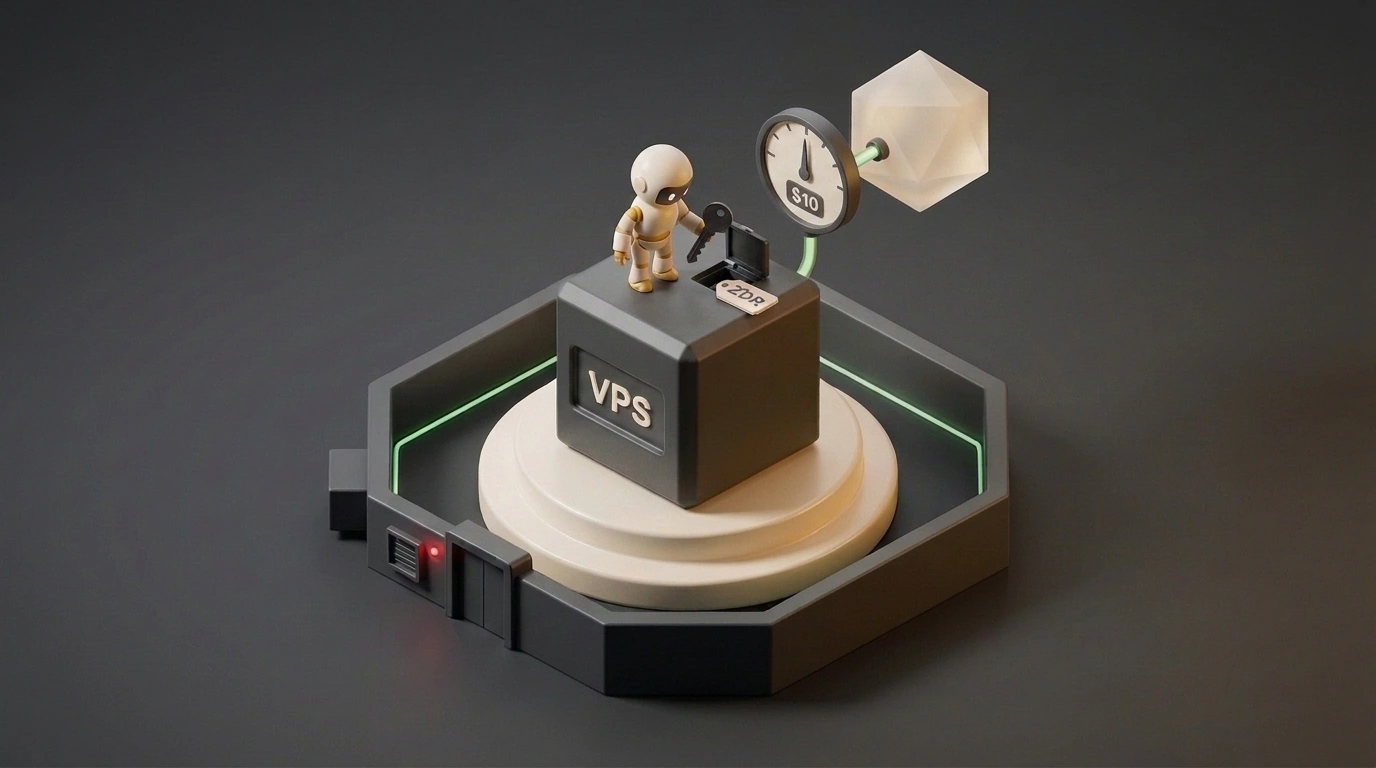
Isometric secured VPS server setup with a miniature Hermes robot inspecting a terminal with ports and a glowing Venice API gateway.
Next comes auditing your own code. Take an open repository like davidondrej/cloudroom and tell the agent in chat to clone the project into a working folder on the VPS and list weak spots to harden. That's where things get interesting. Instead of summarizing the README, the agent identified the architecture on its own: it spotted the Rust core capable of launching arbitrary agents and high-privilege VMs, then immediately split the work across subagents. One checked command execution paths, another reviewed token generation, and a third dug through git history for accidentally committed secrets.
The same approach works great for "vibe-coded" pet projects and landing pages thrown together quickly with AI. Ask the uncensored agent to list the ten most realistic ways to break your web app without vague disclaimers, then take that list and fix the holes using a standard flagship model or by hand. In an "abliterated agent finds holes -> coding model writes patches" workflow, each side does what it's best at.
The key is keeping clear boundaries and remembering that with an unrestrained tool, all responsibility rests on the operator.
Safety rules for working with an abliterated agent
- Audit strictly your own servers, test environments, and repositories where you have explicit owner permission.
- Frame tasks analytically ('find weak spots and suggest defenses') rather than issuing commands to exploit or delete data.
- Keep the agent exclusively on an isolated VPS with separate keys—never on your personal laptop or inside a production network.
- Lock down the Venice API key with Inference-only permissions, an IP allowlist, a hard spend limit, and a 30-day expiration.
- Check the active model with
/modelafter every config change and never send secrets over Discord.
With that setup, the agent stays a predictable engineering tool: you control the budget, the network perimeter, and the exact projects it can touch.