You open a weather site or news feed on your phone and scroll down. Behind the scenes, an auction runs in milliseconds. Three ad blocks sit on that same page: one right under the header, one mid-article, and one buried in the footer beside a share button. For years, Yandex Advertising Network (YAN) algorithms scored that page as one whole unit, assuming every spot delivered equal value. As a result, ad budgets leaked into blind zones where users mostly clicked by accident while missing the close button.
In late November 2026, Yandex overhauled that logic. The system now scores the quality of each individual ad slot separately. In Yandex's internal tests, this shift redirects up to 40% of clicks toward higher-performing placements. That means the old habit of uploading one image and two headlines now directly hurts your leads and CPL. Let's look at how the new slot-level auction works, why ad format names changed in Yandex Direct, and what creative kit you need for each business goal.
Slot-Level YAN Scoring: Where and Why Up to 40% of Clicks Move
First, let's look under the hood. Overall, YAN spans more than 80,000 placements when counting messenger channels and special formats. The new scoring covers its main core—web and mobile inventory across over 65,000 sites and apps. You don't need to toggle anything on: Yandex Direct already runs this algorithm by default across all network campaigns.
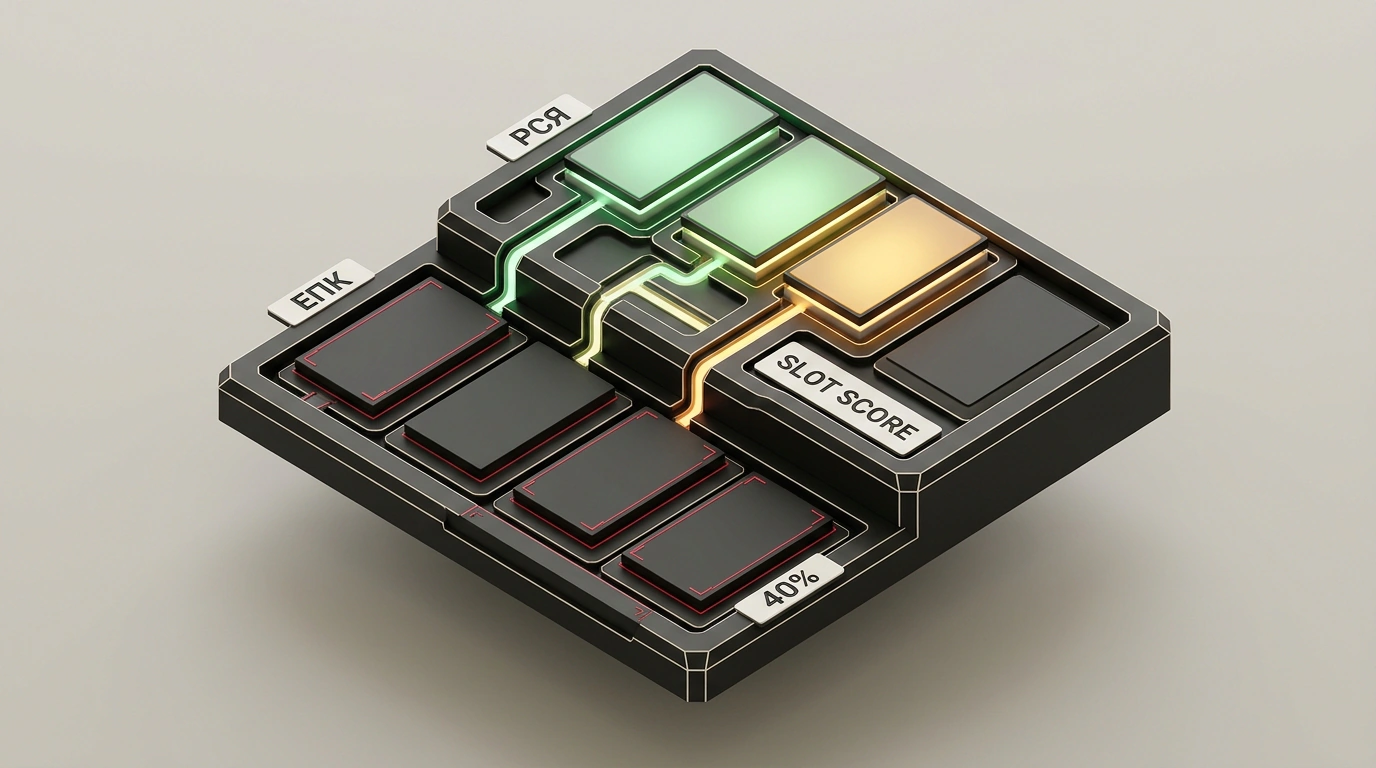
What actually changed? An ad slot is a specific placement block on a webpage or inside a mobile app screen. Previously, AI judged the site's average health: if a news portal had decent traffic, every block on its pages got a smooth average score. In reality, an in-article banner drives thoughtful clicks and leads, while a narrow bottom strip catches accidental thumb taps.
Isometric audit of slot-level scoring in Yandex Advertising Network showing green and red zones
Now Yandex Neuro Ads—Yandex's suite of generative AI and deep-learning models—evaluates each slot individually. The algorithm checks user behavior at that exact placement across three core signals:
- how often users clicking that specific block complete a target action on your site;
- how deeply they engage after landing instead of bouncing in one second;
- whether that spot shows signs of click fraud, accidental taps, or bot activity.
If a slot consistently brings real buyers, the system boosts it in the auction. If one block on an otherwise decent site generates empty clicks, traffic from it gets cut. 'We want traffic costs to reflect real business return so advertisers get more results within their budget. That's why we're starting to measure the business-metric impact of each specific ad slot,' explains Oleg Ivanov, Director of Product Development at YAN.
That same slot quality score now doubles as an extra filter for site moderation and fraud protection. In H1 2026, Yandex blocked over 25,000 questionable sites and apps from monetizing. For suspicious traffic, the system triggers CAPTCHA checks or suppresses ad delivery so your budget doesn't burn on bots. The chart below shows how much sharper these defenses got year over year.
Year-over-Year Improvement in YAN Protection Metrics in 2026
Faster checks work both ways: legitimate sites get approved sooner to grow clean inventory, while junk sites get stopped at the door. Spend keeps growing too: in Q3 2026, YAN partner payouts rose 10% year over year, and Yandex's gross ad revenue for nine months hit 379 billion rubles (also up 10%, excluding VAT and agency bonuses).
One more welcome update for anyone tired of manually blocking mobile games in placement reports: Yandex Direct added bid adjustments by mobile app category. Instead of maintaining an endless blacklist of individual app IDs, you can prioritize relevant categories and cut delivery in categories where your audience simply isn't there.
Here is where creatives tie directly into the update. As up to 40% of clicks flow into higher-converting slots, those slots come in wildly different shapes: wide rectangles, tall vertical blocks, or video players. Keep just one square banner in your campaign, and you lock yourself out of half the best inventory. Without mastering Direct's formats, slot-level scoring passes you by.
Search Formats: Combinatorial Ads, Product Gallery, and Right-Side Banners
Before tweaking campaign settings, let's clear up three terms people constantly mix up:
- Ad type: the raw assets you upload (headlines, copy, photos, videos, product feeds).
- Ad format: how the system assembles those assets for the user. One ad appears as clean text with sitelinks in Search, then turns into an image card in YAN.
- Placement: the actual storefront where users see your ad—Search results, Product Gallery, a partner site, or a messenger channel feed.
All Yandex Direct tools split into two camps. First is performance advertising: built for measurable actions (leads, orders, installs) and billed per click (CPC) or per target conversion tracked via Yandex Metrica. Second is brand/reach formats: built for awareness among new audiences and sold per thousand impressions (CPM), per video view (CPV), or per thousand outdoor contacts (OTS).
In Search, users already know what they want—typing 'buy treadmill' or 'automatic transmission repair Moscow'. The main workhorse here is combinatorial ads inside Unified Performance Campaigns (UPC). If you haven't opened Expert Mode lately, note that combinatorial ads replaced classic text-and-image ads. On Search, they render as text blocks with extensions, catching hot, high-intent demand.
The second major Search format is the Product Gallery. This horizontal carousel shows cards with a photo, title, price, and direct product link above search results and inside Alice AI chats. To appear there, run product ads and catalog-page ads (via UPC or a Product Campaign in Campaign Wizard). Direct pulls inventory automatically from your site or product feed, saving you from building manual ads for five hundred SKUs.
For online stores, Yandex recommends a YML feed linked by URL rather than uploaded as a local file. A live URL keeps prices and stock current automatically. Manual files go stale fast: an item sells out or rises in price while your ad still pushes the old price and wastes clicks. To promote whole categories, collections, or promo hubs, add Schema.org microdata to your site and include the collections tag in your YML feed so the system builds catalog ads cleanly.
Option three on Search is the right-hand banner—where even seasoned pros hit a classic snag. The Search context banner (a 240×400 px performance unit up to 120 KB) appears on the right in response to queries. However, only one shows per page, and it never appears alongside the Product Gallery. In niches packed with product carousels (apparel, electronics, furniture, hardware), the right-side banner loses the screen battle and misses predicted reach. In services, B2B, real estate, or auto dealers where Product Galleries don't dominate, that vertical banner grabs attention and brings targeted clicks.
Big brands on desktop Search also get brand mini-banners (640×134) and premium banners (640×268). Sold in fixed-CPM packages rather than CPC auctions, they focus on brand visibility on broad and branded queries rather than cheap immediate leads.
Adaptive Formats in YAN: Combinatorial, Product, and Neuro Ads
Moving from Search into YAN flips reader psychology completely. Nobody asked for your ad—they're reading a renovation article, checking the weather, or playing a puzzle. Your creative has to stop the eye first, then sell the click. After November's YAN update, that job depends heavily on adaptability.
Your core tool in UPC remains combinatorial ads. Instead of cloning dozens of separate ads for every headline and image pair, you load one modular kit: up to 7 headlines, 3 texts, 5 images, and 6 videos. The algorithm mixes and matches elements for each slot and user, keeping winning combos in rotation. One UPC ad group holds up to 3 active combinatorial ads (up to 10 including archived). A nice touch: UPC auto-fixes minor moderation slips like typos and excess CAPS LOCK, resubmitting the ad automatically.
What's the #1 mistake with combinatorial ads? Uploading one square image and wondering why a narrow horizontal or vertical slot chopped off half a speaker's face or half your product. The algorithm crops photos to fit each publisher block. Avoid losing top slots with two simple habits:
Modular Bauhaus-style builder of adaptive YAN ad formats using geometric blocks
- upload images in both aspect ranges: standard (3:4 to 4:3, including 1:1 square) and widescreen 16:9;
- set the smart center right inside UPC—highlight the key subject (the product or face) so auto-cropping keeps it in frame.
What happened to the classic Smart Banners clients still ask about on calls? Inside UPC and Product Campaigns, that mechanic lives on under product ads and catalog-page ads. In YAN, they render as interactive cards pulling one or more items from your feed—retargeting the exact model someone viewed yesterday or showing a mini-storefront with prices and discounts. When launching a Product Campaign via Campaign Wizard, you can pair cards with a general store ad (up to 5 headlines, 3 texts, and 2 videos) to catch shoppers still browsing.
A separate branch in UPC is Neuro Ads, powered by Yandex Neuro Ads. You feed the system one page, a section, your whole site, or a URL list, and the AI writes copy and picks visuals. Sounds like a marketer's dream: paste a link and grab coffee. In practice, it carries strict limits you need to know up front.
- Slow start and zero manual edits. Generation takes up to 24 hours (sometimes longer), and you can't edit finished variants by hand—you can only delete bad ads entirely or filter them via negative phrases.
- Prices and promos don't auto-update. If a sale ends or prices change on your site, the Neuro Ad keeps running the old promise until you recreate it or swap the URL.
- Loose handling of specs. Built for offers where exact product visuals and strict technical specs aren't critical. For complex industrial gear, SKU-matched spare parts, or legal tariffs with exact numbers, build combinatorial ads manually.
Always save Neuro Ads as drafts first. Once generation finishes, inspect the Ads tab to make sure the AI didn't invent delivery terms, slap on a fake discount, or warp your product. Also check site readiness: pages must be in Russian, crawlable without login, and rich in clear text. If your offer hides inside images or loads only after clicks, the AI has nothing to build from.
Display, HTML5, and Video: Where Performance Ends and Reach Begins
Designers often confuse images inside combinatorial ads with standalone display banners. The difference is fundamental. In a combinatorial ad, your image is raw visual art while Direct attaches the headline, copy, and button to fit each slot. In a display ad, the designer lays out the entire creative—background, headline, offer, and drawn button—into one file where the whole banner is clickable.
Static display and interactive HTML5 banners in YAN work for both performance (in UPC) and brand reach (in Reach campaigns). Keeping brand style and typography tight is easier inside one layout, but you pay in production work: the more standard sizes you upload as separate ads (like 300×250, 240×400, 300×600, 728×90, 970×250), the more inventory you unlock. Yandex advises exporting static images at 2× or 3× base resolution (e.g., 600×500 for a 300×250 slot) so banners look sharp on high-DPI screens. For HTML5 banners, though, the meta name="ad.size" tag must match the slot pixel for pixel.
Another common rejection culprit is forgetting the safe zone. Around banner edges—usually the top 5–10%—sites overlay system badges: the 'Ad' label, three-dot menu, and close button. Put your logo or price there, and UI elements cover it up. GIF and HTML5 animations also face strict pacing rules: no flashing strobe effects; frame swaps no faster than once every two seconds.
The table below summarizes technical guardrails across Direct's main formats—skipping endless pixel lists to focus on limits and traps that trigger moderation rejections.
| Ad Format | Core Assets & Ratios | Key Limits | What to Watch Out For |
|---|---|---|---|
| Combinatorial (UPC) | Up to 7 headlines, 3 texts, 5 photos (3:4–4:3 & 16:9), 6 videos | Headline ≤56 chars (word ≤22), text ≤81 + 15 punct. (word ≤23), photo ≤10 MB, video 5–60s ≤100 MB | Max 3 active per group; Campaign Wizard caps photos at 4 MB; link ≤1,024 chars, display URL ≤20 |
| Display & HTML5 (YAN) | Ready banner (JPG, PNG, GIF) or HTML5 ZIP | Up to 512 KB; Playable Ads up to 3 MB; ZIP ≤20 files, index.html < 150 KB | Frame rate ≤1 change per 2s; HTML5 bans video, audio, popups; 5–10% top safe zone |
| Search Banner | 1 vertical banner 240×400 (3:5) | JPG, PNG, GIF up to 120 KB | Only 1 shows on the right; never appears with Product Gallery |
| Brand Banners on Yandex Services | Mini (640×134), Premium (640×268), Below-Search (1456×180 desktop / 640×134 mobile), Prime Banner | 512 KB (Below-Search desktop up to 1 MB) | Prime Banner requires both 1080×450 and 2832×600 (plus optional 940×1524); no borders |
| Video Banners & Video Network | 16:9 video (Video Network also 1:1 & 9:16), 20–30 fps, rec. 1080p | 5–60s (non-skippable 5–15s), ≤100 MB; static video banner image ≤150 KB | Video banners allow 1 video per group; Video Network supports 1–15 slide 1:1 carousels (desc ≤95 chars) |
| Messengers (Max & Telegram) | Max targeting: 16:9 photo (min 1088×612) or 1:1 logo (min 150×150). Seeding: up to 10 photos, video | Max: headline ≤72, text ≤108. Seeding: headline ≤56, text ≤764, video ≤10 MB for autoplay | In Max targeting, adding any image/logo disables text-only ads; seeded posts live 48h and can't be edited |
When your goal is broad reach and awareness, look beyond standard YAN blocks. Reach campaigns offer two high-impact banner units. First is the below-search-bar banner on ya.ru and Yandex Browser's new tab (plus YAN sites), seen by huge audiences before they even type a query. Second is the Prime Banner on auction CPM, taking prominent spots inside flagship Yandex apps: Search, Market, Go, Mail, Kinopoisk, Music, Afisha, and Alice AI. Launch requires submitting both 1080×450 and 2832×600 sizes, while adding 940×1524 unlocks far more screens.
Video is its own beast. Whenever a product needs to be seen in motion—how a stroller folds, how an app flows, how a jacket fits—static images lose flat out. Direct gives you three video paths:
- Video Banners in YAN: a hybrid block pairing an image with an autoplaying 16:9 video once scrolled into view. Aim for 6–15 seconds. One group runs one video, so spin up separate groups to A/B test scripts.
- Video Network Ads (Yandex services plus 200+ major publishers, including streaming cinemas and TV sites): runs InStream ads inside video streams (with 5–15s non-skippable options) and OutStream placements inside articles and apps, including Interstitial transitions and Rewarded ads in mobile games. Every format supports an interactive carousel of up to 15 product slides with links and prices—sliding in after an InStream ad finishes or is skipped. Tight on production budget? Build videos from photos in Direct's Video Builder, and pre-test creatives in Yandex Vzglyad to spot the exact second viewers drop off.
- Connected TV: 16:9 spots on Smart TVs and set-top boxes (streaming platforms, Yandex TV, TV channels) with digital geo and interest targeting. You can overlay a QR code right in campaign settings so couch viewers can scan and jump straight to your site.
Finally, both local businesses and national brands can launch digital out-of-home (DOOH) ads straight from Direct, billed per thousand contacts (OTS): screens in store windows, pharmacies, and pickup points (PVZ), taxi-top screens (10-second silent clips), street pillars (512×1216, frame changes no faster than every 2.5s), and media facades (separate 15s daytime clips and 60s static night creatives). It's a handy bridge between online ads and neighborhood foot traffic.
Messengers and Niche Formats: Max Targeting, Telegram Seeding, and Choosing by Goal
Users spend hours in messengers daily, and Direct covers this turf with two distinct tools: targeted ads in Max and native post seeding in Telegram and Max. Both run via the 'Messenger Ads' section or inside UPC (under the Messengers placement), yet their rules differ completely.
Targeted ads in Max are compact blocks with a headline (up to 72 chars), text (up to 108 chars), and a button, appearing right below posts in public channels with 1,000+ subscribers. You pay per click (CPC) and target by geography, interests, behavior, gender, age, income tier, and autotargeting. Links can send users to a site, a Max channel, or a specific post.
Keep two technical quirks in mind when media planning. First, delivery currently runs only in Russia and only on Android. Second, while you can upload up to 7 headlines, 3 texts, 4 16:9 images, and 1 1:1 logo, adding even one image or logo stops pure text ads from showing. Want to test text-only versus image ads? Split them into separate ads.
Seeding in Telegram and Max works differently: these are native posts dropped directly into feeds of YAN-connected channels. You get room to breathe: headlines up to 56 chars, body copy up to 764 chars with paragraphs and lists, up to 10 images, and video (keep files under 10 MB for reliable autoplay). Pricing depends on how you pick channels: let the algorithm choose by topic, description, and geo, and you pay per click (CPC); pick specific channels manually from the catalog, and you pay per view (CPV).
The biggest catch with seeding is a strict clock and zero room for error. Once published, a post cannot be edited, and after 48 hours it deletes itself from the channel feed automatically. A typo in a promo code, broken UTM tag, or ugly line break stays live for two full days on your dime. Previewing and test-clicking your link isn't busywork here—it's budget insurance.
To keep all these formats straight before your next launch, map your choice by business goal in one matrix.
| Business Goal | Best Formats | Where Users See It | Billing Model | Works Best When |
|---|---|---|---|---|
| Leads & service sales | Combinatorial in UPC (Search & YAN split), display banners, 240×400 Search banner | Search, YAN sites & apps, Maps | CPC or pay-per-conversion | Clear existing demand and a strong landing-page offer |
| E-commerce catalog sales | Product ads & catalog-page ads (UPC / Product Campaign) | Product Gallery (Search + Alice AI), YAN | CPC or pay-per-conversion | Store has a live YML feed URL and Schema.org markup |
| Fast hypothesis tests & extra reach | Neuro Ads (Yandex Neuro Ads) | Search & YAN | CPC or pay-per-conversion | Broad site with a simple offer where prices don't swing daily |
| Messenger traffic & subscribers | Max targeting; Telegram & Max seeding | Max channels (1,000+ subs, Android RU) and YAN Telegram/Max channels | CPC (targeting & auto-seeding) or CPV (manual seeding) | You want native touchpoints beside chats or a detailed post offer |
| Brand awareness & reach | Display banners, Prime Banner, ya.ru below-search, Video Network, CTV, DOOH | Yandex services, YAN, streaming cinemas, Smart TVs, city screens | CPM, fixCPM, CPV, OTS | Launching a new product, seasonal promo, or building retargeting pools |
One practical link worth noting: reach formats feed performance campaigns. Users who saw your display banner or Video Network spot can be collected into audiences and retargeted in Direct with a concrete offer. That way, brand spend doesn't vanish into thin air—it warms people up to convert.
Building Your Creative Kit and Auditing Placements After the YAN Update
Now let's pull everything together and turn November's YAN update into concrete steps inside your ad account.
Step one: split Search and YAN into separate campaigns. Technically, one combinatorial ad can run everywhere at once. On Search, though, users want a quick answer to an exact query ('AC installation price'), while in YAN you interrupt their reading—which demands a different headline, tone, and visual hook. Separate campaigns give you clean analytics, independent bid and budget control, and stop network traffic from quietly draining daily budgets meant for hot Search.
Step two: feed the slot-level auction a full asset kit and real conversion goals. When the algorithm shifts up to 40% of clicks between slots, it relies on post-click action data. If Yandex Metrica lacks meaningful goals—or tracks junk like 'stayed 15 seconds'—Yandex Neuro Ads can't tell which slots make you money and which just attract idle browsers.
Run UPC on pay-per-conversion or conversion optimization with meaningful goals, and load combinatorial ads to capacity: several headline angles (price/speed, assortment, warranty), two or three clear texts, both image ratios (standard and 16:9 with smart center set), and at least 1–2 short videos. That lets the system fit into any converting slot—a narrow mobile card, wide banner, or in-article player—without losing your message.
Step three: modernize mobile traffic cleanup. YAN specialists used to open Report Wizard every Monday and exclude dozens of mobile games, flashlight apps, and calculators by hand. Now slot-level scoring and upgraded anti-fraud (filtering accidental taps and running bot CAPTCHAs) handle much of that grind, while mobile app category bid adjustments give you a clean macro lever. Cut or bid down clearly irrelevant categories first, and only inspect individual placements once conversion data builds up.
Before hitting 'Submit for Moderation', run every creative kit through one quick filter. Pre-launch fixes take a minute; post-launch fixes either aren't allowed (as in Telegram/Max seeding) or force re-moderation while old ads keep running.
Pre-Moderation Creative Check Before Launch
- Copy & combos: proofread typos, match prices, discounts, and promo dates to your site, and ensure every headline-text pairing in combinatorial ads reads naturally.
- Images & safe zones: verify aspect ratios and file weights, set smart centers in UPC, and keep the top 5–10% of display banners free of logos and text so platform labels don't cover them.
- Sound-off video: check duration, resolution, and file size, then watch on mute—your offer and CTA must read visually in the first few seconds.
- Links & mobile test: test main links and sitelinks on desktop and mobile with clean UTM tags, confirm stock, and verify the lead form submits.
- Required labels: add age ratings, legal disclaimers for regulated niches, and prepare licenses or certificates for moderation up front.
- Slot previews: inspect the ad across every preview layout in the UI to ensure cropping spares key subjects and buttons plus disclaimers stay fully visible.