Can you intercept an Avito shopper before they drown in ten identical listings and haggle with private sellers over every hundred rubles? And does it even make sense to run banners there if you run your own online store and never plan to post classifieds?
Standard Avito promotion works like a market stall: a buyer already searched "winter tires 205/55 R16" and scrolls listings comparing price and seller ratings. Display advertising in the separate Avito Ads cabinet works differently. It catches that same person earlier or one tab over—while they browse, narrow down a category, or scroll recommendations. Better yet, the audience is already in shopping mode, not scrolling memes.
Let's break down how Avito's display inventory works in 2026, which businesses actually make money on it, what to budget for a test, and how to launch with ad labeling without wasting spend.
Why Businesses Use Avito Display Ads and How They Differ from Avito Pro
Many owners still picture Avito strictly as a classifieds board where you buy "x5/x10" boosts to keep listings on top. That leads people to confuse the Avito Ads display cabinet with an Avito Pro seller account. In reality, they are two separate tools with different goals and entry rules.
The biggest perk of Avito Ads is that you don't have to sell anything on Avito at all. Banks, insurers, real estate developers, appliance makers, or niche e-commerce stores can run banners or videos that send clicks straight to an external website, promo landing page, or branded hub inside Avito.
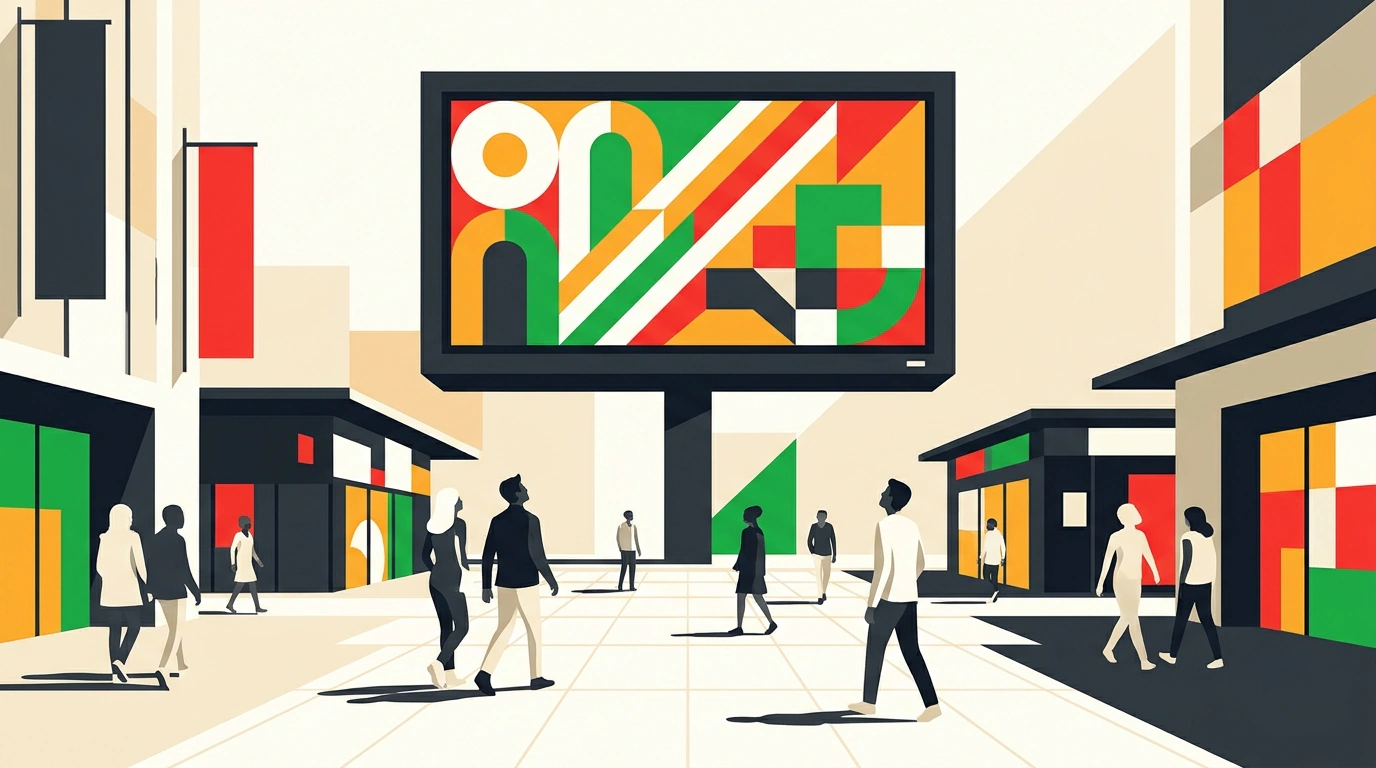
Conceptual poster illustration of display reach and product flows on a national classifieds platform
There is one strict entry gate that trips up small projects: self-serve Avito Ads is open only to Russian LLCs (OOO) and sole proprietors (IP). Individuals and self-employed freelancers cannot run display campaigns directly. If you are a self-employed appliance repair tech, stick to standard listings in Avito Pro.
Where do display formats shine? Five business types see the strongest unit economics. E-commerce and retail chains use them to announce seasonal sales, new collections, or expand beyond search. Manufacturers and wholesalers who don't sell direct warm up brand demand and send buyers to regional dealers. Service businesses use large banners or short process videos to stand out from hundreds of identical private-contractor listings. New brands use display to introduce products nobody searches by name yet, reaching commercial-intent users five minutes before they think of it. Finally, high-ticket, long-cycle businesses (autos, real estate, machinery, renovations) stay visible while buyers compare specs for weeks.
To avoid mixing up tools at launch, compare how Avito's five promotion channels split the sales funnel.
| Promotion Method | Main Goal & Funnel Stage | How Targeting & Billing Work | Key Limitations |
|---|---|---|---|
| Display Ads (Avito Ads) | Brand awareness, promo launches, traffic to site or brand hub | 50+ behavioral interests, geo, gender, age, estimated income; billed by CPM or CPC | Requires Russian LLC or sole proprietor; weak alone if you need calls 'yesterday' without performance support |
| Listing Promotion (Avito Pro) | Hot demand: immediate calls, chats, and orders | Tied to internal Avito search queries; x2/x5/x10 visibility boosts; pay per target view, click, inquiry, or call | Only reaches users already searching inside the catalog |
| Yandex Direct (Search & YAN) | Yandex Search demand and retargeting outside Avito | Avito is part of YAN, reminding shoppers about sellers on external sites | You can't install a Yandex Metrica counter on an Avito listing, so cross-analytics require manual stitching |
| Listing SEO | Steady organic views without paying per contact | Ranking checks 100+ signals: title/spec accuracy, CTR, seller reply speed | Without clean listing optimization, paid boosts deliver lower return |
| External Traffic (Social, Telegram, Search) | First views, inquiries, and reviews for a new store | External clicks send live behavioral signals to Avito's algorithm | Must show clear value (price, delivery); Avito's brand and 'Safe Deal' help build trust for new sellers |
See the difference? If you need leads by Friday evening, start with listing SEO and Avito Pro boosts. Display ads don't replace them—they pour fresh audiences into the top and middle of your funnel so branded search grows and acquisition costs drop over time.
Format Map: Banners, HTML5, Video, and Custom Projects
Choosing a display format isn't about designer taste—it's about where and on which screen you catch the buyer. Over 80% of Avito visits happen on smartphones. If your banner looks sharp on a 27-inch monitor but turns into unreadable tiny text on a phone, your budget burns in the first hour.
Display formats fall into four groups: static banners, animated HTML5, video ads, and custom special projects.
Static Banners: Five Touchpoints
The classic "image + short copy + button" combo remains a workhorse. Almost all static formats sell on CPM (cost per 1,000 viewable impressions). An impression counts as viewable when at least 50% of the banner stays on screen for at least one second.
At the top of the funnel sits the Homepage Banner: a wide first-screen block across desktop, mobile web, and apps. Reach is maximum, while attention spans are tiny—if the product and offer aren't clear in a split second, thumbs scroll past. Deeper in navigation, "Media Premium" spans the full width of the recommendation feed on the homepage, search results, product pages, and video feed, with the platform layering your logo, headline, and CTA button neatly over your image.
On tighter budgets, "Media Standard" places compact banners under category filters, inside search results, or on listing pages. A dedicated entry point is the Seller Profile Banner, sitting above "User's Listings" on desktop and app to pitch alternatives or add-ons to high-intent browsers. Rounding out the five is the Native Banner—a text-and-image block styled like a regular Avito listing. It dodges banner blindness, drives strong clicks, and is the only format in the cabinet available on CPC.
Placement diagram of a display banner inside an Avito seller profile (Source: ads.avito.com)
The diagram shows the logic clearly: the shopper is already focused on a specific topic, and the banner appears right in their first-glance zone without breaking the interface.
Animated HTML5 Banners: When One Image Isn't Enough
For complex products you want to show from multiple angles, static images fall short. An HTML5 banner is a mini webpage inside the ad slot with animation, frame switches, and buttons. Right inside category search, recommendations, and listings (desktop, mobile web, iOS/Android), users can toggle views, configure options, or even try a simple mini-game.
Example of an interactive HTML5 banner in Avito mobile feed and desktop (Source: ads.avito.com)
HTML5 comes with technical traps that trip up developers used to other ad networks. Share this exact spec list with your developer to pass moderation on the first try:
- upload either a single self-contained
.htmlfile without external scripts/images, or a.ziparchive with a rootindex.htmland relative paths (./...); - unpacked archive size must not exceed 500 KB (many check only the compressed ZIP and wonder why it gets rejected);
- set the click-through URL strictly in the ad cabinet UI—never hardcode URLs inside the banner code;
- build responsive layouts for three container ratios:
1:2,4:3, and3:1(test at300x600,320x240, and980x325 px); - never use CSS classes starting with
advhtml5, as they conflict with the platform's ad-labeling containers.
Video Ads: The Three-Second Rule
Short 10–20 second videos run both inside Avito's video feed and out-stream across recommendations, search, and listings. You can attach a clickable logo, short copy, and a CTA button.
Placement diagram of video ads in Avito mobile app and desktop search results (Source: ads.avito.com)
Video shines when you need to show a product in action: a cordless drill assembling a cabinet in five seconds, a robot vacuum on carpet, or a before-and-after cleaning transformation. Follow two strict rules. First, put your main hook and product on screen within the first 3 seconds—start with a five-second logo animation over music, and users swipe away before knowing what you sell. Second, remember billing: video CPM counts an impression as viewable when at least half the player stays on screen for 2+ seconds.
Custom Formats: Brandspace and Special Projects
For larger brands with bigger budgets, Avito's team builds custom placements outside the self-serve menu. Brandspace creates a full branded hub inside Avito with banners, videos, curated product collections, lead forms, and even job openings—letting shoppers explore your brand without leaving the platform. Special projects include gamified mechanics, interactive quizzes, custom search filters, and cross-category promos arranged via a manager, typically starting around 100,000–300,000 RUB per month.
Targeting and Frequency: How to Avoid Wasting Impressions
The most common complaint about display ads sounds familiar: "We spent the budget, got tons of impressions, and saw zero results." Usually the culprit isn't the platform—it's showing ads to everyone or squeezing filters so tight the algorithm suffocates.
Avito Ads builds audiences across four dimensions. The most valuable is behavioral interests: 50+ categories built not from social likes, but from real searches, views, and purchases inside Avito. Someone browsing strollers or building materials for three days straight is far closer to buying than a casual news reader. On top of interests, layer geography (nationwide, regions, or cities), gender and age, and estimated income inferred from browsing and transaction history.
As you toggle checkboxes, the right-hand panel recalculates estimated reach and outcomes in real time. Treat it as your safety brake. Stack a small town, a niche interest, a five-year age band, and high income together, and reach collapses to zero—your campaign stalls. Broaden geography or add adjacent interests instead of starving the algorithm.
Two more levers save money without hurting quality: ad scheduling and frequency capping. By default, ads run 24/7. If you sell B2B services or staff a call center from 9 to 6, cut overnight hours so you don't pay for clicks nobody answers until morning.
Frequency capping limits how often one user sees your banner over a set period. Leave it uncapped, and an active shopper sees your ad fifteen times a day, gets annoyed, and tunes it out while you pay for all fifteen views. A solid starting benchmark is up to 3 impressions per user per day. Don't swing too far the other way either: capping at once a week on a narrow audience prevents the system from delivering your planned volume.
Billing Models, Minimum Budgets, and the Balance Trap
Let's talk numbers. Self-serve Avito Ads offers two billing models: CPC (pay per click, available only for Native Banners starting from 1 RUB) and CPM (pay per 1,000 viewable impressions for all other display formats).
Entry minimums fit even small businesses: 5,000 RUB incl. VAT per campaign, and 2,500 RUB incl. VAT per ad group. Minimum run length is 3 days for "period" budgets, or 1 day for daily budgets. As of late 2026, all campaign budgets are managed manually—there is no automated campaign-level budget optimization.
Avito Ads enforces a strict minimum balance rule: as soon as your account drops below 5,000 RUB, all active campaigns pause automatically. If you top up 10,000 RUB expecting a full week's test, your actual spendable budget is only 5,000 RUB. At 4,999 RUB, traffic stops until you add funds. Always factor this non-spendable buffer into your starting deposit.
Starting CPM floors also vary sharply by format. Real auction prices depend on niche competition, region, and season (Q4 sales always heat up auctions), yet starting rates clearly show the cost hierarchy.
Indicative Starting CPM Rates by Avito Display Format (from, ₽ per 1,000 views)
The hierarchy makes complete sense: the homepage first screen costs most for maximum reach and visibility. Media Premium and short videos sit in the middle because they command more screen space and attention. Media Standard, HTML5, and Seller Profile banners offer gentler CPM entry points—ideal for early tests when you want to validate an offer without burning budget in two evenings. Minimums for Media Standard and Media Premium can vary slightly upward by category, so always check the forecast panel before launch.
Also remember hidden production costs. Ad spend isn't your whole budget. If you launch video or HTML5, budget for design, copywriting, editing, or interactive coding—plus a mobile audit of your landing page. Spending 30,000 RUB on impressions while skimping 5,000 RUB on decent banners and mobile UX is the fastest way to get zero return.
Finally, never bet your whole budget on one creative, and don't tweak settings the morning after launch. Launch multiple ad groups with different banners or segments (changing one variable at a time) and let the system run untouched for 3–7 days (at least 3–5 days). Algorithms need data to learn who responds; editing bids and interests after 24 hours resets learning to zero.
Step-by-Step Launch, Creative Specs, and ORD Ad Labeling
Building a campaign in Avito Ads doesn't require an engineering degree—the interface is straightforward and takes five steps.
Step 1: Register and set access. Open Avito Ads, click "Launch Ads," and verify your Russian LLC or sole proprietor details. Add a backup contact person—don't skip this or enter a temporary intern. If your marketer leaves and access is lost, support restores the account through that backup contact. Then assign team roles.
Step 2: Create the campaign and enable automatic ORD labeling. Name your campaign clearly and assign a notification owner. Next comes the ORD (Advertising Data Operator) block required by Federal Law 38-FZ. Good news: you don't have to register creatives manually in third-party ORD portals or file monthly acts. If you advertise your own business, select "Advertising myself" (agencies enter intermediary details). Avito obtains erid tokens automatically and sends stats and acts to ERIR. Then pick your campaign type (Text & Image, Video, or HTML5) and billing model (CPC for Native Banner, or CPM for Homepage, Media Premium, and Media Standard).
Step-by-step isometric pipeline showing display campaign setup from ad account to ORD labeling
Step 3: Build your ad group. Set dates, schedule, interests, geo, gender, age, and income (watching the reach forecast on the right), then enter your budget and bid manually.
Step 4: Upload creatives and check limits. Verify technical specs for your chosen format before moderation. Here are the exact rules for the most popular performance format—the Native Banner:
| Native Banner Element | File Format & Size | Dimensions, Ratios & Limits |
| --- | --- | --- | --- |
| Main image | JPEG or PNG, up to 2 MB | 4:5 (600x750 px recommended), 1:1 (472x472 px), 4:3 (720x540 px), 8:3 (1372x512 px); no text on image |
| Company logo | JPEG or PNG, up to 250 KB | Strictly 50x50 px |
| Headline | Text field in UI | Up to 30 characters |
| Body text | Text field in UI | Up to 45 characters |
| Legal info | Text field in UI | Up to 800 characters |
For other display formats where on-image text is allowed, keep text under 20% of the image area. Never put phone numbers, contact details, or QR codes on any banner.
Design creatives like road signs: readable in one second. Show the actual product, service process, or finished result instead of generic stock handshakes. Follow one golden rule: one ad, one core benefit. Cramming a discount, free shipping, and a three-year warranty onto one banner guarantees nobody remembers anything. Split those angles into separate ads and test which wins.
For your first A/B test, try six proven angles: product + clear time/value benefit ("Car repair in 2 hours"), limited-time deadline promo ("15% off through Sunday"), new arrival ("New 2026 winter jacket collection"), product in action (a short clip assembling a wardrobe with a drill), lifestyle outcome (for fashion, travel, or real estate), and a head-to-head format battle pitting a static banner against a short video with the exact same offer.
Step 5: Moderation and launch. Submit your campaign. Review takes from a few hours to one business day. Once approved, impressions begin.
Pre-Launch Checklist for Avito Display Ads
- Account is registered to a Russian LLC or sole proprietor, ORD block is filled, and a backup contact is set.
- Account balance covers your test budget plus the 5,000 RUB minimum buffer so ads don't pause mid-run.
- All URLs include UTM tags and Avito macros (
erid,campaign_id,account_id), with site analytics and goals active. - Creatives are previewed on a smartphone screen, contain no phone numbers or QR codes, and match format ratios.
- Landing page hero screen confirms the exact offer or promo shown on the banner.
- At least 2–3 creative variants launch together so you have real data to compare after 3–5 days.
Measuring Results and Ten Mistakes That Drain Budgets
The most common clash between marketer and owner after launching display ads goes like this: the owner checks week-one direct leads, sees very few, and declares "the ads failed"—even though the campaign ran on broad CPM reach for a new brand. Judging brand reach solely by direct clicks is like judging a highway billboard by how many drivers slam their brakes at 110 km/h to call your office.
Match your metrics to the goal you set at launch.
| Campaign Goal | Key Platform & Analytics Metrics | What They Show in Practice | | --- | --- | --- | --- | | Reach & brand awareness | Viewable impressions, unique reach, frequency, CPM, VTR (video), branded search lift, Brand Lift | How many unique people actually saw the ad (5 views to 1 person = 1 reach), finished the video, and searched your brand more | | Traffic & performance | CTR, CPC, on-site behavior (bounce rate, depth, time), direct and post-view conversions | How engaging the creative is, cost per visit, and whether visits turn into calls, leads, and orders |
For larger awareness campaigns, Avito offers Brand Lift. Built-in polls ask the same questions to an exposed test group and an unexposed control group, measuring shifts in Ad Recall, Ad Message Recall, Brand Awareness, and Brand Consideration.
To tie display to real sales, track post-view conversions—delayed actions. A shopper sees your banner in the Avito app on their commute, doesn't click, and searches your store name at home that evening to order. Wire up tracking before spending a ruble: add UTM parameters, include Avito macros (erid, campaign_id, account_id) to pass data into your CRM, and verify Yandex Metrica (or Avito Ads pixel for conversion strategies) tracks leads, calls, and orders.
Finally, avoid ten classic mistakes that waste money even in strong niches:
- Confusing goals: buying reach CPM while expecting cheap clicks, or trying to blanket a whole city on native CPC.
- Over-narrowing targeting: stacking a small city, niche interest, and tight age band until delivery stalls.
- Launching one lonely banner: without 2–3 variants, you never know if the channel failed or just the image.
- Cluttered layouts: stuffing long copy, three promos, and two CTAs into one ad creates instant visual noise.
- Broken message match: advertising 50% off kids' shoes and dropping mobile users onto a generic homepage with zero mention of the sale.
- Judging brand campaigns by clicks alone: killing a working reach funnel before branded search has time to rise.
- Missing UTMs and site goals: flying blind with budget disappearing into a black box.
- Expecting day-one floods: display warms demand and works best paired with Avito Pro, search, and social.
- Tinkering every evening: editing bids and targeting daily interrupts the 3–5 day learning window.
- Using outdated spec sheets: uploading old banner sizes or banned elements and losing a full day to moderation rejections.