35 B2B leads at 885 RUB each in two weeks on a 30,000 RUB budget—that was the result of targeted ads in the Max messenger via Yandex Direct in a live test by eLama. For Russian B2B, where a qualified search lead routinely tops 2,000–3,000 RUB, those numbers feel like fresh air. There is just one catch: you need to understand how the messenger works first, because half of all companies stumble before spending a single ruble—opening a channel in one minute, then wondering all week why nobody can find it.
Let's walk through the entire journey: from the "invisible channel" trap and ownership quirks to a head-to-head 60,000 RUB test pitting Yandex Direct against VK Ads.
Why a Channel Created in One Minute Stays Invisible in Search
Picture a familiar scene. A company director decides, "We should claim our spot on Max while everyone is migrating." They open the app, tap "Chats -> + -> Create Channel," type a name in a minute, and post two paragraphs. Then they ask staff to search for it in the messenger—and get nothing. Search comes up empty. When they share the link manually, a "private channel" badge sits right at the top.
A real estate agency director ran into this exact wall: she built and styled her channel, then refused to send clients a link stamped "private." The reason is simple. In Max, tapping "Create Channel" without prior verification always opens a private feed. Posts and reactions work, but the channel never appears in global search. People can only join via invite link or QR code.
For internal team updates, closed clubs, or student cohorts, private mode works fine. If you want clients to find your brand by name and run ads to the channel, the basic path fails.
A myth still circulates around Max public channels: "You can't open a public channel until you have 10,000 subscribers and Roskomnadzor registration." That confusion comes from four separate entry paths inside the messenger. Their feeds look identical, yet permissions, URLs, quotas, and search visibility differ sharply.
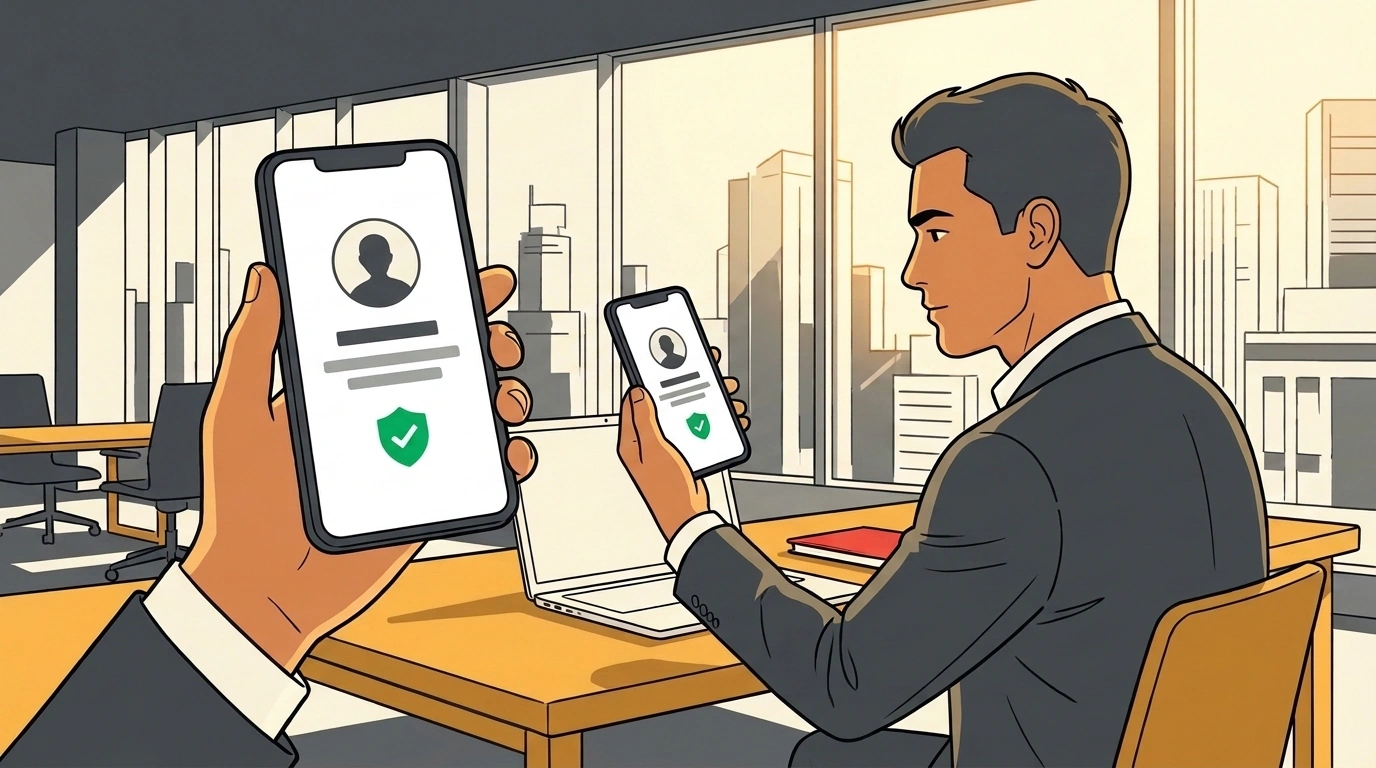
Comic scene showing channel verification via Digital ID in a messenger before unlocking search visibility
| Entry Type | Best For | Requirements | Resulting URL | Channel Limit | Search & Ownership Transfer |
|---|---|---|---|---|---|
| Private by invite | Closed clubs, student cohorts, internal team or client feeds | Any account on a Russian phone number | Invite link or QR code only; approval requests optional | Unlimited | Not in search. Can switch to public later in 'Channel Type & Link' with Digital ID and a free slot |
| Public via Digital ID | Creators and individuals wanting a short readable handle | Age 14+, Russian passport, verified Gosuslugi on the same number, phone with Face ID or fingerprint | max.ru/channel_handle (customizable; changing it frees the old handle and breaks old links) | Up to 5 public channels total (business and A+ count too) | In search. Can transfer ownership only to someone who also has Digital ID |
| Migration via A+ badge | Owners of 10,000+ subscriber channels on VK, OK, Zen, or Telegram | RKN register entry and A+ badge; apply via @channel_bot from registered phone | Handle and title migrate from RKN register | One per A+ resource | In search. The 10,000 threshold applies only to this migration, not normal launches |
| Business via 'MAX for Partners' | Russian LLCs, sole proprietors, and self-employed (individuals barred; no Digital ID needed) | Verification at business.max.ru via Gosuslugi (director/admin role), T-Business ID, or Alfa ID; self-employed via Gosuslugi only | Auto-assigned and permanent: id<INN>_biz (second: _biz2; self-employed: se<code >_biz) | LLC/sole prop: up to 10 channels; self-employed: 1 channel | In search. Tied to the company; launches from any device including iPhone |
That explains the 10,000-subscriber myth. You only need 10,000 followers in two cases: migrating an established channel from Telegram, VK, OK, or Zen via the A+ badge, or once your new Max channel grows to 10,000 subscribers and applies for A+ via @channel_verification_bot and Gosuslugi. Starting a normal public channel from scratch needs zero existing followers.
Before tapping "Create," answer two practical questions: who owns the asset (an individual or the company), and do you need in-app search? Getting this right prevents having to migrate a live audience to a new URL six months later.
Step-by-Step Setup: Digital ID, Verification, Design, and Landing Logic
Once you pick a format, you hit Max's cross-device UI quirks that the platform rarely documents upfront.
The biggest trap awaits iPhone users. You spend ten minutes setting up Digital ID in the Max iOS app (passport, Gosuslugi, Face ID—all approved), tap "Chats -> + -> Create Channel" to claim a clean handle... and the "Public" option simply isn't there. Rebooting, updating, and digging through menus won't help. On iOS, Digital ID is issued in the mobile app, while creating a public channel_ or switching a private channel to public works only in a browser at web.max.ru under the same phone number.
Android is simpler: Digital ID, public channels, and type switching all work inside the app. Desktop is the opposite: public and private channels open easily, yet you cannot issue Digital ID from a laptop. Meanwhile, business channels via business.max.ru and @business_channel_bot launch cleanly from any device, including iPhone (via the "MAX for Business" mini-app or web portal).
Watch out for three common dead ends during setup:
- No "Public" option even on Android or web: Either Digital ID didn't finish issuing, or all five public channel slots are already used. Switch an old channel to private, transfer it, or delete it to free a slot.
- Digital ID verification fails: Usually caused by an unverified Gosuslugi account. Otherwise check three things: matching phone numbers in Max and Gosuslugi, active phone biometrics, and using the mobile app.
@business_channel_botblocks you at the door: Nine times out of ten, a staff marketer tries verifying with their personal Gosuslugi ("employee" role) or a personal number that doesn't matchbusiness.max.ru. The system rejects it. A director with signing authority must verify the company and create the channel from their corporate or registered number, then add the marketer as an admin.
The five-channel cap for personal channel_ accounts counts all public channels on your profile—including _biz business channels and A+ migrations. If you are a sole proprietor wanting both short personal handles and corporate channels, follow this exact order: open up to 5 personal channel_ feeds first, migrate A+ channels second, and create up to 10 _biz business channels last. Doing it in reverse burns your five-channel cap immediately.
Next come two post-launch traps: ownership and URLs.
"Let's have our marketer create the channel on their account so we move faster" sounds convenient until that marketer or contractor leaves. In Max, only the current owner can transfer ownership—strictly to someone in their contacts who is already a channel member (and for channel_, the recipient also needs Digital ID). Once transferred, the old owner loses all access; only the owner can delete a channel. Always register business channels on a corporate SIM or founder's number, and grant team members or agencies admin roles (up to 50 admins, including bots).
Businessmen often grumble about business-channel URLs like max.ru/id7814864926_biz2 because the company's INN (taxpayer ID) is baked in permanently. It looks clunky, yes—but nobody forces you to read it aloud over the phone. Hide the link behind clean buttons on your site, VK header, and pinned Telegram post; users tap buttons without staring at digits. If you pick a personal channel_handle, lock the spelling before printing business cards, QR codes, or buying seeding: renaming frees your old handle and breaks every existing link.
Finally, don't send ad traffic to an empty room. Visitors who see a gray monogram instead of an avatar, "Company Channel" as a title, blank bio, and zero posts bounce in two seconds. Build a minimum landing kit first:
- a clean logo or founder avatar;
- a clear topic in the title (up to 200 characters);
- a bio stating specific value, terms, and one site link (up to 16,000 characters);
- a pinned welcome post plus at least three live starter posts.
Third-party tools cannot bypass biometrics or verification—owners must do that manually. Once live, you can attach an admin bot for routine work: services like LidFly (7-day free trial without a card, then 990 RUB/30 days across all account channels) handle scheduled posting, bio/avatar edits, and comment replies while keeping links, admin lists, and analytics locked to the owner.
How Targeted Ads in Max Work via Yandex Direct and VK Ads
With your channel (or external landing page) ready, it's time for traffic. As of late 2026, two official ad platforms serve ads inside Max: Yandex Direct and VK Ads. Both handle automatic ad labeling and ERIR reporting, sparing you manual token chasing—yet their engines work very differently.
Yandex Direct (via Direct Pro, "Ads in Messengers" and UPC) offers three formats:
- Ad units in Max (beta): Appear below posts in public channels with 1,000+ subscribers. Billed on CPC, targeted to individual user interests rather than blindly by channel topic. Beta caveat: Russia-only, currently Android Max app only.
- Native post with auto-selected channels: Algorithm picks matching channels; pay per click during the first 48 hours, optimizing for clicks or conversions.
- Channel catalog seeding: Pick specific channels manually, pay per view (CPV), post stays live 48 hours within a 4–15 day campaign.
Direct's killer advantage for B2B is full Yandex Metrica integration. Sending traffic to a site form lets you optimize directly for a conversion goal like "Contact Form Submitted." Standard content bans apply: payday loans, shady supplements, esoterics, debt relief, betting, and 18+ goods won't pass.
VK Ads runs through the unified cabinet (VK, OK, Mini Apps, Zen, MAX -> "Channels" or "Websites"). Text-only and image-text ads appear below posts in public and private channels with 1,000+ subscribers. VK's Discovery platform picks placements automatically via geo, gender, age, interests, behavior, and schedule—you cannot hand-pick channels.
VK Ads platform interface for launching targeted ads including MAX channels (Source: ads.vk.ru)
Here is the critical difference that hits B2B lead generation hard: VK Ads supports only two target actions in Max—"Subscribe to MAX channel" and "Clicks on MAX ad." You cannot connect a Yandex Metrica goal to optimize for website form submissions. You are stuck with "Max Clicks" or "Average CPC," meaning the algorithm hunts banner-clickers rather than form-fillers. Fine for growing channel subscribers; dramatic for landing-page leads.
Beyond channels, business.max.ru supports chatbots, Mini Apps, and CRM integrations for keeping parts of the funnel inside the messenger later. Right now, testing demand via a crisp landing page tracked in CRM is the fastest proof.
Inside eLama's 60,000 RUB Split Test: Offer, Banners, Targeting, and Outages
To replace guesswork with numbers, examine a two-week live test run by eLama's paid traffic team in October 2026. The goal was straightforward: check whether Max holds real B2B buyers willing to submit site forms, and pit Yandex Direct head-to-head against VK Ads on the same offer.
Offer & landing page: Promoted a first-launch Max ad promo—up to 40,000 bonus rubles (1 bonus = 1 RUB) back on ad spend before November 30 for new clients or accounts inactive for 180 days. Traffic went to an external landing page with a lead form. All leads were counted strictly in CRM, ignoring inflated cabinet numbers.
Audience bet: eLama serves digital pros (marketers, agencies, freelancers) and business owners. Because digital pros still live in Telegram, the team targeted SMB owners—entrepreneurs who need clients and don't hang out in marketing Telegram chats.
Test setup: Each platform received 30,000 RUB (60,000 RUB total) over 14 calendar days: Direct ran October 7–20, VK Ads ran October 8–21. Both got identical banners and three copy variants across two angles:
- channel growth (getting subscribers in Max);
- first-mover advantage + bonus (launch ahead of rivals and claim up to 40,000 bonuses).
Geo and age matched across platforms, while each cabinet ran three tailored ad groups:
In Yandex Direct (15,000 RUB weekly budget, Max Clicks CPC optimized for the "Contact Form" goal, age-adjusted):
- Interests: lookalikes of
elama.ruand competitor site visitors. - Pure autotargeting with copy about growing Max channel subscribers.
- Autotargeting + interests: users similar to visitors of Max and Telegram websites.
In VK Ads ("Max Clicks"—avoiding "Average CPC" since hard bid caps choke delivery on new inventory):
- Autotargeting.
- Interests: "B2B / Advertising & Marketing."
- Interests: "Small Business" and "Mid-size & Large Business."
On paper it looked textbook. In reality, a young ad channel threw two technical curveballs mid-test. On October 12, VK Ads froze completely for a full week—delivery only resumed October 19. Meanwhile, Yandex Direct cabinet access went down October 11–15, returning with an "Incomplete statistics" warning, though CRM calls and forms confirmed traffic never stopped. Final evaluation waited until stats recovered.
Lesson one for new channels: never set a campaign and walk away for two weeks. While platforms mature, check impressions, spend, and CRM leads daily.
Yandex Direct vs. VK Ads in Max: Who Delivered Cheaper, Better Leads
After 14 days and CRM reconciliation, the gap wasn't minor—it was an order of magnitude.
Yandex Direct delivered 35 B2B leads at 885 RUB each. VK Ads delivered 2 B2B leads across its two calendar weeks. Landing-page conversion rates diverged sharply too.
Click-to-B2B-Lead Conversion Rate in Max (eLama CRM Data)
Look at the middle bar. CRM lead quality satisfied the team, so Direct stayed live after the test. Over time, auction competition in Max heated up—other advertisers arrived, lowering impressions and clicks. Yet weekly leads held steady, pushing click-to-lead conversion up to 7% as the algorithm learned to skip casual clickers and target form-fillers.
Across the full 14-day split, Direct led every step of the funnel:
How Much Yandex Direct Outperformed VK Ads in Max (14-Day Test)
For extra context: running the exact same offer on Search and YAN simultaneously showed that only mobile YAN beat Max-via-Direct on CPC. For a B2B offer on a brand-new channel, that is a strong benchmark.
Still, writing off VK Ads from one test would be unfair, as eLama's team notes. Three factors skewed lab purity:
- Different optimization: Direct trained on a real Metrica form goal, while VK Ads could only chase clicks.
- Seven-day VK outage: Half of VK's two-week window vanished to a delivery freeze, creating unequal actual spend.
- Tiny sample: Two leads is statistical noise. Judging VK Ads fairly requires a clean re-run without outages—and for growing Max channel subscribers (where VK does have a native subscribe goal), results may look very different.
Even so, for direct B2B website lead gen in late 2026, without site-conversion optimization in VK Ads, Yandex Direct wins Max hands down.
Who Should Enter Max Now—and Who Should Wait
Max is in a classic early-market window. Auctions aren't as overheated as Telegram Ads or commercial Yandex Search yet, though cheap attention is already narrowing as more advertisers join.
Jump in now if: you sell B2B products or services to SMB owners (especially outside Moscow/St. Petersburg), who actively use Max and respond to clear commercial offers—or if you want a compliant Russian backup channel with automatic ERIR labeling. A 30,000 RUB two-week Direct test gives enough CRM data to judge unit economics.
Wait or keep Max secondary if: your audience is strictly digital insiders (agencies, developers, product marketers) still living in Telegram, or your budget is so tiny that a 3–4 day beta outage or Android-only delivery breaks your sales plan.
If you decide to test Max on your own numbers, follow this launch checklist:
Checklist for Launching a Business on Max
- Choose the right channel type upfront: business channel via
business.max.ruon a director's corporate number, or personalchannel_via Digital ID (rememberingweb.max.rufor iPhone and slot order). - Fill out the channel before buying traffic: avatar, clear topic in title, value + one link in bio, pinned intro post, and three starter posts; hide
id<INN>_bizbehind buttons. - Lock your test budget (~30,000 RUB per platform for 14 days), target action, and max CPL from product margin.
- When sending traffic to a website, verify your Yandex Metrica form goal fires and optimize Direct toward it.
- Isolate variables in round two: test audiences on one ad, or test offers on matched audiences.
- Check impressions, spend, ad statuses, and CRM leads daily—message support immediately if delivery stalls.
- Scale budget only after sales qualifies CRM leads and confirms real cost per target inquiry.
That final step matters most. An 885 RUB CPL means nothing if sales throws half the leads in the trash. Once 20–30 leads pass qualification and clear your margin math, promote Max from "30k experiment" to a core channel.