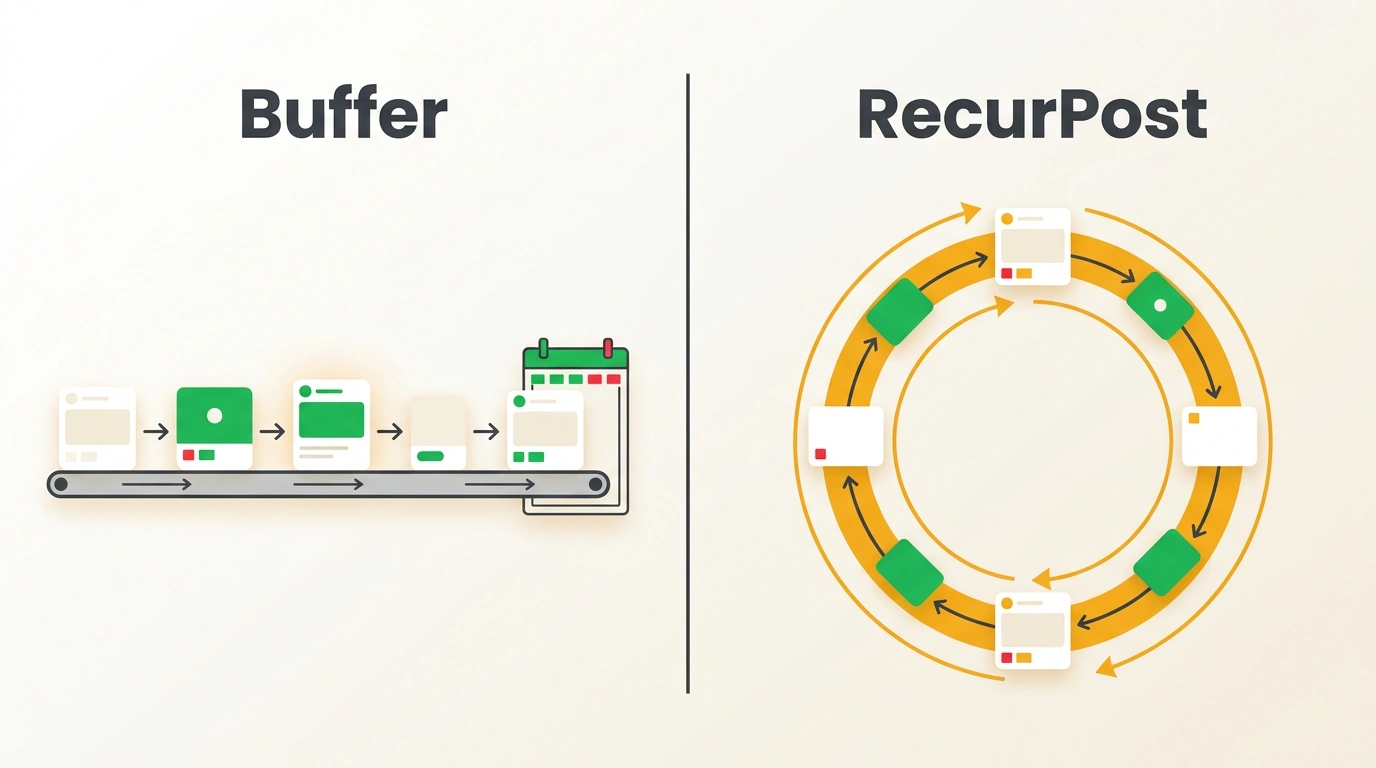
Anyone running social media for a brand or clients hits an early fork. Path one: create fresh posts daily and reply actively in comments. Path two: build a strong library of timeless posts once and loop it automatically so accounts stay active in the background.
Buffer and RecurPost often get compared as generic schedulers, even though each is engineered for one of those two workflows. One practical note upfront: both support global platforms (Instagram, Facebook, LinkedIn, YouTube, TikTok, X, Pinterest, Threads, Bluesky, Google Business Profile)—neither fits VKontakte or Telegram, while for international teams and agencies, picking the right one hits your monthly budget directly.
Buffer's Live Queue vs. RecurPost's Evergreen Libraries
Buffer centers on a linear publishing queue—preset weekly time slots (say, Tuesdays and Thursdays at 10:00 AM) where new posts drop in order without picking dates manually, using your schedule or algorithm suggestions.
For fresh topics, Buffer's Create board collects iOS voice notes, browser-extension links, or API ideas; on Team plans, the whole editorial team polishes drafts inside it. RecurPost has no equivalent.
Buffer interface showing the Create idea board and fresh publishing queue (Source: buffer.com)
Buffer keeps repeats minimal: recurring posts are in beta and work only one post at a time (daily, weekly, monthly, or yearly)—not a full multi-post rotation.
RecurPost, by contrast, is built for evergreen content—timeless guides, case studies, and FAQs. Posts live inside permanent, one-off, or seasonal libraries (seasonal unlocks on Personal). Attach recurring weekly or monthly slots to a library, and RecurPost cycles posts continuously—alternating two or rotating six before restarting, with optional end dates to retire dated items automatically.
RecurPost interface showing recurring slot calendar for evergreen libraries (Source: buffer.com / recurpost.com)
The trade-off is setup friction: learning libraries and slots takes hours and feels heavy for one-off news. Worse, RecurPost's $9/month Starter plan won't let you customize one post per network in a single composer—forcing separate scheduling per channel until Personal ($25/month) unlocks variations.
Pricing and the Tipping Point: Per-Channel vs. Bundled Plans
Buffer bills per channel: every connected profile counts as one channel (Instagram + LinkedIn + YouTube = 3 channels). Its Free plan needs no card and never expires: 3 channels, 10 queued posts per channel (refillable endlessly), 1 user, AI Assistant, API & MCP, 30-day analytics, inbox, Start Page mini-site, and 24/7 email support.
Paid plans—Essentials (1 user, unlimited queue, analytics export, first comment, video covers) and Team (unlimited users, approval workflows, per-channel permissions)—offer steep volume tiers. Channels 1–10 cost $6/mo on Essentials and $12/mo on Team ($5 and $10 billed annually, saving 17–20%). Channels 11–25 drop to $4, 26–50 to $3, and 51+ down to $1 on Essentials and $2 on Team. Adding staff or clients on Team costs $0.
RecurPost has no free tier—only a 14-day trial (excluding X/Twitter). It sells fixed bundles, with annual billing saving ~17% (about two months free):
- Starter ($9/mo): 1 user, 2 accounts, 10 posts/day, knowledge-base support only.
- Personal ($25/mo): 1 user, 5 accounts, 20 posts/day, seasonal libraries, 2 shared calendars, Chrome extension, 24/5 chat & email.
- Agency ($79/mo): 3 users, 20 accounts, 80 posts/day, client workspaces (sharing the 20-account pool), passwordless onboarding, 5 shared calendars, white-label PDF reports.
- Enterprise: custom from 100+ accounts.
Extra channels cost $4/mo; extra Agency users cost $20/mo. Add-ons sit on top: Meta Ads boosting ($5/mo), extra AI credits, and X/Twitter usage fees (plain tweets included, while links and X analytics deduct $0.006/post from a paid wallet).
The chart below tracks monthly cost (monthly billing, excluding minor RecurPost add-ons) as channels and headcount grow:
Monthly Cost as Channels and Team Size Grow ($/mo)
Solo creators with three channels start free on Buffer (even Essentials costs only $5 more than Starter + 1 channel while keeping support and per-network edits). At four channels, prices tie.
For lean agencies (3–5 people, 8–20 channels), RecurPost Agency crushes Buffer Team—cutting bills nearly in half. Yet once teams hit 6–10+ seats and 25–30+ channels, the curve flips: Buffer's free seats and volume discounts beat RecurPost's per-seat and per-channel fees.
Beyond Scheduling: Inbox, Video, Analytics, AI, and Support
A unified social inbox pulls comments and messages into one screen. Buffer covers 10 networks (including Threads, Bluesky, TikTok, YouTube, and Mastodon), scores reply speed (Comment Score), offers saved replies and AI reply drafts (unlimited on paid, 5/week on Free)—but skips DMs. RecurPost covers just 4 networks (Instagram Business, Facebook Pages, LinkedIn Company Pages, Google Business Profile), yet pulls Instagram/Facebook DMs and adds strong Instagram DM automation (keyword or any-comment triggers, instant or follow-gated replies).
Watch two RecurPost inbox snags: comments already answered by auto-DM remain marked pending (risking awkward double replies from staff), and saved reply templates don't exist for other platforms.
Buffer leads in platform count (12 vs. 10, adding Substack Notes and Mastodon), while RecurPost wins video publishing. Buffer uploads only YouTube Shorts; RecurPost publishes full-length YouTube videos with titles, categories, and thumbnails, plus Instagram trial reels, Facebook-licensed music, product/collaborator tags, auto-DMs, Meta boosts, and TikTok privacy/duet/stitch controls.
In analytics, Buffer Insights (10 platforms) shines with content-tag filtering, weekly AI takeaways, and PDF/CSV/Markdown exports (handy for pasting into Claude or ChatGPT). Buffer Team also enforces granular per-channel posting and inbox approvals so interns never publish unreviewed. RecurPost delivers deeper client demographics/clicks, auto-emailed white-label PDFs, and login-free shared calendar comments—though its analytics AI chat falls back to textbook tips when data is thin, and workspaces can't hard-block one-off posts or inbox replies.
Buffer's AI Assistant is unlimited even on Free (copy, ideas, rewrites, alt-text) without image generation. RecurPost generates images and weekly plans, capped at 100 text and 10 image credits/month—with a credit counter that resets out of sight whenever you close the chat.
Both support MCP (Model Context Protocol) to manage schedules from Claude, ChatGPT, or Cursor. Buffer opens API and MCP from Free with an official Claude connector, docs, Discord, and a Developer Advocate. RecurPost's API/MCP works technically yet goes unmentioned on its site or help docs. Support differs too: Buffer runs 24/7 email on every plan, while RecurPost's 24/5 chat and email (Personal+) closes weekends and Indian public holidays—meaning a Friday holiday leaves urgent tickets waiting until Monday.
Which Tool Fits Which Team and Scale
| Use Case & Scale | Pick | Main Reason |
|---|---|---|
| Solo creator, 1–3 channels, fresh content | Buffer (Free / Essentials) | Free start, Create board, unlimited AI copy, 24/7 support |
| Lean agency, 3–5 staff, 10–20 channels | RecurPost (Agency) | $79/mo bundle beats Buffer Team; workspaces, white-label PDF |
| Large team, 6–10+ staff, 25+ channels | Buffer (Team) | Free team seats, volume tier discounts, strict approvals |
| Video creator & Instagram lead gen | RecurPost (Personal / Agency) | Full YouTube uploads, trial reels, comment auto-DM, Meta boost |
| AI-agent workflows & 5–10 platform moderation | Buffer | Documented API/MCP on all plans and 10-network comment inbox |
Moving from RecurPost to Buffer syncs channels and analytics in minutes, though your queue won't auto-import and must be rebuilt.
Never buy an annual plan blind. Open a free 3-channel Buffer account to test the queue and DM-free inbox. Then run RecurPost's 14-day trial, build a 5–6 post evergreen library, and test an Instagram auto-DM—two evenings will tell you which saves real time.
