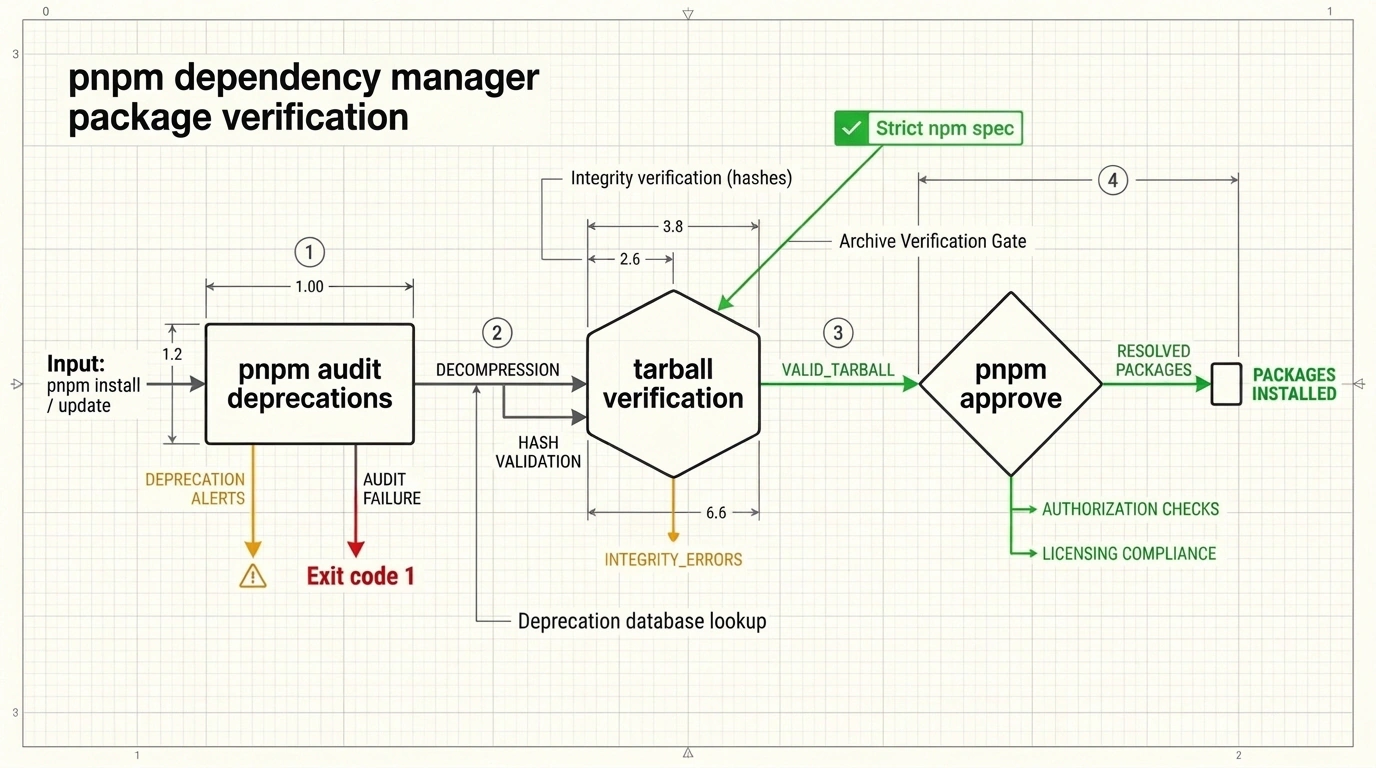
When you run pnpm install in a large monorepo, a whole pipeline of checks runs behind the progress bar. The package manager checks deprecation flags, verifies engines.node, catches peer dependency conflicts, runs build scripts, and evaluates the lockfile against security rules. Previously, all of that poured into the console as an endless wall of text. By the time Done in appeared, important lines had long scrolled away, and almost nobody read them in CI.
In pnpm 12.24.0, that stream becomes an organized system. The release adds two audit commands for pipelines, a live checks footer, a strict patch for reading tarballs, and updated approval rules for Git packages and global AI agent skills.
Ending Log Noise: pnpm audit and the Live Checks Footer
After updating, your terminal gets noticeably quieter. All check summaries now appear in a compact checks footer right above Done in, updating live under the progress bar in interactive terminals. Instead of fifteen identical complaints about an old Node.js version, you get one grouped line showing the combined version range that satisfies every package.
Packages: +58 -2 (90% downloaded)
↑ lodash 4.17.20 → 4.18.1 (in @scope/app)

✗ 2 packages are deprecated: request@2.88.2 and uuid@3.4.0
✗ 15 packages want Node.js ^18.18.0 || ^20.9.0 || >=21.1.0, not 12.0.0: ...
Done in ...
Updates fit on a single line with ↑ for upgrades and ↓ for downgrades, highlighting the changed version segment just like pnpm outdated. Next to the counter, you see how many packages were downloaded versus reused from the store. CI logs are cleaner too: if a build script succeeds without output, no blank lines are printed.
To catch issues automatically instead of reading logs by eye, pnpm added two audit commands. Both exit with code 1 if they find a violation, making them easy to drop into a CI step.
# Deprecated packages in the dependency tree (exits 1 if found)
pnpm audit deprecations

# Dependencies incompatible with your current Node.js and platform
pnpm audit engines

# Detailed breakdown of peer dependency conflicts
pnpm peers check
pnpm audit deprecations lists packages marked deprecated in the registry and shows which workspace project or transitive dependency pulled them in. pnpm audit engines does the same for incompatible Node.js versions and OS targets, showing the required range. The install footer even suggests the exact command to investigate further.
| Block in Checks Footer | What Shows in Terminal | How to Inspect Details |
|---|---|---|
| Deprecated packages | One line with the list (request@2.88.2) | pnpm audit deprecations |
engines & OS conflicts | Combined Node.js range | pnpm audit engines |
| Peer dependency issues | Summary of affected package names | pnpm peers check |
| Lifecycle scripts & cache | Custom scripts, builds, side-effects cache | Output of the failed script |
| Supply-chain verdict | Lockfile status against trust policies | trustPolicy and release age |
A dedicated line displays the supply-chain verdict, summarizing your lockfile against trust policies and minimum release age. While build scripts run, a spinner shows their names, and any optional build skipped due to an error is now clearly listed under problems.
The Tarball Trap: Why Parsing Must Match npm Strictly
The biggest security fix sits deeper under the hood. Every registry package arrives as a tarball—a compressed .tgz archive. Alongside source code, it contains metadata, including extended PAX headers (PAX header). In POSIX tar, these store long file paths, large sizes, and file attributes.
That's where parser-differential attacks live. Imagine a crafted .tgz with unusual headers: a malformed PAX header, duplicate keys inside one PAX block, a directory entry with a non-zero size, or contiguous file entries. A security scanner and npm parse the archive one way and see clean code. Another package manager interprets those edge-case headers differently and drops a swapped file into node_modules.
pnpm 12.24.0 closes that gap firmly: every tarball is now parsed strictly the same way npm does, or rejected outright. Non-zero directory entries, duplicate PAX keys, and contiguous entries match npm behavior, while malformed PAX headers are blocked before extraction.
As of the November 26, 2026 release, no separate CVE or GHSA ID was published in pnpm/pnpm advisories for this PAX parser patch. Still, file spoofing via crafted tarballs is a real risk, so updating both CI and local environments right away is a smart move.
Stricter pnpm approve, Commit-Free Git Packages, and Agent Skills
The release also fixes two frustrating bugs in the approval system and extends it to global packages carrying AI agent skills.
Isometric model of the pnpm security gateway showing pnpm approve, Git dependencies, and AI agent skills modules
The first bug came from #18415. In versions 12.22.0–12.23.0, pnpm approve <pkg> was overly permissive: if any package in the project had a pending request (say @tanstack/react-table), running pnpm approve is-odd -y for another package with no pending requests still wrote permissions for both build scripts and agent skills into pnpm-workspace.yaml. That loophole is now closed. Without a pending request, the command asks which permissions to grant, and non-interactive CI runs must declare them in config or via pnpm approve-builds.
The second bug hit projects using Git dependencies with postinstall scripts (#18375). Previously, pnpm approve tied approval to a specific commit hash, so the very next pnpm update broke the build with ERR_PNPM_IGNORED_BUILDS. Now you can approve the whole repository: press R in the interactive prompt or pass the package name and URL without a commit. An invalid selector fails immediately with valid suggestions and writes nothing.
# Approve a Git dependency by repo URL (survives pnpm update)
pnpm approve my-pkg https://github.com/org/repo.git

# Approve global build scripts and AI agent skills
pnpm approve -g

# Pre-approve build permissions in non-interactive CI
pnpm approve-builds
The third addition covers global AI agent skills. When you install CLI tools globally, pnpm can now link their approved agent skills into skill directories inside your home folder. The trust model stays intact: without an explicit pnpm approve -g, a global package cannot run a build script or drop instruction files for your agent. During full dependency rebuilds, pnpm install also warns about local approvals that matched no package (#18429) without deleting them from your config.
Cleaner pnpm-workspace.yaml and a Slimmer Binary
In large monorepos, flat lists of overrides and pnpm catalogs (a shared version dictionary in pnpm-workspace.yaml referenced via catalog:) grow fast. Version 12.24.0 adds a grouped schema: rules sit right next to cleanup policies for unused entries, making configs much easier to read.
# Grouped pnpm-workspace.yaml format in pnpm 12.24.0
overrides:
  # Warn about rules that matched nothing
  unused: warn
  rules:
    lodash: "^4.18.1"

catalog:
  # Remove unused entries from the version catalog
  unused: prune
  mode: strict
  defaultSaveTarget: default
  entries:
    typescript: "^5.9.3"

permissions:
  # Silence warnings for extra local permissions
  unused: ignore
There is no rush to rewrite existing configs: old flat keys and map forms for overrides and catalog keep working. You can adopt the new format gradually, such as when turning on catalog.unused: prune to keep dead versions out of your catalog.
Finally, two welcome infrastructure improvements. The pnpm binary for Linux and macOS is 10–13 MB smaller after stripping debug-only symbol names, so Docker layers and CI runners pull it faster. And on Unix, scripts launched via Corepack now properly receive stop signals sent to pnpm's PID (requires Node.js 22.15+ on 22.x or Node.js 23.11+).
