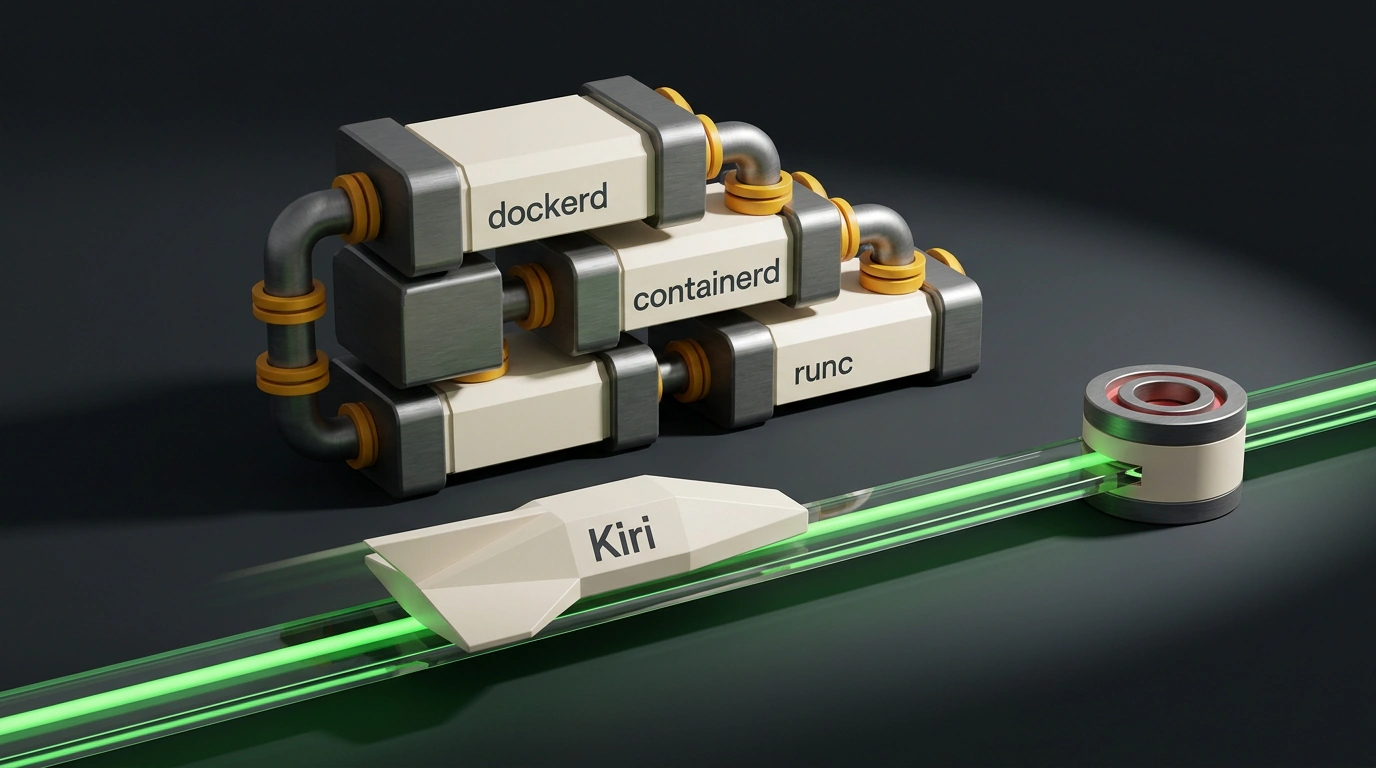
You type docker run --rm alpine true in the terminal and expect an instant response. Behind the scenes, Docker Desktop kicks off a whole relay race: the client talks to the dockerd daemon, which hands the job to containerd, which spawns a containerd-shim wrapper process, which finally invokes the low-level runc runtime. On macOS and Windows, all of this also runs inside a heavy virtual machine holding gigabytes of RAM even while idle.
Kiri—an open-source runtime written in Rust (GitHub source)—cuts out that entire chain. Its name comes from the Igbo word ntakịrị ("small"). The tool runs on macOS, Windows (WSL 2), and Linux, speaks the Docker Engine API, and works with familiar docker, Compose, and buildx commands.
How Kiri removes extra layers under the hood
In the classic Docker stack, every container costs extra memory and startup time for orchestration wrappers. runc starts as a separate process each time a container is created, and containerd-shim stays resident in memory alongside the container to manage I/O and status.
Kiri throws this layer away. On macOS and Windows, it keeps a single small Linux VM with a stripped-down 10 MB kernel, while on Linux it can run containers directly on the host kernel. Inside the VM, a single Rust agent under 1 MB (~900 KB) acts as both PID 1 and the runtime itself. The host daemon talks to it over vsock—a direct host-to-VM channel that bypasses the virtual TCP/IP stack (median RTT: 31 µs, p99: 62 µs).
docker CLI ─┐
compose ────┼─ Docker Engine API ─► kiri daemon ── vsock ──► guest agent
buildx ─────┤                       (manages VM)             (PID 1, Rust)
kiri UI ────┘                                                      │
                                                        clone3 ────▼
                                                               container
When a start command arrives, the guest agent calls Linux's clone3 syscall. In a single step, it creates the process directly inside the required namespaces and cgroup—no dockerd, no runc, and no per-container shim processes (0 MB shim overhead).
Idle resource usage is also cleaned up. While containers run, memory ballooning returns free RAM to the host. After 60 seconds of inactivity, the VM sleeps: the host daemon holds around 15 MB of RAM and 0.0% CPU. Cold VM boot takes 112 ms (the kernel reaches PID 1 in 8 ms), waking from sleep takes ~150 ms, and a clean shutdown takes 2.2 ms.
Kiri — official banner of the Rust container runtime (Source: runkiri.com)
Speed across three OSes and the trade-off behind it
The repository includes benchmarks run on the same hardware in the same session with the same docker CLI and images. On an Apple Silicon Mac (30 runs of alpine true) via the Docker Engine API, Kiri hits a 2.55 ms median (p99: 4.72 ms), compared to 213 ms for Docker Desktop (p99: 774 ms) and 380 ms for OrbStack (p99: 829 ms). Going through the docker CLI, Kiri takes 14.2 ms (p99: 17.4 ms) versus 243 ms on Docker Desktop and 442 ms on OrbStack. The 5.5x gap between the API and CLI is simple: launching the docker client binary itself eats most of those 14 ms.
On Windows 11 (16-core x86-64, WSL 2), the lead is also clear: docker run --rm alpine true takes 78 ms vs. 491 ms on Docker Desktop, docker exec runs in 57 ms vs. 89 ms, and transferring 200 MB from container to host runs at 255 MB/s vs. 40 MB/s.
On a 16-core Ubuntu 24.04 machine, six engines were tested side by side.
Running docker run --rm alpine true on Ubuntu 24.04 (lower is better)
Startup speed is clearly ahead, but there is a flip side. Here is the disk, build, and network breakdown on that same Ubuntu 24.04 machine:
| Engine | 200 MB container → host | 1 GB write (bind-mount) | 1 GB read (bind-mount) | 3-layer build | Port (-p) |
|---|---|---|---|---|---|
| Kiri | 209 MB/s | 1467 MB/s | 3851 MB/s | 1113 ms | 10.3 Gbps |
| Docker Engine | 56 MB/s | 819 MB/s | 1307 MB/s | 1723 ms | 100.7 Gbps |
| Docker Desktop | 114 MB/s | 826 MB/s | 1283 MB/s | 2008 ms | 87.8 Gbps |
| Podman | 70 MB/s | 593 MB/s | 907 MB/s | 1148 ms | 51.9 Gbps |
| nerdctl | 72 MB/s | 845 MB/s | 1485 MB/s | 1211 ms | 52.4 Gbps |
| Colima | 20 MB/s | 493 MB/s | 1496 MB/s | 2472 ms | 0.8 Gbps |
On host folder mounts (bind-mounts) and uncached builds, Kiri beats even native Docker Engine. However, forwarded ports (-p) expose its main weakness: traffic flows through a user-space relay instead of the OS kernel. Maintaining that bridge uniformly across three OSes is simpler, and it offers plenty of headroom for local web services, but heavy data transfers hit a user-space ceiling well before kernel networking.
Painless migration: Docker context, local HTTPS, and built-in k3s
You don't have to uninstall Docker Desktop to try Kiri. docker CLI has built-in contexts (docker context) to switch between daemons. On first launch, Kiri registers a kiri context automatically so both engines can coexist.
# Install on macOS via Homebrew (.dmg, .msi, .deb, and .rpm are also available)
brew install --cask libracoder/kiri/kiri

# Run one container in Kiri without changing your default Docker
docker --context kiri run --rm alpine echo hello

# Switch docker CLI to Kiri permanently and import images/volumes
docker context use kiri && kiri import
Once you switch contexts, docker compose up, docker buildx build, and docker login (including GitHub Container Registry and Amazon ECR) work without changing scripts. BuildKit stops automatically when idle, and on Apple Silicon, amd64 images run via Rosetta. The same commands also work directly via kiri run, kiri ps, or kiri compose up.
Kiri also bundles utilities that developers usually install separately.
# Start nginx — immediately reachable at http://web.kiri.local
kiri run -d --name web -p 8080:80 nginx

# Spin up single-node Kubernetes (k3s) in about 20 seconds
kiri k8s start

# Create a Linux VM with sudo and shared home directory
kiri machine create dev --distro ubuntu && kiri machine shell dev

# Expose a local port without Ngrok and run health/network checks
kiri share 3000 && kiri doctor && kiri bench --network bridge --runs 30
Local domains <name>.kiri.local and <service>.<project>.kiri.local automatically get HTTPS from Kiri's own certificate authority. Built-in k3s registers as the kiri context in kubectl and exposes LoadBalancer services on localhost. There is also a native management window (containers, live logs, terminal, files, volumes, networks, and Compose groups) with a tray icon and an interface in 42 languages.
Installation, 0.2.2 maturity, and current rough edges
Installers for macOS 14+, Windows 10/11 (WSL 2), and Linux (.deb/.rpm) live on runkiri.com/releases. The code is Apache-2.0 licensed—free for personal and commercial use. The guest kernel is GPL-2.0, while the Kiri name and logo are excluded from the license. Signed binaries are built from public tags in private CI (RELEASES.md), and auto-updates verify SHA-256 checksums and release signatures.
The project is young but active, with around 14,000 GitHub stars, 671 forks, and nearly weekly releases. Version v0.2.2 (November 19, 2026) fixed a notable macOS security gap: previously, the guest VM could see the entire host disk, and after private reports, access was narrowed to /Users, /Volumes, and /private—matching Docker Desktop's defaults.
The known limitations list is transparent about 0.2.x gaps. Trimming the kernel to 10 MB enabled fast boots, but removed the CIFS client: type=cifs (SMB) volumes don't mount yet, though NFS works. The BuildKit driver also has quirks: --add-host name:host-gateway fails (use explicit gateway IP 172.18.0.1 on Linux/Windows or 198.19.248.254 on macOS, or DOCKER_BUILDKIT=0), multi-platform builds can't export a manifest list directly into Kiri, and docker load doesn't read OCI archives yet. If DNS or a registry fails during a build, BuildKit shows a confusing not found error from Kiri's local mirror instead of a network error. Meanwhile, beta USB passthrough on macOS (added in v0.2.0 for dev boards and Zigbee sticks) disconnects devices when the laptop sleeps, so run caffeinate -s during long firmware flashes.
The roadmap lists custom container IP subnets and a WSL restart fix (0.2.3), sharing via Tailscale/Funnel and Cloudflare Tunnel (0.3.0), and Coolify support (0.4.0). For local laptop development, Kiri already handles daily workflows alongside Docker Desktop via a separate context. You should wait if your pipelines rely on SMB volumes, exporting multi-arch images straight to the local daemon, or pushing tens of gigabits through forwarded ports.