AI makes product visuals look effortless. A huge game like GTA VI launches, you take a photo of your sports bottle, and in two minutes it's sitting on a sunset boardwalk. An on-location shoot for one test costs a fortune, yet this frame already looks magazine-ready. You feel tempted to upload it as your main image right away.
Trouble starts the exact moment an image looks convincing. The generator keeps the overall silhouette while quietly altering the product itself: shifting a handle mount, swallowing the finger gap against a dark background, or adding a lid strap that isn't in the box. Shoppers expect what they saw in the photo. Dealing with pickup-point returns and one-star reviews later costs far more than fixing the frame before launch.
What to Give Your Designer So AI Doesn't Invent Features
If you hand a designer only a link and ask for a cool background, AI will start guessing. To avoid three rounds of revisions, send a reference photo of the exact SKU sitting in your warehouse right from the start. Include a close-up of the lid and key parts, plus two lines listing what comes in the box.
Next, lock a list of details that cannot change. For a clear bottle, that means plastic tint, measurement lines, thread grooves, handle shape, exact capacity, and every visible number. Tiny labels are what eyes miss easiest on AI images: the overall shape looks right, while the liter mark turns into garbled symbols.
How to QA Photos and Videos: Two Screens and Three Freeze-Frames
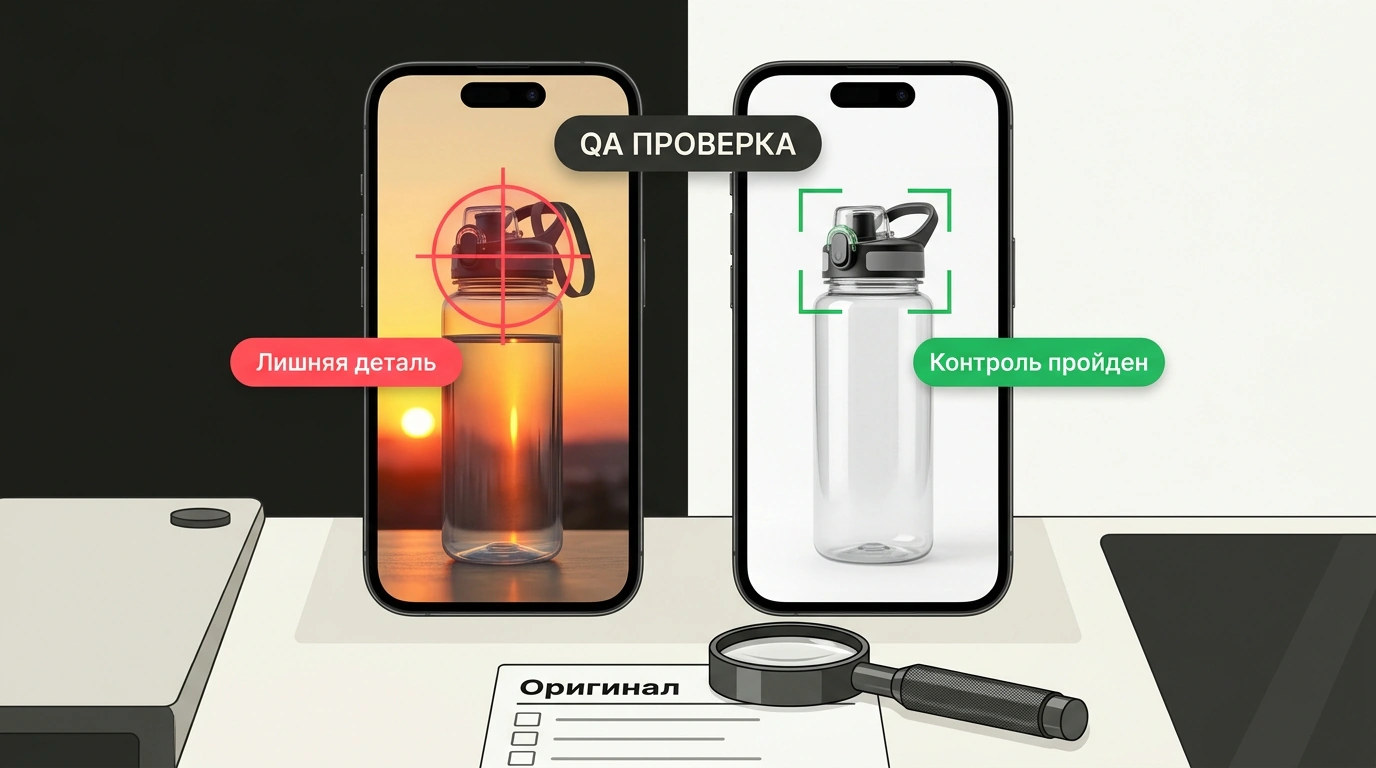
Check finished images in two passes. First, open the original photo and the AI render side by side, zoom in on both, and walk through your non-negotiable list. Handle gaps, threads, and lids must match the real product without phantom straps. If the model still added extras, retouch the background or rebuild the scene.
Second pass: mobile thumbnail check. Shrink the image down to smartphone search-result size. Can you still see the handle opening and lid silhouette? If the small square only shows sunset and cars, move that lifestyle shot to slide two and keep a clear, scannable product shot on the cover.
For AI video, start with a slow zoom-in on the bottle. When a virtual camera rotates around an object, models have to invent the hidden side, often spawning a second seam or extra markings. Pause the clip at the start, middle, and end to inspect the lid and handle before watching at normal speed. If the product warps in freeze-frames, one honest static photo will outperform it.
Pre-Upload AI Visual QA Checklist
- Brief includes photos of the exact SKU, lid close-up, box contents, and a list of unchangeable details.
- Original and AI render checked side by side zoomed in: numbers, markings, tint, and mounts match.
- Image tested at mobile thumbnail size: product doesn't vanish into the background; silhouette and handle read clearly.
- AI video uses smooth zoom instead of rotation; lid and handle verified on three freeze-frames.
- Event-themed backgrounds scrub game screenshots, mini-maps, and brand logos—not just the title.
Why Higher Clicks Can Hurt Sales—and Watch the Copyright
Before testing, save your old cover and run both variants simultaneously under identical pricing and ads. Wildberries offers built-in main-photo A/B testing in its Jam subscription ('Products → A/B Tests'), splitting traffic 50/50 and tracking impressions, CTR, add-to-carts, and orders. While a test runs, you can't manually swap the cover, zero out stock, or cancel the subscription (PNG/WEBP files from 700×900 px, up to 10 MB). On Ozon, native cover split-testing isn't always available across all categories, so sellers often rotate variants via third-party API tools; video covers work natively there, including auto-generation from photos in 30 seconds.
Judge tests by two metrics together: click-through rate (CTR) and add-to-carts per 1,000 impressions. Here is how pure clicks can fool you:
| Cover Variant | Clicks (per 10,000 impressions) | CTR | Add-to-Carts | Carts per 1,000 Impressions |
|---|---|---|---|---|
| Old photo | 400 | 4.0% | 40 | 4.0 |
| New AI photo | 550 | 5.5% | 33 | 3.3 |
The flashy scene boosted clicks, but pulled curious browsers instead of real buyers. As a result, the listing earned fewer carts per thousand views. Watching CTR alone makes it easy to pick the losing image.
Finally, watch intellectual property on topical backgrounds. Your product reference and spec list are easy to reuse for any season—a game launch today, gift season next month. Build the vibe from original boardwalks, palm trees, and side lighting: never drag game screenshots, mini-maps, or brand logos into your gallery, and remember that erasing a title alone won't shield you from claims.