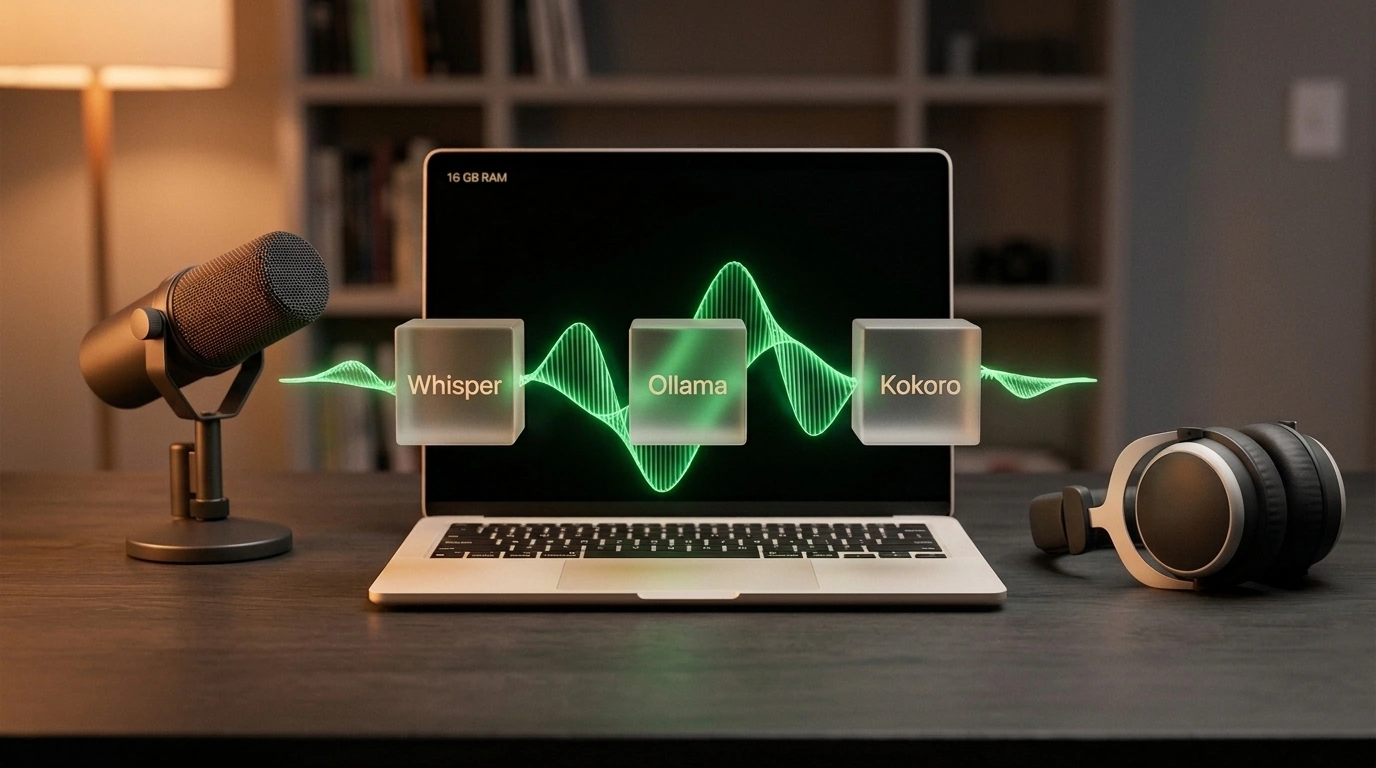
A voice AI assistant usually sounds like a heavy cloud setup: subscriptions, API keys, per-minute billing, and total silence if your Wi-Fi drops. Yet the entire conversation loop now runs on an ordinary Mac M4 laptop with 16 GB of memory and the internet turned off.
The trick is simple: instead of one giant neural network, the job is split across three open-source models. On a test line, this stack handles a realistic business call. A client named Emma from Luna Bakery calls to book a meeting about her website. The assistant checks tomorrow's schedule, offers free slots at 1:00 PM, 3:00 PM, or 5:00 PM, hears her choice, and logs her name, company, and call topic in the calendar—without sending a single byte to the cloud.
Three Specialists Instead of One Cloud Giant
Picture an office front desk with three staff members: the first listens and writes down what is said, the second checks the planner and drafts a reply, and the third reads that reply out loud. That is how a local voice pipeline works.
OpenAI Whisper acts as the "ears"—an open speech-to-text (STT) model trained on about 680,000 hours of audio, or more than 77 years of human speech. Alibaba's Qwen 2.5 7B serves as the "brain" inside Ollama, a free utility that runs models with one command and no environment headaches. Seven billion parameters (the model's tunable weights) are enough for coherent dialogue and calendar handling, while Q4_K_M quantization shrinks weights down to 4 bits so the model fits on a laptop instead of requiring heavy FP16. For the "voice," Kokoro-82M is an open text-to-speech (TTS) model with just 82 million parameters that sounds natural and barely taxes the system.
| Role in Stack | Model | Size and Memory Usage | License |
|---|---|---|---|
| "Ears" (STT) | OpenAI Whisper (base/small) | ~1–2 GB RAM | MIT |
| "Brain" (LLM) | Qwen 2.5 7B in Ollama (Q4_K_M) | ~4.7 GB on disk, ~5.5–6 GB RAM (8K context) | Apache 2.0 |
| "Voice" (TTS) | Kokoro-82M | ~327 MB (FP32) / ~88–170 MB (ONNX), ~1–2.5 GB RAM | Apache 2.0 |
Together, all three leave enough headroom on a 16 GB laptop for your OS and browser, and their permissive licenses let you embed the stack in personal or commercial projects without worrying about outside pricing.
How to Spin Up the Stack Locally
Before wiring up a combined script, test each piece on its own. You will need Ollama, Python 3.10+, and FFmpeg for handling audio.
# 1. Download Qwen 2.5 7B and start the local Ollama server
ollama run qwen2.5:7b

# 2. Install Whisper and transcribe a test recording
pip install -U openai-whisper
whisper call_sample.wav --model base

# 3. Install Kokoro and the library for saving WAV files
pip install -q "kokoro>=0.9.4" soundfile
The first command pulls the quantized model, opens a chat, and starts a local API at http://localhost:11434. The second creates a text transcript next to your audio file (on Apple Silicon, many people use whisper.cpp or faster-whisper for extra speed). Next, test speech synthesis in Python:
from kokoro import KPipeline
import soundfile as sf

# Code 'a' selects American English
pipeline = KPipeline(lang_code="a")
text = (
    "Good afternoon! Tomorrow I have free slots "
    "at 1 PM, 3 PM, or 5 PM."
)

# Save speech to a 24 kHz WAV file
for i, (_, _, audio) in enumerate(pipeline(text, voice="af_heart")):
    sf.write(f"reply_{i}.wav", audio, 24000)
This script saves a clean 24 kHz reply_0.wav file that plays offline. From there, you just connect the three links with a local orchestrator: audio goes to Whisper, text goes to Ollama's API, and Kokoro speaks the reply.
The Real Price of Full Autonomy
A free offline receptionist sounds tempting, but this setup comes with three clear drawbacks.
Whisper and Qwen 2.5 7B handle Russian fine, but the official hexgrad/Kokoro-82M v1.0 does not support Russian out of the box (built-in voices cover American and British English, Spanish, French, Italian, Brazilian Portuguese, Hindi, Chinese, and Japanese). For a Russian voice, you need a community port like zaakirio/kokoro-ru or another local TTS such as Piper.
The second trade-off is latency and transcription slips. A sequential "transcribe → think → speak" chain responds slower than streaming cloud services, and Whisper can mishear an uncommon last name or technical term. For real bookings, it's smart to add a contact-confirmation step.
Finally, telephony is not included out of the box. That bakery test ran on a demo line: to answer real phone calls, you still have to wire up an actual phone number, a SIP gateway, and a local PBX like Asterisk, FreeSWITCH, or LiveKit. A local stack wins on privacy and zero per-minute cost, while the cloud wins on low latency and skipping gateway setup.