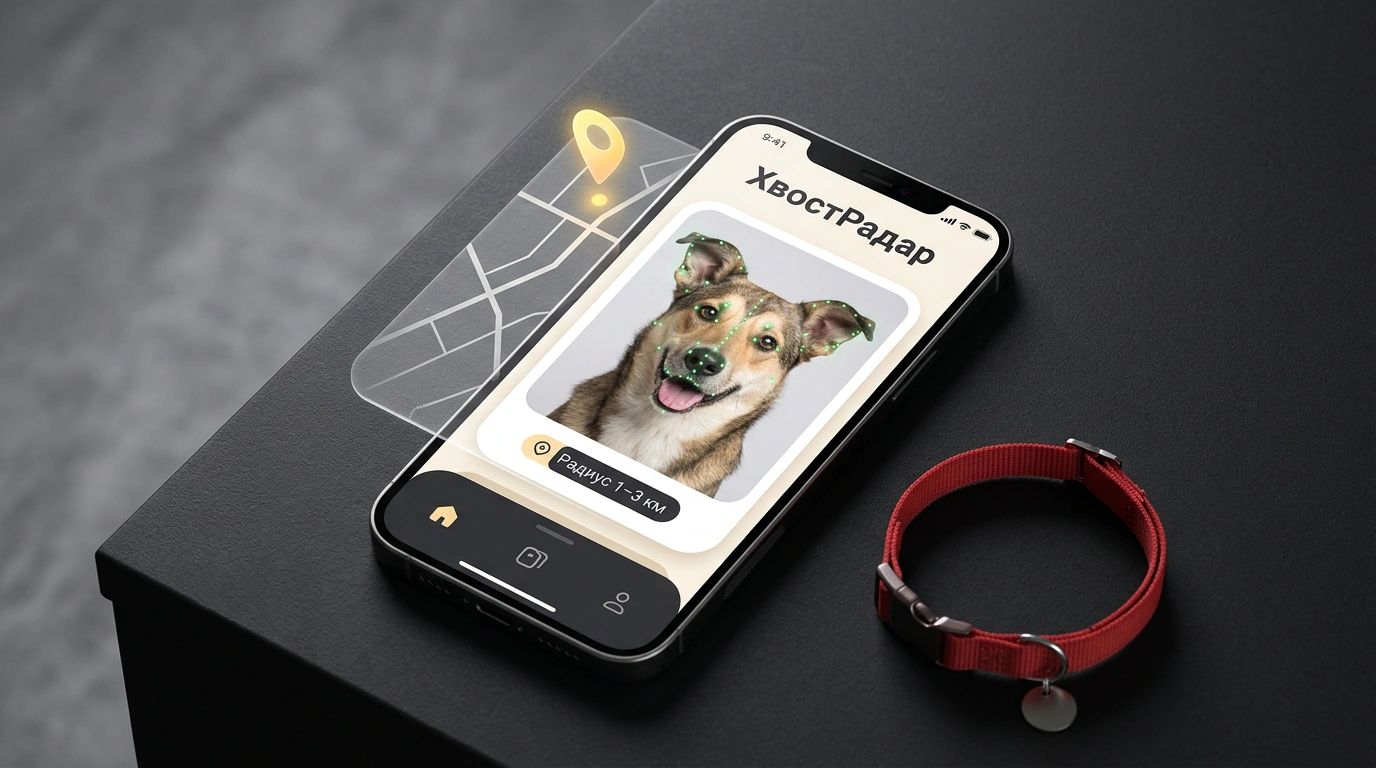
From the outside, posting an ad about a lost dog or cat looks simple: attach a photo from your phone, drop a pin on the map, and hit publish. Inside the platform, though, a different process kicks off at that exact second. A listing in «ХвостРадар» on Авито immediately goes to computer vision algorithms built by the platform's researchers together with scientists from the AIRI Artificial Intelligence Institute and volunteers.
The neural network automatically matches the animal's appearance against incoming "found pet" listings. That's how a dog named Риччи from an Авито story made it back home: he ran off during a walk, his family uploaded photos to the service, and neighbors recognized the runaway from the listing images. I was struck by how smoothly technology and neighborly help worked together here. I looked into which features the neural network reads to identify a pet and which photos help find a match in your neighborhood fast.
What the neural network sees in a photo: muzzle geometry, coat pattern, and markings
Under stress, one person might describe a dog as a "ginger mutt," while a passerby in the next courtyard writes "light-brown mixed breed." Text search will never connect those two listings.
Computer vision turns a photo into a digital profile — a feature vector. As the developers explained on Хабр, you can upload up to 10 photos to a listing, and a multimodal model (related to the one behind auto-filling item listings from a single photo) extracts three groups of parameters:
- Muzzle geometry: skull proportions, eye placement, nose and ear shape.
- Coat pattern: base color, tan markings, spots on the chest and back, fur texture.
- Build and gear: body frame, leg length, tail, and collar color.
By combining these traits into a mathematical fingerprint, the system doesn't depend on how the author labeled the breed — matching muzzle proportions and spot patterns is enough.
Geofilter and cross-matching: how listings connect in the same neighborhood
You might ask: what good is a muzzle portrait if a city has thousands of similar Labradors and tabby cats? Without a map filter, an owner would be flooded with false matches. That's why the algorithm's second lever is tying results to location and time.
When creating a listing, you mark a point on the map and the date the pet went missing. The AI search looks for overlaps in nearby blocks: it immediately shows similar profiles from the database (the section holds over 3,300 listings, and in its first month the service helped return over 400 pets to their owners) and monitors new posts 24/7, sending notifications to Авито chat and email.
Runaway Риччи was wandering in a residential area just two or three blocks from home — neighbors spotted the listing in «ХвостРадар», recognized the dog from the photos, and called the owner: "We found Риччи." And in Irkutsk, the system tracked down a lost dog named Персик on its own by matching the owner's post with a listing from the people who found him. Chats and calls are protected inside the app, so there's no need to expose your personal phone number to scammers.
A common mistake when picking photos and a checklist for fast posting
Caught up in emotion, many people make a mistake that leaves the algorithm with nothing to go on: they grab a shot from their phone gallery where the cat is curled up in dim light or the dog is photographed in grass with a color filter. Just like the platform's duplicate-detection algorithms, the search neural network relies on crisp contours and natural colors: heavy retouching can make ginger fur look brown, and a blanket hides both legs and chest markings.
To give the neural network and your neighbors accurate cues, follow these steps in order:
- Take a clear front-facing shot of the muzzle in daylight or even lighting without harsh shadows.
- Add a full-body side photo showing body proportions, tail, and markings.
- Show distinctive features without filters: a spot on the ear, "socks" on the paws, or a collar.
- Check the fresh trail: immediately retrace your walk route with a photo on your screen, and within the first 2 hours walk the courtyards in a 1–3 km radius, post in building chats, and alert local vet clinics.
- Activate every channel in the first 24 hours: publish a listing in «ХвостРадар» with a map pin, put up flyers in neighboring blocks, and keep an eye on chat replies.
If you're searching for an escaped pet or spotted a confused dog in your yard, don't worry about not having studio shots on hand. A couple of honest, unretouched phone photos and an accurate map pin are enough — even one clear image starts a round-the-clock search across nearby streets, where a pet is often only a couple of courtyards and one attentive neighbor away from home.