Once your messenger channel starts growing its subscriber base, manual management quickly turns into a grind. Publishing posts strictly on schedule, formatting text with interactive buttons, removing ad integrations on time after the agreed 24 hours, and clearing spam from comments—all of it eats up hours of work.
The natural move is to connect a dedicated assistant bot. Yet in the rush to automate, channel owners often make a dangerous mistake: they blindly grant third-party services full admin rights, putting the security of the entire community at risk.
Permission Matrix: Where Automation Ends and Risk Begins
Евгений Чудов, founder of the Marketly ad exchange and the «Отложка» service, broke down the rules for working with the MAX Bot API. Adding an assistant follows a standard flow: you find the bot via search, add it as a channel subscriber, and then promote it to administrator in the community management menu.
The core rule of digital hygiene here is simple: grant a bot strictly the minimum permissions required to perform its specific job.
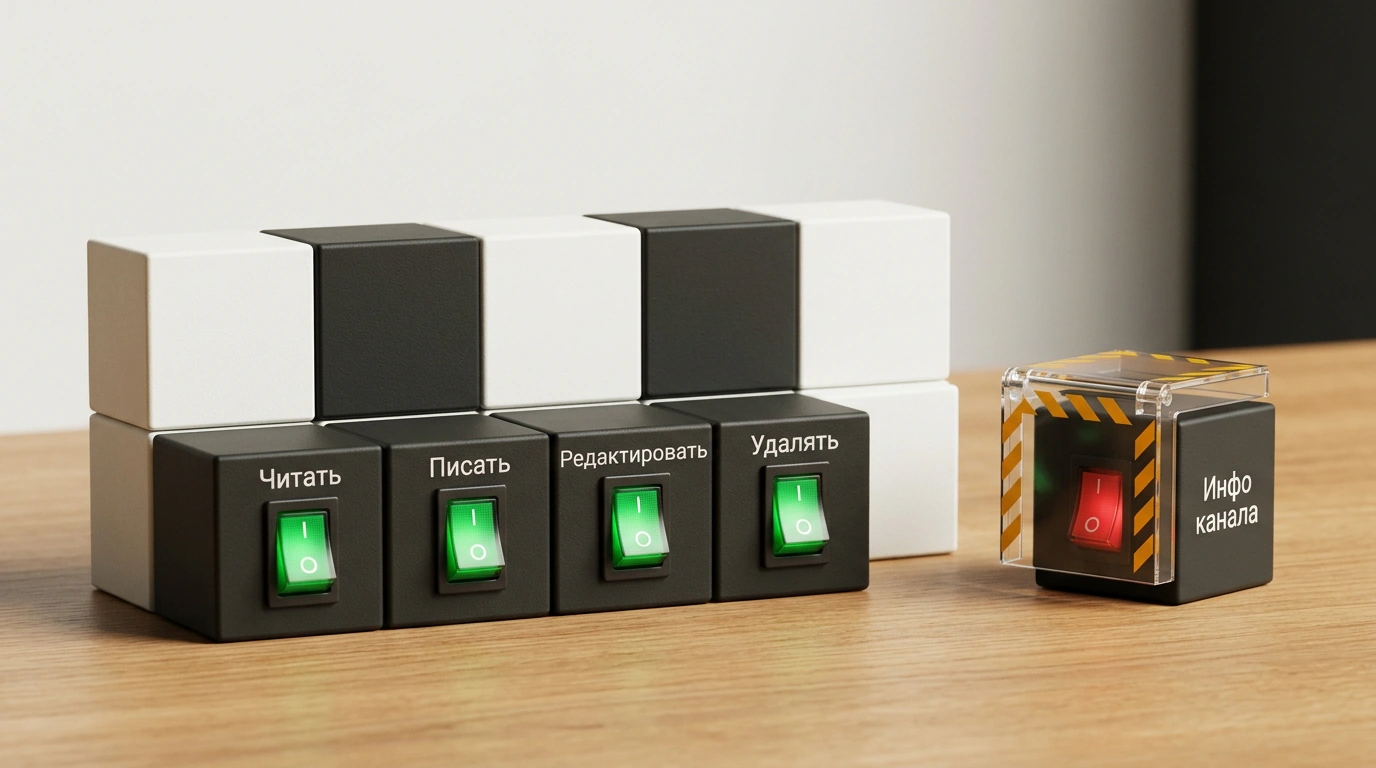
The Макс messenger API provides six core permissions:
- Read all messages: a mandatory baseline permission. Without it, the bot simply won't see incoming events and can't respond to commands.
- Write: the right to publish content on behalf of the channel.
- Edit: the ability to modify messages that have already been sent.
- Delete: the right to erase posts and replies in discussions.
- Pin messages: keeping important announcements anchored at the top of the feed.
- Edit channel info: a critically dangerous option.
Never grant auto-posting or moderation bots the "Edit channel info" permission. If a third-party service's token is compromised or a developer introduces a bug, attackers can change your channel's name, avatar, description, and public link in a single click—completely hijacking the community from your audience.
An auto-posting bot has more than enough with read, send, edit, and delete permissions. Note an important detail: the Макс messenger's built-in analytics are protected by design. Access to channel statistics is reserved exclusively for the owner. No third-party bots can view your community's aggregate numbers—they can only track reactions and views on the specific messages they published themselves.
In August 2026, the official platform API added long-awaited methods for working with comments: fetching replies, sending auto-responses, and deleting spam using stop-word and link filters. Keep two hard system limits in mind, though: a bot cannot edit other users' comments, and once a reply is deleted, it is technically impossible to restore.
System Limits and Partner Platform Rules
When building workflows and publishing content, strict technical boundaries apply on the MAX platform:
- Admin limit: a single channel can have no more than fifty administrators in total (counting both human users and connected bots).
- Rate limit: a bot can send no more than two messages per second to a single channel. Exceeding that cap immediately triggers a 429 Too Many Requests error.
- Interactive buttons: up to 210 inline buttons are allowed under a single post, with no more than seven per row.
- Unlimited editing: unlike many other social platforms, a bot in Макс can edit its own messages with no time limit after publication.
In our guide on how to launch a business channel in MAX messenger, we covered building a sales funnel. While ready-made public bots (like «Отложка») work well for routine auto-posting and cross-posting across hundreds of channels, creating your own custom bot is strictly regulated.
Only a verified partner can launch a new bot—a legal entity, sole proprietor (IP), or self-employed Russian citizen verified via ЕСИА (Госуслуги) or a corporate bank ID. Companies and sole proprietors receive a quota of up to five bots per account, while self-employed individuals get up to two. Every bot goes through manual moderation taking up to 48 business hours. For no-code logic building, the platform officially supports integrations with SaleBot, BotHelp, Watbot, and Puzzlebot.
Delegate the routine to bots, but keep key channel permissions under your own manual control. Smart automation only saves a creator's time when the access architecture is built without a single gap.