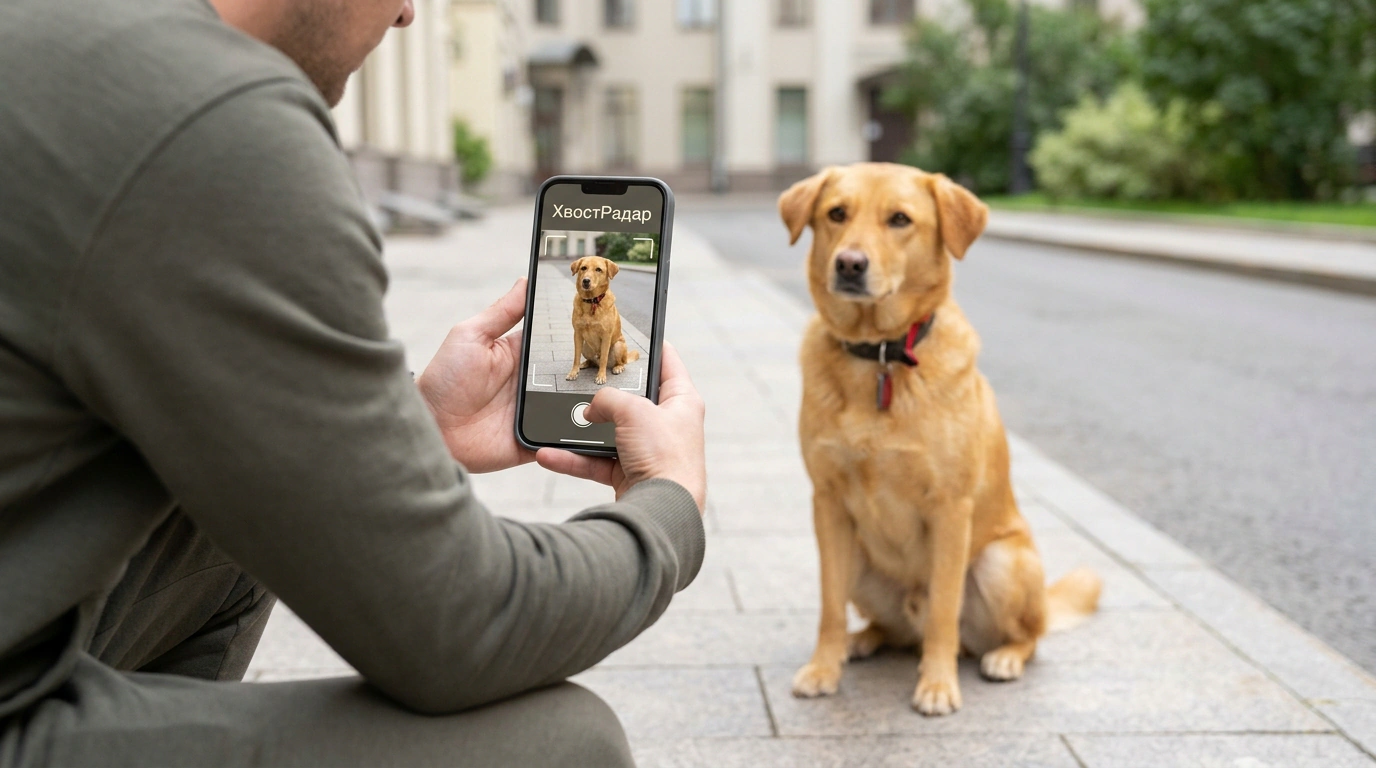
When you spot a lone dog or an obviously domestic cat in the yard, your first instinct is to snap a quick shot of their face from above, turn on the flash at dusk, take ten photos in a row, and upload everything to Avito's KhvostRadar. It feels like closer shots and more pictures will help find the owner faster. In reality, the opposite happens: that kind of set confuses computer vision, and the match in the database gets missed.
How KhvostRadar Works and Why a Pretty Portrait Hurts Search
KhvostRadar is a free service on Avito developed by the platform's research center together with participants of the AIRI (Artificial Intelligence Research Institute) summer school and volunteers. It launched on July 6, 2026, and in September added 24/7 background monitoring and two-way reverse search. Now the system tracks new listings around the clock. It searches found-pet listings using a photo of a missing pet, and it matches owner posts using a photo of an animal found on the street. As soon as a similar animal appears, you get a push notification in the app and an email. You can contact the owner through Avito's built-in chat or call feature without sharing your personal phone number.
In its first two months through the end of September 2026, the service helped return nearly 200 animals home. By then, the database held over 6,000 listings (4,116 for missing pets and 2,300 for found ones), with about 300 new cards added every day.
Under the hood, computer vision breaks each photo down into specific appearance traits: breed, coat color, face shape, size, and overall silhouette. On top of that, it checks geolocation and posting date so it doesn't suggest a similar dog from the other side of the country. This is exactly where artistic photography fails. A close-up of just a nose or back doesn't give the model overall proportions. A top-down shot from human height distorts the shape of the head and body. The neural network needs a simple, everyday photo where the animal is sitting or standing in full view and alone in the frame.
Lighting, Camera Height, Three Angles, and Distinguishing Marks
You can attach up to 10 photos to a KhvostRadar listing. It's tempting to upload an entire burst from one spot, but a stack of identical duplicates only confuses the algorithm. Three to five different photos showing the pet from all sides work much better.
The first rule is to crouch down to the animal's eye level. When the camera looks straight ahead instead of down from above, it preserves the true geometry of the face and legs. The second rule is even, natural light without harsh shadows. Turn off the flash and avoid harsh lamps right away. Artificial light distorts the coat shade that the model relies on, and a bright flash will instantly scare off a frightened dog or cat.
To give the algorithm the best clues, take three basic angles:
- a front-facing portrait of the face looking straight into the camera;
- a side profile so the silhouette is easy to read;
- a full-body shot where both the face and the entire torso are visible together.
Also snap eye color, an unusual spot on the coat, or a noticeable scar. Small details like these help both the algorithm and the owner immediately recognize their pet among dozens of similar listings.
What Breaks Recognition and How to Photograph a Shy Pet on the Run
Even with a good angle, common smartphone features can easily ruin the search. Portrait mode with heavy background blur (bokeh) often cuts off the edges of ears, tails, and fluffy fur, distorting the silhouette. Filters shift the color balance. Screenshots and multi-photo collages reduce image quality and stop the algorithm from isolating a single animal. The same goes for photos with several pets at once or shots where the animal is wearing a jacket or coat, since clothing and bulky accessories hide their coloring and body shape.
Of course, in real life a lost dog or cat rarely sits still for a photo shoot. Usually the animal is nervous, presses against a fence, or runs away right away. Waiting for ideal conditions in that moment is pointless. One blurry shot taken on the run with a regular phone works better than an empty screen. If you manage to catch a split second when the pet turns around and looks straight at the camera, the chances of a database match jump noticeably. Upload the original photo right away with an accurate location pin, and background search will keep checking new listings 24/7.
Quick Photo Checklist for KhvostRadar
- Crouch down to the animal's height and avoid shooting from above
- Turn off flash, filters, and portrait mode background blur
- Take 2–3 different angles: front view, side profile, and full body (one animal in frame)
- Photograph distinguishing marks separately: eye color, a coat spot, or a scar
- Upload original photos without collages or screenshots — and if the pet is running away, send at least one shot on the move