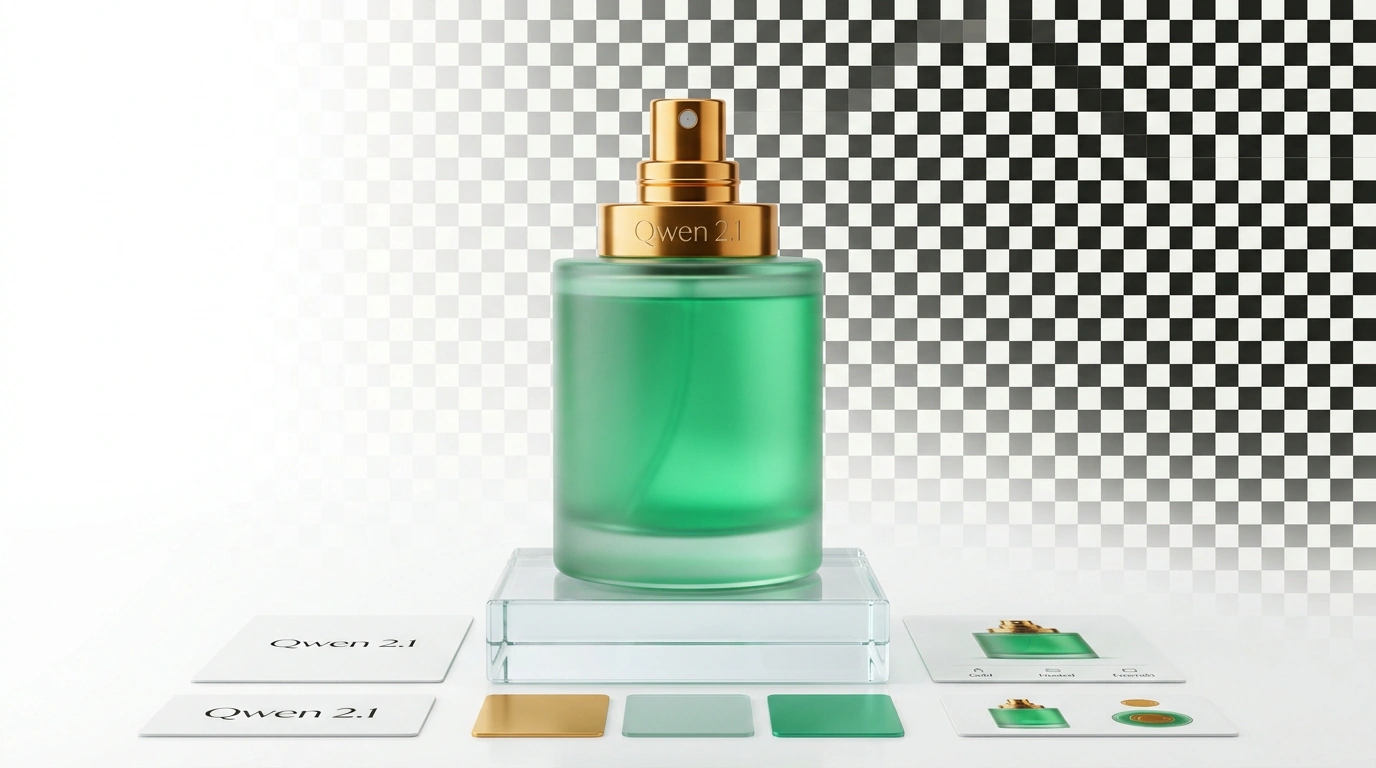
If you've ever prepared product cards for an online store or built a promo landing page, you know the pain. You get a photo of a perfume bottle or sneakers sitting in a cluttered warehouse, and the endless editor grind begins: cutting a mask, erasing the background, trying to keep semi-transparent glass edges or fur strands intact, and fighting ugly green or gray fringes around the borders.
Automated tools like rembg or segmentation models like Segment Anything (SAM) often look clunky. They clip natural highlights, turn glass walls into solid plastic, and wipe out water droplets or smoke. In classic diffusion models like Midjourney or Stable Diffusion, the background is always solid—so you generate on white and cut it out later with third-party scripts.
Alibaba's team released the open-source 7B multimodal model Qwen Image 2.1, flipping that pipeline upside down. It generates transparent backgrounds natively during diffusion and can follow up to 10 reference images at once.
How the Native RGBA VAE Works
The core trick lies in the autoencoder (VAE) architecture. Traditional diffusion models work in a three-channel latent space ($R, G, B$), where transparency simply doesn't exist. Cutting out a background is always post-generation surgery on finished pixels.
Qwen engineers built a 64-channel RGBA VAE where the alpha channel ($A$) is encoded and diffused alongside color channels. The model literally understands which parts of an object are solid, where tinted semi-transparent glass sits, and where pixels must be completely empty ($A = 0$).
Out comes a true 32-bit PNG with no cutout artifacts, halos, or fake drop shadows.
Up to 10 References: Controlling Geometry and Brand Identity
The second big headache for brands using generative AI is geometry drift. If you need the same product from five angles or placed in a new room, prompt engineering alone fails. Bottles change proportions, labels slide off, and fonts turn into gibberish.
Qwen Image 2.1 adds multi-reference conditioning. You can feed the network up to 10 images at once:
- 3–4 photos of the real product from different angles to lock down geometry;
- 2 shots showing brand color palettes and patterns;
- 2 examples of your target studio lighting setup;
- a reference for human pose or frame composition.
A transformer with cross-attention aligns elements from those references and recreates the object in a new scene with striking accuracy in shape, text, and material texture.
Building a Product Card via API
Here is how it looks in practice using the official DashScope endpoint. We encode a batch of references in Base64, set a text prompt, and enable native transparency.
import os
import requests
import base64

API_KEY = os.getenv("DASHSCOPE_API_KEY")
ENDPOINT = "https://dashscope.aliyuncs.com/api/v1/services/aigc/text2image/image-synthesis"

def encode_image(file_path: str) -> str:
    """Encode a local image reference as a base64 data URI."""
    with open(file_path, "rb") as image_file:
        encoded = base64.b64encode(image_file.read()).decode("utf-8")
        return f"data:image/png;base64,{encoded}"

# Gather up to 10 source references (product angles, glass texture, studio light)
reference_list = [
    encode_image(f"./references/perfume_view_{i}.png")
    for i in range(1, 4)
]

payload = {
    "model": "qwen-image-2.1-turbo",
    "input": {
        "prompt": (
            "A luxury cosmetic glass perfume bottle, emerald green frosted glass with gold spray cap. "
            "Isolated subject on a completely transparent background, clean edges, studio product lighting, "
            "realistic reflections on the glass surface."
        ),
        "negative_prompt": "opaque background, white background, solid color backdrop, clipping artifacts",
        "reference_images": reference_list,
        "output_format": "rgba_png",
        "transparency_mode": "native_alpha"
    },
    "parameters": {
        "width": 1024,
        "height": 1024,
        "steps": 8,  # Accelerated distilled inference mode
        "guidance_scale": 5.0,
        "seed": 42
    }
}

headers = {
    "Authorization": f"Bearer {API_KEY}",
    "Content-Type": "application/json",
    "X-DashScope-Async": "enable"
}

response = requests.post(ENDPOINT, headers=headers, json=payload).json()
task_id = response["output"]["task_id"]
print(f"Generation started. Task ID: {task_id}")
Once started, we poll the background task status and download the clean PNG:
import time

def download_transparent_result(task_id: str, save_path: str = "product_isolated.png"):
    status_url = f"https://dashscope.aliyuncs.com/api/v1/tasks/{task_id}"
    req_headers = {"Authorization": f"Bearer {API_KEY}"}

    while True:
        task_data = requests.get(status_url, headers=req_headers).json()
        status = task_data["output"]["task_status"]

        if status == "SUCCEEDED":
            download_url = task_data["output"]["results"][0]["url"]
            img_bytes = requests.get(download_url).content
            with open(save_path, "wb") as f:
                f.write(img_bytes)
            print(f"Done! Clean RGBA file saved to {save_path}")
            break
        elif status in ["FAILED", "CANCELED"]:
            error_msg = task_data["output"].get("message", "Unknown error")
            raise RuntimeError(f"Image generation failed: {error_msg}")

        time.sleep(2)

download_transparent_result(task_id)
Inference Speed and Local Deployment
The Turbo mode stands out: thanks to distillation, sampling drops to just 8 steps. On modern GPUs like an NVIDIA RTX 4090 or server A100s, generating a $1024 \times 1024$ frame takes 2 to 4 seconds.
If you plan to run the weights locally via ComfyUI or Diffusers:
- Running the full 7B model with all 10 active references needs about 24 GB VRAM.
- With NF4 or GGUF quantization, it fits comfortably in 12–16 GB VRAM, letting you run a studio generator right on a developer workstation.
Keep one key limit in mind: if you feed the model 10 references with clashing styles—say, one harsh neon club shot and another in soft noon sunlight—transformer attention blurs, leaving smeared textures or odd proportions. References should complement each other, not fight.