For manufacturers and sellers from Belarus, the "Marketplace" scheme (FBS — Fulfillment by Seller) on Wildberries has become the primary tool for safe scaling. While the classic model of shipping to central warehouses in Russia (FBW) requires freezing hundreds of thousands of rubles in inventory and risks paid storage for slow-moving stock, selling from your own warehouse eliminates these risks. You keep products in your own workshop or facility in Minsk, Brest, or Grodno, list the full size range on the storefront, and ship only what a buyer has already paid real money for. In our article on the experience of sellers from neighboring countries, we covered launching regional hubs. Now an official webinar by Wildberries expert Milana has laid out all the regulations for Belarusian businesses. Let's break down step by step how to set up operations without fines or disruptions.
From Virtual Warehouse to Storefront: Step-by-Step Setup Chain
The entire FBS operational chain fits into six sequential steps. Once you build this pipeline, it will run like Swiss clockwork:
- A single product card with no duplicates. The golden rule: if you already have product cards created for FBO shipments, creating duplicates is strictly prohibited. You link that exact same card to the seller-warehouse sales model. This preserves your accumulated reviews, ratings, scores, and search ranking positions. For new SKUs, create a standard card specifying attributes, TN VED codes, and generating a unique barcode (EAN-13).
- Creating a virtual warehouse. In the WB Partners dashboard, go to "Marketplace" → "My Warehouses" → "Add Warehouse." Give it a clear name (for example, "Минск_Основной_FBS"), set the operating schedule (days of the week and picking hours), and select the base Wildberries logistics facility where you will drop off batches.
- Uploading stock balances. You enter the exact number of units available for sale right now. Data can be entered manually via the web table or synced automatically via API from an accounting system ("1C" or "MoySklad"). Synchronization takes 10 to 15 minutes—after that, the product appears on the marketplace's customer storefront.
- Assembly tasks. As soon as a customer places an order, an assembly task with the status "In Assembly" is generated in your dashboard. Be sure to install the WB Partners mobile app and enable push notifications: you cannot miss an order, as every task has a countdown timer.
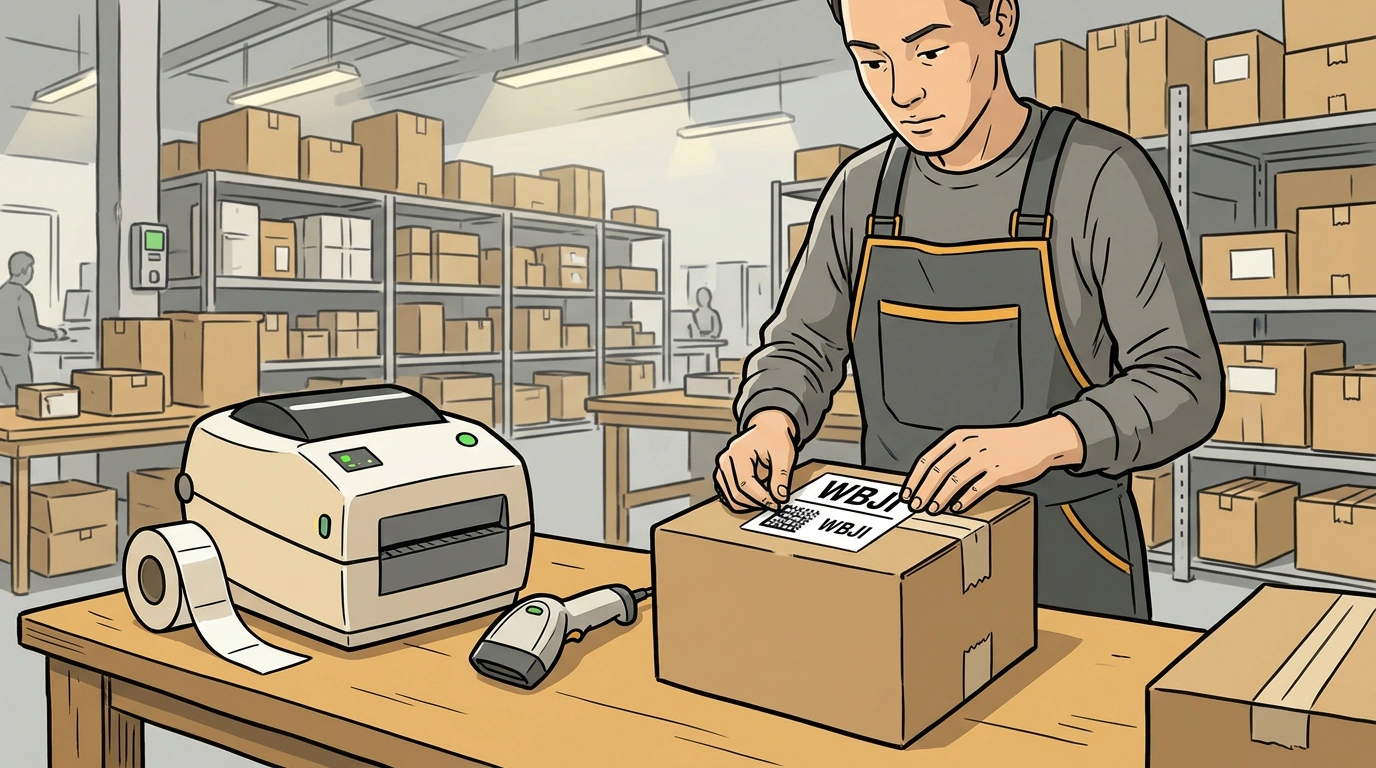
- Two-layer labeling. At the warehouse, you pick the required item and apply labeling:
- First layer: the factory product barcode (EAN-13) linked to the product card.
- Second layer: an individual assembly task sticker (QR code or numeric barcode) printed from the dashboard on a thermal printer (standard 58 × 40 mm format). Orders are then placed into a shipping box, the pick list is closed in the dashboard, and a master shipment barcode is generated and affixed to the outside.
- Drop-off at the facility. The batch is delivered to the selected receiving point, an employee scans the shipment barcode, and orders head out to customers across the platform's trunk network.
Sorting Center or Pickup Point: The Difference Between WBJI and WBMP Codes
In Belarus, Wildberries divides cargo receiving into two facility categories. Failing to understand this difference is a common reason trucks get turned away at the gate:
- Sorting centers (code WBJI). These are major distribution hubs (SC Minsk on Promyshlennaya Street, SC Minsk-2, and regional SCs in oblast capitals). You can drop off any volume here: pallets, oversized goods (KGT), mixed boxes, and mono-boxes with no liter-volume limits. Sorting centers operate 24/7. When entering by freight transport, you must specify the driver, tractor, and trailer details on the pass.
- Pickup points (code WBMP). Specially accredited pickup points (PVZ) that accept FBS shipments. Strict limits apply here: only small-sized boxes with a total shipment volume of up to 1 cubic meter are accepted. You cannot drop off oversized cargo or a pallet here. Receiving follows the point's operating hours (usually 09:00 to 21:00), though you do not need to issue complex truck passes.
Dispatch Timings, Delivery Rating, and the Cost of a Missed Order
The FBS scheme demands discipline because the marketplace ranks sellers by how fast they fulfill obligations:
- Three-day drop-off horizon. When closing a shipment in the dashboard, the system requires selecting an exact delivery date. Only three options are available: today, tomorrow, or the day after tomorrow. Scheduling a shipment "for next week" is technically impossible.
- Impact on commission and search. The standard assembly window is 24 to 48 hours depending on your warehouse settings. The faster you hand an order over to a WB warehouse, the lower the base marketplace commission and the higher the product card climbs in search results. Delays, conversely, increase platform deductions.
- Fines and blocking. If you cancel an order because the item turned out to be out of stock, the platform will issue a fine of 35% to 50% of the item's price. And if your on-time delivery rating drops below 90%, the system automatically blocks the seller from trading under the FBS model.
Cross-Border Documents and Labeling in the EAEU
Because goods from Belarus are delivered to buyers in Russia and other union countries, EAEU customs and tax regulations apply:
- Chestny ZNAK and national codes. Light industry goods, footwear, textiles, and perfumes are subject to mandatory Data Matrix labeling. A Belarusian manufacturer generates codes in the national labeling system of the Republic of Belarus, and they are then automatically validated in Russia's "Chestny ZNAK" via the unified traceability system.
- Electronic waybills (ETTN and ETN). Any cross-border movement of commercial batches is documented with electronic consignment notes signed with an electronic digital signature (EDS) through accredited electronic document interchange (EDI) operators. Moving goods without a valid electronic waybill leads to cargo confiscation by regulatory authorities.