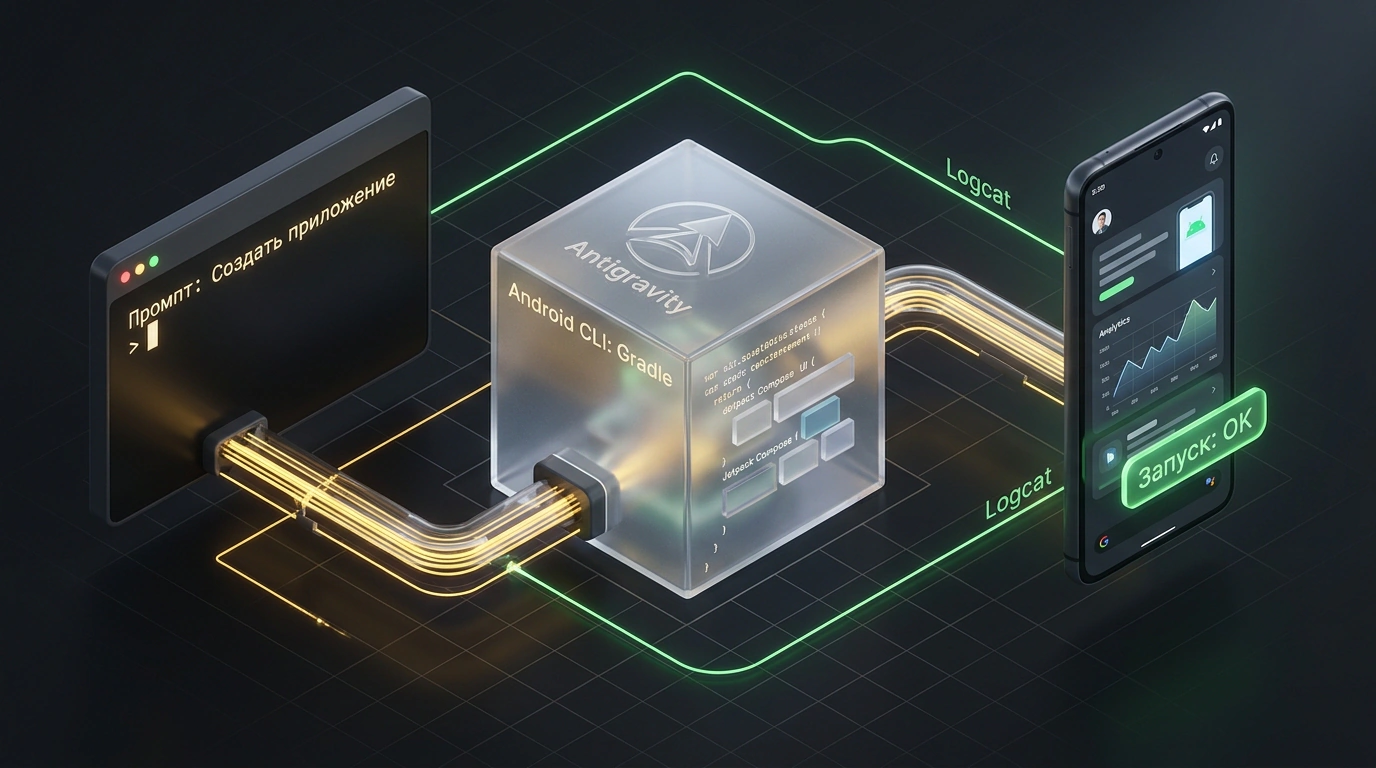
Native Android development has long carried a steep barrier to entry: multi-gigabyte Android Studio installs, component lifecycle quirks, heavy Gradle setups, and painful local emulators. Even when an AI model quickly writes a Kotlin snippet, turning it into a working APK and testing it on a phone remained a slow, manual chore.
Combining the Google Antigravity environment with Android CLI changes that workflow completely. It builds a fully autonomous bridge from a text description to a native app running on a physical smartphone.
We previously looked at Google Antigravity and secure networks for AI agents. Now, developers have a workflow that ties together code generation, headless builds, and automated testing on real phones in the cloud.
Four Links in the Pipeline: Stitch, Antigravity, and Device Streaming
This automated mobile app factory relies on four integrated components:
- Stitch MCP Plugin: Converts high-level mockups and text requirements into modern declarative UIs in Jetpack Compose (Material Design 3).
- Antigravity Orchestrator: Scaffolds the project file tree, writes
build.gradle.kts, declares permissions inAndroidManifest.xml, and wires the UI to business logic. - Android CLI: A command-line builder that compiles APKs in a background terminal without launching the heavy Android Studio GUI.
- Android Device Streaming: A cloud pool of real Google Pixel devices powered by Firebase infrastructure. The agent connects to the phone over a secure ADB over SSL tunnel.
The agent doesn't stop at compiling the binary. It deploys the APK to the device, simulates user actions (taps, scrolling, text input), and reads logcat output to catch and fix runtime exceptions on the fly.
Command Line Flow and Declarative Jetpack Compose UI
You trigger the end-to-end build and verification flow straight from the terminal:
# Initialize a native project and start compilation via Android CLI
antigravity run android-flow \
  --spec "Keyword density calculator with distribution chart" \
  --device-pool "google-pixel-8-pro" \
  --stream-logs true
In response, the agent generates a clean, type-safe Jetpack Compose interface:
// Content analysis UI component generated by Stitch
package com.antigravity.seotool.ui

import androidx.compose.foundation.layout.*
import androidx.compose.material3.*
import androidx.compose.runtime.*
import androidx.compose.ui.Modifier
import androidx.compose.ui.unit.dp

@Composable
fun DensityMetricCard(keyword: String, densityPercent: Float) {
    Card(
        modifier = Modifier.fillMaxWidth().padding(16.dp),
        colors = CardDefaults.cardColors(containerColor = MaterialTheme.colorScheme.surfaceVariant)
    ) {
        Column(modifier = Modifier.padding(20.dp)) {
            Text(text = "Keyword: $keyword", style = MaterialTheme.typography.titleMedium)
            Spacer(modifier = Modifier.height(8.dp))
            LinearProgressIndicator(
                progress = { densityPercent / 100f },
                modifier = Modifier.fillMaxWidth().height(8.dp)
            )
            Spacer(modifier = Modifier.height(6.dp))
            Text(
                text = "Density: ${String.format("%.1f", densityPercent)}%",
                style = MaterialTheme.typography.bodyMedium
            )
        }
    }
}
The agent connects this screen to an automated test script, taps the calculate button on the remote device stream, confirms there are no crashes, and reports a successful build.
Trade-Offs and Practical Verdict
The main bottleneck is the initial Gradle build. Downloading the Android SDK and project dependencies for the first compile takes time and a solid internet connection. Device Streaming also has usage quotas for cloud phone time.
Even so, this is a huge leap for product teams and solo engineers. Testing a mobile app idea on real physical hardware in 15 minutes removes much of the friction between web development and native Android.