I'll be honest: when moving from chatbots to autonomous AI agents, beginners and seasoned engineers trip over the exact same step. It feels like the whole trick with Claude Code, Codex, or Hermes is writing a detailed prompt and letting the model build the project. In reality, a blind spot opens up right between your prompt and the first line of code—when the agent spits out a rough plan and you have no clean way to read it calmly and make surgical edits.
How do you stop an AI agent from burning an hour and a mountain of tokens building the wrong thing because it misunderstood your intent? Automation practitioner Julian Goldie broke down a neat fix using the free, open-source tool Plannotator, which pulls the model's plan out of the terminal and opens it in your browser as an interactive document before coding begins.
The Trap of Rubber-Stamping in the Terminal
When an agent dumps a plan as a solid wall of monospace text in your command-line window (CLI), your eyes glaze over and start skimming diagonally. If you miss a questionable assumption and reflexively hit "Yes," the model treats your approval as a binding spec. And if a bad architectural call sneaks into the foundation—say, spinning up a heavy database server instead of a local file—every subsequent step of code generation just compounds the mistake.
Editing a plan inside a console chat is clumsy too: you type a long message ("don't touch passwords in step two, drop the queue in step four"), and the model fixes one detail while breaking two others. We looked at why our brains get worn down by streams of machine proposals and start blindly agreeing in our breakdown of Anthropic's study on losing oversight of AI agent decisions.
How Plannotator Works: Your Plan as a Web Document
Picture a teacher with a red pen over a notebook: instead of writing a separate letter, you just strike through a bad line and jot a note in the margin. Goldie pairs this with the image of an orchestra where Claude Code, Codex, Gemini, Hermes, and Grok Bot each play their parts—without a conductor checking the sheet music before the downbeat, virtuosos turn into noise.
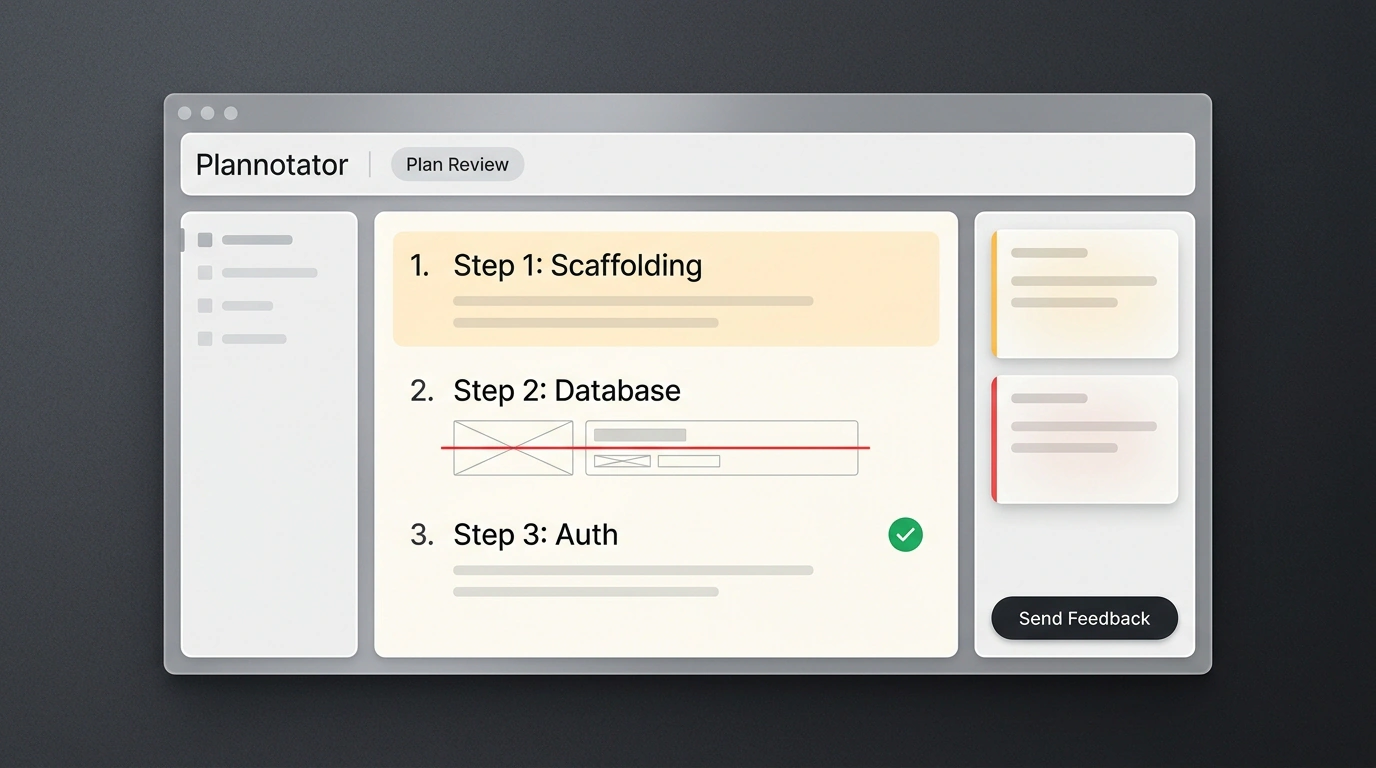
Plannotator (curl -fsSL https://plannotator.ai/install.sh | bash) acts as that conductor's podium. When an agent in plan-mode drafts a Markdown plan, a hook intercepts the output, spins up a local server with zero telemetry, and opens http://localhost:[port]/review: table of contents on the left, the plan in the center, and your notes on the right.
In Goldie's walkthrough, he asked Claude Code to build a client onboarding portal with a checklist, file uploads, and call booking. In the 7-step plan, two flaws jumped out immediately:
- In step two, the agent planned to write authentication from scratch—a week of wasted work and security risk. Julian highlighted the line and wrote: "Don't build auth from scratch, use Supabase Auth or Clerk." The line turned orange, and the note docked on the right.
- In step three, the agent proposed spinning up PostgreSQL and a Redis queue. He struck through the item with the
redline tooland noted: "No database needed, store state in a local JSON file," while giving a thumbs-up to virus scanning for uploads.
Context-Locked Feedback and a Unified Inbox
Hit "Send Feedback," and your highlights and comments are packaged into JSON and piped straight into the active agent session's stdin. Because each note is anchored to an exact phrase, the model never loses context. Reviewing the portal plan took 30 seconds: Claude Code immediately stripped out the custom auth and unnecessary database, then opened the revised plan in a diff viewer.
Beyond plans, plannotator annotate attaches edits directly to web page elements, while plannotator review displays code diffs and GitHub pull requests with an "Ask AI" button that explains changes in plain English. When multiple bots run in parallel, plannotator inbox gathers their questions and files into one window so background sessions don't stall. For more on reliable pipelines around models, see our piece on engineering harnesses for AI agents. Keep the limits in mind, though: niche closed CLI environments need custom hooks, and blindly clicking "Approve" in the browser will let bugs slip through just as easily as in the terminal.
Keep three simple habits in mind when using Plannotator:
- Cut bloat before codegen: intercept
plan-modewith a hook to strip out unneeded databases and custom-rolled modules before development starts. - Anchor notes to exact text: highlight shaky lines and strike through extra steps right on the plan or layout so the session keeps full context.
- Route parallel bots into one Inbox: use
plannotator inboxwhen running multiple agents so you can answer questions without stalling background work.
This lightweight gate turns terminal agent work into a clear review loop—you set the architectural boundaries, and the agents write code against a plan you've actually vetted.