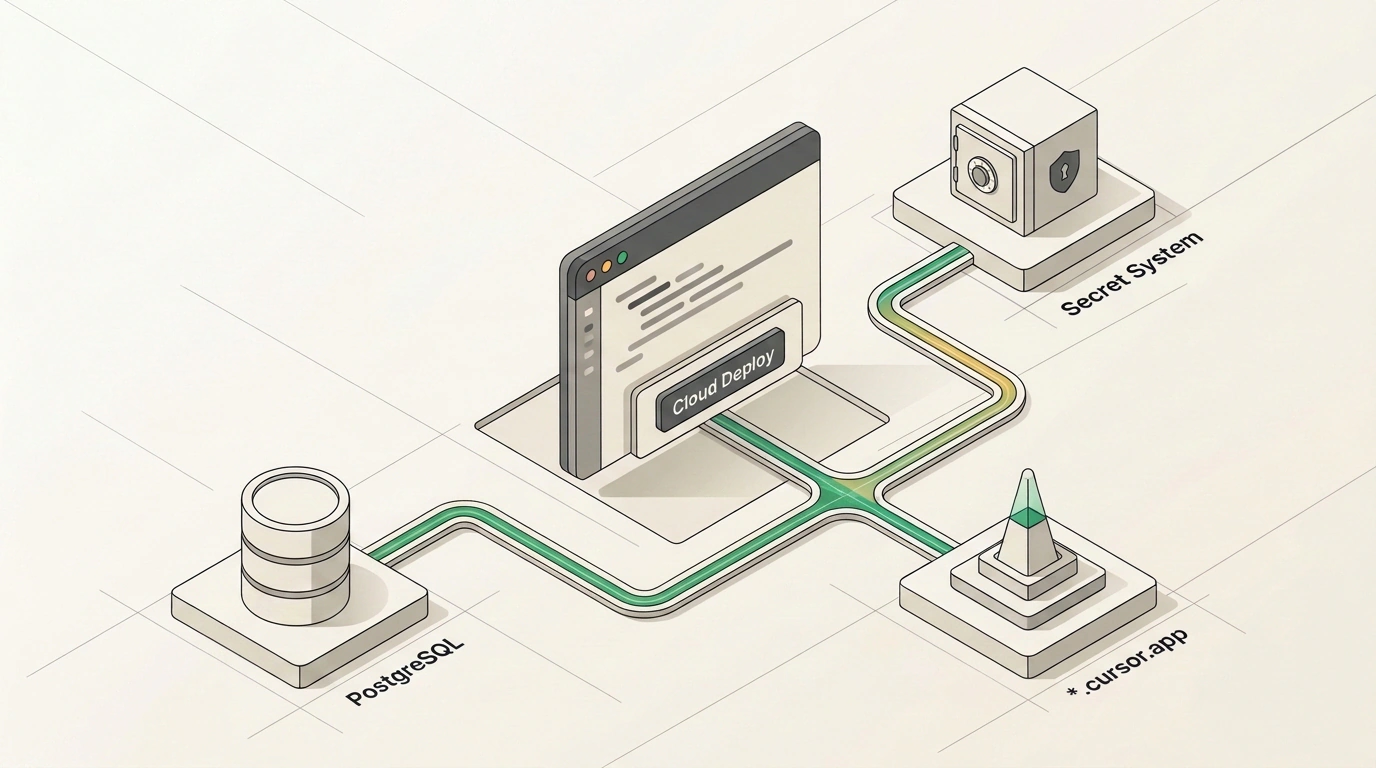
How many working prototypes are gathering dust on your computer simply because shipping them online for colleagues is harder than writing the code itself? On localhost (when the program runs only on your machine), everything opens in the browser, but sharing the tool with a team means renting hosting, spinning up a database, configuring login, and keeping passwords out of sight.
On November 5, the Cursor team removed that barrier by releasing cloud deployment under Build Live Apps, or Cloud Deploy. I examined the Cursor Cloud Agent documentation and a release breakdown on the Julian Goldie SEO channel to test how to publish a working web app straight from the editor without manually wrestling with hosting, databases, and SSL certificates.
From a Local Folder to a Public URL: How Cursor Automated Deployment
Where the AI assistant's job used to end with saving files to disk, the entire pipeline—from building to issuing a *.cursor.app address—now runs on the platform's servers on top of Vercel's cloud, with no need to create a separate hosting account or configure DNS. While October's Cursor Agent SDK brought background agents for code review and November's Annotate mode in Design Mode made click-based layout edits effortless, Cloud Deploy handles final delivery.
Suppose a business owner needs an internal order-margin calculator for the sales team so reps stop breaking formulas in a shared spreadsheet and can save calculation history. Previously, even with AI-generated code in hand, you'd spend an evening wiring up external hosting, a cloud database, and a login form.
In the updated Cursor, the whole path takes 5 steps and about 5 minutes. First, you pick Cloud Agent mode in the editor or at cursor.com/agents, creating a project in Cursor Origin or connecting a GitHub repository. Next, you explicitly ask it to build and publish the app—deployment won't trigger accidentally during normal code edits—and describe the margin calculation and deal-saving logic in plain language.
The agent builds the project in a container and opens it in the Preview Tray panel. The owner checks the fields in the editor, picks a subdomain, and hits publish. Within a minute, sales reps open the calculator over a secure HTTPS link from any device, and the service runs 24/7 even when the creator's laptop is shut.
Automatic Database and Security: What Happens Under the Cloud Hood
To make the published link a full-fledged tool, the cloud agent automatically handles three pillars: data storage, secret isolation, and security checks.
If the app needs to persist data across sessions—like sales reps' calculation history in our calculator—the agent spins up a managed PostgreSQL database on its own, generates table schemas via Prisma or Drizzle, runs migrations, and passes DATABASE_URL into the server environment. If the calculator needs to fetch exchange rates using an external API key, Secret System steps in: you enter the token in a secure window, and it's injected straight into the container at runtime without ever touching the model's context window or logs.
Before issuing a public URL, the project passes a dual security filter: algorithmic rules and an AI auditor scan files for forgotten passwords. If a vulnerability turns up, publishing is blocked until the agent fixes it. The live service is protected by Cursor Sign-In: access can be granted to specific employees, the entire organization, scripts via Cursor API Keys, or made public on an individual plan.
Pitfalls and Limits: When Built-In Deploy Isn't Enough for Serious Production
Seeing how effortlessly a calculator flies into the cloud, many people make a miscalculation—trying to launch a commercial platform for thousands of external customers through the built-in deployer.
Build Live Apps is available on paid Cursor plans with cloud agents enabled, but it's locked to a fixed stack: web apps only, a PostgreSQL database, and authentication through a Cursor account. If your product needs SMS customer signup, a custom backend, an isolated private network, or zero cold-start latency from sleeping containers, the built-in pipeline won't cut it. So use Cloud Deploy to test hypotheses and ship internal team utilities, and for large-scale production, push the repo to GitHub and move the database to a dedicated cluster on AWS or GCP.
Cursor's Cloud Deploy doesn't replace industrial infrastructure for major customer platforms, but it turns launching secure internal tools with a database from hours of hosting setup into a five-minute task inside a single editor window.