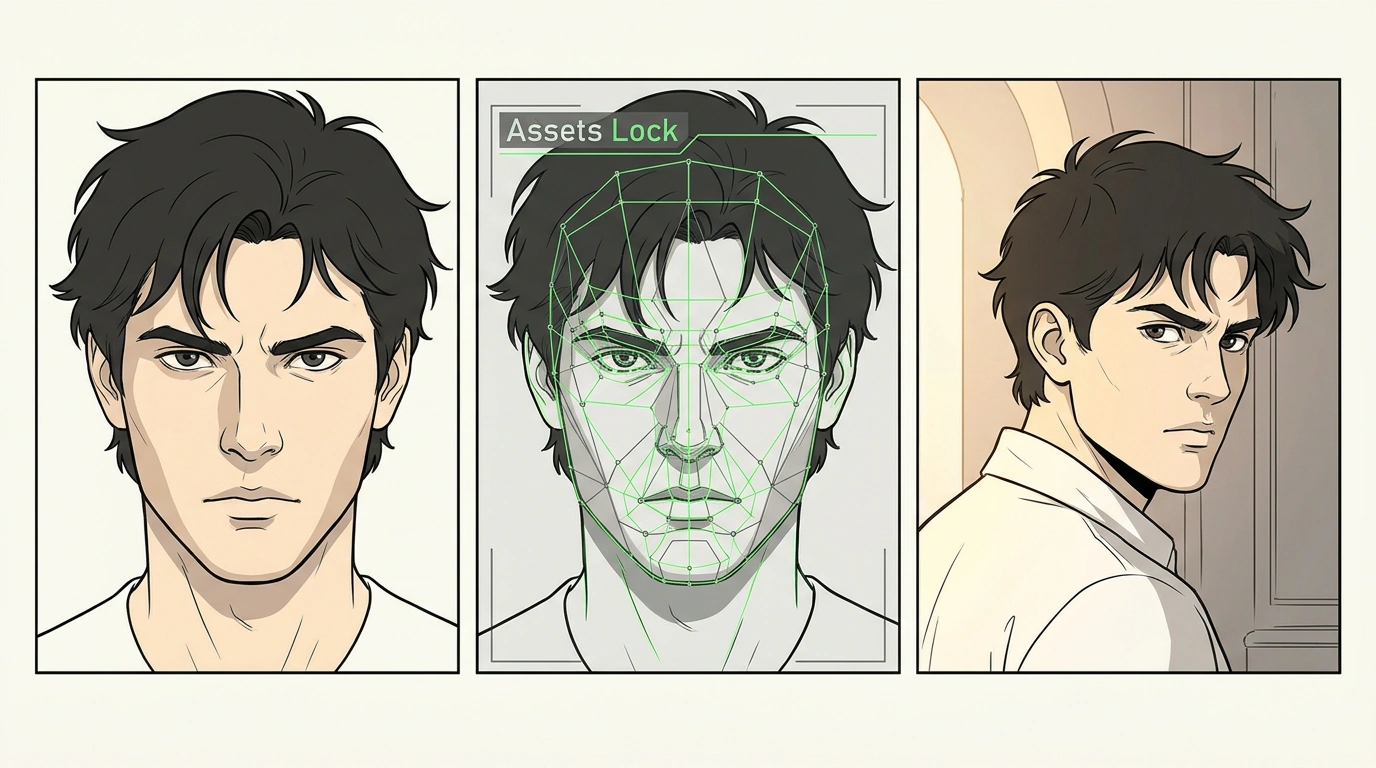
The basic continuous video clip a neural network can hold together without physics breaking down lasts just 4 to 8 seconds, yet the updated Google Flow stitches those short takes into a cohesive 60-second video starring the exact same character. Until recently, every cut between generations morphed facial features and clothing on the fly.
I looked into the Google Flow update powered by Google DeepMind's Veo video model alongside test runs by practitioner Julian Goldie. The practical question here is straightforward: how do you create story-driven product promo videos with AI without expensive camera gear and crew?
Cinematic Control: How Google Flow Connects Separate Generations into One Film
To keep a character's appearance consistent across cuts, Google Flow pairs Storyboard Studio with the Veo model (using the fast Omni 1.2 Flash profile). Previously, generators acted like an artist with short-term memory, redrawing every take from scratch. Now, Assets Lock acts like a makeup artist holding a character's continuity bible on set: you upload a single portrait photo, and the system locks the face and clothing embedding vectors (a digital imprint of their features). No matter where the virtual camera moves, that imprint preserves the character's look, while cuts are smoothed via an optical-flow algorithm—the neural network tracks moving points and blends adjacent shots seamlessly. We covered the early steps of this mechanic in our review of character consistency in Google Flow. The studio offers three narrative tracks: Founder Film, Product Trailer, and Case Study Cinema.
The Six-Part Storyboard Template: How to Describe Camera Moves and Character Emotion
Without directorial markup, even a locked face descends into chaos. Take Julian Goldie's task: turning a course creator's story into a promo video (16:9 for a website or 9:16 for Reels). The starting assets are a single photo in a black blazer and a six-line script: a late-night room with an old laptop; working through pages; growing a team to 70 people; speaking at a conference; pivoting to AI; and sunrise on a rooftop overlooking city lights, where the hero turns toward the lens with a smile.
After rendering in 1080p, these scenes come together as a coherent short film with a unified style. Viewers read the emotional arc from exhaustion to confidence, and the creator didn't have to rent a venue, hire extras, or fly a drone.
One detail in this example matters: in the first scene the camera only pushes in slowly toward the laptop, and in the finale it rises smoothly above the rooftop. That specific choice points to a general rule: one shot holds one action and one camera move. Each shot's prompt follows a six-part template:
- Location and environment — room or street geometry, architecture, and time of day that establish spatial depth.
- Subject description — the character's age, clothing, and specific emotion in that episode.
- Camera movement — one command per scene:
Dolly In,Tracking Shot,Low Angle,Dutch Angle,Pan, orCrane. - Lighting and palette — a consistent
look linecopied word-for-word into every shot (widescreen optics, soft grain, warm backlight) to keep color unified. - Pacing and action — how fast the character and objects move in frame without visual clutter.
- Audio cue — background noise and scene atmosphere that the model uses to pace movement rhythm.
Artifacts and Limits: Where Generative Video Still Trails Live Shooting
Physical limits remain. First, fine motor skills suffer: typing on a keyboard or tying shoelaces warps fingers, so it's easier to generate a couple of takes and pick the cleanest one. Second, text signs and monitor displays inside video warp—forbid text in the frame right in the prompt and add titles in editing. Finally, lip-sync in Russian isn't supported, so stories are voiced over in an editor alongside color grading.
The Google Flow and Veo pairing eliminates filming costs for short teasers while leaving the human in the director's chair. What story about your project would you turn into a short film first if all it took tonight was one photo and half an hour on your laptop?