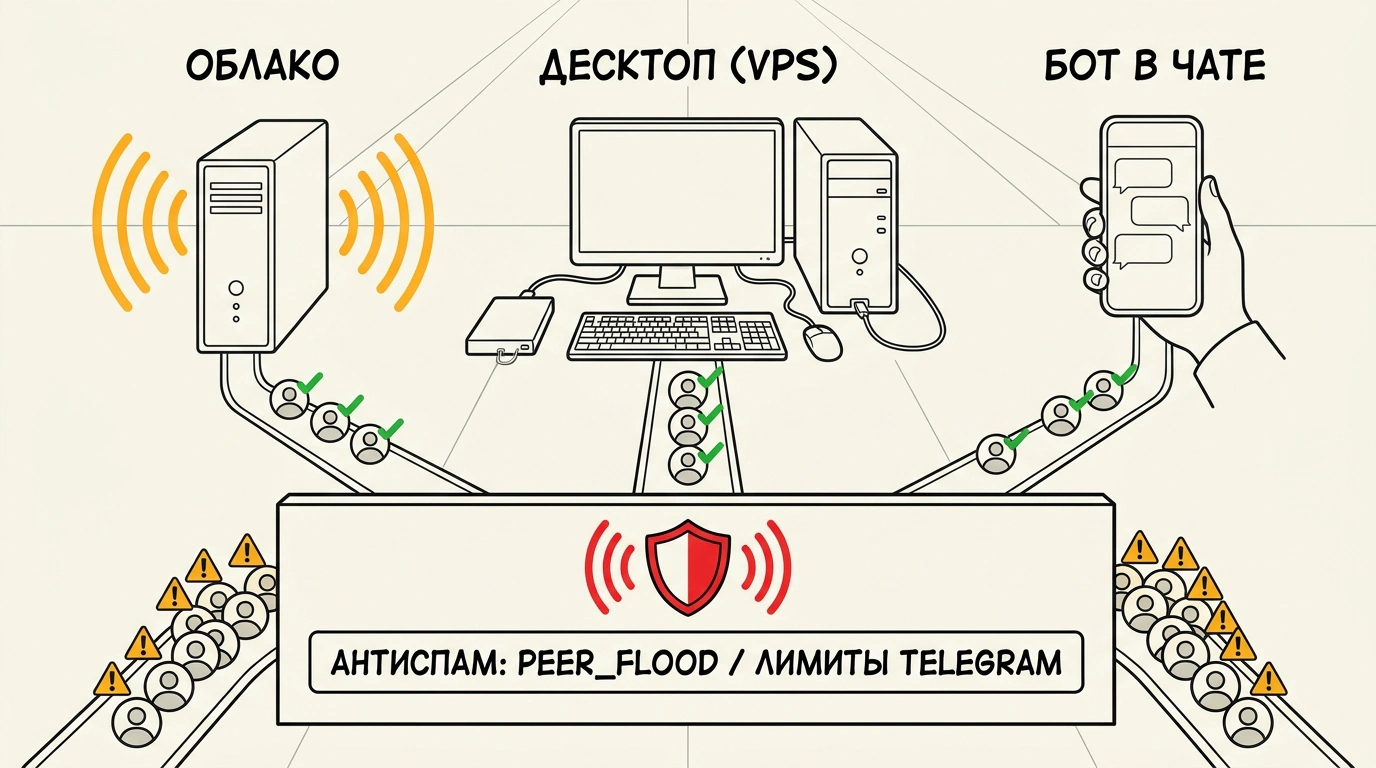
What separates a cloud Telegram automation suite, a desktop app, and a Telegram bot when you want to automate routine outreach without losing a fleet of accounts in week one?
These all-in-one suites bundle scraping (collecting user and chat lists), inviting (adding users to groups), bulk messaging, commenting, and account warm-up. Dozens exist, yet the real choice comes down to architecture, hidden add-on fees, and how carefully a tool respects Telegram's limits.
Cloud, Desktop, or Bot: Where Scale Breaks
Tools fall into three camps. Cloud dashboards run in your browser on the vendor's servers: launch a task, close your laptop, and check progress from your phone. Desktop apps run locally, meaning your PC or a rented VPS/VDS server must stay powered on while jobs run. The third option is a Telegram bot: you send commands straight in chat with zero installation, though settings are narrower.
Across five accounts, you barely notice the difference. You can run tasks from a home laptop or a phone. Everything changes at 30–50 profiles: desktop software demands a dedicated server and babysitting, while a bot turns into chaos. Inside a chat stream, it is hard to tell which exact account paused and why.
Six Popular Suites: Strengths and Hidden Fees
Pricing shifts constantly, so let's compare six widely used options by format, core strength, and main drawback.
| Service | Format | Main strength | Main drawback |
|---|---|---|---|
| TeleTraff | Cloud | AI Dialogs and AI-in-bots modules included on entry tier | Newer tool with a smaller community than 2021–2022 veterans |
| TgNinja | Cloud (since 2022) | Refined invites and messaging, flood-chat mode, mobile access | AI commenting, warm-up, Stories, and dialogs sit on higher tier |
| TeleSpace | Desktop Win/macOS (since 2021) | 5-phase server-side warm-up that slows pace when risk rises | 6 modules in base plan, 4 sold separately; tasks run on your PC |
| Telegram Expert | Desktop Win/VDS | Reliable built-in account creator with fast fixes | Paid add-on modules and admin-invite extras inflate the bill |
| TeleRaptor | Desktop Windows | Fast bulk messaging, scraper for polls and reactions | No AI commenting or AI tools; classic bulk software |
| TraffSoft | Telegram bot | Zero setup barrier, runs in chat with no install | Hard to manage many accounts or debug per-account errors |
Focus varies inside each format. Cloud tool TeleTraff bundles an account/proxy shop, mass story viewing for return visits, and AI group chatting. Its Dialogs module chats in DMs and pings a human when a live reply is needed, while AI-in-bots navigates mini-apps from text prompts. TgNinja focuses on sending video circles and voice notes, admin-based invites, and checking whether posts stay live in chats.
Among desktop apps, teams pick TeleSpace for server-hosted warm-up while the app is closed and for lead interception. Telegram Expert shines when you register accounts in-house and invite by username, ID, phone number, or contact. TeleRaptor wins on raw local speed, chat cloning, one-click profile generation, and web login. TraffSoft's bot handles AI chatting, AI commenting, admin invites, and scheduling for smaller setups.
How to Test Software and Where Telegram Draws Hard Lines
Evaluate tools on five criteria: a dedicated proxy per profile (so one IP doesn't sink neighbors), clear per-account error logs, built-in warm-up with delays and caps, AI-varied messages instead of identical templates, and a trial period. Pick two or three contenders and run the same task on comparable profiles for 48 hours. Two days is plenty to see which feels smoother and keeps accounts alive longer.
Mass cold messaging and unsolicited invites violate Telegram's Terms of Service. Its Spam FAQ is strict: when messaging strangers, it does not matter whether you send an invite, a photo, or 'hi.' If a recipient taps 'Report Spam,' the account gets flagged. Anti-spam tracks volume and behavior — identical copy, inhuman speed, sudden activity on fresh profiles. The result is blocks on messaging strangers (PEER_FLOOD errors, checkable via @Spambot), and repeat offenses trigger permanent phone-number bans.
Automation suites operate in a gray zone and should never touch your main company accounts. For predictable reach without risking phone numbers or brand reputation, businesses rely on official Telegram Ads and inbound content funnels, keeping bulk automation strictly isolated.