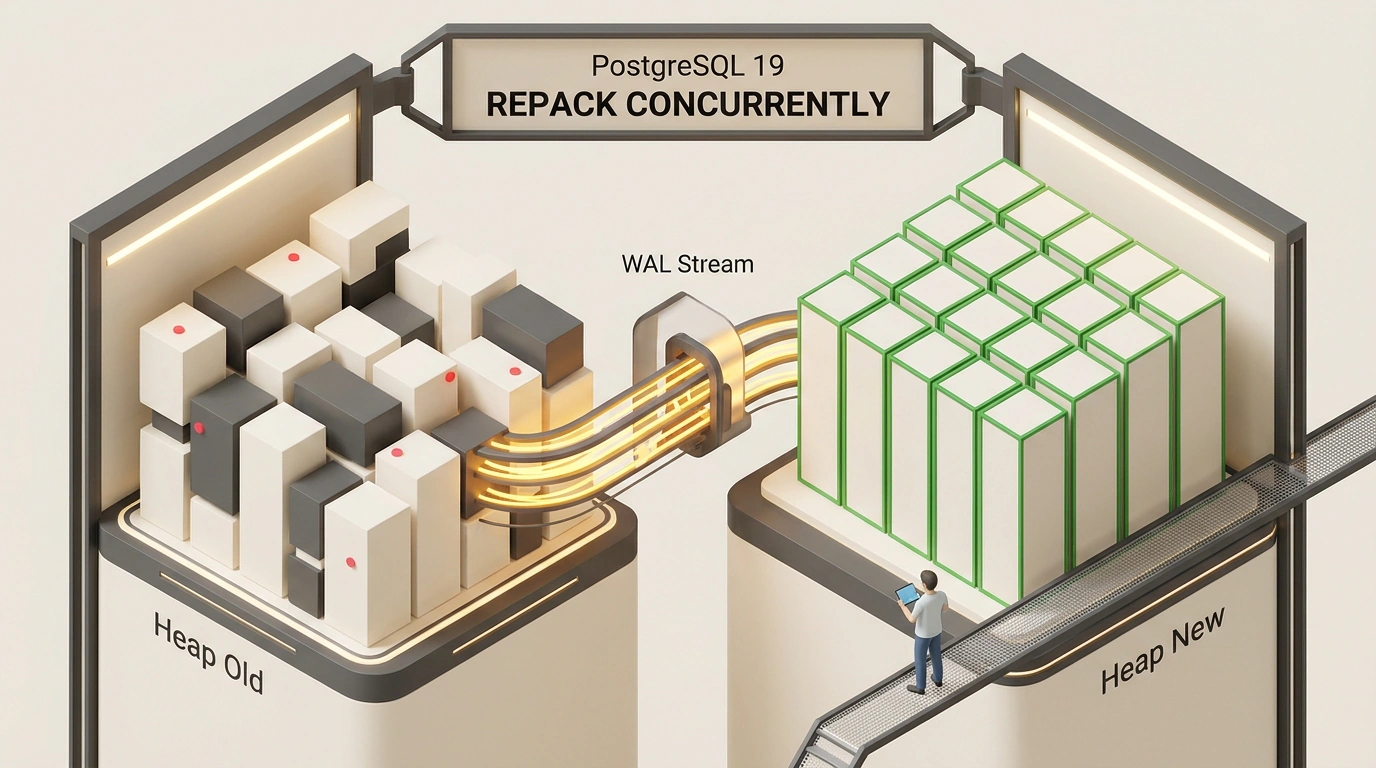
If you administer PostgreSQL databases, you have probably run into bloat—the progressive swelling of tables and indexes on disk. You delete half of your old records with DELETE, yet the database size on disk does not shrink by a single megabyte. Queries slow down, shared_buffers gets flushed with dead pages, and free storage space melts away before your eyes.
What do you do? Run VACUUM FULL? In a test environment, sure. In production, however, VACUUM FULL acquires a strict ACCESS EXCLUSIVE lock. It freezes every read and write operation on the table dead in its tracks. If a table weighs a couple of terabytes, the service stalls for hours and the business suffers massive losses.
For years, the community relied on third-party tools like pg_repack, though installing them required superuser privileges, triggers, and replication workarounds. In the upcoming PostgreSQL 19 release, core developers have finally solved this long-standing pain point by introducing the native REPACK command.
Let's examine the engineering deep dive into REPACK in PostgreSQL 19 and see how this mechanism works under the hood.
The Curse of MVCC: How Dead Tuples Bloat Tables and Eat Memory
To appreciate the value of REPACK, you need to recall how PostgreSQL's Multi-Version Concurrency Control (MVCC) works.
When you run an UPDATE, Postgres does not physically overwrite data in place. Instead, it marks the old row version as invisible to future transactions (recording the transaction ID in the xmax field) and creates a brand-new row on the current or a neighboring data page. On a DELETE, the row is simply marked as deleted.
The standard autovacuum background daemon does important work: it walks pages, clears pointers to dead tuples, and updates the Free Space Map (FSM) so new rows can reuse freed bytes. However, it can only return physical space to the operating system via the truncate system call in one ideal case: when completely empty pages happen to sit at the very tail of the table's physical file.
In reality, live and dead rows are scattered chaotically across millions of 8-kilobyte pages:
- A 10-million-row table can occupy 200 gigabytes on disk instead of the expected 40;
- Sequential scans (
Seq Scan) have to pull gigabytes of dead garbage from disk into RAM; - B-Tree index trees fragment and lose spatial density.
The historic CLUSTER command could reorder rows by an index, yet like VACUUM FULL, it required an exclusive lock. The database was held hostage by its own architecture.
Architecture of REPACK CONCURRENTLY: Four Phases of Online Rebuilding
The headline innovation in PostgreSQL 19 is support for the CONCURRENTLY modifier on the native REPACK command. The syntax is remarkably concise:
-- Online repacking of a bloated orders table
REPACK CONCURRENTLY orders;

-- Repacking while physically sorting rows by date
REPACK CONCURRENTLY orders USING INDEX idx_orders_created_at;
How does Postgres manage to completely rebuild a terabyte-scale table without interrupting incoming transactions? The engine runs the operation in four strict phases:
- Phase 1: Soft Lock and Target Heap Creation:
Instead of a destructive
ACCESS EXCLUSIVE, the process acquires aShareUpdateExclusiveLock. It is completely compatible with concurrentSELECT,INSERT,UPDATE, andDELETEstatements. Only other heavy DDL operations (ALTER TABLE) are blocked. A temporary new heap file with a uniquerelfilenodeis created in the catalog. - Phase 2: Background Snapshot Data Copy:
The engine reads all live tuples from the old table according to a transaction snapshot and packs them as tightly as possible into the new file with no empty holes. If
USING INDEXis specified, rows are sorted on disk, delivering phenomenal speed for subsequent range scans (Index Scan). - Phase 3: Logical Decoding Catch-Up: While the copy phase ran (which on large volumes can take tens of minutes), real users kept modifying the old table. The core intercepts those modifications from the write-ahead log (WAL) and applies them sequentially to the new table until the lag delta approaches zero.
- Phase 4: Instant Atomic Swap:
A brief exclusive lock is acquired for just a few milliseconds. The last few dozen WAL changes are applied, file identifiers are swapped in the
pg_classsystem catalog, and the old bloated file is safely unlinked from disk, returning the bytes to the OS filesystem.
Logical Decoding Instead of Triggers: Why pg_repack Is No Longer Needed
If you have used pg_repack before, you know its Achilles' heel. The utility worked through user-space triggers:
- A trigger was attached to the target table that duplicated every
INSERT/UPDATErow into an auxiliary log table; - This doubled the load on the disk subsystem and created huge CPU overhead;
- If the utility process crashed unexpectedly, temporary triggers remained on the table, causing leaks and blocking migrations;
- In managed cloud databases (AWS RDS, GCP Cloud SQL), installing the extension was often blocked by security policies.
In PostgreSQL 19, core engineers took a fundamentally different route: they leveraged the built-in WAL logical decoding mechanism.
The exact same engine that powers Postgres logical replication now reads the binary write-ahead log directly from the core. No custom triggers, no double writes, and no risk of leaving a table with corrupted catalogs. If REPACK CONCURRENTLY is interrupted by a system failure, the temporary file is simply cleaned up by the background garbage collector, and the live table keeps running without a single error.
As we discussed in detail when analyzing built-in REPACK CONCURRENTLY in PostgreSQL 19, bringing this mechanism into the core turns database maintenance from a risky midnight special op into a routine background procedure.
Disk Space and Privilege Requirements: How to Run Safely in Production
For all the elegance of CONCURRENTLY mode, there are two critical engineering requirements you must not forget when planning maintenance:
- Disk Space Headroom:
Because the old table with all its indexes and the new rebuilt copy temporarily coexist on the same storage volume, free space on the volume must be at least 110–120% of the table's current physical size. If the disk is 90% full, running
REPACK CONCURRENTLYis strictly out of the question—the database will crash out of disk space. - Memory Allocation:
The speed of sorting rows and building indexes in Phase 2 depends directly on
maintenance_work_mem. In default configs, it is often capped at 64 MB. For terabyte-scale tables, it is recommended to raise the limit temporarily before starting the session:
-- Allocate 2 GB of memory for sorting in the current session
SET maintenance_work_mem = '2GB';

-- Run online compaction with physical sorting
REPACK CONCURRENTLY billing_transactions USING INDEX idx_billing_created;
As for permissions, PostgreSQL 19 introduces the granular MAINTAIN privilege. You no longer have to hand out omnipotent postgres superuser rights to administrators:
GRANT MAINTAIN ON TABLE billing_transactions TO devops_engineer;
The arrival of native REPACK in the core is a long-awaited revolution in database operations. At last, fighting bloat no longer requires overnight shifts and the risk of halting business processes.