You've probably caught yourself thinking: "I know I read a brilliant point about this six months ago, but for the life of me I can't remember where." You open your browser bookmarks—thousands of saved pages. You open your default notes app—a chaotic pile of half-baked thoughts, screenshots, and pizza recipes.
Most attempts to build a Personal Knowledge Base end up as digital graveyards. We dutifully stash links away, promising ourselves we'll revisit them someday, while the real payoff hovers near zero.
Back in 1945, American scientist Vannevar Bush wrote his legendary essay As We May Think, sketching out the Memex—a machine meant to extend human memory through a web of associative links. Today, 80 years later, we can finally build a working Memex right on our laptops.
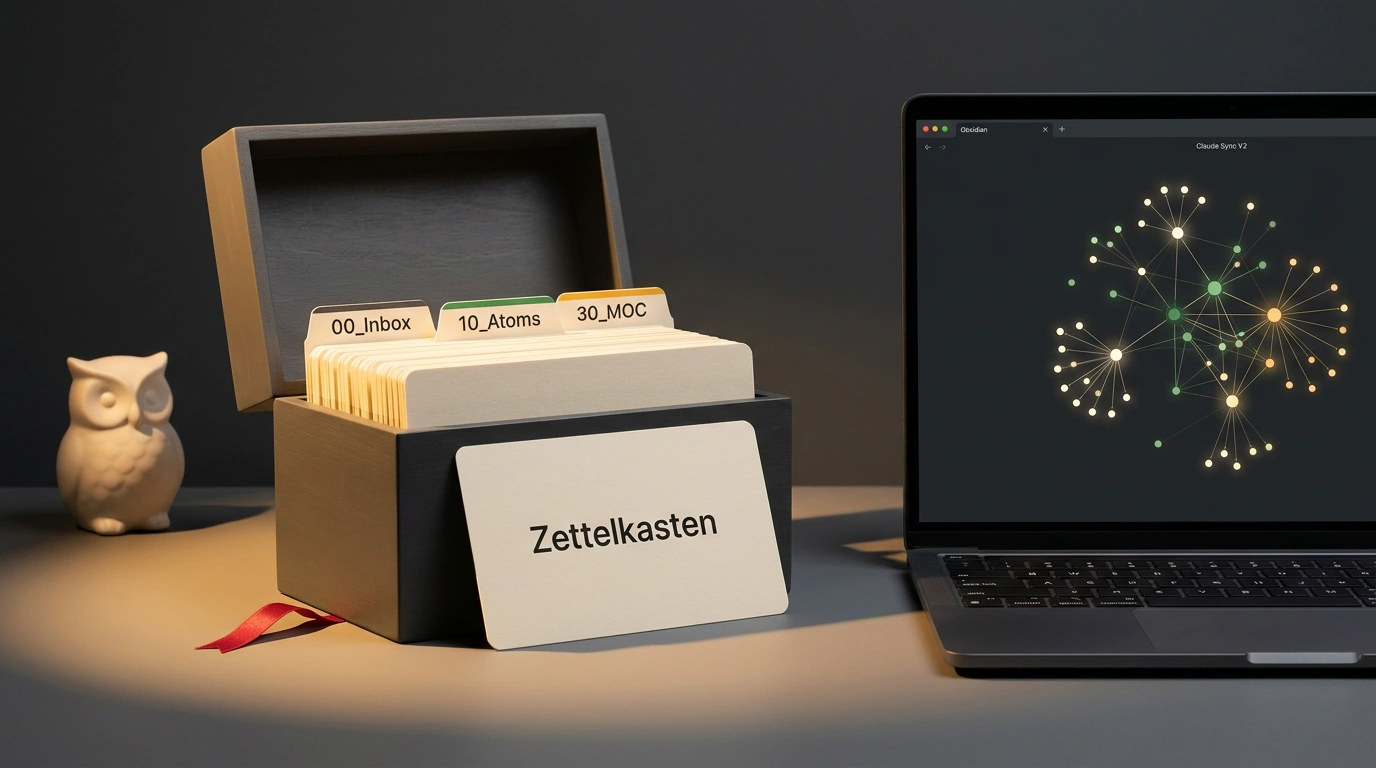
I tested a setup combining the open-source editor Obsidian, German sociologist Niklas Luhmann's Zettelkasten principles, and Claude's analytical context. The result beat my expectations: instead of a passive warehouse of notes, you get an active thinking partner that surfaces non-obvious insights.
The Compounding Vault Architecture: Three Layers of Order
The #1 beginner mistake is trying to force an AI to "digest" giant dumps of raw text. Feed a model forty PDFs at once, and you'll get a shallow summary stuffed with clichés—classic AI slop.
Architectural isometric diagram of a three-tier knowledge base with organized 00_Inbox, 10_Atoms cards, and a 30_MOC hub
Researcher Nick Saraev proposed a clean three-tier structure called a Compounding Vault:
- The Inbox Layer (00_Inbox): a temporary staging area for links, voice memos, and raw quotes. Everything lands here unfiltered, but nothing stays longer than a week.
- The Atomic Layer (10_Atoms): the heart of the vault. It follows one strict Zettelkasten rule: one note equals one complete idea. Each card gets metadata and links to related ideas using
[[Note Name]]. - Maps of Content (30_MOC): overview hubs that weave dozens of atomic notes into cohesive themes—like "Microservices Architecture" or "Principles of Healthy Sleep."
Every note lives locally as a plain Markdown file on your drive. No proprietary databases, no locked formats, and zero risk of losing access if a SaaS vendor changes its pricing.
The Atomic Note Template
To help AI navigate your thinking reliably, every card needs standardized YAML frontmatter. Create a template at 90_Meta/template_atom.md:
---
id: "{{date:YYYYMMDDHHmm}}"
title: "{{title}}"
created: "{{date:YYYY-MM-DDTHH:mm:ss}}"
tags:
  - knowledge
  - atomic
status: active
related: []
---

# {{title}}

## Core Idea
<!-- A 1-2 sentence summary of the idea in your own words -->

## Evidence and Facts
<!-- Verified arguments, numbers, and personal observations -->

## Related Notes
<!-- Bidirectional cross-links [[Another Note Name]] -->
Notice the status field: it lets you separate battle-tested notes from rough hypotheses. We've already looked at how clean tagging prevents chaos in our guides on designing an Obsidian knowledge base and fighting memory decay.
Connecting Claude: A Bridge Without Leaking Personal Data
How do you wire the model's intelligence into local files? Julian Goldie SEO recommends the open-source plugin Claude Sync V2.
Unlike cloud wrappers, the plugin talks directly to Anthropic's API using your personal key (sk-ant-...). Your files aren't uploaded to third-party servers, and embeddings for vector search are cached right inside your local .obsidian folder.
Once your vault passes a couple hundred atoms, tracking every cross-link by hand gets tedious. Here is a compact Python script that reads your metadata and asks Claude to spot hidden bridges between your ideas:
import os
import glob
import frontmatter
from anthropic import Anthropic

client = Anthropic(api_key=os.environ.get("ANTHROPIC_API_KEY"))

def analyze_and_link_notes(vault_path):
    atom_files = glob.glob(os.path.join(vault_path, "10_Atoms", "*.md"))
    notes_summary = []

    for fpath in atom_files[:50]:
        post = frontmatter.load(fpath)
        notes_summary.append({
            "file": os.path.basename(fpath),
            "title": post.get("title", "Untitled"),
            "content": post.content[:300]
        })

    prompt = (
        "Given these atomic notes from personal knowledge base, "
        "identify missing conceptual links between them:\n"
        f"{notes_summary}\n"
        "Return pairs of notes that should be linked with a brief rationale."
    )

    response = client.messages.create(
        model="claude-3-5-sonnet-20241022",
        max_tokens=1024,
        messages=[{"role": "user", "content": prompt}]
    )
    return response.content[0].text

print("Obsidian-Claude connector configured.")
Don't try to digitize everything you've ever read in one weekend. Make it a rule to create just one or two atomic cards a day based on real tasks or insights. Six months from now, you'll have a personal base of 300 sharp thoughts that knows your projects better than any outside consultant.
Keeping Your Vault Alive Past Month One
The real secret to a lasting knowledge base is atomization discipline. Never copy-paste whole articles. Finished a book chapter or a dense technical report? Distill one core takeaway in your own words, fill out the template, and run a link check.
When Claude points out, "Your note today on distributed queues logically extends a note you wrote six months ago on database transactions," you can practically feel scattered facts clicking together and starting to work for you.