You've probably wondered at some point why something as simple as transcribing a short voice memo or an interview in a web app still requires shipping the file off to a server. We've grown used to every "Transcribe" button hiding a heavy backend stack, Celery queues, hourly-billed GPUs, or paid OpenAI API tokens. One dip in the user's connection or a spike in server load, and they're stuck staring at an endless spinner. And what if the audio is sensitive—medical notes, legal consultations, internal team standups? Sending raw audio to third-party clouds is often flat-out forbidden by compliance rules.
I've been keeping an eye on attempts to run speech models locally on the client for a long time. Until recently, it was always a painful trade-off: either a WebAssembly build of Whisper that pegs a laptop's CPU at 100%, heats up your lap, and runs three times slower than real time, or bundling a monstrous multi-megabyte FFmpeg build just to demux an audio track from an MP4. Recently, though, developer Tanpreet Singh Jolly released an open-source library called browser-whisper, and it finally puts all the pieces together.
How It Works Under the Hood
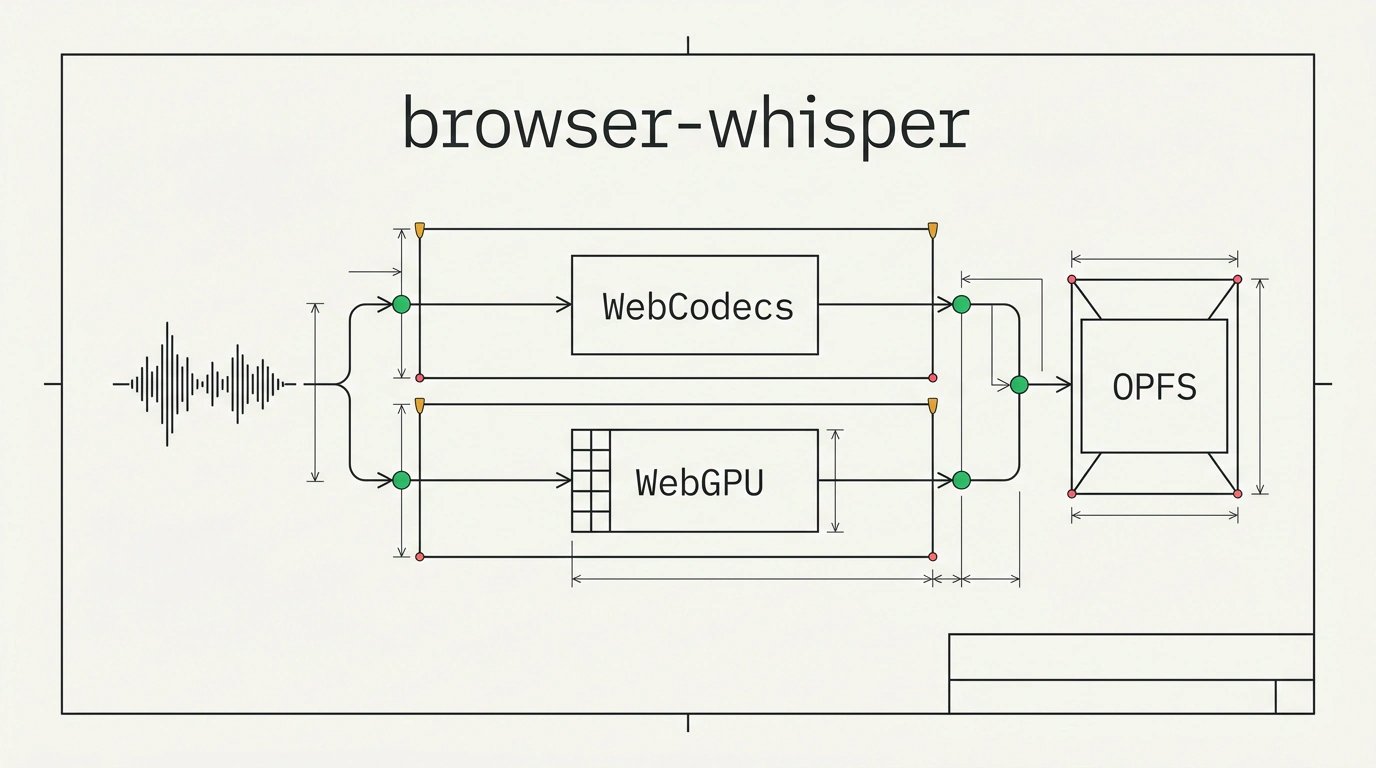
The project's main trick is ditching software workarounds in favor of modern web standards. Three key technologies do the heavy lifting here:
- WebGPU instead of pure CPU. Neural network math runs directly on the client device's GPU via ONNX Runtime Web. Whisper's matrix operations map onto GPU shaders for near-native speed. If WebGPU isn't available or is hardware-disabled in the browser, the library transparently falls back to WebAssembly.
- WebCodecs and mediabunny instead of FFmpeg. Historically, most of the bundle bloat in client-side audio tools came from media container decoders.
browser-whisperuses a tiny parser calledmediabunnyto feed raw compressed packets straight into the browser's nativeWebCodecsAPI. The browser itself decodes MP3, AAC, Opus, or video tracks directly into a 16 kHz mono stream. - Model weight caching in OPFS. After the first download, model weights are stored in the Origin Private File System—the browser's isolated local storage. On repeat visits, the app boots instantly and works completely offline.
What impressed me most, though, is the dual Web Worker architecture. When you kick off heavy work in JavaScript, the UI often freezes solid. In browser-whisper, the pipeline is physically split across two independent threads: a decoding worker reads the file and slices audio chunks, while a Whisper worker feeds them through the model. While the audio is being parsed, the neural net is already initializing, and the main UI thread stays completely responsive. We previously looked at how audio capture in Manifest V3 and single-stream translation work, and browser-whisper's architecture is a great addition to that toolkit.
Setup and Running It in Practice
Installation uses any standard package manager:
npm install browser-whisper
# or in Bun projects:
bun add browser-whisper
To get started, pick a model size that fits your needs. By default, the library uses hybrid quantization (the encoder in fp32 for accuracy, the decoder in q4 for a smaller footprint). whisper-tiny weighs in at roughly 120 MB, whisper-base is 206 MB, and if you want maximum accuracy, whisper-large-v3-turbo is available (~2.9 GB).
Here is how file transcription looks with streaming segments via an async iterator:
import { BrowserWhisper } from 'browser-whisper';

// Initialize the recognizer with the whisper-base model
const whisper = new BrowserWhisper({
  model: 'whisper-base',
  language: 'ru', // omit this to enable automatic language detection
});

const fileInput = document.querySelector('input[type=file]') as HTMLInputElement;
const file = fileInput.files?.[0];

if (file) {
  // Segments stream in as they are recognized without waiting for the end of the file
  for await (const { text, start, end } of whisper.transcribe(file)) {
    console.log(`[${start.toFixed(1)}с – ${end.toFixed(1)}с] ${text}`);
  }
}
If you need real-time speech recognition straight from a microphone, the library exposes transcribePCM(samples). You pass in a 16 kHz Float32Array from AudioContext, pair it with a Voice Activity Detector (VAD), and get a live dictation experience without a single server round-trip.
For peak performance with multithreaded WASM and SharedArrayBuffer, your web server needs to send cross-origin isolation headers: Cross-Origin-Opener-Policy: same-origin and Cross-Origin-Embedder-Policy: require-corp. Without them, the library will still run, but it drops down to single-threaded mode.
Look at what this gets us: zero server infrastructure costs, strict data privacy, and full offline support even in airplane mode. Sure, that initial 120 MB download calls for a clean progress bar for the user, but for enterprise tools, note-taking apps, and personal utilities, this is a genuine breakthrough.