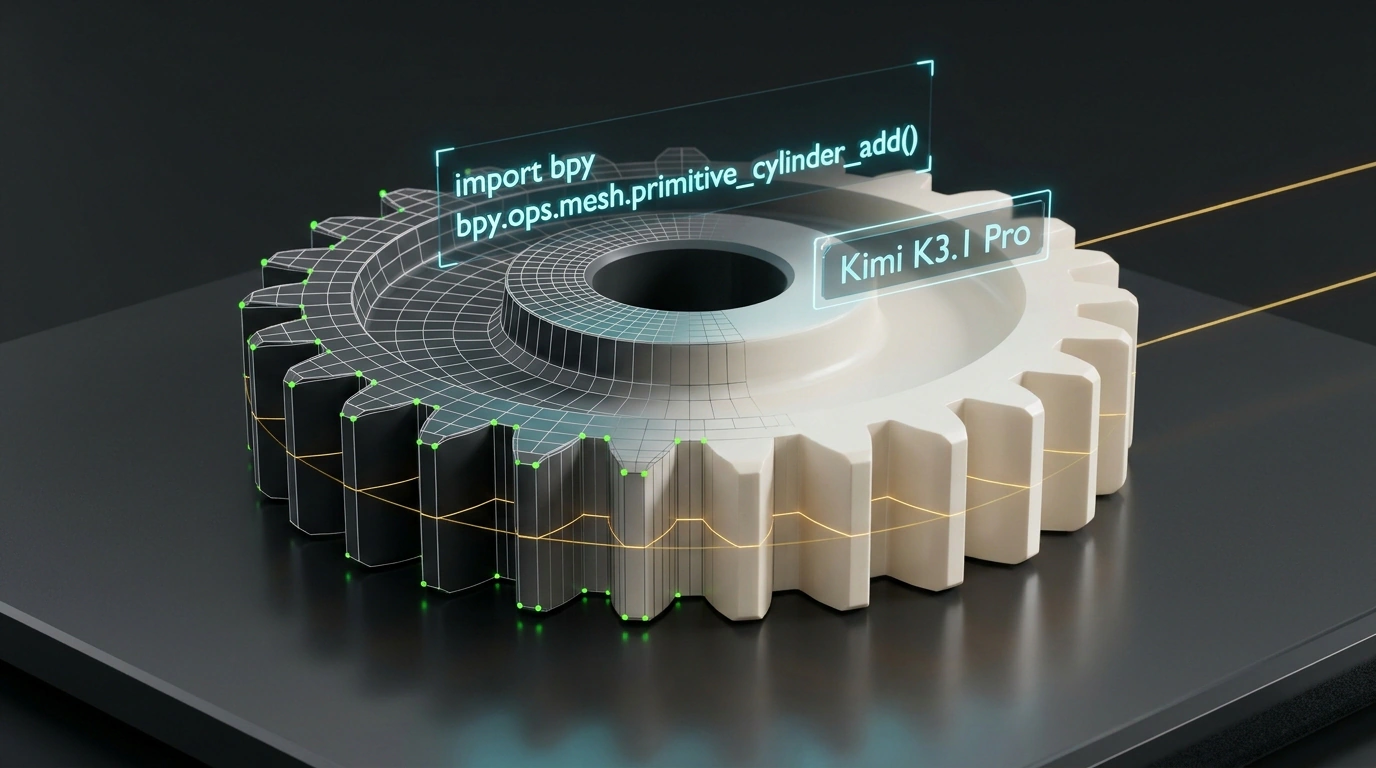
If you have ever tried generating 3D models with popular diffusion neural networks, you probably remember that mix of excitement and quiet horror. You type in "gear for a gearbox" or "futuristic helmet," the algorithm cheerfully outputs a preview, you download the OBJ file... open it in an editor, and grab your head. The mesh is a shapeless lump of hundreds of thousands of fused triangles. You can't move an edge, you can't change a hole's diameter, and when you try to send that masterpiece to a 3D printer, the slicer throws dozens of non-manifold geometry errors.
The Chinese lab Moonshot AI decided to put an end to this clay-like madness. In its new flagship model Kimi K3.1 Pro, released on October 23, 2026, the engineers bet not on voxel approximation, but on clean procedural code. The model generates executable Python scripts for Blender, parametric CAD models, and 3D web scenes in Three.js. Let's look at why code became the holy grail of 3D modeling in AI and how this pipeline works in practice.
From Neural Clay to Mathematically Exact Code
Flagship Kimi K3.1 Pro is built on a colossal Mixture of Experts (MoE) architecture totaling 2.8 trillion parameters (2.8T), with 104 billion active parameters per token. Thanks to that scale, the model handles spatial reasoning and mathematical logic effortlessly.
The main conceptual shift is abandoning brute-force polygon mesh generation. Instead of inventing coordinates for every vertex, Kimi writes procedural Python code for Blender (bpy), scripts for CadQuery or OpenSCAD, or JavaScript scenes using the Three.js library.
Why does this turn the whole industry upside down?
- Clean Topology: code produces proper quads, neat bevels, and logical edge loops that are easy to animate and deform;
- Parametric Control: if you need to change the number of gear teeth from 12 to 24 or widen a bore diameter from 15 to 20 mm, you don't regenerate the model from scratch—you just tweak one number in the code;
- Microscopic Size: instead of passing around hundreds of megabytes of raw polygons, the model operates on a text script a couple of kilobytes long.
In the specialized BenchCAD engineering modeling benchmark, Kimi K3.1 Pro paired with an external code executor scored a record 92.7% accuracy, comfortably leaving Claude 3.5 Sonnet (78.2%) and GPT-5.4 (71.4%) behind. As we noted in our roundup of Kimi K3.1 Pro family tests, it is this specialized algorithmic foundation that keeps the model at the top in applied coding.
Procedural Pipeline for Blender: Geometry Without Plugins
The most impressive scenario is direct script generation for Blender. The model is trained on the official bpy API and knows the nuances of Blender 4.x versions. It writes clean procedures: clears the scene, creates primitives, performs boolean operations, and attaches procedural Bevel and Subdivision Surface modifiers.
Here is a typical example of a procedural script that Kimi K3.1 Pro generates for a mechanical part request—a stepped shaft with a groove and bevels:
import bpy
import math

def create_stepped_shaft(base_radius=1.2, shaft_length=4.0):
    # Clear old meshes from the scene
    bpy.ops.object.select_all(action='SELECT')
    bpy.ops.object.delete(use_global=False)

    # Create the main shaft step
    bpy.ops.mesh.primitive_cylinder_add(
        vertices=32,
        radius=base_radius,
        depth=shaft_length,
        location=(0.0, 0.0, shaft_length / 2.0)
    )
    shaft = bpy.context.active_object
    shaft.name = "Drive_Shaft_Core"

    # Add mounting flange
    bpy.ops.mesh.primitive_cylinder_add(
        vertices=32,
        radius=base_radius * 1.6,
        depth=0.8,
        location=(0.0, 0.0, 0.4)
    )
    flange = bpy.context.active_object
    flange.name = "Mounting_Flange"

    # Join geometry into a single mesh
    ctx = bpy.context
    ctx.view_layer.objects.active = shaft
    shaft.select_set(True)
    flange.select_set(True)
    bpy.ops.object.join()

    # Smooth normals and add procedural bevel
    bpy.ops.object.shade_smooth()
    bevel = shaft.modifiers.new(name="Bevel_Edge", type='BEVEL')
    bevel.width = 0.05
    bevel.segments = 3
    bevel.limit_method = 'ANGLE'
    bevel.angle_limit = math.radians(35.0)

    return shaft

if __name__ == "__main__":
    create_stepped_shaft()
This script executes in Blender in fractions of a second and yields solid geometry with proper normals, completely ready for texturing or export.
Engineering CAD and Web Graphics: From OpenSCAD to Three.js
Beyond Blender, Kimi has mastered generating models for web applications and industrial manufacturing. Inside the Moonshot AI platform, the 3D Make service lets a user describe an object in a text chat and immediately spin it around in an interactive browser window.
Under the hood, the frontend uses lightweight Three.js rendering. The model assembles the scene itself, places light sources, configures a camera with OrbitControls, and defines the polygon math. Here is what a generated snippet looks like for displaying a parametric assembly interactively in the browser:
import * as THREE from 'three';
import { OrbitControls } from 'three/addons/controls/OrbitControls.js';

// Initialize scene, camera, and renderer
const scene = new THREE.Scene();
scene.background = new THREE.Color(0x1a1a24);

const camera = new THREE.PerspectiveCamera(45, window.innerWidth / window.innerHeight, 0.1, 100);
camera.position.set(5, 4, 6);

const renderer = new THREE.WebGLRenderer({ antialias: true });
renderer.setSize(window.innerWidth, window.innerHeight);
renderer.shadowMap.enabled = true;
document.body.appendChild(renderer.domElement);

const controls = new OrbitControls(camera, renderer.domElement);
controls.enableDamping = true;

// Build parametric bracket
const bracketGroup = new THREE.Group();

const baseGeo = new THREE.BoxGeometry(3.0, 0.4, 2.0);
const matMetal = new THREE.MeshStandardMaterial({
    color: 0x3d72b4,
    metalness: 0.8,
    roughness: 0.25
});
const baseMesh = new THREE.Mesh(baseGeo, matMetal);
baseMesh.castShadow = true;
bracketGroup.add(baseMesh);

// Scene lighting
const dirLight = new THREE.DirectionalLight(0xffffff, 2.5);
dirLight.position.set(6, 8, 4);
dirLight.castShadow = true;
scene.add(dirLight);
scene.add(new THREE.AmbientLight(0x404050, 1.2));
scene.add(bracketGroup);

function animate() {
    requestAnimationFrame(animate);
    controls.update();
    renderer.render(scene, camera);
}
animate();
For physical prototyping, the model can export results to STL for direct dispatch to a 3D-printer slicer, strictly verifying manifold geometry.
Method Limits: Where the Procedural Approach Falls Short
Despite its triumph in hard-surface and architectural modeling, Kimi's approach has natural boundaries:
- Organic sculpting: modeling a human face, fabric folds, or animal fur in code is practically impossible—the formulas become monstrously complex. For organics, traditional diffusion or manual sculpting in ZBrush remains unrivaled;
- Code execution security: running arbitrary Python scripts requires strict sandboxing. If you run a generated script locally without inspection, it could theoretically touch the filesystem or execute an external command;
- API churn: Blender regularly changes internal module syntax from version to version. The model can occasionally use deprecated
bpy.opscalls instead of manipulatingbpy.datastructures directly.
Kimi K3.1 Pro sets a new quality standard for the industry. The model proved that the future of generative 3D lies not in a chaotic pile of triangles, but in clean mathematics and strict software code architecture.