You hit Enter on a big task in an agentic workspace, and it looks like a spinner is just turning. Behind that button, though, a quiet drama usually unfolds. One model tries to be the architect, frontend builder, and tester all at once. It thinks for a long time, burns expensive quota on routine edits, and dumps half-finished code the moment an import breaks.
On November 18, 2026, Google changed what happens behind the scenes. In Google Antigravity, the company launched Gemini 4 Neon and a two-model Orchestrator (Neon) mode. Now one message kicks off a relay: the senior model splits the task into branches, hands rough assembly to fast workers, and if anyone stumbles, it catches the failure and fixes the plan without bothering you over small snags.
Where Neon Fits in Google's 'Periodic Table' and What Benchmarks Show
Members of the AI Profit community joked recently that Google will soon need a periodic table just to keep track of its own models. The joke hits the mark: lightweight Hydrogen handles quick routine work, heavy Carbon pulls multi-hour projects, and Neon sits right in the middle.
The main bet here is accuracy and cost on real agent work. Artificial Analysis's Coding Agent Index measures how reliably an AI agent handles live programming tasks rather than toy chat examples.
| Metric / Benchmark | Gemini 4 Neon Result | Conditions & Context |
|---|---|---|
| Artificial Analysis Coding Agent Index | 58.6 (#1 overall) | Independent agentic coding benchmark |
| Zapier AutomationBench | 56.3% (#1 overall) | Practical business automation scenarios |
| Artificial Analysis Intelligence Index | 61 (#3 overall) | At Extra High thinking level |
| Cost per task vs. Carbon | −32% | At default High thinking level |
| Hallucination (fabrication) rate | Lowest in the lineup | Per internal Google Antigravity tests |
In practice, this gives you two clear wins. You no longer need to spin up the heavy flagship for a major refactor or repo-wide debugging—this middleweight holds the same bar while going much easier on your quota. And fewer fabrications mean the model is less likely to report 'done' when the build actually failed or make up facts.
How Orchestrator Neon Works: Conductor, Orchestra, and Handback Loop
The model itself is strong, but the real star of the release is Orchestrator. Two AI models work in the same session without manual switching: the smart one thinks, and the fast one builds.
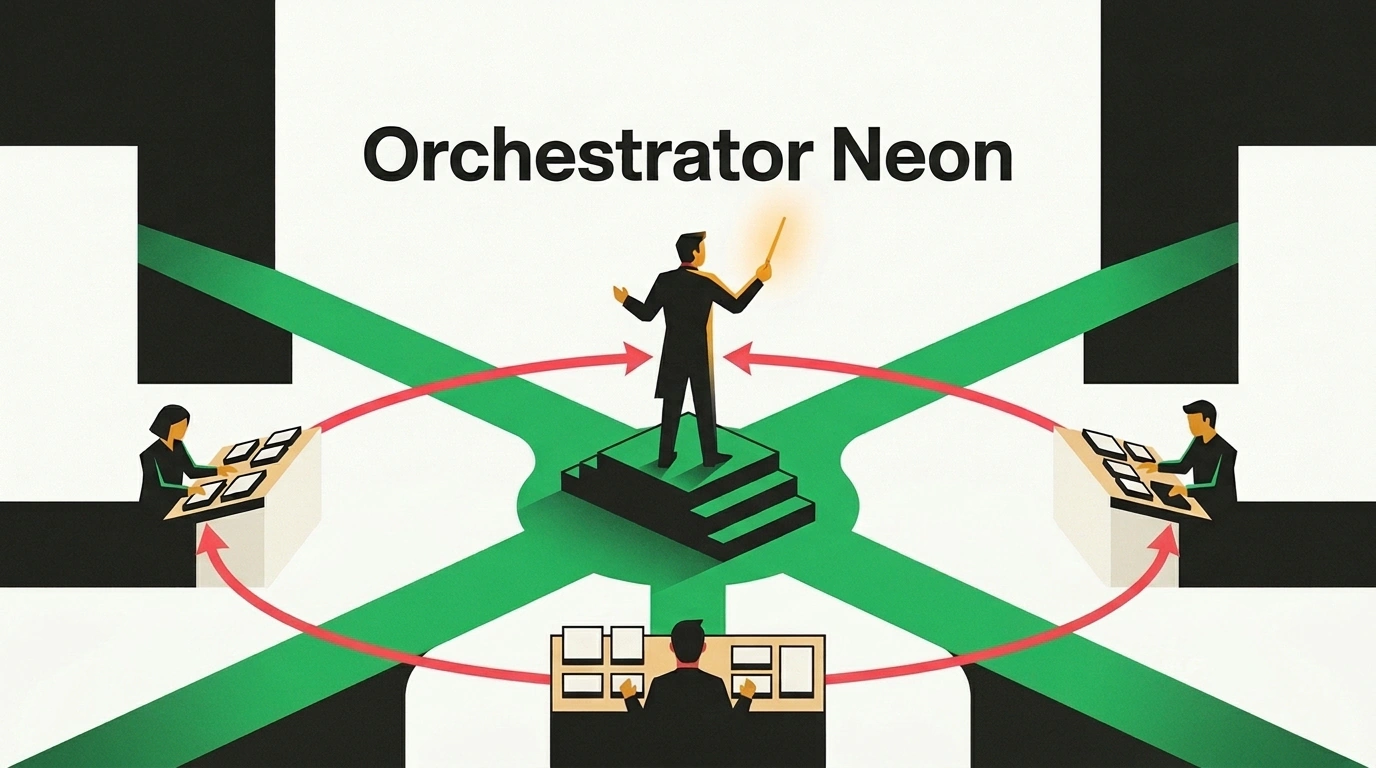
Picture a symphony orchestra. Gemini 4 Neon is the conductor at the podium. It doesn't play every instrument itself; it holds the score and hands out parts to the musicians—a team of fast agents running on Gemini 4 Hydrogen. While one edits files, a second updates packages and a third runs tests, all in parallel.
The key moment happens when something breaks. In ordinary setups, a fast agent either gives up or hands back broken output. Orchestrator (Neon) has a built-in handback loop: if Hydrogen gets stuck, it passes its state back to the conductor. Neon diagnoses the error, updates the plan, and sends the task back out. Deep reasoning is spent only on architecture and recovery, so your subscription quota goes much further.
For manual control over depth, Neon also adds four thinking levels that set how long the model thinks before acting:
low— quick interactive edits without extra pauses;medium— steady mode for mid-sized tasks;high— the default, offering the best balance of accuracy and quota use;extra high— maximum analysis depth for tangled, multi-step problems.
Old Way vs. New Way: What Changes on Live Tasks
The old way goes like this: you open a chat, ask for part one, copy it, ask for part two. Halfway through, something breaks—so you hunt down the bug, rewrite the prompt, and bounce between fast and heavy models. With Orchestrator Neon, your role shifts: you write one clear brief and review the finished package.
Two live runs from early testers show this well. In the first, they sent a single three-part brief to Orchestrator Neon via the Antigravity CLI with a strict rule against making up numbers. Neon split the work into four branches, and Hydrogen agents built a full content kit in parallel in twelve minutes: a seven-slide carousel, a vertical 3D video with subtitles, an X post with an infographic, and a long-form video pack (ten titles, a one-minute hook, timestamps, an animated intro, and a thumbnail).
In the second run, the same pair received real Google Search Console queries ranking in positions four through twenty. In one session, the orchestrator grouped clusters and built a homepage, three hub pages, six articles with quick answers at the top, linked JSON-LD markup on every page, a sitemap, robots.txt allowing AI crawlers, llms.txt, and a self-check page. A repeat run for a real estate agency produced a different design and industry-specific schema markup. One telling detail: when an article lacked a verified source, Neon didn't invent stats—it left an explicit add your source marker in the text.
Running It in the App and CLI: How to Feed a Task
In the desktop app and IDE extensions, it's simple: open the menu below the input box and pick Orchestrator (Neon) or Gemini 4 Neon with your chosen thinking level (on eligible plans, Neon becomes the default model). In the terminal, use the agy CLI with the --model flag.
# 1. The exact slug for --model isn't listed in the official blog:
# check the exact model ID in your CLI version's help first
agy --help

# 2. Launch Orchestrator Neon with a three-part brief
# so the conductor can dispatch independent branches to Hydrogen agents
agy --model "<orchestrator-neon-model-id>" \
  "Goal: build a starter release content kit.
   Facts: use only data from notes.md, do not invent numbers;
   if data is missing, insert [add your source].
   Parts (in parallel):
   1) product overview landing page;
   2) short announcement post;
   3) pre-publish verification checklist."
The secret to a run like this is brief structure. When you separate the goal, allowed facts, and independent deliverables, the conductor doesn't have to guess how to slice the job—it hands the pieces straight to parallel workers. After the run, all you do is review the plan, the change notes, and any missing-source markers.
If you don't give a model a list of facts, any agent will eventually start filling in details on its own. Save a three-block template: goal, verified facts with a no-invention rule, and a list of deliverables. Next time, you only need to swap the first line.
When to Pick Hydrogen, Neon, Orchestrator, or Carbon
To keep Google's 'periodic table' from getting in the way, here is how all four modes map to everyday tasks.
| Mode in Antigravity | Why Use It | Typical Example |
|---|---|---|
| Gemini 4 Hydrogen | Speed and minimal quota burn | Small fix, short email, first draft |
| Gemini 4 Neon (solo) | Deep debugging and project edits | Large refactor, tracking down a tricky bug |
| Orchestrator (Neon + Hydrogen) | Parallel multi-part builds | Content kit, site with technical files, landing page |
| Gemini 4 Carbon | Maximum long-running autonomy | Toughest multi-hour projects |
When in doubt, start with Orchestrator (Neon). It decides where heavy logic is needed and where fast Hydrogen is enough. In the announcement, Google also showed the /swarm command powered by Neon: in the demo, the agent built a multi-level two-player game inside the built-in browser and played as the second player itself.
One important note on pricing plans. Gemini 4 Neon and Orchestrator are available in the app, CLI, and IDE extensions only on paid Google AI Pro, Google AI Ultra, and Gemini for Business plans—they aren't on the free tier yet. Google didn't share exact quota numbers or context window sizes in the post, so the easiest way to compare High vs. Low usage is to test them on one real brief.