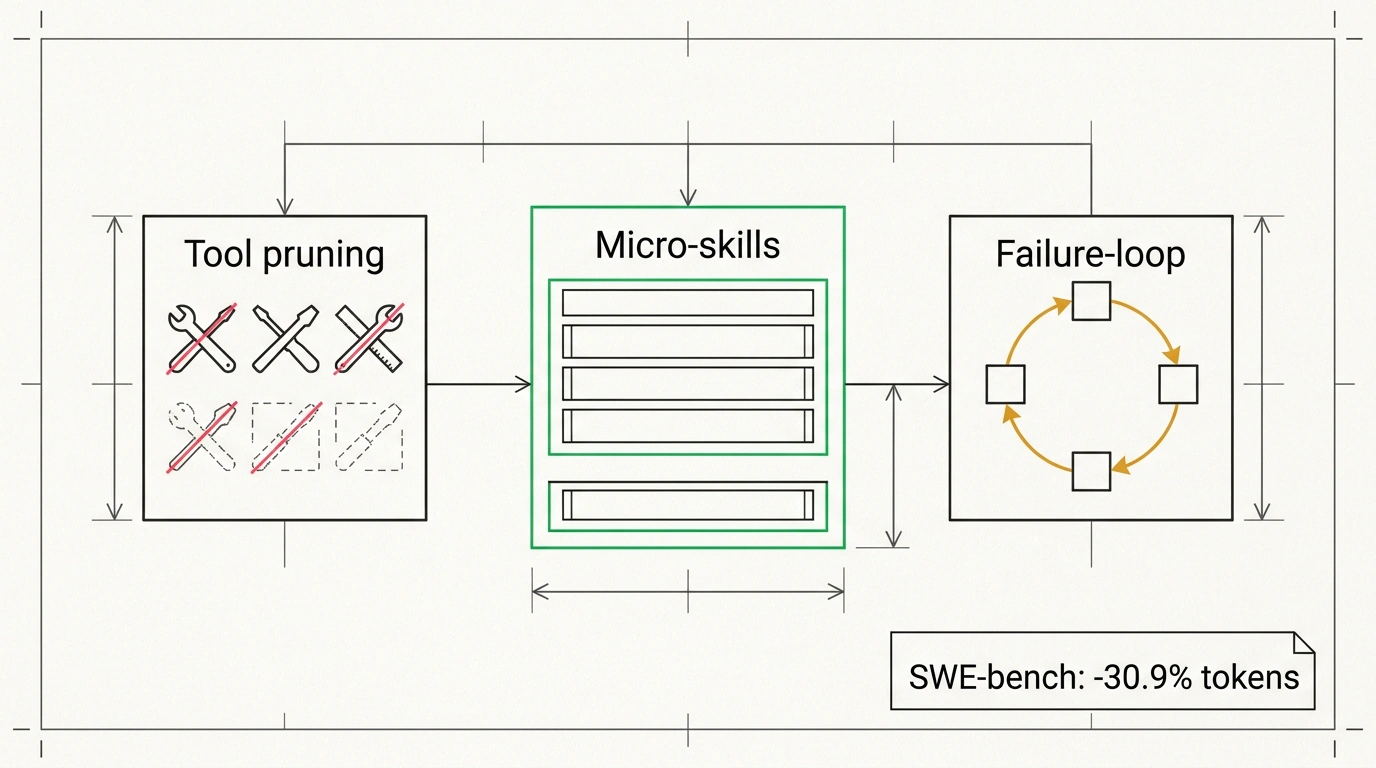
Just 17% of failed tasks burned nearly a third of the token budget. Meanwhile, 30% of all tool calls went toward rediscovering project facts the agent had already found a couple of hours earlier. Researchers from Microsoft Research, UC Berkeley, and Microsoft Security got these numbers by running Claude Code through 60 sequential tasks from SWE-bench, a popular benchmark of real bugs from open-source Python projects.
The pattern is painfully familiar. Every new session, your coding agent wakes up with a blank slate: it searches for the test command again, trips over a missing global pytest, and maps out the folder structure from scratch. And you pay for the same lesson every single time. To plug this leak, the team released the open-source TokenEconomizer plugin under the MIT license. It runs locally, never touches model weights, and learns from your past sessions.
Three Leaks Where Tokens Burn Away
The authors of the arXiv preprint ran tasks back-to-back in the same repositories, just like a normal workweek. That exposed three specific leaks.
The first is project 'amnesia'. After five completed tasks in the same repo, nearly a third of tool calls repeated actions from earlier sessions in that exact folder. Across different repos, the overlap was only 7%. The model wasn't relearning how to code. It was relearning your project's daily quirks: build order, environment variables, or using python -m pytest instead of bare pytest.
The second is deadweight from unused tools. At every step, 23 tool descriptions went into the context, and 16 of them were never used once. The model dutifully re-read that manual on every turn for nothing.
The third is expensive dead ends. A stuck agent doesn't just fail a task; it fails expensively. Those 17% of failed runs ate 32% of the total bill. The authors tested three popular open-source token-saving plugins on the same tasks, and no single winner emerged. Each one helped in some projects and hurt in others. A one-size-fits-all setting doesn't work: savings have to adapt to each specific repository.
How Token Economizer Works Under the Hood
The plugin works like a black box. You don't need to switch models, rewrite your agent, or set up a separate API key. All accumulated experience lives locally in ~/.tokeneconomizer, and it plugs into your workflow through standard hooks, startup context, and agent settings. Inside are three modules. Each one seals its own leak, and together they deliver the biggest savings.
Micro-skills cure project 'amnesia'. These are short, one-line notes about your repository: build commands, test flags, and config paths. The plugin collects them from repeated errors and through a reviewer model that checks logs once every 3 sessions. Junk protection is simple: a note enters the startup context only after being confirmed across 3 different sessions, and it gets dropped right away if newer sessions contradict it. In the GitHub version, this module is off by default, so you enable it with a separate command. There is also a lightweight mode that learns only from errors without extra model calls.
Tool pruning clears deadweight from the prompt. If a tool or MCP sits idle for 10 prompts in a row across at least two sessions (or 5 sessions of any length), the plugin hides it via the agent's settings. Core commands for reading files, editing code, and running terminal commands are untouched. Worried it might hide something you need? Turn on propose mode. The plugin will only suggest a list to hide, and you can bring any tool back with one toolprune restore command.
Failure-loop intervention catches expensive dead ends. After tracking at least 5 successful turns in a project to learn your normal pace, the module watches for repeated errors. When the agent hits the same wall over and over, a judge model steps in to tell real gridlock apart from slow progress. At 70% confidence or higher, it injects a short hint into the context to change approach, no more than once per turn. Still stuck? The plugin doesn't kill the task. Instead, it warns you and points out where to step in. And if the plugin itself ever crashes, your session simply continues as normal.
Benchmarks and the 'Lazy Reasoning' Trap
In the main test, researchers ran 277 SWE-bench tasks across six repositories on five agent-and-model pairs, starting from zero with no prior history. All numbers below are net figures: the cost of the plugin's own calls is already subtracted, factoring in real token caching.
| Agent + Model Pair | Cost Change | pass@1 Change |
|---|---|---|
| Claude Code + Sonnet 5 | −23.6% | +1.3 |
| Claude Code + Opus 4.8 | −30.9% | −1.0 |
| Codex + GPT-5.6 Terra | −24.7% | +0.9 |
| Codex + GPT-5.6 Sol | −26.1% | +1.6 |
| Copilot CLI + Sonnet 5 | −18.4% | +2.6 |
The pass@1 metric shows the share of tasks solved right on the first try. The table tells a clear story: in all 30 'repository × pair' combinations, runs got cheaper than the baseline without exception. Even better, accuracy ticked up slightly in four out of five pairs because the agent stopped wasting context on busywork. Only the heaviest model saw a small dip in exchange for the biggest drop in cost. Interactive charts are available on the project page.
Next, the team tested the plugin beyond bug fixes. On sequential web development tasks in Web-Bench, costs dropped by 16.0–21.2%. Even in two security audit benchmarks where every task ran in a fresh repo with no history, the bill still fell by 6.4–19.6%. Less context to learn from means a smaller effect, but the savings hold.
The most telling finding involves reasoning effort, the setting that controls how many internal tokens a model spends 'thinking'. Intuitively, you might wonder why you need plugins if you can just turn reasoning down and save money right away. Researchers tested that too. Token usage did drop to the same level or lower, but code quality fell sharply. The difference is simple: cutting reasoning saves money by making the agent dumber, while Token Economizer saves money by helping the agent know your project better.
Installation and an Honest Note on Warm-Up
Official support covers Claude Code, Codex, GitHub Copilot CLI, and Pi. Experimentally, the plugin works with opencode, Cursor Agent (macOS and Linux only), Hermes Agent, Grok Build, Antigravity CLI, and Factory Droid. You need an authorized agent and Python 3.10+. Do not delete the cloned folder, because agents run the plugin directly from it.
Installing for Claude Code:
# Clone the repository and keep the folder on disk
git clone https://github.com/microsoft/TokenEconomizer.git

# Register the local marketplace and install the plugin
claude plugin marketplace add "$PWD/TokenEconomizer"
claude plugin install tokeneconomizer@tokeneconomizer
Next, launch claude, trust the folder, and run three commands inside the session to check status, refresh the tool catalog, and turn on micro-skills:
# Check that the plugin loaded
/tokeneconomizer:status

# Refresh the tool catalog (once per machine and after agent updates)
/tokeneconomizer:toolprune refresh-catalog

# Enable Micro-skills (off by default in the GitHub version)
/tokeneconomizer:config set microskills=on
Out of the box, only tool pruning and failure-loop intervention are active. You run refresh-catalog once per computer and repeat it after agent updates. For the other official clients, the setup is similar:
# GitHub Copilot CLI
copilot plugin marketplace add "$PWD/TokenEconomizer"
copilot plugin install tokeneconomizer@tokeneconomizer

# Codex (check status after startup with $tokeneconomizer:status)
codex plugin marketplace add "$PWD/TokenEconomizer"
codex plugin add tokeneconomizer@tokeneconomizer

# Pi (check status with /te status)
pi install git:github.com/microsoft/TokenEconomizer
In Copilot CLI, start a session after installation and run /tokeneconomizer:status along with /tokeneconomizer:toolprune refresh-catalog. In Codex, restart the client after confirming hooks. All calls run through your regular agent subscription, and no code leaves for third-party servers.
In a new repository, the first 2–5 tasks can cost slightly more than usual as the plugin gathers stats and spends a few tokens warming up. In Claude Code tests, total cost across all repositories dropped below the baseline by the sixth task. The real payoff comes in repos where you work regularly, not one-off scripts.
If you want to test the waters without risk, leave toolprune in propose mode or keep microskills off for the first couple of days. Even the two default modules noticeably cut spending on long sessions.