You've been working on a project in Claude Code on Opus for an hour, your context is pushing a hundred thousand tokens, and a trivial question pops up: "Where is the logger config?" Your hand reaches straight for /model. You figure you'll switch to cheap Haiku, save your weekly limit, and switch right back.
In reality, that maneuver burns more of your limit than having Opus answer directly. It sounds backwards since Haiku tokens cost a fraction as much. Everything comes down to how prompt caching works and which three habits force the model to reread hundreds of thousands of tokens from scratch.
Why the Model Rereads 200x More Than It Writes
Imagine a friend in a messaging app whose memory wipes clean after every reply. You send message number 201, and they have to scroll back to the very top and reread the entire chat starting from the first "hello."
Language models work the exact same way. Between requests, they remember nothing. Every time you press Enter in Claude Code—and on every tool-call step—the client sends the entire stack back to the server: system instructions, tool definitions, project files, chat history, and terminal outputs.
In real work logs, the gap between reading and writing is massive. Across seven tasks on Opus, the model read roughly 160 million tokens while writing only around 500,000—about two hundred tokens read for every token generated.
To keep limits from vanishing in thirty minutes, Anthropic built prompt caching. The server remembers the processed start of a conversation, so on the next turn only the fresh tail gets billed at full price. Writing to the cache carries a markup: 1.25x the base input rate for five-minute storage and 2x for one-hour storage. Reading from the cache, however, is dozens of times cheaper.
Cached token read price (share of base input rate)
On newer models, the gap between a cache hit and a cold recalculation has grown huge. According to Anthropic's prompt caching pricing, cached reads on flagships cost pennies, so the easiest way to protect your quota is to stop breaking the cache.
Trap One: Switching Models and Tools Mid-Conversation
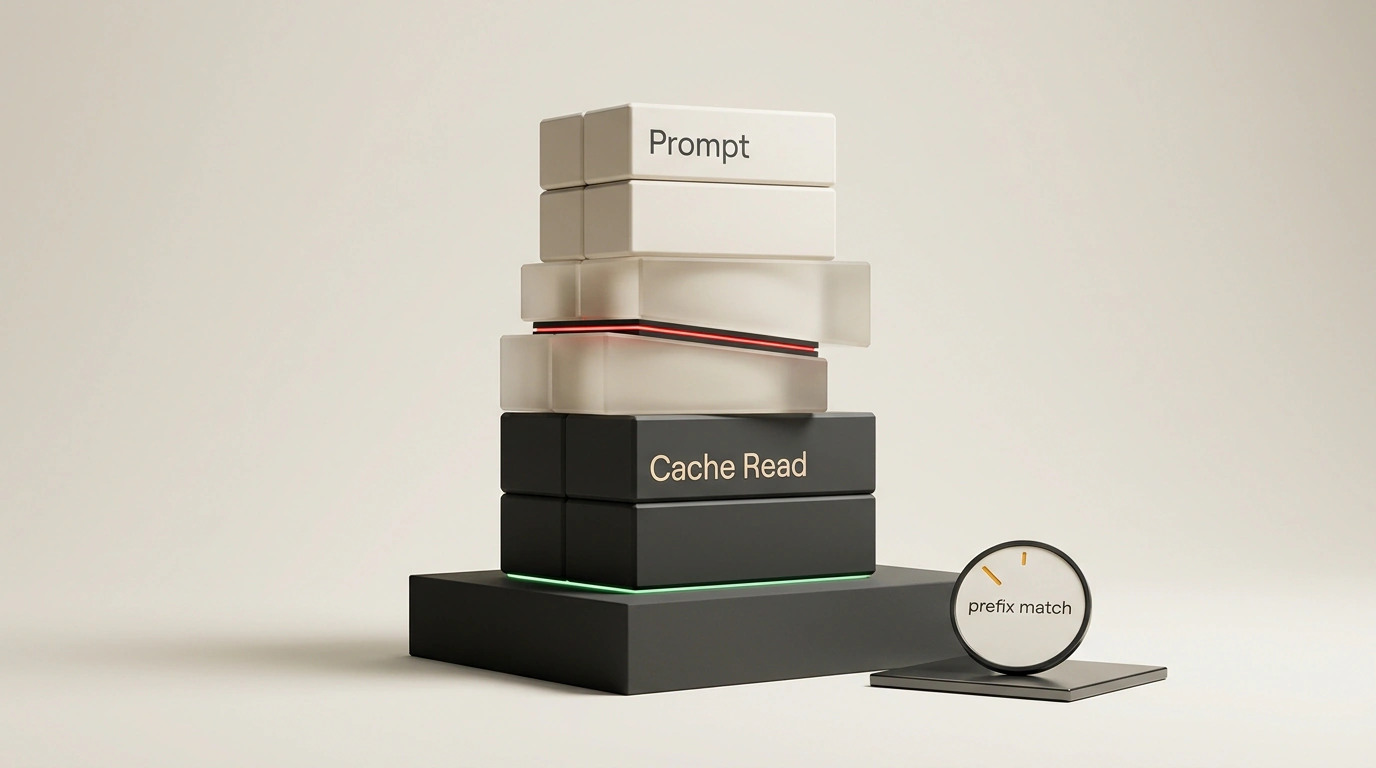
Think of a Lego tower. As long as you add bricks to the top, everything stays standing. Pull one brick out near the bottom, and you have to tear down everything above it and rebuild from scratch.
Claude Code's cache follows a strict prefix match rule. The server checks your request top to bottom starting from the very first token. In the Claude Code prompt caching docs, the layer order is fixed: System prompt (instructions and tools) at the top, followed by Project context (CLAUDE.md, auto-memory, global rules), and Conversation (messages, replies, and logs) at the bottom.
Change even a single byte in an upper layer, and the cache for everything below it expires. Claude Code engineer Thariq Shihipar explained that the tool's entire economics depend on this: the team runs alerts on cache-hit drops because high cache hits are what allow generous subscription limits.
Now revisit switching from Opus to Haiku at 100,000 tokens. Every model keeps its own isolated cache. After /model, Haiku's prefix matches nothing, so it has to reread and re-cache all one hundred thousand tokens at full price. Starting in v2.1.238, /model warns you about the reset whenever your cache is warm.
Adding or removing MCP servers or plugins mid-session, toggling fast mode, using opusplan mode, model auto-fallback, or updating the CLI mid-run all break the cache the exact same way.
Official Anthropic documentation on Prompt Caching (Source: platform.claude.com)
The second factor is cache TTL (Time To Live)—how long context stays warm without activity. In an interactive Claude subscription session, the cache lives for about an hour after your last message, while the API defaults to five minutes (with an optional one-hour TTL). Every new request resets the timer. In a 400,000-token session, a tiny ping to keep the cache warm cost around $0.08, whereas rebuilding a cold cache after a break burned nearly $3.50 of quota in a single turn.
Pick your model and connect MCP servers before you start, and hand off small chores to subagents. Each subagent gets its own chat and its own cache, leaving your main prefix untouched. You can check cache health with /usage (since v2.1.251, it includes a Prompt cache (main) line).
# 1. Pick your model once before starting work
/model

# 2. Check cache hit rate, misses, and TTL (v2.1.251+)
/usage
# Prompt cache (main): 14 requests · 91% of input tokens from cache ·
#   2 misses (last 6m 10s ago, 310.2k tokens re-cached) ·
#   warm (1h TTL, last activity 40s ago)

# 3. For a small lookup, ask for a subagent right in your prompt:
# "Use a Haiku subagent to summarize the error logs"
Locking your model and tools at the start and offloading one-off lookups to an isolated subagent keeps your foundation intact. If you want to watch the timer constantly, the costs guide shows how to surface prompt_cache fields right above the input box via statusline.
Trap Two: One Endless Chat for the Entire Workday
Even with a healthy cache, your limit drains fast if you keep a single chat open all day. Claude Platform lead Brad Abrams noted that cache hit rates in Claude Code typically stay above 90%. Still, when you fix a bug in the morning, draft an email at noon, and design a database in the evening inside one session, even cheap cached reads pile up into a heavy bill. It's like going on a day hike carrying backpacks from every trip you took last year.
The rule is simple: one task, one session. When you finish a feature, wipe the context with the free /clear command. If you might need to come back later, name the session when clearing and reopen it with /resume.
Inside one long task, /compact helps by summarizing the conversation around your chosen focus. The docs warn that on a massive history, /compact itself spends noticeable tokens—especially if the cache went cold—because the model has to reread the thread to summarize it. Between separate tasks, /clear always wins.
# Task done: clear history before starting the next one
/clear

# Clear with a session name so you can return via /resume
/clear oauth-migration

# Finished a phase inside one long task: compact with a focus
/compact keep the API changes and test commands
Extra context also piles up from vague prompts like "find the bug in the project." The agent opens dozens of files, and every single one stays stuck in the chat. It's much cheaper to name the exact file (src/billing/checkout.ts) and put a routing map at the top of CLAUDE.md.
# Project Overview
- Stack: TypeScript, Next.js App Router, PostgreSQL.
- Check: run `npm test` and `npm run typecheck` before finishing.

# Routing Map
- Checkout and pricing logic: `src/billing/checkout.ts`
- API route handlers: `src/api/handlers/`
- Database migrations: `db/migrations/`

# Hard Constraints
- Use 2-space indentation.
- Never edit files in `db/migrations/` after commit.
With a map like this, the agent jumps straight to the right folder instead of blindly scanning the repo. History grows slower, and every turn uses less quota.
Trap Three: A Bloated CLAUDE.md and Progressive Skill Loading
The third habit disguises itself as good hygiene: every time the agent slips up, you append another rule to CLAUDE.md. Over time the file balloons to hundreds of lines and hurts you twice. It loads in full at the start of every session, burning extra tokens, while also lowering accuracy as rules start contradicting each other ("document your code" at the top, "don't leave extra comments" at the bottom).
Anthropic saw this firsthand: for Opus 5 and Fable 5, engineers cut roughly 80% of Claude Code's own system prompt without any drop in internal test quality. Smarter models only need a clear goal, not micromanagement. Claude Code creator Boris Cherny recommends trying to delete old skills every six months to see if newer models perform better without them.
The Claude Code memory docs recommend keeping CLAUDE.md under 200 lines. You can spot redundant or conflicting rules with /doctor and /doctor prompt-audit. In practice, /doctor regularly catches a forgotten CLAUDE.md sitting on someone's desktop from an old project, silently loading into every session and burning 2,000 extra tokens at startup.
Claude Code documentation on project memory and CLAUDE.md files (Source: code.claude.com)
Step-by-step workflows and long checklists belong in Agent Skills (SKILL.md). Anthropic engineers Barry Zhang and Mahesh Murag built them around progressive disclosure. At session start, Claude sees only a tiny YAML frontmatter header with the skill's name and description. The body of SKILL.md loads from disk only when the skill is triggered, and files in references/ and scripts/ load only when a step reaches them.
---
name: release-checklist
description: >
  Step-by-step release verification and changelog preparation.
  Use when preparing a release, tagging a version, or auditing notes.
---

# Release Verification Workflow
1. Run `npm test` and confirm zero failures.
2. Check `CHANGELOG.md` for all merged PRs since the last tag.
3. Verify environment variables against `references/env-schema.md`.
You can ask the agent itself to move a long section out of CLAUDE.md and into .claude/skills/. Your root file stays a crisp project map with hard constraints, and bulky playbooks stop sitting as dead weight in every session.