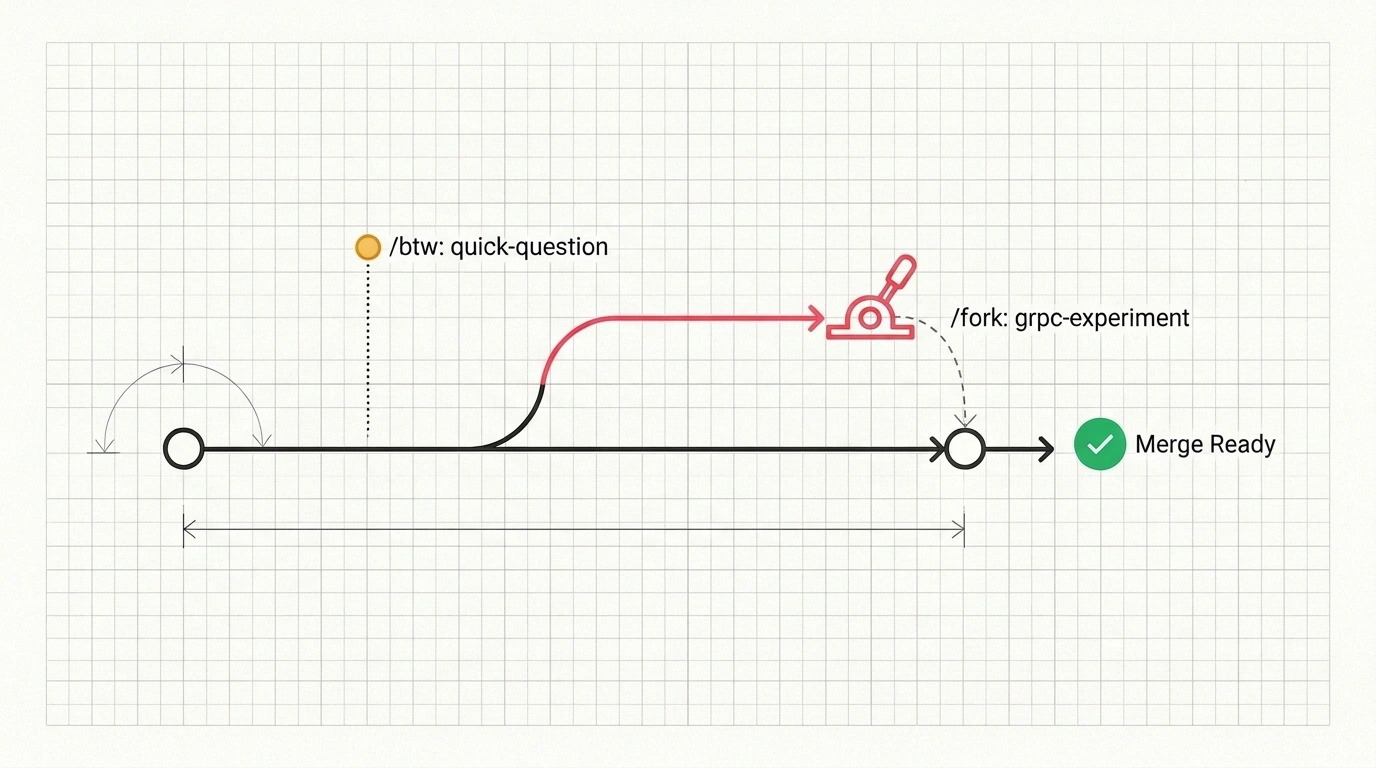
How do you test a risky idea in Claude Code or check a quick Docker flag without breaking your current thread or opening ten tabs? When you ask one window to update a service, then stop for a CLI flag, and then sketch a new architecture, your context turns into a junk drawer. Extra messages confuse the model, and across ten terminal tabs you quickly forget which session is still thinking and which one stalled.
In Claude Code Projects, covered on Julian Goldie SEO, Anthropic handed coordination to the agent itself. You talk to one main chat while work fans out across parallel branches underneath.
How the Coordinator Works and What a Thread Is Under the Hood
A thread in Projects is an independent worker with its own copy of the context. These branches usually run on Anthropic's servers, so tasks keep moving even if you close your laptop. Your main chat acts as the coordinator: drop in a bug report or edit list, and the agent spins up new threads or routes tasks to existing ones.
Whenever a branch edits code, it creates a separate Git branch and can open a pull request. An overview panel shows live statuses—who's working, who's done, and where your input is needed. The coordinator only sees short worker summaries, though you can jump into any thread and steer it directly.
/btw and /fork: Expectations vs. Reality in Projects
In standard Claude Code, /btw and /fork are lightweight single-window tricks: /btw (short for by the way) answers a quick question with no tools and stays out of history, while /fork copies the chat into a background session. In Projects, both commands go much deeper.
Let's test them on a real task. Say our main branch is updating PaymentService for Stripe webhook idempotency, and mid-task we need a Docker Compose flag and want to try switching transport to gRPC:
# Main branch handles the primary task
> Refactor PaymentService to support Stripe webhook idempotency

# Ask a side question without interrupting the main chat
> /btw what is the exact flag in docker compose to force recreate containers?

# View the log of recent side requests without arguments
> /btw

# Clone the current context into a separate branch for a gRPC experiment
> /fork experiment-grpc-transport
Here's what happens next. In Projects, /btw routes your side question into its own parallel thread that can call tools and do real work off to the side. The main PaymentService thread keeps rolling, and running /btw with no arguments lists your recent side branches.
/fork takes a snapshot of your accumulated context and launches an independent branch for the experiment. The main session keeps polishing webhooks while experiment-grpc-transport tests gRPC from the exact same starting point. If you want to switch into a new branch synchronously, the docs also list /branch. Once both branches reach a pull request, you compare the code and close the loser.
Reminders, Team Links, and the Beta's Rough Edges
Beyond branching, Projects adds four handy tools for daily work. You can set a reminder on any thread so it steps aside and pops back into the main chat at a set time. Cloud branches can be shared with teammates via read-only links, and generated artifacts show up as thumbnails in the sidebar. For local files, Remote Control bridges the cloud chat to your machine. You can also set project memory rules right in chat—for instance, cap active threads at two or only report blockers.
Still, the beta has rough edges. Memory rules act as soft guidance rather than a hard lock, and parallel threads plus /fork copies burn through subscription limits faster. Branches using Remote Control on your local machine can't be shared by link, and editing local files from two forks at once without separate Git branches risks conflicts. For now, Projects is in public beta for Pro and Max users via Anthropic's waitlist on web, desktop, and mobile—it hasn't landed in the terminal CLI, VS Code, or JetBrains yet.