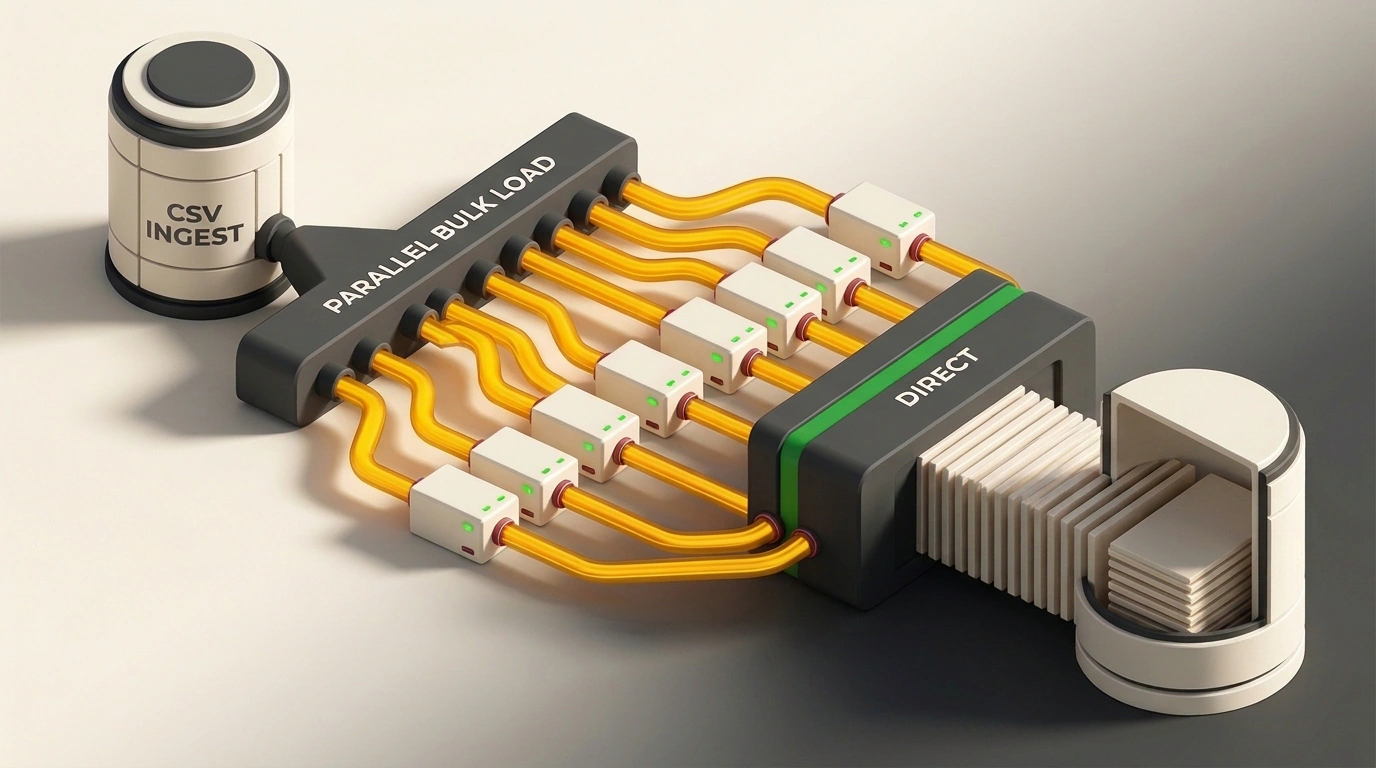
In November, developer Yuansong announced pg_fastload 1.0.0 on PostgreSQL News, releasing an open-source bulk loader under the BSD 3-Clause license. It addresses a familiar sight on multi-core servers: you start importing a gigabyte CSV on 16 cores, open a system monitor, and watch one core sweat while fifteen others sit idle.
Building on pg_bulkload 3.1.23, the author moved row parsing onto a pool of PostgreSQL background processes. Control file syntax and write modes stay the same, yet loading a 1 GiB CSV runs 6.07x faster than built-in COPY and up to 4.7x faster than pg_bulkload's own fastest CSV mode.
Why Standard COPY Hits a Single-Core Wall
When you need to load millions of log or analytics rows, built-in COPY ... FROM is usually the first tool you reach for. It is easy to assume the disk or Write-Ahead Log (WAL) is the main bottleneck. In practice, single-threaded imports choke the CPU before pages even reach disk.
The entire COPY pipeline—from reading the file to laying out database pages—runs inside a single server process. For CSV files, a state machine chews through bytes one by one, hunts for delimiters and quotes, and invokes a type conversion function for every column. On a 16-vCPU machine, fifteen cores do nothing while one core maxes out parsing text.
To work around this jam, teams split big files into chunks and launch a dozen parallel psql sessions. That works, but you lose single-transaction atomicity: if one stream hits a malformed row and crashes, the table ends up with partial data committed by the other sessions.
How the pg_fastload Pipeline Works: One Reads, Fifteen Parse
Loading data at high speed by bypassing the standard SQL parser is known as bulk loading. To parallelize it within a single connection, pg_fastload uses PostgreSQL kernel background workers and fast shared-memory message queues (shm_mq). These are ring buffers in RAM that let processes exchange batches of data without network or disk overhead.
The pipeline splits work into three stages, isolating file reads and table writes from parsing:
[ File on disk ]
        │
        ▼  (read exactly once)
[ 1 reader worker ] ──(shm_mq)──▶ [ N parser workers ] ──▶ [ 1 leader backend ]
                                   (parsing + HeapTuple)    (writes pages to DB)
Each stage has a strict role to prevent redundant disk reads:
- Single-pass reading. A dedicated
reader workerscans the file sequentially once. Parser workers never touch the file, so read volume stays at 1x file size and throughput doesn't collapse on dumps larger than OS cache. - Parallel parsing. Batches of bytes flow through
shm_mqqueues to theparser workerspool. Each worker on its own core splits lines into fields, converts types, and builds binaryHeapTuplestructures—PostgreSQL's internal row format. - Sequential insertion. Finished tuples return to the leader process, which packs them into 8 KB database pages on its own.
Even with PARALLEL = OFF, the extension beats its ancestor pg_bulkload by 1.22x. For unquoted rows without carriage returns, it replaces byte-by-byte scanning with memchr delimiter searches.
Building, .ctl Control Files, and Monitoring
Suppose you have a fresh event dump or a lineitem test dataset to load in seconds. The project builds for PostgreSQL 15–19 from a single codebase using PG_VERSION_NUM macros. Compiling from source uses standard PGXS:
git clone https://github.com/yuansong/pg_fastload.git
cd pg_fastload

make
sudo make install
After installing the binaries, enable the extension in your target database as a superuser. Open psql and run:
CREATE EXTENSION pg_fastload;
This creates the pgfastload schema with helper functions and a progress view. Next, define your job in a lineitem_fastload.ctl control file, whose syntax matches the pg_bulkload documentation:
OUTPUT = public.lineitem
INPUT = /var/data/lineitem.csv
TYPE = CSV

WRITER = DIRECT

PARALLEL = ON
PARALLEL_WORKERS = 15

SKIP_INDEX = ON
PROGRESS_NOTICE = ON
OUTPUT, INPUT, and TYPE set the target table, source file, and format (CSV, FIXED, or BINARY). PARALLEL = ON spins up 15 workers, SKIP_INDEX = ON speeds up index handling, and PROGRESS_NOTICE = ON streams progress to your console.
Start the load with a single terminal command:
pg_fastload -d analytics_db -U postgres lineitem_fastload.ctl
The tool launches workers and streams data inside one transaction. For multi-gigabyte loads, you can monitor progress from another SQL session using the cluster-wide view:
SELECT pid,
       read_bytes / 1024 / 1024 AS read_mb,
       written_tuples,
       load_rate,
       progress_percent,
       eta
FROM pgfastload.pg_fastload_progress;
This query returns the process PID, megabytes read, row count, current throughput in MB/s, and estimated time remaining. In the reverse direction, pg_fastload_export() exports tables or SELECT queries to CSV, BINARY, or FIXED up to 9.33x faster than COPY TO: 7.4 million rows (1.13 GiB) finish in 0.42 seconds versus 4.08 seconds single-threaded. Export logs also record the MVCC snapshot (xmin, xmax, cid) for exact slice auditing.
Single Transaction, WAL Bypass, and Crash Recovery
Record speed requires paying attention to write mechanics. Parallel parsing happens before insertion, while the leader holds one normal transaction. If row ten million contains bad data, the entire transaction rolls back cleanly.
Why do 15 workers hit a ceiling at 1.37 seconds per gigabyte once parsing CPU is no longer the limit? That is the bottleneck of stage three: the leader fills 8 KB pages and flushes them to storage alone. At 1.37 s/GiB, page packing and logging overhead take over.
The WRITER setting controls storage behavior:
WRITER = DIRECTmode. Enabled by default, it writes pages straight to table files, skippingshared_buffersand WAL row logging. On data errors, the leader transaction rolls back normally. However, if the server crashes,pg_ctl startWAL replay won't see these changes, and rows won't reach replicas or PITR archives.WRITER = BUFFEREDmode. Writes go throughshared_bufferswith full WAL logging. Speed drops to roughly 2.5–3.5 seconds per gigabyte of CSV, but replication and crash recovery work as expected.
To avoid a corrupted table after a crash in DIRECT mode, the tool tracks .loadstatus files in $PGDATA/pg_bulkload/. If the server crashes mid-load, run a manual cleanup before restoring traffic:
pg_fastload -r -d analytics_db -U postgres
The -r flag reads .loadstatus files and cleans incomplete direct writes from table files. On production systems with replicas, stick to WRITER = BUFFERED and save DIRECT for staging or standalone analytics tables.
Benchmark Numbers and Where It Fits
The author benchmarked 1 GiB of TPC-H lineitem data (7,375,042 CSV rows) on 16 vCPUs with warm cache, an empty unindexed table, and WRITER = DIRECT. Across the median of three runs, results stacked up like this:
| Tool and Mode (1 GiB CSV) | Time | Speedup vs. COPY FROM |
|---|---|---|
pg_fastload (15 workers) | 1.37 s | 6.07x |
pg_fastload (4 workers) | 1.58 s | 5.27x |
pg_fastload (PARALLEL = OFF) | 5.81 s | 1.43x |
pg_bulkload 3.1.23 (WRITER = DIRECT) | 6.98 s | — |
COPY into UNLOGGED table | 7.51 s | — |
Built-in COPY ... FROM | 8.32 s | 1.00x |
A full format matrix over three alternating rounds reveals another detail. Original pg_bulkload's fastest mode is two-process WRITER = PARALLEL, which beats DIRECT by about 13%. On BINARY and FIXED, pg_fastload is up to 1.58x faster than that mode: 0.88 seconds versus 1.39, and 0.90 versus 1.42 respectively. On CSV, the gap widens to 4.7x—1.40 seconds versus 6.63 for pg_bulkload's fast mode and 9.22 for BUFFERED.
On indexed tables, SKIP_INDEX = ON helps. Maintaining a single btree index during loading isn't parallelized and adds around 1.9 seconds per gigabyte, so the tool drops secondary btree indexes inside the same transaction, loads the rows, and prints CREATE INDEX statements to rebuild them. PRIMARY KEY, UNIQUE, and EXCLUSION indexes are protected from removal.
The parallel engine doesn't engage in every scenario. The code hardcodes 13 conditions that automatically fall back to a sequential path with an INFO log entry. Parallelism turns off for FILTER or FORCE_NOT_NULL, explicit ENCODING, PARSE_ERRORS > 0, STDIN streams, TUPLE or FUNCTION types, NOT NULL and CHECK constraints, and complex partitions with foreign tables or triggers. Even then, pg_fastload uses an optimized single-threaded path that still beats COPY on unquoted rows.