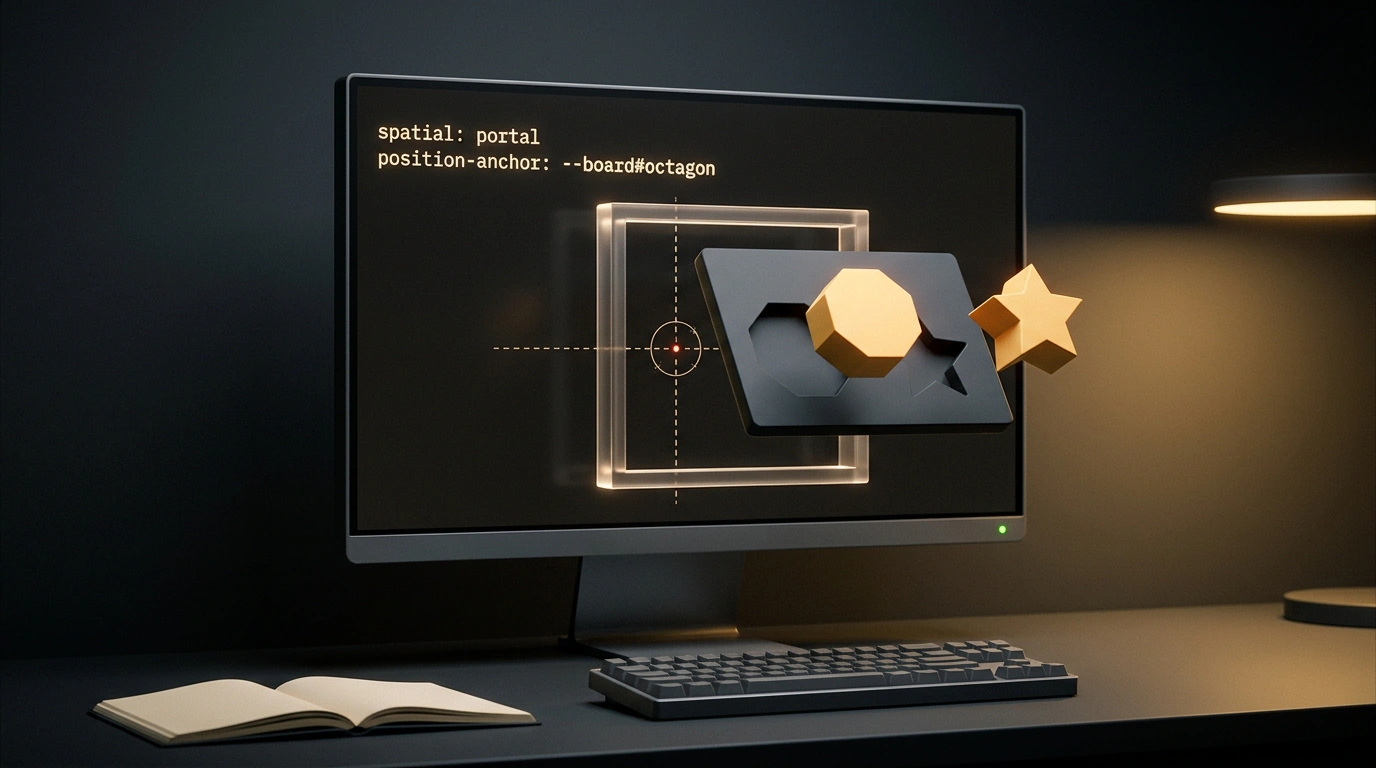
"While it's a big conceptual leap, Spatial CSS itself is made up of lots of small additions to existing syntax." — Brandel Zachernik, WebKit Blog
Sounds almost bold, doesn't it? You spend years thinking of 3D in the browser as a heavy world of projection matrices, shaders, and separate JavaScript render loops. Then a WebKit engineer says you can control all of it with regular CSS rules. In the November Safari update on visionOS 27.3, Apple rolled out a developer preview with the first primitives from the CSS Spatial Module Level 1 specification.
Let's set expectations clearly right away. Right now, this is an experimental sandbox behind the CSS Portals feature flag. You can try it on a Vision Pro headset or in the visionOS simulator from Xcode. However, the standard's architecture goes beyond headsets: the same techniques are meant to work on phones, tablets, and desktops in the future. Let's use WebKit's live webkids-puzzle-playground shape-sorter demo to see how this mechanic works under the hood and why it required rethinking the cascade.
Why Pull 3D Out of Canvas into Regular CSS
To understand the standard's goal, look at how 3D graphics live on websites today. Usually, a developer places a <canvas> element on the page, loads a heavy WebGL engine, and hands over a rectangle of pixels. Inside that rectangle, you can draw anything from a spaceship to a sneaker configurator.
The problem is that <canvas> remains an opaque glass display case to the browser itself. Everything behind the glass is completely cut off from the DOM tree and CSS. Want to adjust scene brightness for dark mode using @media (prefers-color-scheme)? You have to write JavaScript glue code and forward events into the engine. Want to respect @media (prefers-reduced-motion) and stop unnecessary camera rotation? That takes more manual code and state tracking. Screen reader accessibility and simple CSS transitions are out of the question, because the cascade cannot reach inside the canvas.
Apple took the first step to fix this isolation with the <model> tag, which already works across all platforms in Safari 27. It lets you embed a 3D model as easily as an image via <img>. That soon revealed another limit: a standalone <model> shows a single object in its own isolated box. You cannot build a scene with multiple objects that interact, sit on the same table, and share the same lighting.
Spatial CSS solves this exact problem. Instead of inventing a new markup language, editors at the W3C brought spatial mechanics directly into declarative CSS. When styles manage the layout, the page adapts 3D content to window size, aspect ratio, color theme, and motion preferences just like regular product cards. Numeric properties like offsets and rotation angles animate smoothly with standard transitions and zero extra JavaScript.
If you have a Mac with the visionOS simulator in Xcode or a headset nearby, enabling the preview takes four clicks. Open Settings → Apps → Safari → Advanced → Feature flags and turn on CSS Portals. After that, the webkids-puzzle-playground demo with a blue shape-sorter board and orange 3D pieces comes alive in real space.
Spatial CSS in Safari: How WebKit's New Standard Brings 3D Models to the Spatial Web
The <model> Element and spatial: portal Container
Before diving into markup, let's cover two formats that rarely show up in everyday frontend work. First are 3D assets in .usdz files. This is a compressed Universal Scene Description container originally built at Pixar, which Apple adopted for its RealityKit engine. A single .usdz file packs object geometry, textures, materials, and optional built-in animations.
The second term is a portal, defined by the new spatial: portal CSS property. In standard layouts, any block like <div> or <figure> is a flat rectangle on a sheet of paper. Even when you rotate cards with perspective, the browser simply warps flat layers, and intersecting shapes slice through each other like cardboard. Setting spatial: portal turns the container into a real 3D aquarium or volumetric niche right inside the page. In the CSS Spatial Module Level 1 draft, this is called a spatial formatting context: all child elements inside it enter a shared room and use a single coordinate system.
On WebKit's starter demo, the scene with the sorter board, octagon, and star looks remarkably simple. Here is the HTML structure of the container and its nested models:
<div class="world" style="spatial: portal;">
  <model id="board" src="board.usdz"></model>
  <model id="octagon" src="octagon.usdz"></model>
  <model id="star" src="star.usdz"></model>
</div>
Three separate objects appear inside the .world block. The first <model> loads the blue platform with cutouts, the second loads the orange octagon puck, and the third handles the orange star. The interesting part happens behind the scenes: even though the models come from separate files, the browser no longer renders each one in isolation.
Because of spatial: portal on the parent <div>, all three assets occupy a shared volume. The engine understands their relative positions, depth, and intersections just as if they were exported from one project. The specification also plans for portals to combine regular HTML content in the future, though the visionOS 27.3 preview focuses on 3D models.
3D transform: Moving and Rotating Parts in Space
If you leave the markup from the previous step as is, all three models pile up at the center of the portal. You don't need to open a 3D editor and re-export geometry just to spread the pieces around the board. Inside a spatial portal, good old transform takes over.
There is a subtle detail under the hood worth knowing. In standard CSS, flat and pseudo-3D transforms run through DOMMatrix, which simply applies a visual effect to a flat document layer. Once the parent gets spatial: portal, that same DOMMatrix starts controlling the true 3D position of objects in space.
You can use familiar pixels or real physical units like centimeters (cm) for offsets. On a headset or calibrated display, the engine understands the physical scale of the scene. Here are the styles WebKit uses to place the pieces on either side of the sorter board:
#octagon {
  transform: translateX(-50cm);
}

#star {
  transform: translateX(50cm);
}
Let's trace those six lines in our scene. The #board platform stays at the origin in the center of the portal. Meanwhile, #octagon shifts 50 centimeters left along the X axis, and #star mirrors it 50 centimeters to the right. As a result, the user sees a neat layout with the board in the middle and two sorting pieces waiting on the sides.
Why move these offsets into CSS when you could bake an animation straight into the .usdz file? It comes down to flexibility. A timeline inside a model plays one pre-recorded sequence, such as a piece dropping from above. Controlling each model with transform (translateX, translateY, translateZ, and rotations around all three axes) gives you independent degrees of freedom. WebKit's demo page even hooks up a settings panel to move and rotate the board and pieces independently on the fly.
Assembly Without a Ruler: position-anchor and 3D Anchor Points
Placing pieces on the edges of the screen is easy, but fitting the orange octagon into its slot on the board using transform quickly becomes a headache. Imagine eyeballing translateX, translateY, and tilt angles for a multi-part object like furniture or a building kit. Nudge or rotate the board slightly, and every carefully tuned child coordinate breaks.
On a flat page, you would solve this by nesting one <div> inside another so they move together. That trick fails with <model> in 3D because <model> is a void element, like <img> or <br>. By HTML rules, you cannot nest other tags inside it.
Here, two concepts from 3D graphics and modern CSS meet. First, in 3D editors: when an artist builds the sorter board in shapeblocks.blend, they create the visible board geometry and place invisible markers inside it. In 3D software, these are called null objects or empties. An empty has no polygons or textures; it only stores an exact point in space and axis rotation. The sorter project includes two target empties marking the centers of the octagon and star slots.
The second concept is CSS Anchor Positioning. In standard layouts, position-anchor pins a tooltip to a button even when they sit in different branches of the DOM. Spatial CSS extends this mechanism into three dimensions: the parent model declares an anchor name, and a second model attaches to a specific named marker inside it. Here is how WebKit drops the octagon cleanly into its slot:
#board {
  anchor-name: --board;
}

#octagon {
  position-anchor: --board#octagon-position;
  position-context: anchor;
}

#star {
  display: none;
}
Look at how these CSS rules work. anchor-name: --board; registers the sorter platform itself as a reference point named --board. Then, on #octagon, we write position-anchor: --board#octagon-position;. The hash syntax targets a specific empty anchor inside board.usdz rather than the board's overall center.
Attaching alone isn't enough, so the next line adds the required position-context: anchor; property. It switches the octagon's coordinate system so its own center and orientation axes align strictly with that slot marker. Meanwhile, the extra star is hidden with familiar display: none;, removing it cleanly from the 3D scene.
The best part of this approach is that you no longer copy millimeter-exact numbers from a 3D editor or calculate trigonometry in scripts. If a designer moves a slot in the source model or animates the anchor point over time, the attached piece follows automatically. You can still layer local transform offsets on top of the anchored position, such as making a piece slide smoothly out of its slot on hover.
Room-Like Lighting: @environment-map and HDR Panoramas
Even perfectly placed 3D shapes look like cheap 1990s plastic without proper lighting. When you turn a matte cube or metal part in your hands, its surfaces reflect the entire room: the window, ceiling lamp, and wall colors. In 3D graphics, this technique is called Image-Based Lighting (IBL).
Instead of manually placing a dozen virtual spotlights around a model, developers wrap the scene in an invisible sphere textured with an .hdr panoramic photo. Unlike a standard JPEG, a High Dynamic Range file stores both dim corner shadows and blinding lamp highlights. The projection is called equirectangular: picture a globe neatly sliced and unrolled into a wide rectangle.
When <model> first launched, environment maps were set via an HTML attribute directly on the element. Once models were combined into a shared portal, lighting needed to apply to the whole scene and switch easily through styles. Inspired by @keyframes, WebKit engineers added a new @environment-map at-rule to Spatial CSS. Adding a spooky class to .world switches on moody night lighting via styles:
@environment-map {
  name: "spooky";
  format: equirectangular;
  src: url("night.hdr");
}

.world.spooky {
  environment-map: "spooky";
}
Inside @environment-map, we register a named lighting preset: we call it "spooky", tell the browser the projection format is equirectangular, and point src to the 360-degree night.hdr panorama. The second rule, .world.spooky, applies that lighting to the entire portal with a single environment-map: "spooky"; line.
Screenshots from the WebKit blog show the effect immediately: the bright blue board drops into deep shadow against a dark brown backdrop, while eerie green, purple, and orange light glows along the edges and cutouts of the orange pieces. Notice how practical this is for dynamic UIs: to switch from daylight to night lighting in dark mode, you just wrap environment-map in @media (prefers-color-scheme: dark) or toggle a CSS class on the container.
Interactive Orbit and Leaving the Window: portal-action and requestVolumetricScene()
A static 3D picture that you cannot spin with a finger or gaze quickly disappoints. In 3D software, dragging a scene to rotate the camera around its center is called orbit. Previously, a standalone <model> used the HTML attribute stagemode for this behavior. The new standard moves interactivity into CSS via portal-action.
Setting it up takes just three lines of CSS:
.world {
  portal-action: orbit;
}
Once you add portal-action: orbit, the browser intercepts gestures over the portal and turns it into an interactive scene you can inspect from every angle. Keeping this logic in CSS makes behavior much more flexible than HTML attributes: you can enable rotation gestures on mobile and disable them in a narrow desktop sidebar with one media query. Spec authors also plan to expand the modes with values like pan-x and pan-y for axis panning.
The biggest feature for spatial headsets comes next. On visionOS, a regular webpage lives inside a flat Safari glass window by default. What if a user wants to pull the assembled 3D scene out and set the shape sorter or a piece of furniture right on their physical desk? That is what the preview's Connected Volumetric Scene mechanism and requestVolumetricScene() JavaScript method do.
Here is how a button click launches that mode:
const launchSpaceButton = document.querySelector("#launch-space");

launchSpaceButton.addEventListener("click", (event) => {
  const world = document.querySelector(".world");
  world.requestVolumetricScene();
});
Let's trace what happens after clicking #launch-space. First, the browser won't let a script call requestVolumetricScene() automatically on page load. It must run inside an explicit user gesture handler so aggressive sites cannot flood your room with unsolicited 3D ads. Second, once the system approves the request, the .world container detaches from the flat browser window and becomes an independent volumetric object you can place anywhere in your space.
The best part is in the word Connected. The scene floating in your room isn't a frozen snapshot; it keeps a live link to the webpage. If page code inserts a new <model> into .world, removes a piece, or updates its CSS transform, the object hovering in your room updates in real time.
Standard Status, USDZ vs. glTF, and Preview Limits
Looking at the big picture, this is an early sketch of a future standard rather than a production-ready tool. The CSS Spatial Module Level 1 spec is being developed in the W3C CSS Working Group, edited by Ada Rose Cannon and Elika Etemad. The draft is currently establishing core rules for spatial formatting contexts, portal scenes, and 3D anchor positioning.
Device availability is still tightly limited. While <model> has shipped in Safari 27 across Apple platforms, Spatial CSS with portals, 3D position-anchor, and @environment-map exists only as a developer preview behind the CSS Portals flag in Safari on visionOS 27.3. Other browsers are still on the sidelines: neither Chromium nor Gecko teams have published timelines for CSS Portals beyond early standards discussions.
3D model formats are another sticking point. The visionOS 27.3 preview relies on .usdz, which Apple's RealityKit engine handles natively. Outside Apple's ecosystem, however, the open glTF format (and its binary GLB variant) has long been the web's de facto standard for 3D content. The W3C working group is actively discussing mandatory glTF/GLB support; without it, developers would have to convert and host two sets of models for different browsers.
These limits don't change the core takeaway: a declarative approach removes a huge layer of frontend boilerplate. Complex games, procedural shaders, and custom physics will still need dedicated <canvas> engines. For product showcases, assembly guides, configurators, and interactive illustrations, building 3D compositions with regular CSS already looks practical, and WebKit is inviting developers to test it in the simulator and share feedback on the WebKit bug tracker.