If you've ever tried trusting an AI agent with a real task tougher than writing a thirty-line function, you know that exact sinking feeling. In promo videos, virtual assistants casually spin up startups in five minutes; in real life, they hit context overflow, start walking in circles, endlessly rewrite the same file with a syntax error, and burn through your API balance faster than you can hit Ctrl+C.
The autonomous bot market in 2026–2027 is overheated with promises: hundreds of frameworks and apps swear they'll wipe out your busywork. But what actually survives in production, and what crumbles at the first unexpected edge case? Tech commentator and entrepreneur Riley Brown, who runs a media business reaching over two million people, decided to answer that question head-on—with an empirical $10,000 stress test. He burned the entire budget on subscriptions, infrastructure servers, and endless tokens, pushing agents through hundreds of real workflows: from slicing video content and building web services to scraping competitors and handling business email.
I went through the results of this massive experiment, dissected the published configs, and tested the combinations on my own tasks. Let's look at which three tools survived the marathon, why monolithic bots lose to a distributed stack, and how to protect your wallet from models stuck in an infinite loop.
Why All-in-One Super-Agents Inevitably Lose in Production
The biggest illusion any AI enthusiast runs into is the hunt for "one perfect neural network for everything." You want to open a familiar web chat, dump three gigabytes of files into it, type a vague request, and walk away to grab coffee.
In practice, that idea shatters against the basic physics of large language models. When a single model tries to hold a complex repository in memory, steer a browser, recognize GUI elements, and generate prose all at once, you hit what researchers call attention dilution. The model's focus smears across a massive pile of input data, and the odds of a critical mistake on each step climb exponentially.
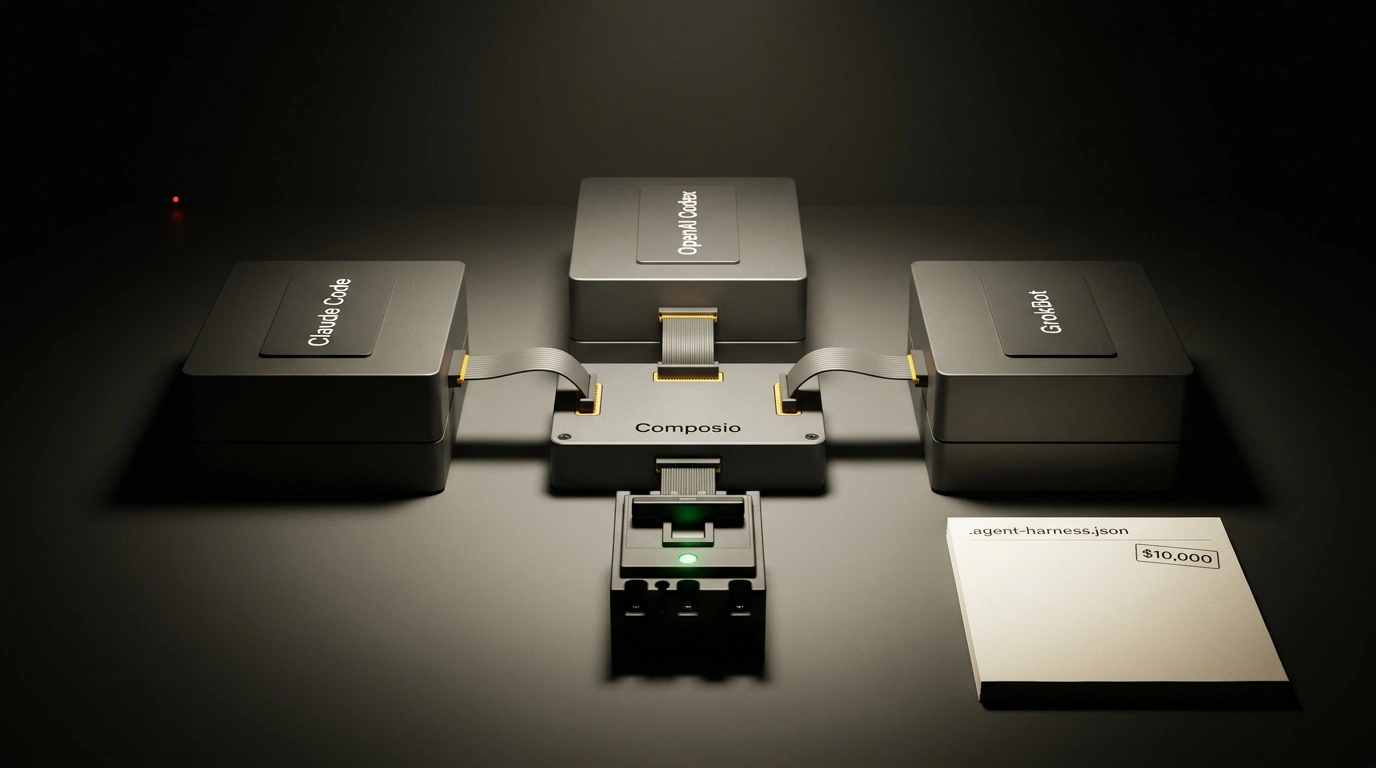
Brown's takeaway after burning thousands of dollars: resilient production relies strictly on a hard division of labor among specialized agents. His final architecture features three core workers and one connecting bus:
- Anthropic's Claude Code: A terminal agent built for local file systems, diff calculation, and deep architectural work across a codebase.
- OpenAI Codex paired with Computer Use: A specialist in fast modular code generation and operating-system control via UI clicks wherever an API simply doesn't exist.
- xAI's GrokBot: An always-on cloud agent inside an isolated container with a browser and terminal, ideal for multi-hour background web tasks.
- Composio (Composio Instant): A centralized tool bus unifying auth keys, permissions, and agent skills behind a single gateway.
Let's examine each player in this stack up close.
Claude Code's Terminal Architecture: Breaking Out of the Browser Box
If you're still using Claude through the standard web Projects interface, you're tapping only a fraction of the model's power. A browser window is walled off from your machine: to feed the model a file, you upload it manually; to apply suggested code, you copy it back and check if it compiles.
Claude Code works differently from the ground up. It's a CLI agent that runs straight inside your workstation's terminal or on a remote VM. It sees your directory tree, searches files with regex via grep and ripgrep, runs tests, and—most importantly—applies edits through exact patch-based diffs rather than rewriting entire files from scratch.
The tool's real muscle shows up in Session Coordinator mode. Imagine this task: an hour-long presentation video lands in a folder, and you need to cut the three punchiest clips, reformat them to 9:16, and upload them to cloud storage. A human would spend an hour and a half grinding in a video editor. In Claude Code, a top-level coordinator slices the job into independent subprocesses and spins up child background agents.
Here is what a real terminal invocation looks like:
# Initialize a Claude Code session in coordinator mode, skipping prompts for safe commands
claude-code --dangerously-skip-permissions --session-mode=coordinator

# Launch a multi-step batch media processing pipeline
claude-code run "Find the raw file Keynote_Raw.mp4 in ~/Media/, extract the transcript via ffmpeg, pull three key takeaways with timestamps, cut vertical 1080x1920 clips, and upload the finished videos to the Releases folder on Google Drive via Composio"
The coordinator calls ffmpeg itself, checks free disk space, monitors rendering, and reports back in the terminal after each step. If a child process crashes with a codec error, the coordinator reads the error log, tweaks the command flags, and retries without human intervention.
OpenAI Codex and Computer Use: Modular Codegen and UI Control
While Claude Code plays the deep systems architect, OpenAI Codex acts as the high-speed tactical executor in this stack.
Testing drew a sharp boundary around where it shines: asking Codex to refactor the architecture of a sprawling monolith is a losing bet—the model drops the thread across branching dependencies. But when you need a quick one-off script, a helper scraper, or a Python integration module, Codex cranks out clean, working code faster and cheaper than rivals.
OpenAI's second trump card is tight integration with Computer Use and a voice pipeline (paired with the Dots app). Real businesses constantly wrestle with legacy software, custom-built CRMs, or desktop utilities that have zero APIs. Codex can watch the screen via periodic screenshots, spot input fields, click by coordinates, and press system hotkeys.
Brown demonstrated a slick workflow: while on the road, you dictate a task into Dots by voice: "Check ad campaign analytics in the closed desktop dashboard, export to Excel, and drop a summary into Slack." The voice stream turns into a structured directive, Codex takes over the office PC screen, clicks through the old interface, and delivers the finished report.
xAI's GrokBot: Autonomous Background Jobs in Isolated VMs
A third major headache with agent systems is hardware tethering. If you launch a heavy agent locally, you can't close your laptop lid, lose Wi-Fi, or reboot: the session snaps and all progress evaporates.
Enter GrokBot from Elon Musk's xAI team. Unlike ordinary chatbots, GrokBot spins up a full cloud container under the hood with persistent state, its own file system, and a built-in browser.
GrokBot's signature trick is demonstration-based routines. You show the agent a sequence once: log into a public registry site, enter a search query, clear Cloudflare checks, export a table of new filings, and filter the target rows. The agent packages that walkthrough into a reusable skill and puts it on a schedule.
From there, the bot lives on xAI's servers. Every morning at 08:00, it boots a browser session, gathers fresh data, checks for diffs, and sends you a compact report. Your laptop can be powered off—the agent isn't tied to local hardware.
Composio as a Universal Tool Bus: Taming the API Zoo
For a long time, authentication was the worst nightmare in multi-agent engineering. Picture having three agents that each need access to your GitHub, company Slack, Google Drive, Linear, and inbox. Wiring OAuth flows, storing tokens, refreshing expired sessions, and writing wrappers per service turned into a multi-week side project.
A standout discovery from the $10,000 experiment was using Composio as a universal Tool Bus. Composio sits as a single broker between models and the outside world:
- You authorize your services once inside Composio's secured console.
- The platform automatically translates hundreds of actions into standard Function Calling schemas or Model Context Protocol (MCP) specs.
- Any agent in your stack—Claude, Codex, or Grok—taps every tool through one unified interface.
Composio Instant is especially slick. If an agent realizes mid-task that it lacks access to, say, a Notion database, it doesn't crash with a fatal error. On the fly, it generates a one-time secure link and drops it in your chat: "I need access to the Knowledge Base page in Notion—approve authorization via this link." You click one button in your browser, and the agent resumes right where it left off without restarting the session.
The Memory Trap and Context Drift: Preventing Attention Dilution
Now let's talk about the rakes that burned through most of the experiment's budget. The sneakiest enemy of long agent sessions is Context Drift.
Marketers love bragging about one- or two-million-token context windows. Yet Brown's measurements showed a sobering reality: if you blindly stuff an agent with the entire history of prior steps plus long terminal command logs, instruction-following accuracy drops by 40% after just thirty dialog turns. The model forgets initial system constraints, mixes up variables, and starts looping.
To keep an agent from turning into a forgetful mess, a strict memory protocol emerged:
- Forced Auto-Compacting: Every 15 steps, the agent must summarize intermediate results and write them to an external flat file,
.agent_state.md. - Context Window Flushing: Once state is saved, the dialog context is wiped clean. The agent starts the next iteration with a fresh head, loading only the system prompt and the compact state file.
- Structured Artifact Handoffs: Raw log dumps or full source documents are never passed between agents—only strict JSON objects holding key parameters.
Protective Harness and Circuit Breakers: Production .agent-harness.json
Without hard guardrails, an autonomous agent is a near-perfect money-burning machine. Testing caught cases where a bot stuck on a missed semicolon in a regex tried forty fixes in a row and torched $300 in a couple hours overnight.
Engineering diagram of a protective harness: Circuit Breaker parameters, budget cap, and tool routing in a clean technical interface.
To rule out those blowups, Riley Brown anchored his production stack with a .agent-harness.json config file. The runtime loads this manifest before any job starts and enforces unbreakable ground rules:
{
  "orchestrator": {
    "engine": "claude-code",
    "mode": "coordinator",
    "max_subagent_depth": 2,
    "timeout_seconds": 1800
  },
  "budget_guardrails": {
    "max_cost_per_task_usd": 15.00,
    "max_consecutive_tool_failures": 3,
    "alert_webhook": "https://api.composio.dev/v1/alerts/slack"
  },
  "context_management": {
    "pruning_threshold_tokens": 64000,
    "auto_compact_interval_steps": 15,
    "persistent_state_file": ".agent_state.md"
  },
  "tool_routing": {
    "browser": "grokbot-headless",
    "code_generation": "openai-codex",
    "file_system": "claude-code-local",
    "integrations_hub": "composio-instant"
  }
}
Look at how that safety net works:
- Circuit Breaker:
max_consecutive_tool_failures: 3means if an agent hits an error calling the same tool three times in a row, the session freezes immediately. No fourth try allowed. - Per-Task Budget Cap:
max_cost_per_task_usd: 15.00guarantees no single ticket can burn more than fifteen bucks. Hit the ceiling, and the worker trips an emergency stop. - Slack Alerting: On any failure, the system fires a webhook to a team channel with a dump of the last five actions and a link to
.agent_state.md. A human can step in, tweak a single line of instruction, and resume right from the breakpoint.
Economics of an Agent Stack: Paying It Back and Saving 30 Hours a Week
Let's tally the dry financial bottom line. Ten thousand dollars is a hefty bill for private R&D, but it filtered out 90% of unviable marketing fluff and crystallized a setup that actually holds up.
Deploying this triad (Claude Code for files and architecture, Codex for modules and UIs, GrokBot for cloud web tasks) backed by Composio yields tangible returns:
- A 3–4 person team saves 25 to 30 hours a week on routine operations.
- The unit cost of resolving a complex automation or refactoring ticket stays between $3 and $12 thanks to tight token discipline.
- Human error disappears from repetitive morning routines like pulling analytics and prepping media assets.
Autonomous agents in 2027 are no longer a toy for geeks. Yet their real ROI isn't decided by the loudest model name—it comes down to architectural discipline: clear role separation, context-window hygiene, and reliable automatic circuit breakers.