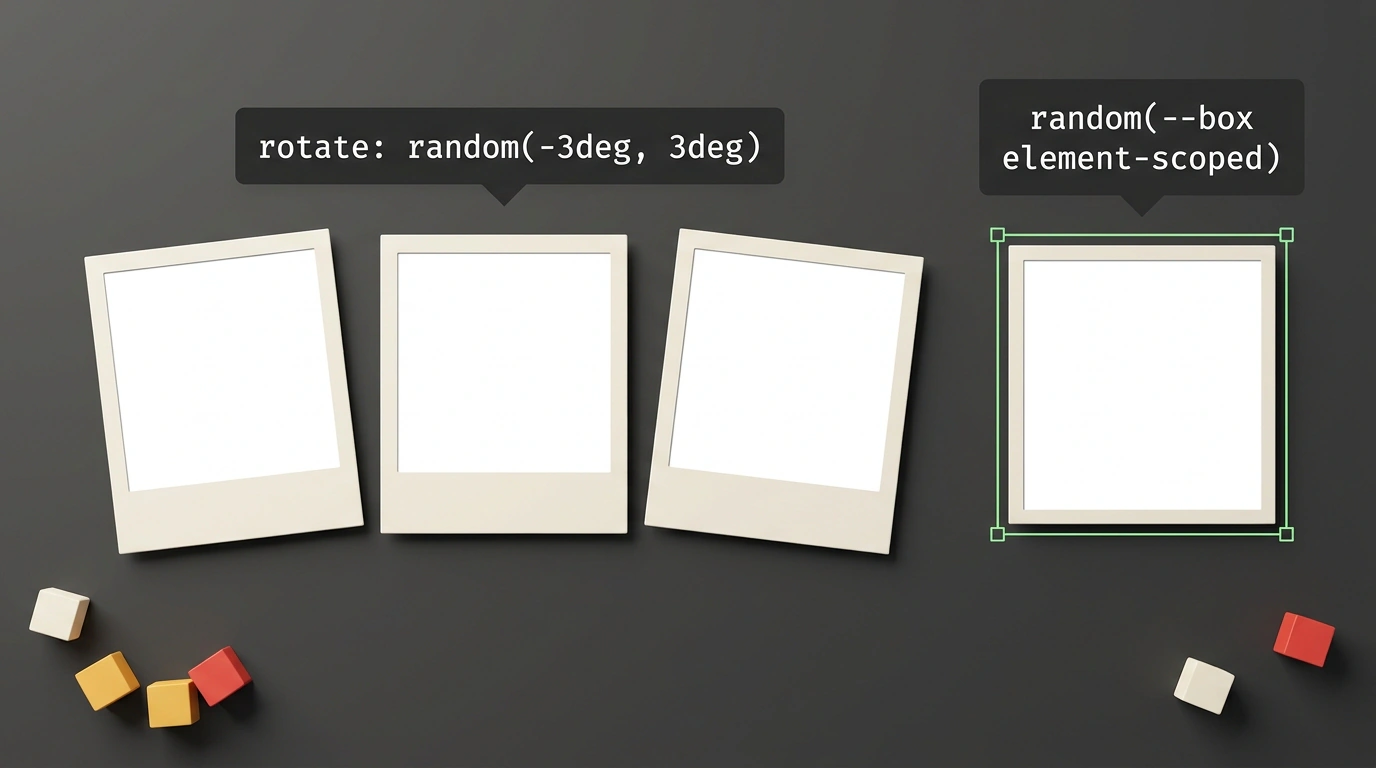
Look around the physical world: there are almost no perfectly straight lines or mathematically sterile surfaces. Leaves flutter at different rhythms, Polaroid snapshots scatter across a desk at slightly crooked angles, and classic metal type always has a microscopic, barely perceptible tilt. Those tiny imperfections are what make the analog world feel warm, tactile, and alive.
Now open almost any modern web interface: pixel-perfect alignment, rigid modular grids, identical cards, and locked-step marquees. For years, the web suffered from mathematical sterility. Whenever frontend engineers tried to inject a little playful imperfection, they had to choose between two equally awkward hacks:
- Calling
Math.random()in JavaScript—causing hydration jank, hurting Cumulative Layout Shift (CLS), and burning extra CPU cycles. - Using preprocessors like Sass to churn out hundreds of lines of bloated CSS with hardcoded
:nth-child(n)rules for pseudo-random rotations.
In the CSS Values and Units Module Level 5 specification, the W3C finally proposed a native browser solution: the random() function. In a thorough breakdown for Smashing Magazine, Belgian designer and developer Brecht De Ruyte put it through its paces on real examples. Let's look at how the magic works, why CSS randomness has to be deterministic, and how to adopt it safely.
Syntax Anatomy: Bounds, Units, and Grid Steps
At first glance, the syntax looks deceptively simple:
random( <random-key>?, <min>, <max> [, by <step>]? )
Behind that brevity lie strict typing rules enforced by the rendering engine.
First, <min> and <max> must share the exact same unit type. You can pass:
- Angles:
random(-4deg, 4deg)for a subtle element tilt; - Durations:
random(0.2s, 1.5s)to stagger animation phases; - Lengths:
random(100px, 300px)to vary column widths; - Unitless numbers:
random(0.5, 1.0)foropacity.
Mixing units directly—such as random(10px, 2rem)—is a syntax error and gets ignored by the browser. If you really need to combine pixels with relative units, convert them to a common unit via calc() first.
The second neat feature is the discretization step parameter. Without it, random() returns a continuous floating-point value. Yet real design systems almost always snap spacing and sizing to a modular grid (like 4 px or 8 px increments). Adding a step keeps randomness within clean boundaries:
.ticket-badge {
  /* Random padding snapped to 4px increments: 8px, 12px, 16px... */
  padding-inline: random(8px, 24px, 4px);
  /* Random animation delay in 100ms steps */
  animation-delay: random(0s, 1s, 0.1s);
}
In our earlier look at randomness in pure CSS and what it changes for layouts, we explored how stepping affects rendering. It's the sweet spot between chaos and structure.
The Independence Problem: How Shared Keys Save Squares
What happens if you try to make a randomly sized square card like this?
.card {
  width: random(100px, 200px);
  height: random(100px, 200px);
}
By default, every random() call is evaluated independently! The browser might pick 184px for width and 112px for height, turning your square into a lopsided rectangle. How do you preserve a strict 1:1 aspect ratio?
The spec solves this with named shared keys. A key acts like a shared seed: when two CSS properties reference the same key identifier, they receive the exact same pseudo-random value:
.square-card {
  /* Shared key --box guarantees width equals height */
  inline-size: random(--box element-scoped, 100px, 200px);
  block-size: random(--box element-scoped, 100px, 200px);
}
Notice the element-scoped modifier. Without it, a global --box key would evaluate to one single number for the entire page, making every card identical. Adding element-scoped tells the engine to isolate the generator per DOM element—so every card gets its own random size while staying a crisp square.
Browser Support and Safe Progressive Fallbacks
As of late October 2026, random() sits right on the bleeding edge of browser standardization:
- WebKit (Safari): experimental support is available in Safari Technology Preview;
- Blink (Chrome / Chromium): shipped in Chrome 156 Canary behind the experimental web platform features flag;
- Gecko (Firefox): under active testing in Nightly behind
layout.css.random-function.enabled.
Since stable browsers are still gearing up for full rollout, using random() in production calls for Progressive Enhancement.
Here's a production-ready example for a Polaroid-style photo gallery:
/* Baseline styles for all browsers: clean, level layout */
.polaroid-item {
  rotate: 0deg;
  transition: transform 0.3s ease;
}

/* Progressive enhancement for browsers supporting random() */
@supports (rotate: random(0deg, 1deg)) {
  .polaroid-item {
    /* Subtle organic tilt per card from -3 to +3 degrees */
    rotate: random(--photo-tilt element-scoped, -3deg, 3deg);
  }

  .polaroid-item:hover {
    /* Snaps completely straight on hover */
    rotate: 0deg;
    transform: scale(1.05);
  }
}
As we noted in our roundup of 12 modern CSS features replacing preprocessors and JavaScript hacks, the future of web styling is moving dynamic math straight into the rendering engine.
Always wrap random() rules inside an @supports block. Older browsers will gracefully render the clean baseline layout without choking on CSS parsing or breaking adjacent styles.
Once random() hits Baseline, the web can finally leave plastic perfection behind and make interfaces feel genuinely organic.