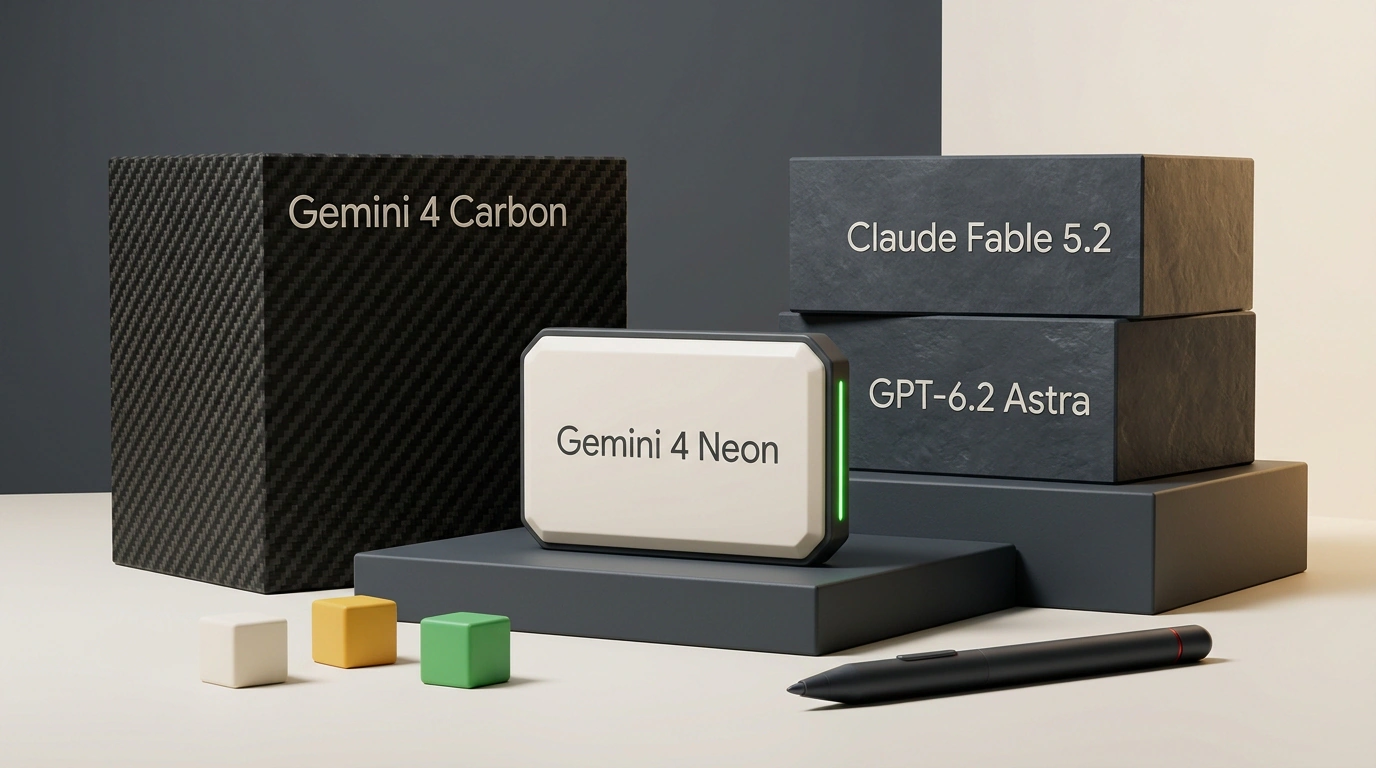
Google's November 2026 model lineup hit a strange paradox. On November 18, the company launched its "mid-tier" Gemini 4 Neon, designed to sit quietly between the fast Hydrogen and the heavy flagship Carbon. On day one, everything flipped. The younger Neon beat the flagship Carbon in overall benchmarks, runs noticeably faster, and costs less than half as much on the API as Claude Fable 5.2 and GPT-6.2 Astra.
It sounded like the ideal everyday model. Yet within 24 hours, developer reviews split right down the middle. One group showed off working 3D physics games and praised its flagship quality. Another group walked away back to Claude, complaining about dry code snippets and stumbles on simple edits. The funny part is that both sides were right. Everything depends on where you run the model, which reasoning level you pick, and what tasks you give it.
Why Google's Mid-Tier Model Beat Carbon and Broke Its Own Pricing
If you followed Google's releases over the past year, you remember the long pause after Gemini 3.1 when competitors seemed far ahead. Then the pace suddenly accelerated. After Argon launched, Carbon arrived 28 days later, lightweight Hydrogen came 15 days after that, and Neon followed in just 6 days. Inside one fourth-generation family, Google ended up with a chemical element hierarchy where the names give zero clue about which model is actually strongest.
At the bottom sits Hydrogen, a fast workhorse for daily coding and routine agent tasks. It is the only model in the lineup with free access in Google AI Studio and the Gemini app. At the top sits the heavy, slow Carbon, locked behind the expensive Google AI Ultra plan and built for long research sessions. Right in the middle, Google placed Neon, which turned out to be both smarter and faster than its older sibling.
Official Gemini 4 lineup summary table comparing Carbon, Neon, and Hydrogen by AA Index scores, API pricing, speed, and reasoning levels (Source: Google Blog)
Look at that breakdown: for most real-world work, the flagship Carbon has lost its purpose. Neon beats it on quality, responds much faster, and includes a fourth maximum reasoning tier that Carbon doesn't even have. The only reasons to use Carbon right now are a temporary promo running until the end of November and very specific multi-hour research runs where its older behavior profile matters.
Neon has no free tier, though. You can use it through paid Gemini API billing and Google AI Studio, a $20/month Google AI Pro plan, or the $100/month Google AI Ultra plan. Enterprise access is also open via Gemini for Business. Here comes the first surprise: on the standard Pro plan, heavy coding and agent workflows burn through daily limits in a couple of hours, pushing serious developers onto Ultra.
The 3x Gap Mystery: Antigravity Harness vs. 1M-Token AI Studio
Now let's look at why the same developer can call Neon a failure at noon and the model of the year by evening. It all comes down to the agent harness. The language model itself is just the engine. The harness decides what tools that engine gets: how it reads project files, runs terminal commands, opens a browser to check its work, compresses context, and splits subtasks across subagents.
Google DeepMind's official measurements on the tough SWE-sweep coding benchmark show this effect with crystal clarity. When the exact same Gemini 4 Neon checkpoint runs in a minimal Mini-SWE wrapper without orchestration, it solves a modest 12.8% of tasks. Move that identical model into Google Antigravity with its orchestrator, parallel subagents, and context management, and the score triples to 39.0%.
Benchmark summary table for Gemini 4 Neon vs. Claude Opus 5.5 and GPT-6.2 Sol, including the SWE-sweep gap between minimal and native harnesses (Source: Google Blog)
Competitors show a much calmer picture. In the same table, Claude Opus 5.5 also improves in its native harness, though at a different baseline, while GPT-6.2 Sol actually dips slightly in its native setup compared to the minimal wrapper. For Neon, the harness is a massive multiplier. If you connect it through a basic chat UI or a bare-bones API wrapper without a proper verification loop, you are literally seeing a third of its real power.
There is another practical catch: Google gives you three different places to run Neon, each with its own limits. The sneakiest difference is the context window, meaning how much data the model holds in active memory at once. Google AI Studio and the direct API unlock the full 1 million tokens (with 64K synchronous output and up to 1M in background decoding), while Google Antigravity cuts that window in half.
| Launch Platform | Context Window | Main Advantage | Best Use Cases |
|---|---|---|---|
| Gemini App | Standard chat window | Instant start and Google Workspace integration | Quick prototypes, Docs, Sheets, and Gmail workflows |
| Google AI Studio / API | 1M tokens | Live token counter, flat pricing across the full window | Heavy video files, huge CSVs, long PDFs, and audits |
Google Antigravity (IDE & agy CLI) | 512K tokens | 3x coding boost, Hydrogen orchestrator, /swarm | App development, refactoring, autonomous builds |
The choice is simple and practical. Need to feed the model an hour-long screen recording, a stack of contracts, or a massive database dump? Open AI Studio for the full context and clear cost tracking. Need to build a live project, run tests, and fix bugs? Use Antigravity despite the smaller window. In coding, harness quality outweighs extra memory by a huge margin.
Live Battle: 3D Physics, Code, Native Video, and Astra's Surprise Comeback
Benchmark tables are nice, but a model's real character shows up when you build something live from scratch. Gemini 4 Neon's biggest strength over Claude Fable 5.2 and GPT-6.2 Astra is spatial reasoning, physics, and pure-code graphics using WebGPU and Three.js. As a quick reminder, those are browser technologies that run hardware-accelerated 3D graphics and physics straight on a web page without heavy game engines.
In a series of physics stress tests, Neon pulled off work that would have taken an engineer two weeks a year ago. In a task with a robot dog walking over uneven limestone, adding complexity to the prompt led the model to invent independent foot adaptation to surface slopes, five-point forward obstacle scanning, and realistic spine twisting during turns. In the classic "pelican on a bicycle" test built in pure HTML, SVG, and Three.js, Neon's motion physics easily beat GPT-6.2 Astra.
Infographic patent-style blueprint and axonometric browser diagram: a 3D kinematic model of a quadruped robot with obstacle scan points and WebGPU simulation.
It went even further. Pairing Blender with WebGPU, Neon built two complete pinball games with physically based PBR textures, stained-glass maps, multiball modes, and procedural audio generated in code on the fly. Through Blender MCP (a protocol that lets the model control the 3D editor directly), Neon reconstructed a 1936 Turing machine from historical references, built a 3D ski simulator with braking and acceleration, and handled a complex rocket launch smoke simulation. For Blender scene control, it ranked right behind Claude Fable 5.2.
What about everyday coding where you don't need robot dogs? A head-to-head run of four identical tasks at the High reasoning level showed clear personality differences between Neon, Claude Fable 5.2, and GPT-6.2 Astra. On a space tourism landing page, Fable 5.2 and Neon tied for first: both delivered lively designs, and Neon added smooth scrolling, ship customization, and an animated route map while GPT-6.2 Astra produced a static placeholder without scroll. On a rainy cyberpunk Tokyo 3D alley, Fable 5.2 took first place for dense detail and atmospheric audio, Neon came in a strong second with clean wet-asphalt reflections and a free camera, and Astra broke the floor geometry with an inverted mouse.
Two other tasks drew an even sharper line. In generative code art (Patagonian mountains at sunrise), Fable 5.2 won on artistic taste, but Neon brought stronger engineering with animated waves and a time-of-day slider. In a one-button arcade game, Neon took first place with sticky orbital mechanics where you dodge a core. Fable 5.2 made a simpler game that was easier to grasp in one second, while Astra finished third.
Then came an unexpected twist. When all three models got a pure visual-creative task (designing a coffee shop logo and a YouTube thumbnail), GPT-6.2 Astra staged a decisive comeback. Both Neon and Fable 5.2 produced oversaturated, templated styles and distorted facial features and logo geometry, while Astra nailed the composition on the first try. It's a healthy reminder not to crown a single model for every job.
Neon's other ace is native video and long-context processing. Claude still has to slice videos into still frames and loses the motion between them, whereas Neon ingests the entire video file at once. Drag a recording straight from your file manager into Antigravity, and you get a frame-by-frame breakdown with exact timestamps for UI or editing fixes. Add to that its lead in long-context retrieval (95.2% on GraphWalks from 256K to 1M tokens vs. 66.8% for Opus 5.5) and cybersecurity benchmarks: 90.5% on SEC-bench Pro, 51.3% on WebExploitBench, and 70.7% on CWE-Bench.
You'll also notice one more perk during your first week with documents: Neon is much less likely to invent facts with a straight face. When the answer isn't in the context, it admits it doesn't know instead of making up a plausible story. In practical tests, Neon's hallucination rate sits around 14%, while competitors easily cross 50% on similar checks.
Token Economics, 95% Caching, and the Extra High Trap
Now let's talk money, because this is Google's strongest argument. At official API list prices, Claude Fable 5.2 and GPT-6.2 Astra cost the exact same high rate, while Gemini 4 Neon is several times cheaper on every input and output token. The chart below shows the gap across standard input, output, and cached input.
Official API pricing per 1M tokens (input, output, and cached)
In real long sessions, the gap widens even further thanks to two hidden rules. First, Gemini 4 Neon supports context caching with a 95% discount: if you run repeated queries against the same codebase or document bundle, the static prompt prefix costs pennies. Second, Neon keeps a flat rate across the entire million-token window. With GPT-6.2 Astra, once you pass 272K input tokens, input and cache prices double and output prices jump 1.5x. On a heavy repo audit, a competitor's bill skyrockets in just a dozen turns.
You only keep those savings on Neon as long as you don't flip the wrong reasoning switch. The model offers four thinking_level tiers: low, medium, high (default), and xhigh. The higher the level, the more hidden thinking tokens the model generates before answering—and those are billed at the expensive output rate.
In a live 3D arcade test, dropping down to medium backfired: it produced a bare-bones stub with a short looping sound, whereas high on the same prompt built a full game with a one-minute soundtrack and responsive mouse controls. On the flip side, cranking the dial all the way to xhigh usually turns into a quiet budget drain.
Official AA Index v5.0.1 chart: quality vs. average task cost across Gemini 4 Neon reasoning levels and competing models (Source: Google Blog)
The curve on that chart is brutal: switching from high to xhigh adds +72% to your average task cost and +53% to wait time for a single extra point of quality. You see the same pattern on CursorBench (+1.7 points for +63% cost) and AutomationBench (+2 points for nearly double the bill). On long PDFs, the max mode can even dip slightly because the model overthinks and gets lost in minor details.
For daily API integrations and scripts, it makes much more sense to lock high in place and save xhigh for targeted reviews of critical code or tough security audits. In the official google-genai Python SDK, that takes three lines.
from google import genai
from google.genai import types

# The client automatically picks up GOOGLE_API_KEY
client = genai.Client()

prompt = (
    "Проведи аудит безопасности этого модуля "
    "и предложи минимальный патч."
)

# Keep "high" for 95% of tasks; use "xhigh" only for critical reviews
config = types.GenerateContentConfig(
    thinking_config=types.ThinkingConfig(
        thinking_level="high",
    ),
)

response = client.models.generate_content(
    model="gemini-4-neon",
    contents=prompt,
    config=config,
)

print(response.text)
If you omit thinking_config, the model defaults to high, but setting it explicitly protects you from library updates and lets you tune each endpoint. Use low for initial ticket triage, high for feature generation, and xhigh for an overnight auth audit.
To estimate the numbers for your own workload without a spreadsheet, move the sliders below. The calculator uses official rates and factors in GPT-6.2 Astra's price jump past 272K input tokens.
Request cost calculator: Gemini 4 Neon vs. Fable 5.2 vs. GPT-6.2 Astra
Push the first slider past 272K and raise the cache hit rate to 70–80%. You'll immediately see Neon pull ahead of competitors by 3x to 4x on long agent sessions. Because it also writes more concise replies, your monthly output bill shrinks even further.
Winning Workflows: /gemini-review, Nightly /swarm, and Commercial Prototypes
The smartest practical use of Gemini 4 Neon isn't replacing Claude Code or Codex, but pairing it with them as an independent reviewer. Google DeepMind trains its models with different methods and data than Anthropic and OpenAI. When an outside architecture reviews code, it spots logic gaps and vulnerabilities that the authoring model missed.
This is where xhigh finally earns every cent. The code is already written, you run the review once before merging, and an extra minute of deep analysis costs pennies compared to a production bug. In the open-source /gemini-review skill from davidondrej/skills, this workflow runs through the Cloudroom orchestrator: it tries Antigravity CLI first and falls back to Cursor CLI if needed.
---
name: gemini-review
description: Independent Gemini 4 Neon review via Antigravity CLI
  (Cursor CLI backup) at xhigh reasoning, returned verbatim.
triggers: [user, model]
---

# Gemini Review

# Always run Neon at xhigh via Cloudroom:
# Antigravity CLI first, Cursor CLI as backup.
Always use **Gemini 4 Neon** (`gemini-4-neon`) at `xhigh`,
orchestrated by Cloudroom.

## Routes
- Primary (Antigravity CLI):
  `--provider acp-antigravity --model gemini-4-neon`
  `--reasoning-level xhigh`
- Backup (Cursor CLI):
  `--provider acp-cursor --model gemini-4-neon`
  `--reasoning-level xhigh`

## Review brief
Give neutral context (scope, paths, intended behavior, diff).
Review only; do not change files. Include word for word:
"During your final answer, Rate each issue you find from 1 to 10
on how often it would happen, and 1-10 on how bad it would be"
Notice two smart details in that template. First, the reviewer is strictly forbidden from editing files—it only reads the diff and reasons, without any temptation to rewrite half the repo. Second, requiring a 1-to-10 score on frequency and severity filters out bracket-style nitpicks and pushes real bugs to the top.
Teams are already running this same pattern in nightly cybersecurity loops on production repos. Models rotate daily: Neon scans today, Opus tomorrow, then Fable, Astra, and Sol. If an agent finds nothing suspicious, the branch closes quietly. If it finds an issue, it must prove reproducibility, verify it through a second model in a different harness, and only then hand a clean patch to an engineer.
The second strong workflow is Orchestrator mode and /swarm inside Google Antigravity. You set the goal, Gemini 4 Neon acts as the coordinator, and fast Gemini 4 Hydrogen subagents handle parallel grunt work. One agent gathers facts, another designs the UI, a third builds the frontend, and a fourth wires the backend. To avoid waking up to a pretty but broken mockup, bake a verification loop right into the workflow: the agent opens the app in its built-in browser, clicks through buttons, catches console errors, and fixes them before finishing.
In client work, this setup is already undercutting traditional agency pricing. Interactive 3D lead magnets and configurators that used to cost $10,000 to $100,000 now come together in one evening on WebGPU. A popular sales tactic for local businesses is the "Trojan horse" approach: instead of a cold pitch deck, feed the agent a company's website, build a working calculator or refreshed prototype under their brand in 30 minutes, and send a live link. Another hit use case is auditing messy invoices and exports—Neon turns scattered spreadsheets into a clean CFO-grade financial model without dropping rows on large datasets.
Keep high as your default for daily coding in Antigravity—it delivers roughly 97% of peak quality without overpaying. Switch to xhigh only for final /gemini-review checks and security audits. If you need to upload long videos or spreadsheets over 512K tokens, switch straight to Google AI Studio.
Four Honest Limitations and How to Split Work Across Models
Now for the rough edges—where Gemini 4 Neon gets frustrating and why it's too early to drop Claude or OpenAI. The first issue hits you in your very first chat: the model can be frustratingly terse. Compared directly to Claude Fable 5.2, Neon's replies are often about a third as long. That's great for quick terminal edits, but if you want a deep architectural breakdown or detailed spec, you have to explicitly prompt it not to cut corners.
The second problem is trademark AI clichés when writing articles, newsletters, or landing pages. In copywriting tests, Neon overuses em-dashes and templated contrasts like "The real game isn't picking investments, it's surviving yourself" or "Agents don't just answer one prompt, they loop." The prose instantly feels synthetic. You only fix that by adding a strict banned-phrases list to your system prompt or rewriting drafts with another model.
The third annoyance is the messy naming, limits, and platform split. Nobody could guess from the name that Neon beats Carbon, there is no free tier to test it, Antigravity's context is half of AI Studio's, and the $20 Pro plan hits rate limits too fast during active agent work.
The fourth weak spot is the rough edges of Google Antigravity itself—the very harness Neon needs to avoid losing two-thirds of its coding strength. There is still no native mobile app (the team confirmed it's in the works, leaving only a web PWA for now). The built-in browser lags behind competitors in stability. The agy CLI likes to slip into planning mode on its own even when auto is enabled, and shows very little of its intermediate tool calls. Plus, on quick 10–20 second questions, Neon tends to overthink and loses to Claude Opus 5.5 on time to first token.
That's why teams increasingly split tasks across all three ecosystems instead of forcing one model to do everything.
| Ecosystem & Models | Where It Leads | When to Switch |
|---|---|---|
| Claude (Opus 5.5, Fable 5.2, Claude Code) | Native slides, long structured docs, mature dev environment with mobile control | When you need frame-by-frame video analysis, 3D physics code, or cheap 1M context |
| OpenAI (GPT-6.2 Astra/Sol, Codex) | Voice mode on the go, most reliable browser computer use, creative logos & YouTube thumbnails | When facing heavy 3D code, sessions over 272K tokens, or tight API budgets |
| Gemini 4 Neon (Antigravity, AI Studio) | 3D/WebGPU & code physics, native video, 1M spreadsheet audits, /gemini-review, cybersecurity | When you need clean copy without clichés, instant 2-second answers, or polished mobile tooling |
This setup ends the endless debate over who "won AI" this week. Keep Claude for writing, slides, and your daily dev loop; use OpenAI for voice, browser automation, and visual creative work; and put Gemini 4 Neon on 3D engineering, video, massive documents, and independent code reviews, where its price-to-accuracy ratio is hard to beat.