Consider a typical photo-sharing app like Instagram. A user picks a picture on their phone and taps "Publish." Your backend now has to run three mandatory steps on that file. First, resize thumbnails for different screen sizes. Second, run the image through a moderation model to catch banned content. Finally, send notifications to followers and update their feeds.
The simplest approach is running all three steps sequentially inside a single web server while the mobile app waits for a response. On a developer's laptop, that feels snappy. In real production, this design cracks along four seams at once.
The first hit is response time. The user stares at a spinning loader while the server compresses the image, waits for a neural network verdict, and updates feeds. You can parallelize resizing and moderation inside one process, yet as traffic grows, the server still hits a ceiling fast and the backlog of waiting HTTP requests stretches to tens of seconds.
The second problem hits your hardware budget. Resizing images needs plenty of RAM, while content moderation requires a powerful GPU. If both tasks run on the same server, you have to rent expensive machines packed with both RAM and GPUs. The GPU sits idle during resizing, and the extra RAM collects dust while the neural network runs.
The third issue is fragility across the chain. If the moderation service blips or times out, the entire upload fails. The user taps "Retry," and your server dutifully burns CPU and time re-creating thumbnails it already built on the first try.
The fourth scenario breaks the system on your best day. Your app gets featured in the App Store, a marketing campaign takes off, or a major event happens, and upload volume jumps several times over. Your server was sized for steady non-functional requirements (NFRs—preset limits for load and latency), so a sudden spike simply knocks uploads offline. Keeping extra server replicas running idle all month just for a rare peak costs far too much.
How a Queue Decouples Uploads from Processing
To solve all four problems together, you split heavy steps into specialized services and place a message queue between them. The picture changes immediately.
The user sends a photo to the web server. The server saves the file to storage, drops a short metadata message into the queue, and immediately replies to the app: "Done, file uploaded." The user goes back to scrolling their feed while independent background workers (resizing, moderation, and notification services) pull tasks from the queue and run them in parallel.
At its core, a message queue acts as a buffer between two roles. A producer creates and pushes messages into the buffer: say five users upload three photos each at the same time, so the web server sends 15 messages to the queue. A consumer pulls those messages and does the actual work. In our photo app, the consumers are worker pools for resizing, moderation, and notifications, and you can run as many copies of each worker type as you need.
The main benefit of this buffer is decoupling. The producer knows nothing about the consumers, and the consumers don't depend on the producer. The web server responds instantly because it no longer waits on a GPU. Resizing workers run on high-RAM machines, while moderation workers run on GPU servers. If one worker crashes mid-task, the job isn't lost: another instance picks it up. When a traffic spike hits, the system doesn't spray 500 errors—the queue simply grows temporarily while your autoscaler spins up more workers.
Sounds like a magic bullet? This is right where the technical details begin—the ones that quietly cause lost data or surprise cloud bills in production.
Under the Hood: Confirmations and Duplicate Protection
If you look inside any message broker, its reliability rests on three core mechanisms: processing confirmations, parallel duplicate protection, and delivery guarantees.
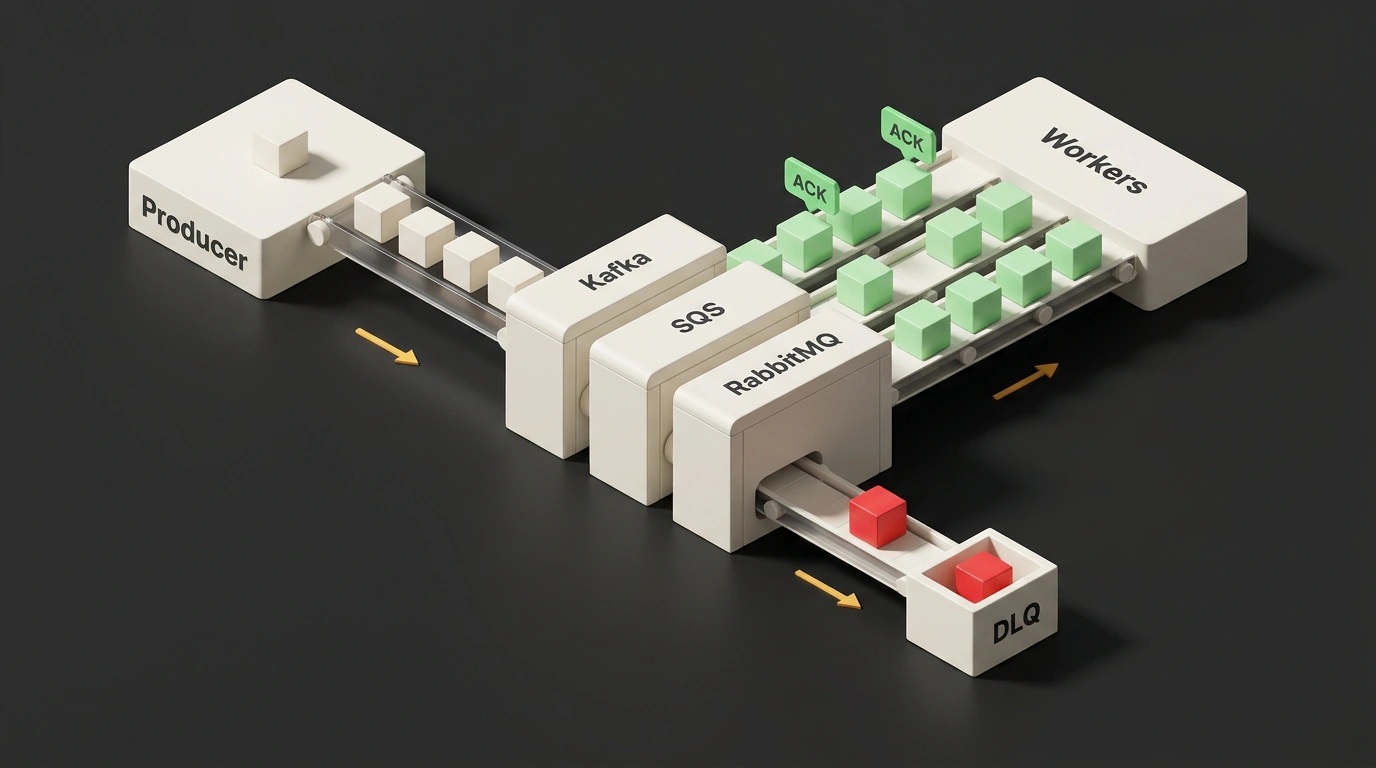
Let's start with confirmations, called ACK (short for acknowledgement). Imagine a worker pulls a photo-processing task from the queue and crashes halfway through from running out of memory. If the broker deleted the message the moment it handed it out, the photo would vanish without a trace. Instead, the queue holds onto the message and waits for an explicit ACK signal from the worker saying: "Job finished, you can delete it now." No signal? The broker assumes the task failed and hands it to another worker.
Technical diagram of the ACK confirmation mechanism and broker message retention timeouts for SQS and RabbitMQ
Likewise, a broker can send an ACK back to the producer confirming the message was safely stored. Write latency ticks up slightly, but the producer knows the data wasn't lost on the wire.
That raises an obvious question: if a message stays in the queue until ACK arrives, how do you stop the broker from handing it to Worker A and Worker B at the same time? Nobody wants to burn GPU cycles doing double work or trigger weird side effects. The three most popular brokers solve this in completely different ways.
Amazon SQS uses a Visibility Timeout. The moment a worker pulls a message, SQS hides it from other consumers for a set period. You can configure this window from 0 seconds up to 12 hours, and the default is 30 seconds (for both Standard and FIFO queues). If the worker finishes and calls DeleteMessage in time, the message is gone for good. If the task runs long, the worker can ask for more time via ChangeMessageVisibility. If it fails to finish or extend in time, the message reappears in the queue and another worker grabs it.
In RabbitMQ, delivered messages are marked unacknowledged (unack) and temporarily locked from other consumers. Its default consumer_timeout is much longer: 30 minutes (1,800,000 milliseconds). If a worker doesn't send ACK within half an hour, the broker forcibly closes its channel with a PRECONDITION_FAILED error and returns the message to the queue with redelivered: true. However, if the worker doesn't just hang and instead drops its TCP connection (for instance, the process crashes), RabbitMQ doesn't wait 30 minutes—it requeues the task immediately. You can adjust this limit for long-running jobs globally in rabbitmq.conf, via a consumer-timeout policy, or with the x-consumer-timeout queue argument.
Apache Kafka takes a third path. A topic is split upfront into independent partitions. Within a single consumer group, a strict rule applies: each partition is read by strictly one worker at any given time. Two instances in the same group physically cannot compete for the same message because each one owns its dedicated lane.
Delivery Guarantees, Idempotency, and the Timeout Trap
Now picture the sneakiest failure mode. A worker finishes all the work, saves the result, and a millisecond before sending ACK, the server loses network or reboots. The broker never receives the confirmation. What does it do? It assumes the job failed and sends the exact same message to another worker.
For resizing thumbnails or running moderation, a retry is usually harmless: the image gets compressed again and the final file is identical. Operations like that are called idempotent—no matter how many times you call them with the same input, the final system state stays the same. For example, a request to "set username to Aleksander" is idempotent: run it once or ten times, and the database still stores "Aleksander."
Money and counters are a completely different story. If a message says to charge a customer's card 130 Swedish kronor (130 SEK), processing it twice charges 260 SEK. Adding N to a view counter isn't idempotent either, because every duplicate inflates the total.
In real operations, duplicates happen even without server crashes. The classic Amazon SQS trap looks like this: a team leaves the default 30-second Visibility Timeout in place and points GPU moderation workers at the queue. Under load, the GPU takes 45 seconds. At second 30, SQS assumes Worker #1 died and cheerfully hands the same photo to Worker #2. Both crunch the exact same image. The fix is simple: base your visibility timeout on the 99th percentile (p99) of processing duration rather than guesswork or averages, and keep idempotency checks as a safety net.
SQS Simulator: Visibility Timeout, Worker Time, and the Road to DLQ
Move the sliders in the simulator above: as soon as GPU processing time exceeds Visibility Timeout, a second worker jumps in right on top of the first. Check the broken payload box, and you'll see how the retry limit cuts off an endless crash loop and sends the bad task to the DLQ.
Because of failures like these, messaging systems define three delivery guarantee models.
The first model is At-Least-Once. A message is guaranteed to reach a handler, though retries can happen on failures. This is the default in SQS, RabbitMQ, and Kafka. It works great when tasks are idempotent or don't mutate critical state.
The second model is At-Most-Once. The worker sends ACK right as it receives the message, before doing any real work. Duplicates never happen, but if the process crashes midway, the data is lost forever. Teams typically use this for metrics and telemetry where losing a couple of data points out of a million doesn't matter.
The third model is Exactly-Once. Every developer's dream runs straight into the classic Two Generals' Problem in distributed networks: two nodes talking over an unreliable network can never be 100% mathematically certain that the final confirmation arrived on the other side. In practice, true Exactly-Once is almost always built by combining At-Least-Once delivery with an idempotent handler—using deduplication keys, unique indexes, and database transactions.
When a Queue Saves the System—and When It Gets in the Way
Once you learn about buffers and workers, it's tempting to stick a queue in every second service. Resist that urge. Queues have four clear use cases and two hard dealbreakers.
A queue shines when a task is asynchronous and the user doesn't need an instant result—sending emails, generating heavy reports, transcoding video, or processing uploaded photos. It also saves you during bursty traffic when load arrives in waves and you need to absorb spikes without dropping requests: the buffer simply smooths the burst across workers. A third signal is decoupling services with different hardware or release cycles, like our light web server, high-RAM resizers, and GPU moderators. Fourth is higher reliability: if a downstream service goes down for maintenance or crashes, the queue holds the tasks until it comes back.
In two situations, though, a queue brings more pain than benefit.
The first limit is synchronous requests with a tight latency budget, such as under 500 milliseconds. An extra network hop to the broker, disk persistence, waiting for a free worker, and returning the result will almost certainly break that NFR. Queues are built for work that can happen later, even if "later" just means a couple of seconds.
The second limit is delayed error feedback. In a synchronous API, a problem shows up immediately: the server returns an error and the client knows right away. With a queue, things are much sneakier.
The main operational trap of async architecture is that a queue doesn't remove a failure; it just postpones it and turns down the volume. Your consumer may have been dead for an hour, yet the web server keeps dropping tasks into the buffer and returning green 200 OK responses to users. Incoming charts look peaceful until an hour later, when the backlog has grown so large that draining it takes longer than the outage itself.
That leads to a monitoring rule many teams only learn after their first big night-time incident: alert not only on queue length, but first and foremost on the age of the oldest unprocessed message. If a task normally lives in the queue for two seconds and the oldest message has been sitting there for five minutes, your consumers have stalled—even if the total message count on your chart looks modest.
Partitioning and the Hot Key Trap
A single linear queue eventually hits a throughput ceiling. To scale horizontally, you split the incoming stream into several independent sub-queues called partitions. Different workers read different partitions in parallel, and a pool of those workers forms a consumer group.
Strict math governs this setup: within one consumer group, you cannot have more active workers than partitions. If you have 8 partitions and 2 workers, each worker takes 4 partitions. Need more speed? Scale up to 8 workers, and each handles one. A 9th worker in that same group will just sit idle because there are no free partitions left for it.
To tell the broker which partition gets each message, you pass a partition key. Picking this key is just as critical as choosing a database sharding key, because two requirements collide. On one hand, messages with the same key always land in the same partition, preserving strict order. For non-idempotent operations like bank transfers, that's vital: debits and credits on the same account must run in the right sequence.
On the other hand, the key must spread traffic evenly across partitions without skew. Suppose you're building a ride-hailing aggregator and partition events by city. On day one, the partition for a major metropolis turns red-hot (a hot partition), while workers assigned to small towns sit bored with nothing to do. Switch the key to user_id or ride_id, and load spreads out evenly—though strict ordering now applies per user or per ride rather than across an entire city.
Kafka Partitions: Worker Balance and Hot Keys
The simulator makes both limits clear at a glance: with 8 partitions and 9 workers, the last instance sits idle no matter how many containers you spin up. Switch the key from city to ride_id, and the overheated red bar disappears as load evens out. Choosing a key is always a trade-off between strict ordering and balanced load.
Back Pressure and Poisoned Messages with DLQ
The next pair of production headaches threatens broker survival: buffer overflow and bad messages that trap workers in an endless crash loop.
What happens if producers keep pumping messages faster than workers can process them? The queue swells until it eats all available RAM or disk space. You defend against overflow with three measures working together. First is autoscaling: as the queue grows, the orchestrator automatically spins up extra worker replicas (and keeps spare partitions ready where needed). Second is back pressure: when the buffer approaches a critical threshold, the system stops blindly accepting everything, rejects new requests, or returns an error asking the producer to retry later. That pushes pressure back up the chain instead of letting the broker crash silently. Third are those alerts on queue depth and oldest message age, giving you time to act before the disk fills up.
Another common outage is a poisoned message. Sometimes a task lands in the queue that crashes every worker that touches it: malformed JSON, an invalid order state, an unexpected file format, or a combination of fields that triggers a bug in your handler. Without protection, you enter an endless Groundhog Day loop. A worker pulls the task, crashes, the broker requeues it, the next worker pulls it and crashes again. Resources burn for nothing, and the rest of the queue stalls behind it.
Conceptual diagram of filtering a poisoned message with retries and isolating it in a Dead Letter Queue
The standard, battle-tested cure is setting a maximum retry count (max retry count). If a task fails three or five times in a row, the broker pulls it off the main pipeline and moves it to a Dead Letter Queue (DLQ)—a separate queue or partition for "dead letters." From there, an engineer, admin, or AI assistant can inspect it calmly, fix the bug, or discard the junk. One non-negotiable rule: attach alerts to messages entering the DLQ. Otherwise, it turns into a black hole where real customer orders disappear for months until angry support tickets pile up.
Broker Fault Tolerance, Replication, and History Replay
So far we've talked about the queue as if the broker itself were immortal. In reality, it can easily become a single point of failure (SPOF): if the queue goes down, communication between services stops.
Modern brokers like Apache Kafka solve this by writing messages to disk with a configurable retention window (log.retention.hours, log.retention.ms, or log.retention.bytes—say for a day, a week, or indefinitely) and replicating data across multiple broker nodes. If one node dies, replicas pick up the load right away, much like in a database.
Disk storage brings a great side benefit: replay, meaning re-running past events. Suppose you deployed a buggy worker yesterday that miscalculated analytics or corrupted indexes for half a day. You ship the fix, stop the consumer group, and rewind its offset back in time using kafka-consumer-groups.sh --reset-offsets (with flags like --to-earliest, --to-datetime, or --shift-by). The worker re-reads every event within the retention window and repairs the data.
Kafka does have one subtle gotcha with storing offsets: they live in an internal __consumer_offsets topic, and if a consumer group stays inactive longer than offsets.retention.minutes, the broker deletes its saved position. On the next start, the group falls back to auto.offset.reset—either the very beginning or the very end of the topic—which can easily surprise you if you don't plan for it.
Kafka, Amazon SQS, and RabbitMQ: Picking the Right Tool
All three popular brokers are battle-tested, yet they work differently and fit different scenarios. Here is a quick table comparing their core traits.
| Criterion | Apache Kafka | Amazon SQS (Standard / FIFO) | RabbitMQ |
|---|---|---|---|
| Storage model | Distributed disk log with retention window; messages aren't deleted right after reading | Managed AWS cloud service; message deleted after DeleteMessage | Classic Erlang broker; flexible routing via exchanges and bindings |
| Duplicate protection | Strict rule: 1 partition = 1 consumer per group | Visibility Timeout (0s – 12h, default 30s), extended via ChangeMessageVisibility | unack status (consumer_timeout default 30 min; instant requeue on TCP drop) |
| Ordering & guarantees | Strict order within a partition; At-Least-Once by default | Standard: max speed, best-effort order, At-Least-Once; FIFO: strict order and Exactly-Once, lower speed | Flexible routing, At-Least-Once by default |
| History replay | Yes (reset offset within retention window) | No (message disappears after ack) | No (for classic queues) |
| Main strength | High throughput, event streaming, auditing, and replay | Instant AWS setup with zero cluster management | Complex message routing rules across services |
Turn this table into everyday engineering choices, and the decision gets easy.
Pick Apache Kafka when you need high-volume event streams, massive throughput, durable disk history, and the ability to rewind time with replay. If multiple independent teams (billing, analytics, anti-fraud) read the same event and each wants to move through the log at its own pace, Kafka's distributed log is the best fit. The price for that power is planning partitions carefully and maintaining a cluster (or paying for a managed one).
Pick Amazon SQS for the fastest, most painless start if your stack already lives on AWS. No servers, no clusters, and no midnight broker upgrades: spin up a queue in a minute and push traffic. For most background jobs like image resizing and email delivery, Standard gives you top throughput with At-Least-Once delivery. If you need strict ordering and broker-level deduplication (Exactly-Once), switch to FIFO and accept a lower speed ceiling.
RabbitMQ gets picked less often than the first two giants, yet in its niche it remains hard to beat. When you need smart routing across services using exchanges and bindings by routing keys, headers, or patterns, a traditional Erlang broker handles it far more cleanly than trying to force complex routing onto Kafka partitions. Just remember the default 30-minute consumer_timeout for long tasks, and set up a DLQ for bad messages from day one.