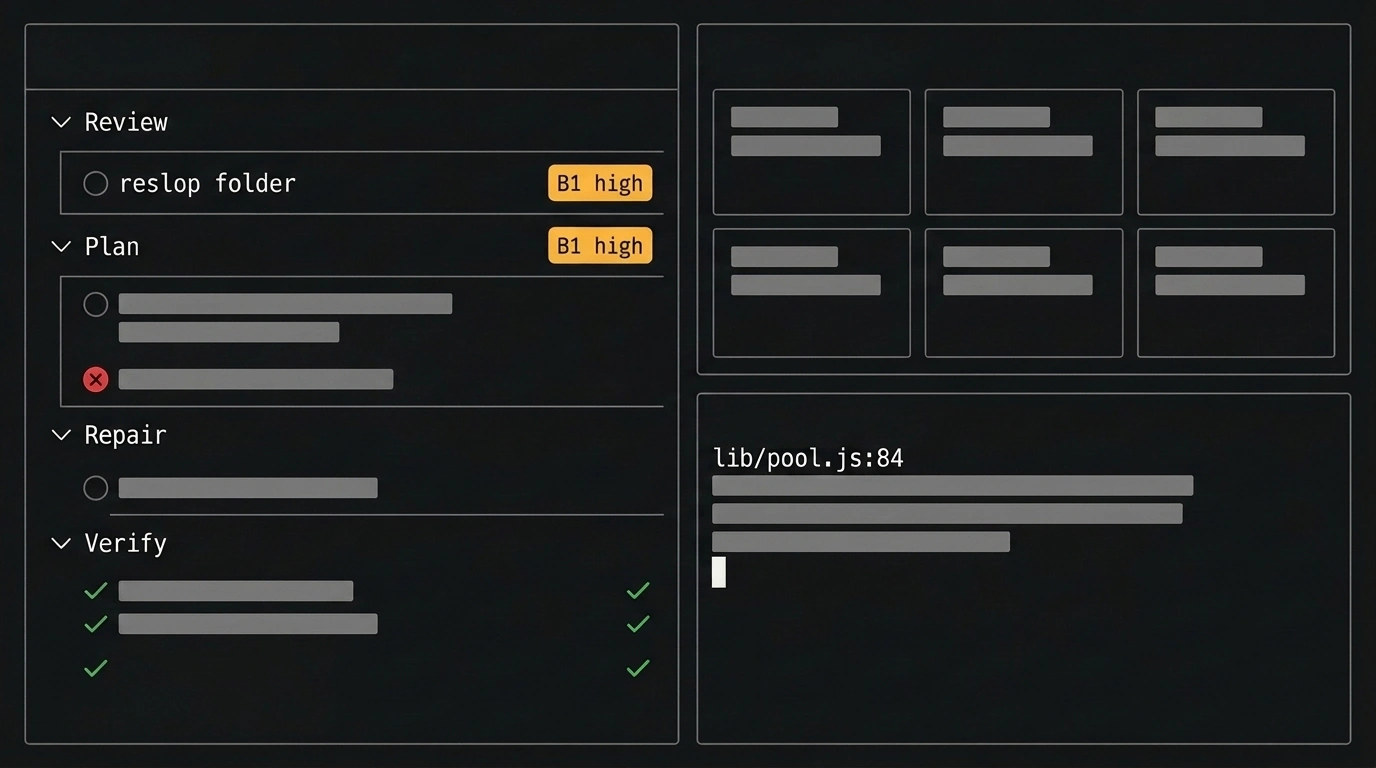
In this breakdown, I'll show how to keep task decomposition right inside your codebase and tie your development plan directly to a clean commit history in a monorepo. We'll walk through this workflow using the fresh release of the CLI tool reslop 0.3.6, announced by its author Timur Shemsedinov in the HowProgrammingWorks channel.
When a project spans multiple interconnected packages and AI coding assistants are churning out draft edits, the stream of changes gets messy fast. An external issue tracker lives miles away from your repository branches, dozens of files bleed together in diffs, and manifest dependencies drift out of sync across packages.
Why Plans Drift From Code and How the Monorepo Loop Works
You might reasonably ask: why drag a task planner into the terminal when web boards have existed forever and git diff already shows your code? It comes down to context switching. While you bounce between a browser tab and your console, the task list goes stale and AI-generated "slop" lands on the branch without line-by-line scrutiny. To close that gap, reslop structures terminal work around a four-step loop—Review → Plan → Repair → Verify—storing tasks right next to the code in versioned Markdown files inside .plan/ with statuses editing, partial, or done.
The plan stops being an external sticky note and becomes an executable part of the repository.
Version 0.3.6 brings this workflow to monorepos. Running reslop folder displays all nested repositories and linked git worktrees as interactive tiles. You see the state of every package at once, jump between them with the keyboard, and review local diffs, commits, or pull requests. We covered the basics of the terminal dashboard in our review of reslop 0.2.6.
Task Priorities, Commit Grouping, and Manifest Sync in Version 0.3.6
Let's look at an end-to-end scenario for a multi-package project. Install the CLI (requires Node.js 18.15.0 or newer, and Windows Terminal on Windows), open the monorepo tiles, write a structured task with a priority and code pointer in .plan/2026-11-15-01.md, and run tests through the log filter:
# Install the CLI and browse monorepo packages:
# npm i -g reslop && reslop folder

# Excerpt from .plan/2026-11-15-01.md:
## Bug Reports and Fixes
- [ ] B1 high: Released connection can be assigned to two consumers
  - where: `lib/pool.js` acquire:84, release
  - problem: `release()` resolves a waiter before ownership is updated
  - expected: each connection has at most one active owner
  - check:
    - [ ] 100 concurrent acquires never share a connection
    - [ ] `reslop t -- npm test` passes
In the task heading, the B1 prefix (letter plus digit) defines a group, while high (or low) sets priority. As you check off items, reslop 0.3.6 automatically bundles all tasks sharing the B1 prefix into a single isolated git commit. The where field points to lib/pool.js line 84 (hitting Enter on it jumps straight to that code), and the reslop t -- wrapper under check strips noisy passing-test output: full logs go to .log/<name>.raw, while .log/<name>.log keeps a compact Markdown failure report ready to hand to an AI agent over ACP.
A short task prefix in the plan turns directly into an atomic commit on your branch.
When parallel edits touch the same files across packages, reslop 0.3.6 kicks in auto-merge, and conflicts can be resolved with s to pick o (ours), t (theirs), or b (both). At the same time, git operations stay synchronized between package.json and package-lock.json so the manifest and lockfile always move together. Installing via npm i -g reslop helps you sort sprints by priority and keep a clean commit history—living up to the core principle Timur Shemsedinov states in the project docs: Turn generated changes into owned changes.