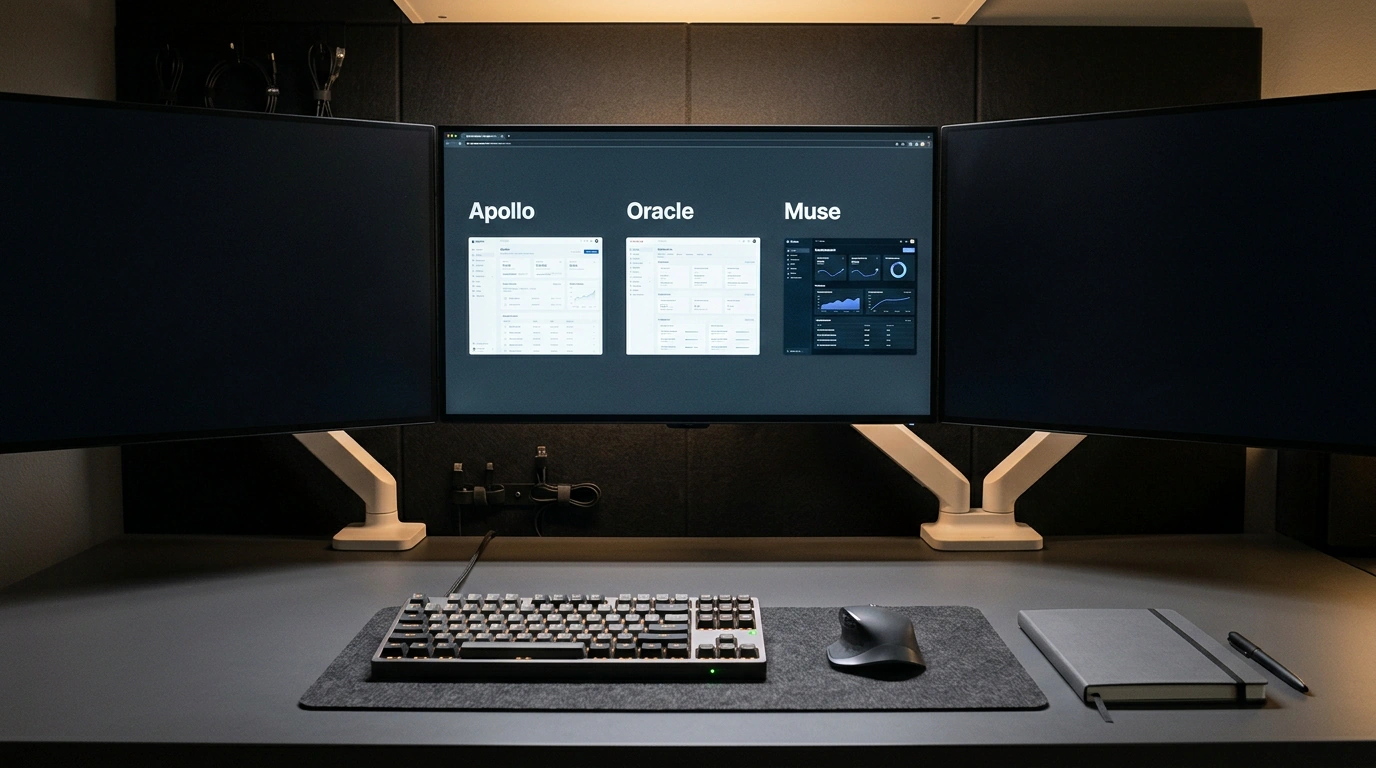
Picture what your typical workday looks like when interacting with modern neural networks. Fifteen tabs are open in your browser: in one you ask Claude to write a function, in another you get ChatGPT to outline an article, in a third you generate images, and in Notepad you frantically save successful prompts. Close a tab or refresh a page—and the coherent thread of reasoning snaps. Context evaporates, and you turn back into a tired copy-paste operator, manually moving data from one chat window to another.
This approach quickly hits a cognitive dead end. Scattered chats are being replaced by the Agent OS architecture—a personal operating environment where you manage not a single model, but a coordinated Mission Control. Let's break down how this environment works, why a local Obsidian note vault serves as its foundation, and how to make agents with different roles work together.
The dead end of a single chat and the Mission Control concept
The main flaw of the classic chatbot interface is trying to turn one model into a jack-of-all-trades. When you demand in a single system prompt that a neural network simultaneously monitor servers, write ad posts, and analyze financial tables, the model's attention gets diluted.
Agent OS applies a proven systems engineering principle: separation of concerns. Instead of a universal combine harvester, a pool of compact specialized agents is deployed. Above them sits a visual Mission Control dashboard displaying current task queues, execution statuses, and system event logs. You set a global goal once, and the dispatcher distributes subtasks to the appropriate executors.
Roles of Apollo, Oracle, and Muse: divide and conquer
In the base Agent OS configuration, four key working roles stand out:
- Apollo (Intake Interface): your personal voice secretary. You dictate an audio note on the go from your phone or smartwatch, and Apollo transcribes the speech, strips out filler words, and forms a structured ticket with a clear goal.
- Oracle (Trend Scout): a search agent that continuously scans designated sources, documentation, and industry news. Its job is to bring back verified facts, numbers, and links while filtering out promotional fluff.
- Muse (Content Generator): a creative copywriter trained strictly on your brand's tone of voice and editorial policy. Muse takes the raw facts from Oracle and writes posts, newsletter drafts, or scripts.
- Astros (Systems Analyst): a precision data agent. It compiles analytical tables, checks formulas, and prepares crisp performance summaries.
Because each role is focused solely on its own function, their system instructions stay compact, and instruction-following accuracy jumps dramatically.
Obsidian as a sovereign long-term memory base
The sharpest question for any multi-agent system is where to store shared memory. If you lock data inside a closed proprietary cloud service database, you lose control over your own information and become dependent on someone else's pricing.
In Agent OS, long-term storage is an ordinary local Markdown vault in the Obsidian app. This choice offers three huge advantages at once:
- Absolute sovereignty: all files sit on your hard drive in plain text format. No sanctions or server outages will cut off access to your work.
- Bidirectional links: agents can connect notes using constructs like
[[Project_Name]], building a living team knowledge graph. - Human transparency: any thought, hypothesis, or agent draft can be opened in Obsidian at any moment, edited by hand, or annotated with your own comments.
Controller architecture and queue processing
To prevent agents from conflicting when writing to files simultaneously, task exchange is built through personal inbox folders (Inbox/Apollo/, Inbox/Oracle/, Inbox/Muse/).
Below is an example of a Python controller that manages subagent roles and creates typed tasks in a local Obsidian vault:
import os
from pathlib import Path
from dataclasses import dataclass
from typing import Dict

@dataclass
class AgentRole:
    name: str
    focus: str
    inbox_dir: Path
    system_prompt: str

class AgentOSController:
    def __init__(self, vault_path: str):
        self.vault = Path(vault_path)
        self.roles: Dict[str, AgentRole] = {}
        self._setup_roles()

    def _setup_roles(self):
        spec = [
            ("Apollo", "voice_intake", "Accept audio notes, extract intent, and structure goals."),
            ("Oracle", "trend_scout", "Research web sources, verify trends, and gather facts with links."),
            ("Muse", "content_creator", "Write articles and posts strictly in the approved brand tone of voice."),
            ("Astros", "data_analyst", "Analyze metrics and compile data into clean Markdown tables.")
        ]
        for name, subfolder, prompt in spec:
            inbox = self.vault / "Inbox" / subfolder
            inbox.mkdir(parents=True, exist_ok=True)
            self.roles[name] = AgentRole(name=name, focus=subfolder, inbox_dir=inbox, system_prompt=prompt)

    def dispatch_task(self, command: str, role_name: str) -> Path:
        if role_name not in self.roles:
            raise ValueError(f"Role {role_name} is not registered in Agent OS")

        role = self.roles[role_name]
        filename = f"task_{role.focus}_{int(os.path.getmtime(self.vault))}.md"
        task_file = role.inbox_dir / filename

        payload = f"""---
role: {role.name}
status: pending
created_at: 2026-11-07T06:08:00
tags: [AgentOS, Task, {role.name}]
---

# Assignment for {role.name}

## Instruction
{command}

## Base Context
Check against standards: [[Brand_Voice_Guidelines]], [[Quarter_OKRs]]
"""
        task_file.write_text(payload, encoding="utf-8")
        print(f"[AGENT OS] Task for {role.name} created successfully: {task_file}")
        return task_file
And here is what a typical task manifest looks like when an agent reads it from its inbox and moves it to execution:
task_id: "tsk_oracle_20261107_01"
assigned_agent: "Oracle"
priority: "high"
action: "web_search_and_summarize"
target_topic: "Recurrent transformers and open models"
output_destination: "Notes/Research/SenseNova_Loop_Breakdown.md"
dependencies: []
Practical experience with Agent OS shows that moving from scattered chat windows to a unified dispatch environment cuts routine context switching by 75%. You stop babysitting a neural network and become a true conductor of an orchestra of digital assistants.
