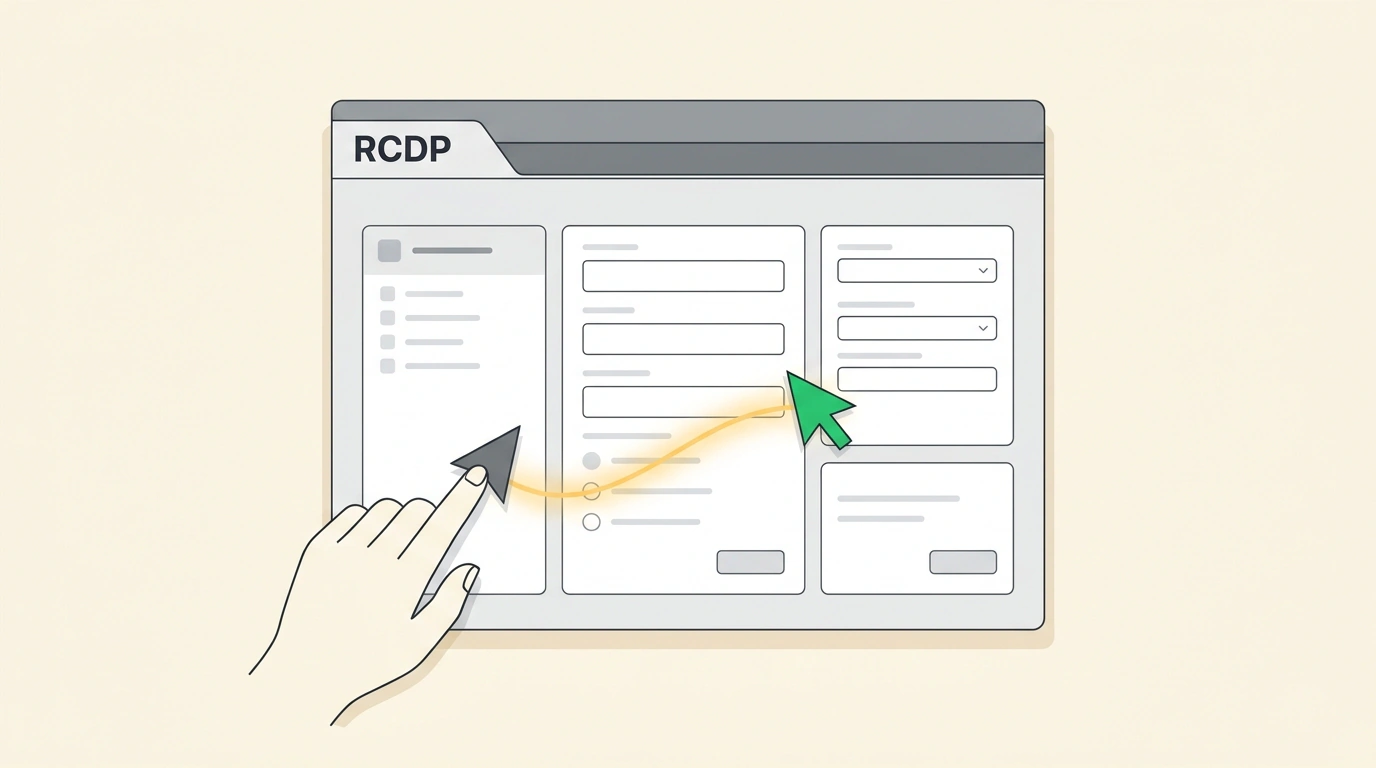
Computer-Use—teaching neural networks to interact with a computer just like a human does (moving the cursor, clicking buttons, filling out form fields)—is widely considered one of the most promising directions today. Yet until recently, these agents were locked in "soundproof solitary confinement." A bot ran inside an isolated virtual machine, the user couldn't see its live actions, and only minutes later received a static screenshot or an error message.
This opacity barrier bred massive distrust. If an agent got stuck on two-factor authentication, clicked the wrong tab, or started misfiring, a human couldn't help it at all—you had to kill the session and start all over again. The Cua Spaces platform breaks that isolation, turning agent interaction into a Multiplayer Shared Desktop where humans and artificial assistants work side by side on the same screen.
Blind sandbox vs. open screen
The main conceptual breakthrough of Cua Spaces is moving from an isolated sandbox to a collaborative space in the spirit of Figma or Google Docs, applied to an entire operating system (Ubuntu Linux, macOS, or Windows).
When you open a Cua Space session, you see a live desktop. But the most remarkable part is the cursors:
- Every live engineer has their own colored cursor with a name label.
- Every running AI agent has its own independent cursor in a different color.
- All participants see each other's movements in real time at 60 frames per second.
If an agent stumbles on a confirmation pop-up or a graphical CAPTCHA, a human no longer needs to rewrite prompts. You just grab your mouse, click the needed checkbox right in front of the agent—and the bot immediately picks up control from there.
The RCDP protocol: independent hardware cursors at 60 FPS
Implementing this mechanic on top of old remote-access protocols (like VNC or RDP) was technically impossible: there, the cursor is "baked" straight into the desktop image, and simultaneous mouse movement by two users causes chaotic jitter.
Cua's engineers built a specialized RCDP (Remote Collaborative Desktop Protocol) on top of WebRTC:
- Stream separation: the pixel video stream is transmitted independently from coordinate event streams.
- Hardware rendering: agent and human cursors are drawn client-side with zero lag. On a local network, broadcast latency is just 35–65 ms, and over the global internet it stays under 95 ms.
- Session capacity: a single desktop supports up to 10 humans and up to 4 active AI agents working simultaneously without frame-rate drops.
Accessibility tree vs. heavy screenshots
Another fundamental innovation lies in how the agent "sees" the screen. Early solutions forced the model to take a high-resolution screenshot every half-second and run it through a heavy multimodal neural network. That burned huge amounts of money on inference and created 3–5 second pauses on every click.
In Cua Spaces, the agent connects to the environment via the standard Model Context Protocol (MCP) and the specialized Cua Driver:
- Instead of analyzing raw pixels, the agent receives the operating system's semantic Accessibility Tree.
- It knows the exact coordinates of all buttons, text fields, dropdown menus, and their current states.
- Thanks to this, the agent's decision-making speed increases 5–7x, while API costs drop by 80%.
Agent connection architecture and focus management
Below is an example of programmatically connecting an AI agent to a shared desktop via Cua's Python SDK:
import asyncio
from typing import Tuple

class CuaCollaborativeClient:
    def __init__(self, space_id: str, auth_token: str):
        self.space_id = space_id
        self.auth_token = auth_token
        self.agent_cursor_id = None

    async def join_desktop(self, agent_name: str, cursor_color: str):
        print(f"[CUA SPACES] Connecting to session {self.space_id}...")
        await asyncio.sleep(0.3)
        self.agent_cursor_id = f"cur_{agent_name.lower()}"
        print(f"[CUA SPACES] Agent '{agent_name}' joined the desktop. Cursor: {cursor_color}")
        print("[RCDP] WebRTC stream synchronized (60 FPS, 45 ms ping).")

    async def click_element(self, element_name: str, coords: Tuple[int, int]):
        x, y = coords
        print(f"[ACTION] Moving cursor to ({x}, {y}) -> clicking element '{element_name}'")
        await asyncio.sleep(0.1)
        print(f"[ACTION] Click successfully recorded on shared screen.")
And here is what a workspace launch manifest with authenticated sessions looks like (cua_space.json):
{
  "spaceId": "spc_dev_team_alpha",
  "osTemplate": "ubuntu-24.04-desktop",
  "resolution": "1920x1080@60",
  "collaborativeProtocol": "RCDP-WebRTC",
  "keyvault": {
    "teleportChromeSessions": true,
    "encryptedTokenStorage": "isolated-enclave"
  },
  "guardrails": {
    "inputFocusLocking": true,
    "requireHumanApprovalForRoot": true
  }
}
Cua Spaces eliminates the most unpleasant barrier in working with autonomous systems—the feeling of isolation and loss of control. When you see every move the algorithm makes with your own eyes and can back it up on the fly at a tricky step, automating complex desktop tasks finally becomes comfortable and safe.
