For the past couple of years, AI startup marketing teams have been selling us on the dream of "one-click generation." Upload a 100-page PDF, hit one magic button, and watch the AI spit out a polished slide deck or a snappy explainer video. It sounds wonderful on paper, yet anyone who has actually tried using these tools for real work knows the truth: 9 times out of 10, the output goes straight into the trash.
Why? Because the algorithm has no idea what your company cares about or what your project's priorities actually are. It grabs a throwaway footnote about corporate logo colors and turns it into the centerpiece slide while completely missing the main financial takeaway, scrambles the timeline, or builds a deck you'd be embarrassed to show a boardroom. You end up either spending your evening manually rebuilding every slide in PowerPoint or smashing "Regenerate" over and over, hoping for a lucky roll of the dice.
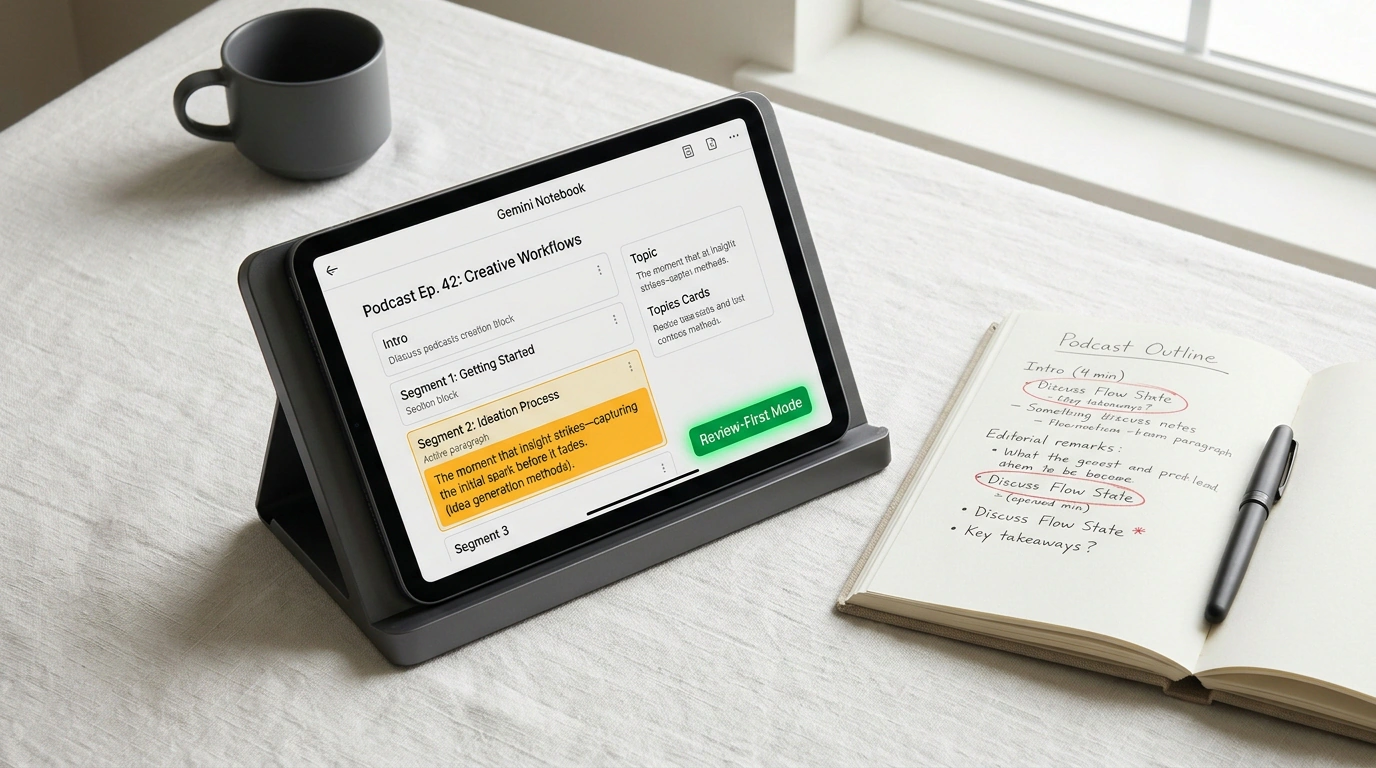
Google took that systemic headache to heart and rolled out a major update to Gemini Notebook (the next generation of NotebookLM) centered around a "Review First" workflow.
The Illusion of the Magic Button: Why One-Click Generation Failed in Practice
Let's look at the root cause. In classic generative interfaces, the user is completely locked out of the model's intermediate thinking. You drop in your source files, the AI disappears into a black box to render for a few minutes, and out pops a finished multimedia file.
If a logic error slips in—say, a Q3 margin chart gets misread—you can't fix it locally. Your only options are tweaking the prompt and praying the next run doesn't break the nine slides that actually worked, or exporting raw assets and fixing the layout by hand. That friction drove people crazy and undermined the whole promise of automated prep work.
The Review First Architecture: How the Pre-Render Blueprint Works
The update's core idea is refreshingly pragmatic: it inserts a mandatory checkpoint between reading your sources and rendering the final slides or video. Inside the Studio panel, there's now a dedicated Review toggle.
When you ask for a presentation or a training video, the system no longer rushes straight into laying out slides and picking stock visuals. Instead, within seconds it drafts a structured text blueprint—Outline Notes.
In this debuggable preview, you get a crystal-clear plan:
- The exact number of planned slides and their working titles.
- How specific facts, numbers, and quotes from your uploaded docs map to each slide.
- Producer Notes—instructions guiding the algorithm on tone, narration pacing, and thematic emphasis.
- Visual layout recommendations: where a comparison table makes sense, where a timeline fits best, and where a single bold pull quote carries the slide.
Iterative Structure Editing: Putting the Human Back in the Driver's Seat
The beauty of Review First is that you can reshape that skeleton in two minutes flat:
- Cut overly granular technical details that executives don't need.
- Reorder sections to lock in a watertight narrative arc.
- Drop an Executive Summary slide at the front, or pivot the audience from engineers to the sales team.
- Refine the Producer Notes—telling it to keep the pacing calm and spotlight operational cost savings.
Only after you hit Proceed does Gemini Notebook kick off the heavy rendering pass. And this time, you know with 100% certainty that the visuals and layout will stick to the approved storyline, free of detours and hallucinations.
Practical Payoff for Analysts and Marketers
That seemingly small checkpoint turns Gemini Notebook from a fun demo toy into a serious enterprise workhorse:
- Misinformation guardrails: client-facing decks no longer ship with distorted conclusions.
- Smooth team sign-off: you can export the outline to Google Docs, drop it in team chat for quick approval, and only then trigger the final build.
- Real time savings: two minutes of editing text in an outline saves two hours of dragging boxes around in a slide editor.
It's a great sign of a maturing AI industry—moving past naive "let the machine do everything" marketing toward genuine collaboration between human judgment and algorithmic speed.