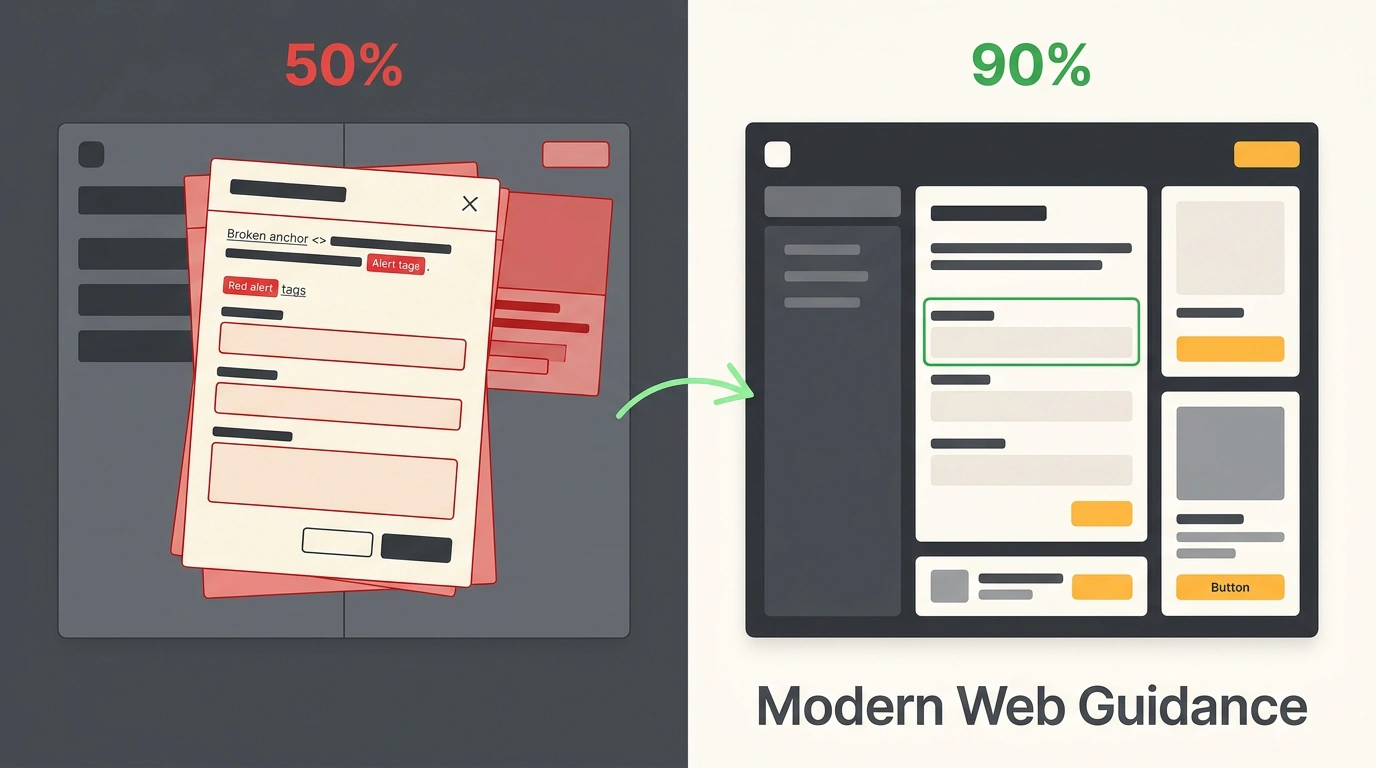
Ask an AI agent to build a modal, a checkout form, or a dark theme. Thirty seconds later, the build succeeds, the layout looks sharp, and the console is clean. Looks ready to merge. Then you tab through the form on a keyboard, open the page on a phone, or inspect security headers—and the polished facade falls apart.
The Chrome team put numbers on this problem. On November 10–11, 2026, Google engineer Philip Walton published two pieces: the Modern Web Guidance 1.0 release and Top 10 things AI gets wrong in web development.
Chrome's Experiment: Code Compiles, Half the Checks Fail
Chrome built an eval suite with formal expectations for each guide and published the goo.gle/mwg-evals dashboard. Two agents get the exact same prompt: one runs unguided, while the second gets the Modern Web Guidance (guided) package.
The gap is stark. Unguided agents pass only about 50% of checks, while agents using Modern Web Guidance reach roughly 90%. It isn't that models "can't code." They trained on older repositories, so by default they reach for JS workarounds where browsers already have native features, cut corners on accessibility, and skip security.
Ten Common AI Pitfalls: Accessibility, UX, Speed, and Security
Every recurring agent mistake falls into one of four buckets.
Accessibility (a11y) covers keyboard users, screen readers, and motion sensitivity. First, agents mishandle focus and inert (which blocks background interaction behind a modal). They forget to return focus to the trigger button, write manual JS tab traps and aria-modal="true" instead of a modal <dialog>, make every toolbar button tabbable instead of using roving tabindex, and draw :focus-visible outlines with contrast below 3:1.
Second, models break prefers-reduced-motion. They enable scroll-behavior: smooth and @view-transition unconditionally, then nuke all UI transitions with * { transition-duration: 0.01ms } when asked to respect reduced motion.
/* Before (unguided AI): smooth motion is always on, and the reset
   breaks even helpful UI state transitions */
html { scroll-behavior: smooth; }
@view-transition { navigation: auto; }
@media (prefers-reduced-motion: reduce) {
  *, *::before, *::after {
    transition-duration: 0.01ms !important;
  }
}

/* After (Modern Web Guidance): enable motion only for users
   who haven't asked to reduce it */
@media (prefers-reduced-motion: no-preference) {
  html { scroll-behavior: smooth; }
  @view-transition { navigation: auto; }
}
That way, smooth scrolling and view transitions run only when motion is allowed, without breaking subtle state transitions.
Third, forms: instead of CSS :user-invalid, AI validates on blur (yelling at fields you merely tabbed past), lets aria-invalid drift out of sync, hides hints like MM/YY in placeholder instead of aria-describedby above the input (where mobile keyboards don't cover them), and styles :autofill with a border color only instead of an inset box-shadow.
User Experience (UX). Fourth, swipes and carousels: manual physics in pointermove/touchmove instead of CSS Scroll Snap, missing overscroll-behavior-x: none (so swiping triggers browser Back navigation), and JS scroll-progress math instead of scroll-driven animations. Fifth, dialogs and popovers: position: fixed overlays instead of popover, requestAnimationFrame() + transitionend + setTimeout() chains instead of @starting-style and transition-behavior, and overflow: hidden on <html> with popstate instead of a modal <dialog>.
Sixth, dark mode. Without <meta name="color-scheme" content="light dark"> in <head>, users get a white flash before CSS loads. Agents also forget CSS color-scheme (leaving scrollbars bright), ignore light-dark(), drop the "system" theme option, and forget to listen for storage events across tabs.
/* After: native controls adapt to the theme,
   and colors need one line via light-dark() */
:root {
  color-scheme: light dark;
  --surface: light-dark(#ffffff, #14161a);
  --text: light-dark(#1a1d24, #f2f4f8);
}
Paired with the color-scheme meta tag, this prevents white flashes, themes native controls, and eliminates duplicate color variables.
Performance (INP and CLS). INP (Interaction to Next Paint) measures input responsiveness, while CLS (Cumulative Layout Shift) tracks visual jumps. Seventh, main-thread blocking (INP): agents build queues with setTimeout() instead of scheduler.postTask() and scheduler.yield(), render huge tables without content-visibility: auto and contain-intrinsic-size, hide SPA views with display: none instead of content-visibility: hidden + inert, and attach JS scroll listeners instead of CSS scroll-state queries.
// After: yield back to the browser between heavy steps
// so the page stays responsive (INP)
async function processItems(items) {
  for (const item of items) {
    handleItem(item);
    if ("scheduler" in globalThis && "yield" in scheduler) {
      await scheduler.yield();
    }
  }
}
Yielding lets the browser handle a click right in the middle of a heavy loop, and pairing it with content-visibility: auto and contain-intrinsic-size: auto 48px keeps off-screen table rows from slowing down layout.
Eighth, layout shifts (CLS): agents put dimensions on <img> but forget width/height on <video> (making players jump from 300×150), skip font-size-adjust, size screens in vh instead of dvh/svh, use opacity: 0 instead of blocking="render", and forget rel="expect" for cross-document transitions.
Security (DOM XSS and Passkeys). The ninth mistake is the loudest: unless explicitly asked, models never once added CSP (Content Security Policy) or cross-origin isolation headers. Even when asked, they fail over half the checks—writing custom DOMParser sanitizers instead of setHTML(), creating no-op Trusted Types policies like (input) => input, using script-src 'self' instead of SHA-256 hashes, and forgetting 'strict-dynamic' and 'report-sample' in nonce-based CSP.
// After: native setHTML() with lazy-loaded DOMPurify as fallback
// instead of a custom DOMParser sanitizer
async function renderUserHtml(container, dirtyHtml) {
  if (typeof container.setHTML === "function") {
    container.setHTML(dirtyHtml);
    return;
  }
  const { default: DOMPurify } = await import("dompurify");
  container.innerHTML = DOMPurify.sanitize(dirtyHtml);
}
Here the browser sanitizes HTML natively, loading the external library only where setHTML() isn't available yet.
Tenth is Passkeys / WebAuthn (passwordless sign-in): hand-rolled Base64URL converters with atob()/btoa() instead of parseCreationOptionsFromJSON(), parseRequestOptionsFromJSON(), and credential.toJSON(), missing PublicKeyCredential.signalUnknownCredential(), skipping getClientCapabilities() and AbortController, and using deprecated mediation: "immediate" instead of uiMode: "immediate".
What's Inside Modern Web Guidance 1.0 and How to Connect It
Modern Web Guidance 1.0 (GitHub) is a set of agent skills (rules and checks for coding agents) that graduated from its Google I/O preview to a stable 1.0 release on November 10, 2026. Firefox and Edge officially joined Chrome, rules are grounded in Baseline compatibility data, and accessibility guides were verified by specialists using real assistive tech.
# Install Modern Web Guidance in your project
npx modern-web-guidance@latest install

# Upgrade from the early preview to version 1.0
npx modern-web-guidance@latest update
The plugin is also in the marketplaces for eight agents: Claude Code, Codex, Cursor, Antigravity, Copilot, WebStorm, Kimi Code, and Grok Build. Version 1.0 adds a modernization workflow: running /modern-web-guidance Modernize the code in this directory scans HTML, CSS, JS, and package.json for outdated workarounds and guides the agent through updates. For now, the scanner relies on static pattern matching—full agentic audits are planned for future versions.
What Humans Still Need to Check Beyond 90%
Even with guidance, agents still miss ~10% of checks, and the package runs before code executes—it can't see a live browser. That's why Chrome recommends pairing it with Chrome DevTools for agents, which captures CPU traces for INP (long tasks over 50 ms), records animations, checks prefers-reduced-motion, and hunts memory leaks in SPA views.
In production, that combo already shows strong numbers. At note inc. (90M+ MAU), across 180 Next.js runs, pass rates jumped from 61% to 94%, and LCP image prioritization improved 28% across 431 PRs. MetaMask built a PR bot with a three-line prompt: in five weeks it reviewed ~480 PRs, flagged 64, and the team closed 43 real issues (a11y, semantics, forms) with a 15-minute median fix time. Pairing with DevTools for agents sped up regression debugging by 87% at WeTV (Tencent) and cut UI bugs on new screens by over 90% at Pensionbazaar.
What to verify by hand even with Modern Web Guidance
- Security headers, CSP rules, WebAuthn configuration, and server-side validation.
- Live browser behavior: main-thread tasks > 50 ms, animations, and SPA memory leaks.
- Manual accessibility: keyboard-only form navigation and hint placement on mobile.
- Business logic and edge cases that general platform rules don't know about.

