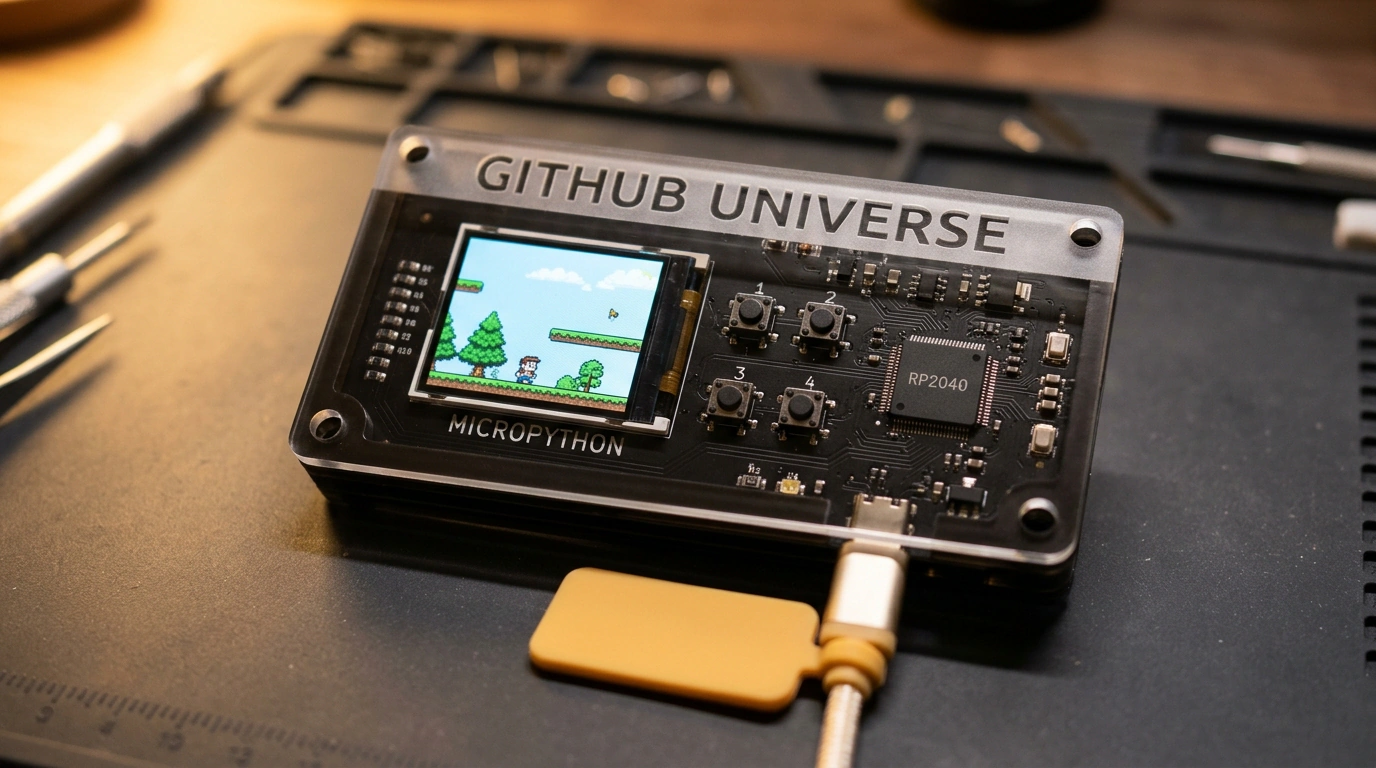
At most big tech conferences, attendee badges share a predictable fate: hang around your neck for two days, display a name and QR code, then gather dust on a shelf as a souvenir. Even when a badge includes a screen and battery, organizers usually lock the firmware down tight to keep curious hackers out of the proprietary bootloader.
At GitHub Universe 2026, though, the organizers gave engineers a genuine old-school treat. The attendee badge turned out to be a full embedded platform built around Raspberry Pi's wildly popular RP2040 microcontroller—completely unlocked for tinkering right out of the box.
We already admired vibe-coding workflows and rapid game building for retro hardware, and the GitHub Universe badge story is pure hacker joy straight out of classic computing magazines. Let's see how attendees turned a conference badge into a handheld game console in a single evening.
Hardware Specs and the UF2 Bootloader in Your Palm
Once engineers flipped the device over in their hands, the whole setup became crystal clear:
- Inside the translucent plastic shell sat a Raspberry Pi RP2040 chip—a dual-core ARM Cortex-M0+ running at 133 MHz with 264 KB of SRAM.
- Up front was a 1.54-inch color IPS display at 240x240 resolution driven over a fast SPI bus.
- The board packed four tactile pushbuttons, a LiPo battery, and a standard USB-C port.
Best of all, GitHub's hardware team left the built-in ROM bootloader unlocked. Hold down the select button while plugging in a USB-C cable, and the badge mounted on your laptop as a standard removable flash drive in UF2 bootloader mode (RPI-RP2). No dedicated programmers, soldering irons, or debug probes needed—the entire "jailbreak" was drag-and-drop.
From MicroPython REPL to Retro Games in Half an Hour
From there, things moved fast. Attendees grabbed the official MicroPython build for the RP2040, dragged the .uf2 file onto the mounted drive, and the board rebooted in a split second.
Opening a terminal and connecting over serial with screen /dev/tty.usbmodem* 115200 dropped hackers straight into an interactive Python REPL. That is when modern AI assistants stepped in:
- Developers snapped photos of the PCB and pinout and asked Claude and ChatGPT to map the GPIO pins for the screen and buttons.
- Within five minutes, the models generated a lightweight ST7789 display driver and a debounced button-polling script.
- Twenty minutes later, badges were rendering animated pixel art, scanning local Wi-Fi networks, and even running a tiny emulator for classic 8-bit games.
Moments like this are a great reminder of why many of us fell in love with tech in the first place. When a maker trusts its community and leaves the hardware open, a conference turns from stiff networking into a live, collaborative playground where everyone gets to explore and build.