Every JavaScript developer has written the same two-line reflex hundreds of times: const res = await fetch(url); const data = await res.json();. As long as the payload is a few dozen kilobytes, that pattern works without a hitch. The browser buffers the response in memory, parses the JSON string into objects, and moves on.
Now picture a different scenario: a user requests a 150 MB analytics export, a massive CSV file, or a live LLM text stream. If you wait for the entire payload with res.text() or res.blob(), memory usage spikes immediately, the browser tab freezes for seconds during garbage collection, and the user stares at a blank screen.
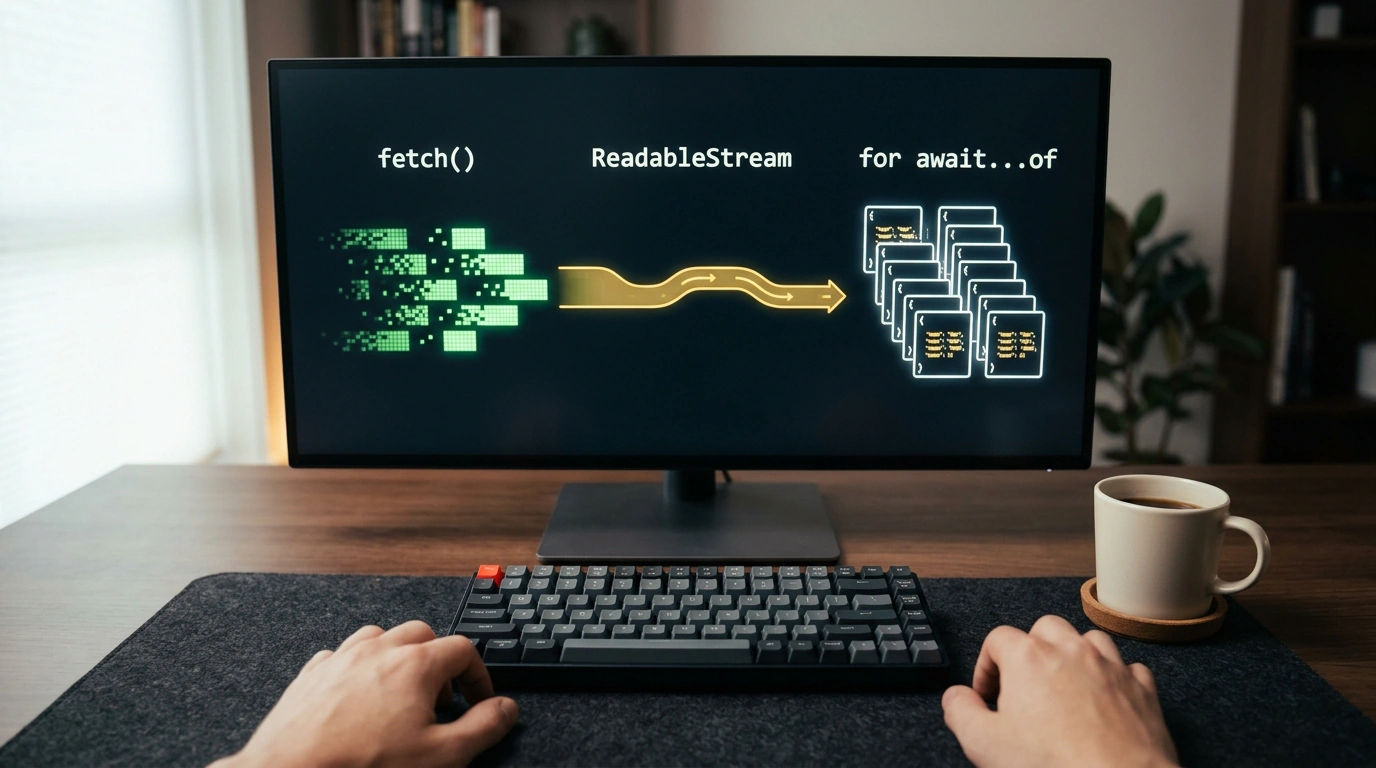
The Fetch API and Streams API offer a native way out: response.body is a full-fledged ReadableStream. And because it implements the Symbol.asyncIterator protocol, you can process incoming network data chunk by chunk using a clean for await...of loop.
Anatomy of a Stream: Why You Can't Just Split Bytes Arbitrarily
Let's trace what happens at the network layer when a server sends a large response. The OS TCP stack chops the stream into segments and hands them to the network interface. In JavaScript, those pieces arrive as binary Uint8Array chunks.
When you write for await (const chunk of response.body), the loop wakes up on every incoming binary chunk, letting you render output immediately or parse records line by line.
There is, however, a classic trap that trips up plenty of developers: multi-byte UTF-8 characters split across chunk boundaries. In UTF-8, basic ASCII characters take 1 byte, while accented characters, Cyrillic, CJK ideographs, and emoji take anywhere from 2 to 4 bytes. If a TCP packet boundary lands right in the middle of a 4-byte emoji, the first bytes arrive in one chunk and the rest in the next.
If you naively call new TextDecoder().decode(chunk) inside every loop iteration, the decoder sees an incomplete byte sequence, treats it as corrupted data, and replaces it with the `` replacement character (U+FFFD). Your text is permanently mangled.
To prevent that, instantiate TextDecoder once outside the loop and pass { stream: true } on every decode call:
// Create a single decoder instance before entering the stream loop
const utf8Decoder = new TextDecoder('utf-8');

async function processNetworkStream(url) {
  const response = await fetch(url);
  if (!response.ok) throw new Error(`HTTP error: ${response.status}`);
  if (!response.body) throw new Error('ReadableStream is not supported');

  let totalBytesReceived = 0;

  // Iterate over chunks using the native async iterator
  for await (const chunk of response.body) {
    totalBytesReceived += chunk.byteLength;

    // stream: true tells the decoder to buffer incomplete trailing bytes
    const textChunk = utf8Decoder.decode(chunk, { stream: true });
    renderIncrementalUI(textChunk, totalBytesReceived);
  }

  // Flush any remaining buffered bytes after the stream closes
  const trailingText = utf8Decoder.decode();
  if (trailingText) renderIncrementalUI(trailingText, totalBytesReceived);
}
Passing { stream: true } tells the decoder to hold onto any incomplete trailing bytes internally and stitch them onto the start of the next chunk.
Line-by-Line Streaming for Large Payloads (NDJSON and CSV)
Another everyday use case is streaming logs, metrics, or tables in NDJSON (Newline Delimited JSON) or CSV, where records are separated by \n. Network chunks almost never align with newline boundaries—a single line might start in one chunk and finish two chunks later.
Here is a battle-tested async generator that turns an arbitrary ReadableStream of binary chunks into clean, complete lines without blowing up memory:
async function* streamLines(readableStream) {
  const decoder = new TextDecoder('utf-8');
  let leftoverBuffer = '';

  for await (const chunk of readableStream) {
    leftoverBuffer += decoder.decode(chunk, { stream: true });
    const lines = leftoverBuffer.split('\n');

    // The last element may be an incomplete line: keep it in the buffer
    leftoverBuffer = lines.pop() || '';

    for (const line of lines) {
      const trimmed = line.trim();
      if (trimmed.length > 0) yield trimmed;
    }
  }

  // Flush the final trailing line after the network stream ends
  leftoverBuffer += decoder.decode();
  if (leftoverBuffer.trim().length > 0) {
    yield leftoverBuffer.trim();
  }
}

// Example: parsing a heavy stream of JSON lines
async function consumeEventStream(endpointUrl) {
  const response = await fetch(endpointUrl);
  for await (const line of streamLines(response.body)) {
    const payload = JSON.parse(line);
    dispatchApplicationEvent(payload);
  }
}
We covered memory-conscious client-side processing earlier in printing a chat book without a server using canvas, jsPDF, and memory optimization, and streaming fetch brings that same discipline to the network layer.
Browser Support, Cancellation, and Backpressure
ReadableStream async iteration is supported across all modern browsers and server runtimes (Node.js 18+, Deno, Bun). Still, keep two lifecycle rules in mind when building streaming pipelines:
- Aborting streams: Always pass an
AbortSignaltofetch. If the user navigates away or a component unmounts, callingabortController.abort()closes the socket immediately instead of leaking connections. - Built-in backpressure: A
for await...ofloop naturally applies backpressure—the next chunk isn't pulled from the network buffer until the body of the current iteration finishes.
Streaming turns the browser from a passive memory sponge into a responsive pipeline, keeping UI frame rates smooth even while chewing through hundreds of megabytes.