How many hours of your life have vanished into nudging boxes around in PowerPoint and squeezing coherent slides out of an endless wall of notes? For a long time, generative AI felt useless here: models dumped dry bulleted lists you still had to copy into slides by hand, or pushed you toward pricey third-party tools like Gamma or Beautiful.ai.
With ChatGPT's built-in Canvas editor and slide generator on one side and Claude's interactive Artifacts on the other, the two AI heavyweights have finally squared off for your slide decks. Researcher Jason West ran a revealing test: he took a raw 40-minute video transcript about launching the chatbot agency FastBots and fed it into both models with the exact same prompt.
The results exposed two completely opposite philosophies of design and content delivery.
ChatGPT Slides: Classic Office Structure, Speaker Notes, and Quick Tweaks
OpenAI's approach runs on familiar corporate rails:
- Structure and facts: the model turned the transcript into a tight, logical 16-slide deck. ChatGPT cleanly pulled out exact numbers—pricing tiers, funnel conversion rates, and commercial offer structure.
- Full Speaker Notes: beneath every slide, the model wrote detailed presenter cues explaining which points to emphasize for the audience.
- Built-in element editor: right inside Canvas, you can click any block, swap fonts, recolor slide backgrounds, or reorder cards without regenerating the entire deck from scratch.
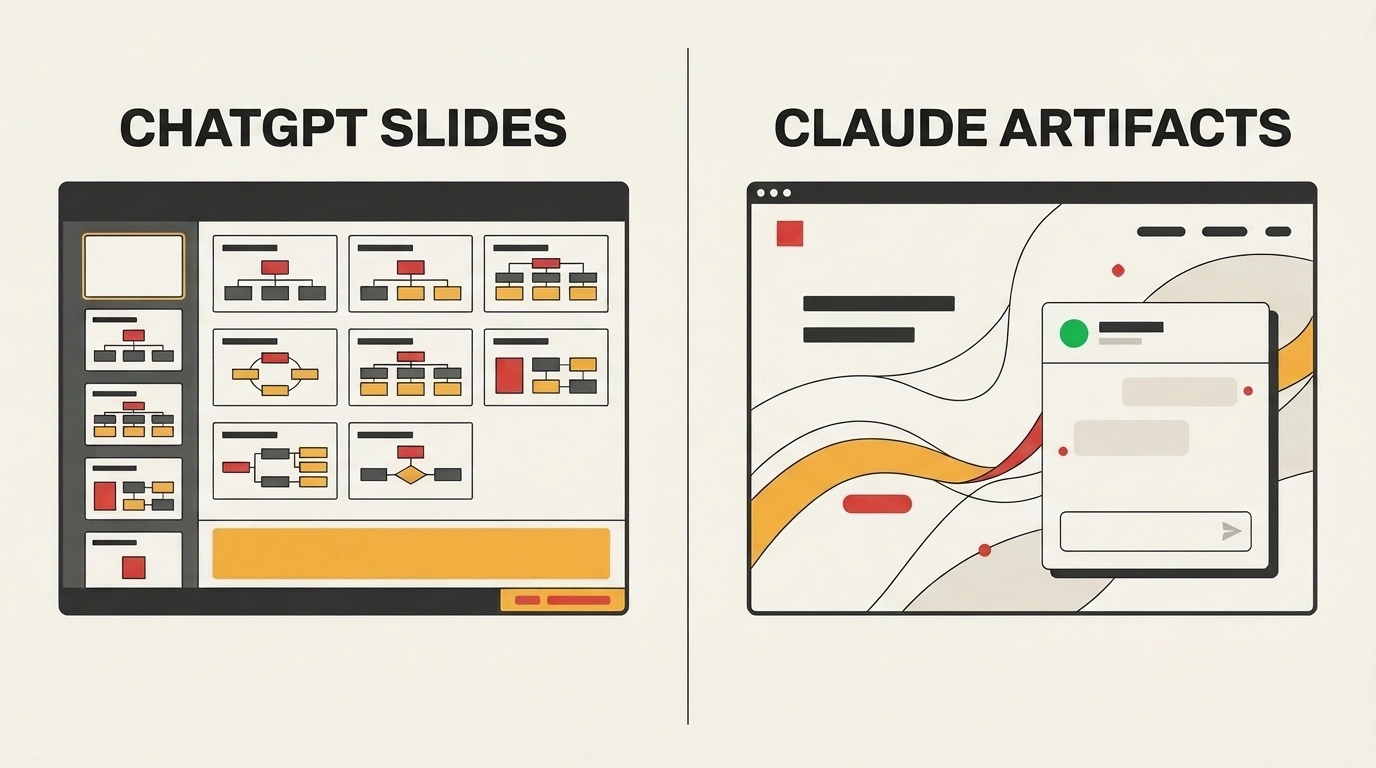
Comparison diagram: a 16-slide deck with speaker notes in ChatGPT vs. an interactive React widget in Claude.
The downside is a predictable, somewhat dry visual style. The slides look neat, but static—reminiscent of a solid corporate template from the early 2010s.
Claude Artifacts: Interactive Web, Fluid Animation, and Wow Factor
Anthropic approaches presentations like a modern frontend engineer and UI designer:
- Interactive Artifact: Claude built the presentation not as static slides, but as a standalone web app powered by React, SVG, and animations.
- Polish and motion: smooth transitions between screens, sharp contrast, and magazine-grade typography.
- Live widgets inside a slide: the model even embedded a clickable chatbot simulator right inside the presentation body. During a talk, the presenter can demo the product live without switching browser tabs.
The price for that polish is editing friction: fixing a typo means tweaking a snippet of React code, and there's still no dedicated speaker-notes pane in Artifacts.
How to Pick the Right Tool for the Job
- Choose ChatGPT Slides when you're preparing a leadership report, board deck, or lecture where classic
.pptxexport and detailed presenter notes matter most. - Choose Claude Artifacts when you're pitching investors, running a live webinar demo, or speaking at a conference where audience engagement and live interactivity win the room.
We've been tracking built-in slide generation since our look at ChatGPT's multi-tab workflow, and this head-to-head confirms it: manual slide layout is on its way out. What matters now is knowing what your audience needs—dependable corporate structure or an interactive digital performance.