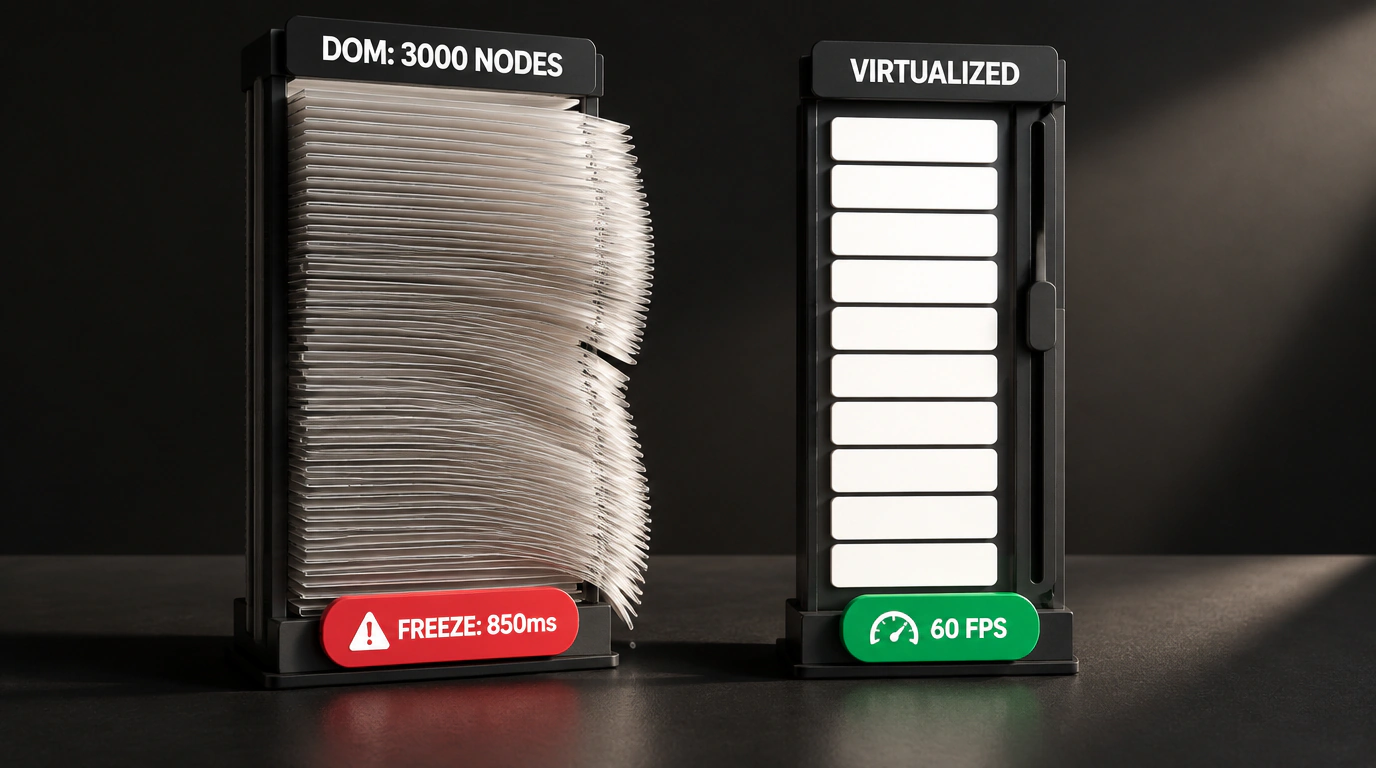
Every frontend developer has walked into this trap at least once. Design hands over a gorgeous catalog filter in Figma: a sleek Select dropdown with search, category grouping, smooth expand animations, and soft shadows. You grab a popular design system—Material UI (MUI), Mantine, or Ant Design—wire up the component in five minutes, test it with five sample items, and everything flies. Smooth animations, happy stakeholders.
Then the app hits production. The backend returns a real 2,000-item catalog, a user clicks the dropdown, and the browser tab freezes solid for two full seconds. The cursor turns into a spinning wheel, laptop fans spin up, and an angry customer fires off a support ticket.
Why do simple UI controls fall apart so dramatically under load? French engineer Romain Clément answered that question in a thorough performance benchmark of leading design systems, covered in React Status and published in an open component benchmark repo.
Let's look at his numbers and see what architectural trade-offs hide behind those polished component facades.
Stress-Test Methodology: Measuring Real-World Lag
Clément approached benchmarking with serious engineering rigor. Instead of synthetic microbenchmarks, he built a reproducible Playwright test harness simulating real browser interactions.
Here's how the experiment was set up:
- The test page renders a standard dropdown containing 2,500 items with text labels and icons.
- Playwright simulates a real user click to open the dropdown menu.
- Using the Performance API and Chrome DevTools tracing, it records three key metrics:
- TBT (Total Blocking Time): how long JavaScript locks up the browser's main thread;
- First DOM Render (Mount Duration);
- V8 JS Heap Size: memory consumption during render.
Here's what the Playwright benchmark script looks like for capturing dropdown open latency:
import { test, expect } from '@playwright/test';

test('Замер времени блокировки потока при открытии селекта на 2500 элементов', async ({ page }) => {
  await page.goto('/benchmark/select');

  // Start collecting performance metrics via Chrome DevTools Protocol
  const client = await page.context().newCDPSession(page);
  await client.send('Performance.enable');

  const startMark = performance.now();

  // Click the dropdown trigger
  await page.click('[data-testid="framework-select-trigger"]');

  // Wait for the dropdown container to actually appear in the DOM
  await page.waitForSelector('[data-testid="framework-select-dropdown"]');

  const renderTime = performance.now() - startMark;
  console.log(`Время раскрытия меню: ${renderTime.toFixed(2)} мс`);

  const metrics = await client.send('Performance.getMetrics');
  const jsHeapMetric = metrics.metrics.find(m => m.name === 'JSHeapUsedSize');
  console.log(`Память кучи JS: ${(jsHeapMetric!.value / 1024 / 1024).toFixed(2)} МБ`);

  expect(renderTime).toBeLessThan(500); // Expected responsiveness threshold
});
Benchmark Results: Where the Giants Stumble
The numbers were eye-opening even for seasoned UI architects:
- MUI (Material UI v6):
- Menu render time: 1,840 ms.
- JS heap usage: 48 MB.
- Why it lags: heavy runtime CSS-in-JS (Emotion/Pigment). For each of the 2,500 items, MUI builds a virtual style tree, computes classes at runtime, and attaches dozens of event listeners.
- Ant Design (v5):
- Menu render time: 620 ms.
- JS heap usage: 28 MB.
- Why it lags: it enables list virtualization by default, yet animation overhead and accessibility calculations still trigger a noticeable main-thread hiccup.
- Mantine (v7):
- Menu render time: 410 ms.
- JS heap usage: 19 MB.
- Dropping CSS-in-JS in favor of native CSS Modules in v7 helped Mantine beat its heavier rivals on mount speed.
- Lightweight Headless Primitives (Base UI / Radix + TanStack Virtual):
- Menu render time: 42 ms.
- JS heap usage: 6 MB.
Let that sink in: the gap between classic MUI and headless primitives paired with virtualization was over 40x in UI latency!
The Architectural Fix: How to Kill the Lag
If your project already runs on a heavy design system, rewriting the whole app from scratch isn't realistic. You can fix the worst bottlenecks in two proven steps:
First, virtualize long lists. Never let the browser mount more than 20–30 visible list items into the real DOM at once:
import { useVirtualizer } from '@tanstack/react-virtual';
import React, { useRef } from 'react';

export function VirtualizedOptionsList({ items }: { items: string[] }) {
  const parentRef = useRef<HTMLDivElement>(null);

  const rowVirtualizer = useVirtualizer({
    count: items.length,
    getScrollElement: () => parentRef.current,
    estimateSize: () => 36, // Height of a single list item in pixels
    overscan: 5,            // Extra buffer items above and below the viewport
  });

  return (
    <div ref={parentRef} className="h-64 overflow-auto border rounded">
      <div style={{ height: `${rowVirtualizer.getTotalSize()}px`, position: 'relative' }}>
        {rowVirtualizer.getVirtualItems().map((virtualRow) => (
          <div
            key={virtualRow.index}
            className="absolute top-0 left-0 w-full px-3 py-2 hover:bg-slate-100 cursor-pointer"
            style={{ transform: `translateY(${virtualRow.start}px)` }}
          >
            {items[virtualRow.index]}
          </div>
        ))}
      </div>
    </div>
  );
}
Second, ditch runtime CSS-in-JS on heavy lists in favor of Tailwind CSS or plain CSS Modules. As we saw in our look at architectural erosion in web apps, trusting popular libraries blindly without measuring them under real load is a fast track to losing users.
Pretty UI has to be fast too—benchmark your components before shipping to production, not after users start complaining.