When you run a crew of autonomous AI agents—say, Claude Code in the terminal, Hermes as a systems orchestrator, and a handful of data-scraping scripts—you quickly hit a wall researchers call Session Amnesia.
Each agent lives trapped inside its own context window. You might spend two hours teaching Claude Code the quirks of compiling your project on ARM64. The agent finds the right compiler flag, fixes the build, and closes the session. The very next day, Hermes hits the exact same bug and bruises its shins all over again because there's no shared memory between them.
The standard enterprise answer is "bolt on a vector database and RAG." In practice, vector search often turns into an opaque black box: embeddings miss strict chronological links, cosine similarity pulls up stale snippets, and a human developer can't easily pop the hood to see why an agent made a given call.
The engineering community has landed on a surprisingly clean alternative: using a local Obsidian Vault as a shared "second brain" (Shared Cognitive Substrate) for mixed agent teams. Let's look at how a knowledge base of over a thousand linked notes holds together.
Why Markdown: Transparency Over Black Boxes
The core idea is ditching proprietary formats for plain Markdown (.md) files with YAML frontmatter and bidirectional wikilinks ([[Note-Title]]).
Why does this work so well?
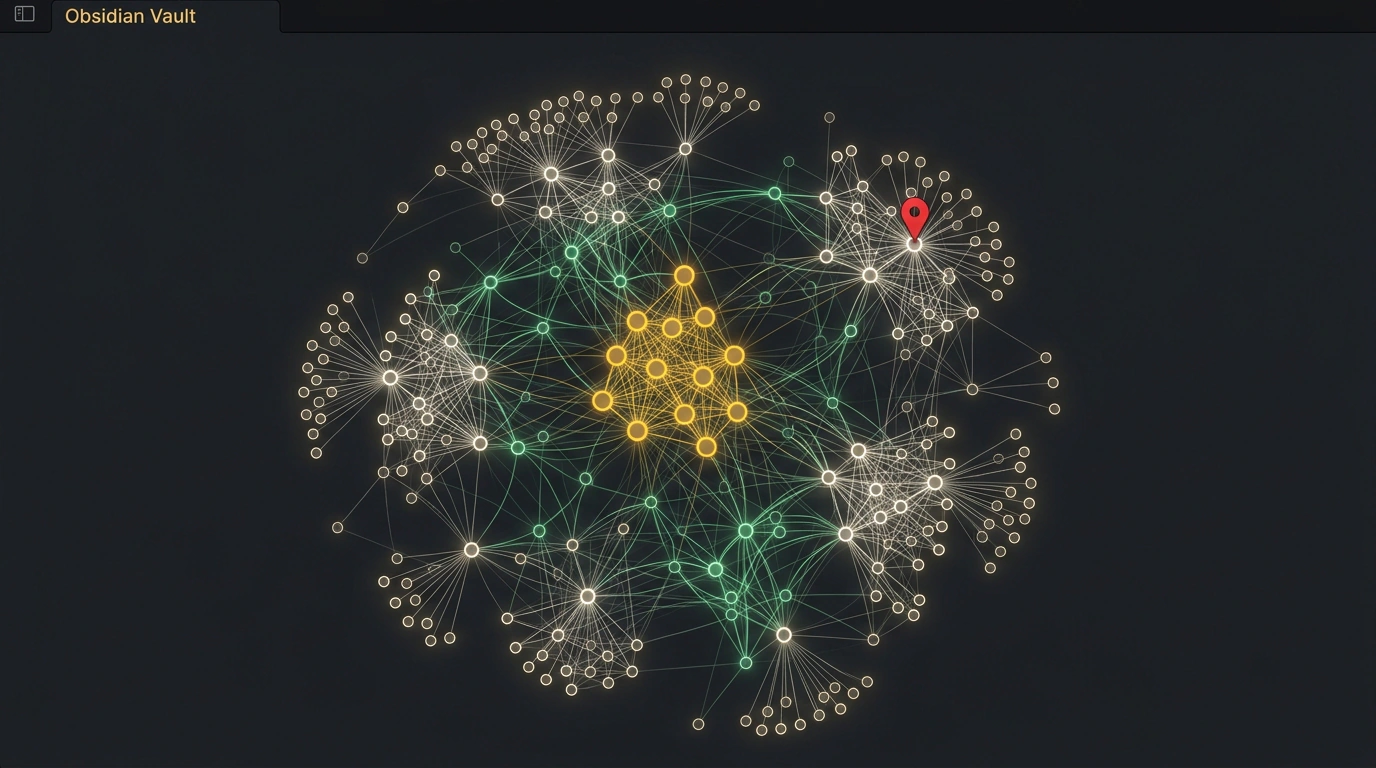
- Single Source of Truth. Humans and AI agents read and write to the exact same filesystem. You can open Obsidian, pull up the interactive graph view, and see the web of knowledge with your own eyes—how architectural decisions link to microservice profiles and bug logs.
- Human-in-the-loop control. If an agent hallucinates and writes a bad command into memory, you don't have to re-index a vector database. You just open the file in a text editor and fix the line yourself.
- Zero vendor lock-in. Any tool—
ripgrep, the Obsidian Local REST API plugin, or Model Context Protocol (MCP)—can read and update this memory without proprietary SDKs.
Preventing Race Conditions: The _inbox/ Folder and Nightly Sweeps
The nastiest failure mode in shared memory is a race condition. Picture two agents working in parallel and trying to append new facts to Architecture.md at the exact same moment. One agent inevitably overwrites the other's edits.
To keep the graph intact, the system uses a two-stage write architecture:
- Isolated
_inbox/buffer. Agents are strictly forbidden from editing canonical knowledge-graph nodes directly. When an agent learns a new fact (like a workaround for a library bug), it drops a timestamped atomic file into the inbox directory:_inbox/2026-10-31-arm64-fix.md, tagged and linked to parent entities. - Nightly Brain Sweep. Once a day on a cron schedule, a dedicated consolidator agent wakes up. It scans the inbox notes, reviews context, updates canonical component cards, wires up mutual wikilinks, and moves processed drafts into an archive folder.
Here's a minimal Python consolidation script automating that sweep:
import os
import glob
import datetime

VAULT_PATH = "./agent_vault"
INBOX_PATH = os.path.join(VAULT_PATH, "_inbox")
LOG_PATH = os.path.join(VAULT_PATH, "Daily_Logs")

def consolidate_inbox():
    today_str = datetime.date.today().isoformat()
    daily_file = os.path.join(LOG_PATH, f"{today_str}.md")

    inbox_files = glob.glob(os.path.join(INBOX_PATH, "*.md"))
    if not inbox_files:
        return

    with open(daily_file, "a", encoding="utf-8") as out_f:
        out_f.write(f"\n\n## Nightly Consolidation: {datetime.datetime.now().isoformat()}\n")
        for fpath in inbox_files:
            with open(fpath, "r", encoding="utf-8") as in_f:
                content = in_f.read()
            title = os.path.basename(fpath).replace(".md", "")
            out_f.write(f"\n### Extracted from [[{title}]]\n{content}\n")
            os.rename(fpath, fpath.replace("_inbox", "_archive"))
Canonical Cards: How Agents Navigate the Graph
So agents can pull what they need without reading entire files, every canonical note opens with a strict YAML header:
---
id: ent-agent-hermes
type: architecture-component
status: active
tags:
  - AI
  - AI-Agents
  - Architecture
updated_by: claude-code-worker-01
last_verified: 2026-10-30T22:15:00Z
related_nodes:
  - "[[Hermes-Advanced-Delegation]]"
  - "[[Model-Routing-Schema]]"
---

# Hermes Agent Architecture

The agent handles terminal operations and subtask coordination.
Delegation specs are documented in [[Hermes-Advanced-Delegation]].
With that structure, any agent starting a task runs a quick query over tags or YAML headers and pulls in only the relevant slice of context.
Scaling Limits: When Files Pile Up
As long as your vault holds between one and five thousand notes, text search via grep or Obsidian's built-in index flies in milliseconds.
If your agent farm generates hundreds of notes an hour and the vault swells past a hundred thousand files, plain filesystem directory scans start to drag. At that scale, you layer a lightweight SQLite metadata index on top or hook up a full-text engine like Tantivy.
The second catch is link discipline. If a human renames a file in Windows Explorer or macOS Finder instead of inside Obsidian, old wikilinks break. To prevent link rot, the nightly sweep always includes a broken-link linter.
As a practical, visually transparent, human-auditable memory foundation, though, an Obsidian graph runs circles around complicated cloud vector databases.
