You’d think nothing in programming could be simpler than checking the length of a string. Every introductory textbook tells you on page three: call str.length or len(s), and you're done.
Let’s run a quick experiment, though. Take one completely innocent string—the family emoji "👨👩👧👦"—and ask four popular programming languages how long it is.
Here is what they’ll tell you:
- JavaScript:
11 - Python 3:
7 - Go:
25 - Rust:
25(bytes) or7(characters)
One visible symbol to the human eye, four completely different answers. And if you put a naive check like if (input.length > 10) return error; in your client-side JavaScript for a username or comment field, your user won’t even be able to submit a single emoji because JavaScript thinks it’s already eleven characters long.
Pass that same string to a Go backend and naively slice the first five elements, and your service will either panic immediately or turn the text into garbled mojibake. We’ve already talked about why slicing s0:3 in Go breaks UTF-8 encoding, so today let’s dig into the full anatomy of Unicode from the ground up.
Four Levels of Reality in Unicode
To understand why languages disagree, you have to accept one uncomfortable truth: there is no single definition of a "character" in the Unicode standard. Text actually lives on four distinct layers:
Comparative infographic of Docker container formats: classic v2.2 tarball with monolithic layers versus eStargz structure with granular chunks and a TOC.
- Bytes: Raw physical octets in RAM or on disk. In UTF-8, a single character can take anywhere from 1 to 4 bytes.
- Code Units: The smallest indivisible cell of a specific encoding. In UTF-16, a code unit is 16 bits (2 bytes). In UTF-8, it’s 8 bits (1 byte).
- Code Points: An abstract index in the Unicode table (from
U+0000toU+10FFFF). For example, the Latin letterAhas the code pointU+0041. - Grapheme Clusters: What a regular human perceives as a single indivisible letter or icon on a smartphone screen.
Our family emoji "👨👩👧👦" is actually made of four separate people:
- Man (
U+1F468) - Woman (
U+1F469) - Girl (
U+1F467) - Boy (
U+1F466)
And sitting between them are invisible glue characters—Zero-Width Joiners (ZWJ, U+200D)! That gives us 4 figures + 3 joiners = 7 code points.
In UTF-8, each figure takes 4 bytes and each ZWJ takes 3 bytes: (4 * 4) + (3 * 3) = 25 bytes.
In UTF-16, each figure doesn’t fit in 16 bits and is encoded as a surrogate pair (2 16-bit code units = 8 units for the figures), plus 3 regular code units for the ZWJs = 11 code units.
How Memory Works Across Languages: Looking at the Code
Let’s see how different runtimes handle this string and how to measure its actual human-perceived length.
1. JavaScript: Prisoner of UTF-16 Legacy
JavaScript was created in 1995, back when Unicode hoped to fit every character in the world into 16 bits. Because of that, JS strings are historically sequences of 16-bit UTF-16 code units:
const family = "👨👩👧👦";
console.log(family.length); // 11 (UTF-16 code units)
// A naive spread operator only splits surrogate pairs, not ZWJs!
console.log([...family].length); // 7 (code points)
// RIGHT: segment into grapheme clusters using Intl.Segmenter
const segmenter = new Intl.Segmenter("ru", { granularity: "grapheme" });
const graphemes = [...segmenter.segment(family)];
console.log(graphemes.length); // 1 (an actual visible character!)
Modern Intl.Segmenter is the only reliable way to get the true count of visible characters in browsers and Node.js.
2. Python 3: Flexible PEP 393 Representation
In Python 3, strings are optimized under the hood: the interpreter uses 1, 2, or 4 bytes per character depending on the largest code point in the string.
Python’s len() always returns the number of code points:
import unicodedata
family = "👨👩👧👦"
print(len(family)) # 7 (code points: 4 figures + 3 ZWJs)
# Counting real graphemes requires the regex library with the X flag
import regex
graphemes = regex.findall(r'X', family)
print(len(graphemes)) # 1 (actual grapheme cluster)
3. Go: Strict UTF-8 and the Rune Concept
Go’s creators designed string from day one as an immutable byte slice. len() returns bytes. To work with characters, Go introduced rune (an alias for int32) to represent a code point:
package main
import (
"fmt"
"unicode/utf8"
)
func main() {
family := "👨👩👧👦"
// 1. Length in UTF-8 bytes
fmt.Println(len(family)) // 25
// 2. Length in code points (runes)
fmt.Println(utf8.RuneCountInString(family)) // 7
}
For grapheme segmentation in Go, you can reach for golang.org/x/exp/shiny/materialdesign/colornames or the dedicated github.com/rivo/uniseg package.
4. Rust: Absolute Type Safety
Rust flatly refuses to let you index a string with s[0] because it’s ambiguous. The &str type guarantees valid UTF-8, while forcing you to be explicit about what you’re counting:
fn main() {
let family = "👨👩👧👦";
// 1. Byte count
println!("{}", family.len()); // 25
// 2. Code point count (chars)
println!("{}", family.chars().count()); // 7
// 3. Grapheme clusters via the unicode-segmentation crate
// use unicode_segmentation::UnicodeSegmentation;
// println!("{}", family.graphemes(true).count()); // 1
}
The Composite Character Trap: Why "ё" Isn't Always "ё"
Think grapheme cluster bugs only haunt emoji fans? Not a chance.
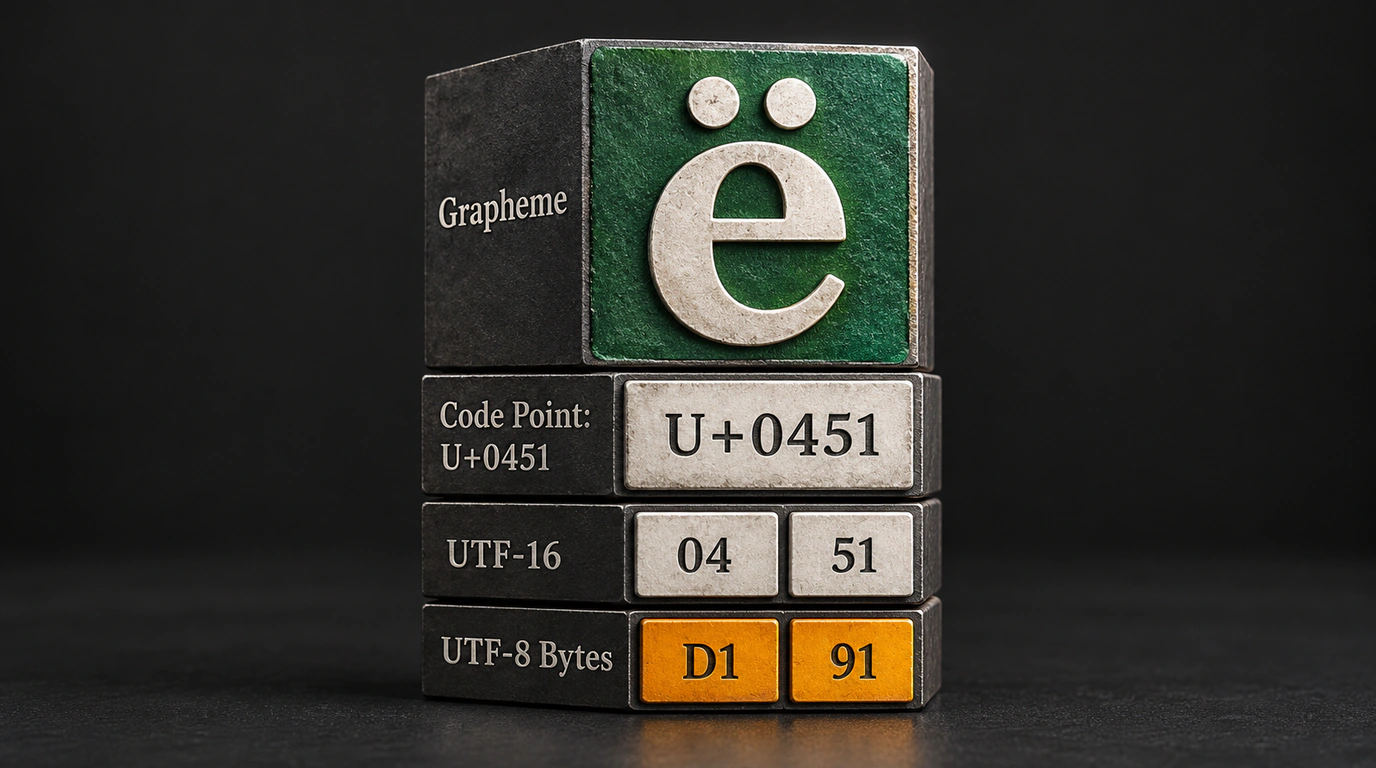
Take the Cyrillic letter «ё». In Unicode, it can be encoded in two ways:
- Precomposed (NFC): a single code point
U+0451(CYRILLIC SMALL LETTER IO). Length in JS:1. - Decomposed (NFD): the base letter
«е»(U+0435) plus a combining diaeresis on top (U+0308,COMBINING DIAERESIS). Length in JS:2!
On your monitor, both look completely identical: ё and ё. Yet to a database or string search, they are totally different values. If one user signs up with NFC and another types their username in NFD, user1 === user2 returns false.
That’s why the golden backend rule for handling user input is simple: always normalize strings to canonical NFC form—str.normalize("NFC") in JavaScript or unicodedata.normalize("NFC", s) in Python—before storing them in a database.
Understanding how code points and graphemes actually work saves you from the sneakiest validation bugs and keeps your UI from falling apart the moment it meets real-world text.
